Stay Up To Date
We believe in keeping you in the loop with all the latest happenings in our courses and system. On this page, you'll find a comprehensive log of all the exciting changes, improvements, and additions we make to our courses and system. Whether it's a new feature, a course enhancement, or a system update, we've got you covered. Bookmark this page and check back regularly. We're committed to ensuring that your learning experience remains exceptional and that you have all the information you need to succeed.

New Features

New Updates

Resources & Tools

Important Updates
Here are some of the most recent updates we thought would be helpful to take note of
Improved Feature: Drip Action
The Drip Action is designed to regulate the flow of contacts through a workflow, preventing the simultaneous execution of numerous steps. To increase its efficiency, we’ve upgraded this action with a set of transparency and reliability improvements. Let's check these improvements out!
⭐️How Will These Changes Affect You?:
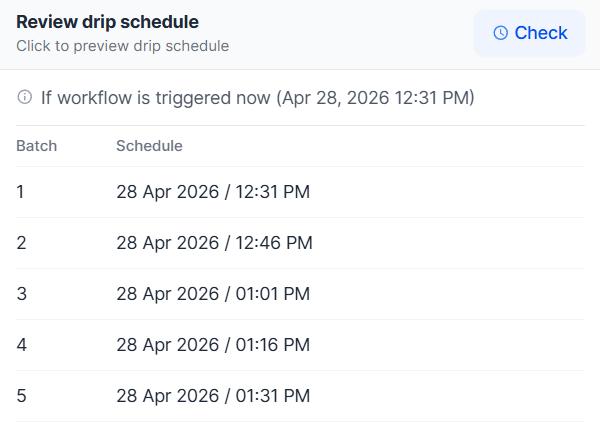
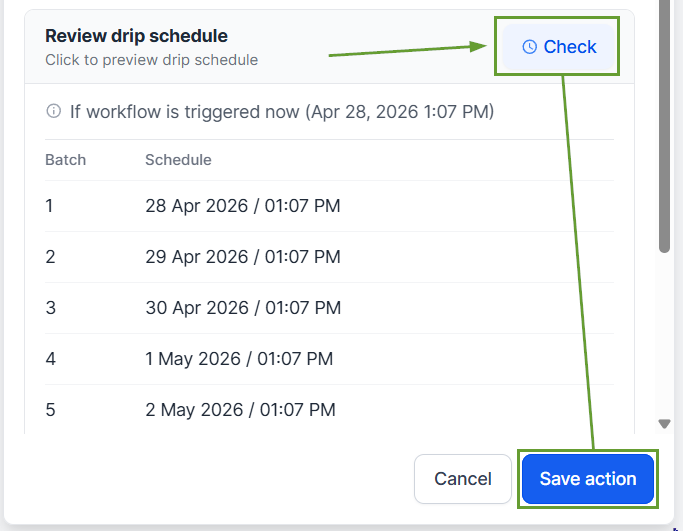
Drip Preview: A live schedule preview is now available inside the Drip action during configuration, displaying batch number and scheduled send time, with up to 10 batches previewed.
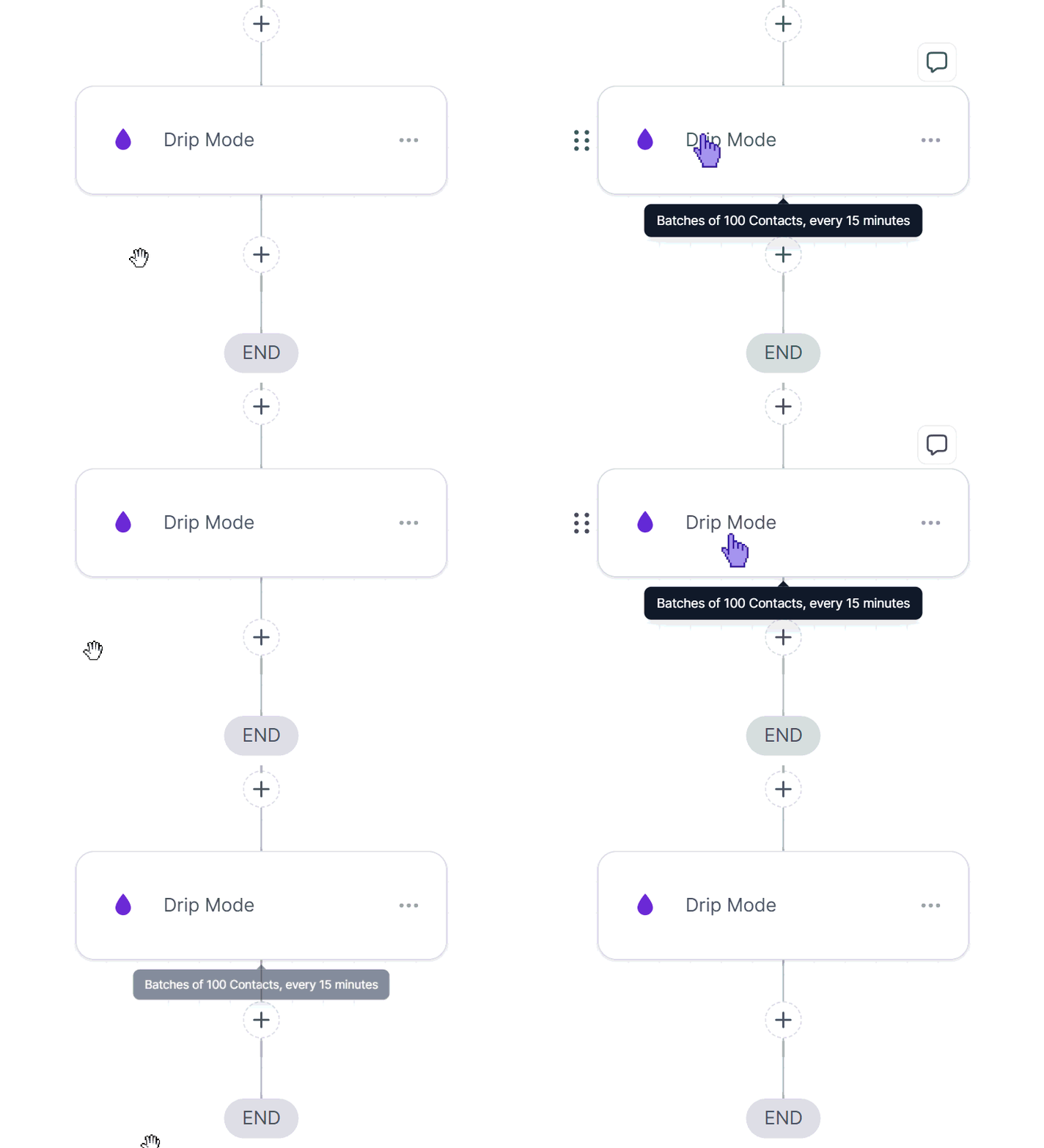
Drip Narration on Hover: A tooltip now appears on hover of the Drip action, allowing you to read the full configuration without opening the action.
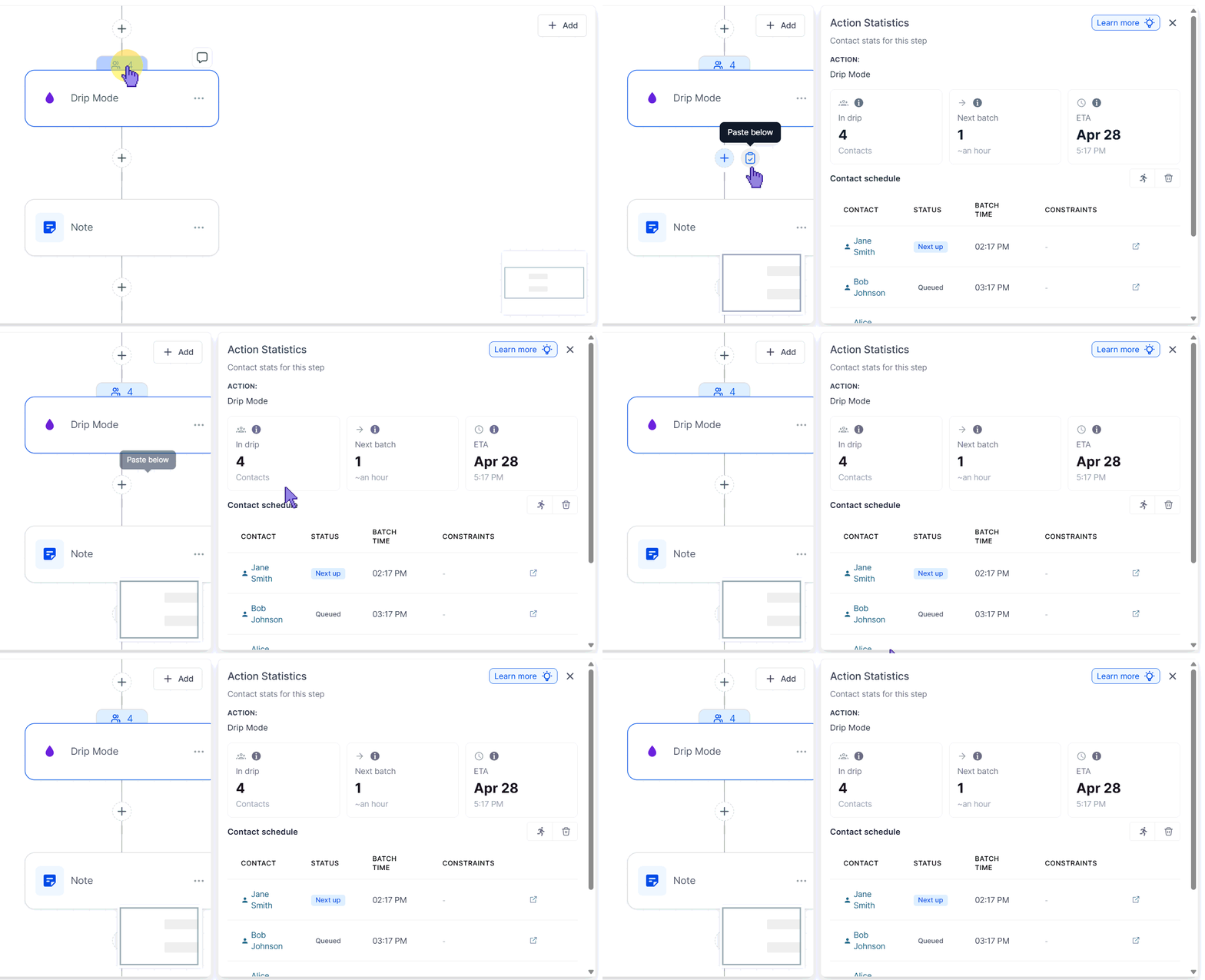
Action Statistics And Insights: The statistics icon on the Drip action has been redesigned as a proper, discoverable button. Clicking it opens a detailed view of everything happening inside the drip.
⭐️How To Use The Drip Action?
Let's learn how to add and configure the drip action in your workflows after these improvements.
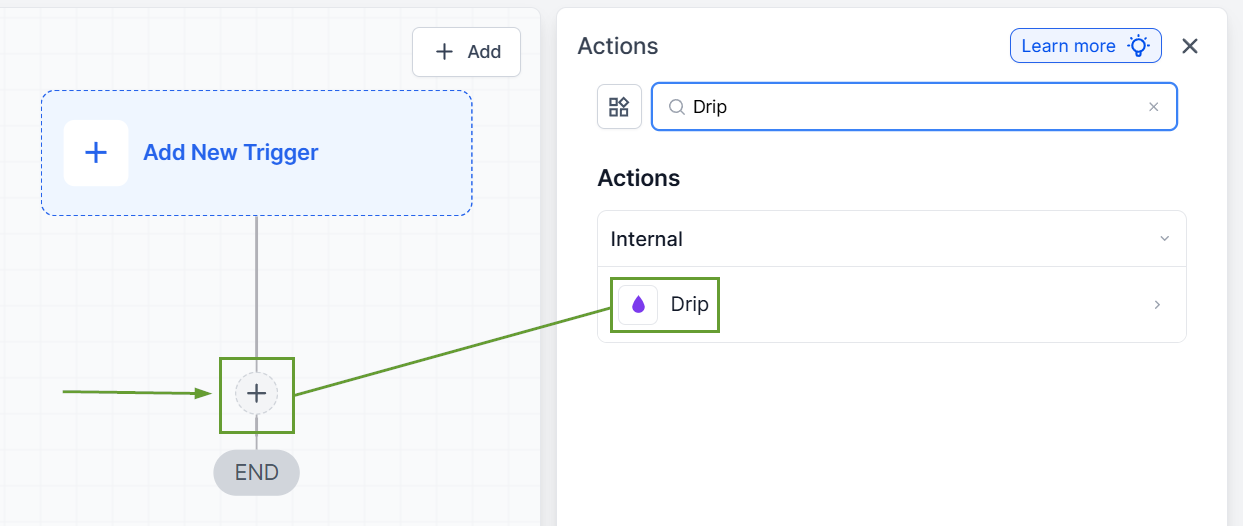
Begin by selecting the Drip action from the available workflow actions.
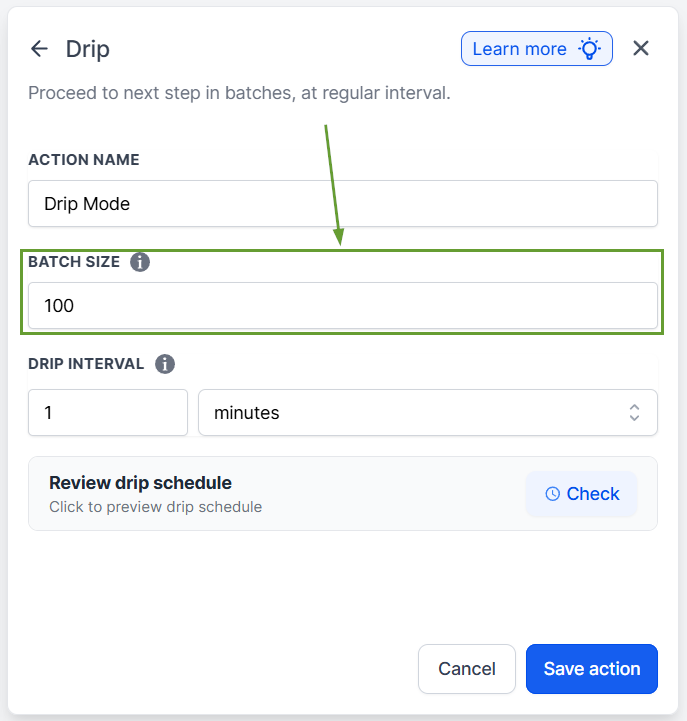
Define the number of executions allowed per batch. The range for this setting is from 1 to 10,000 contacts per batch.
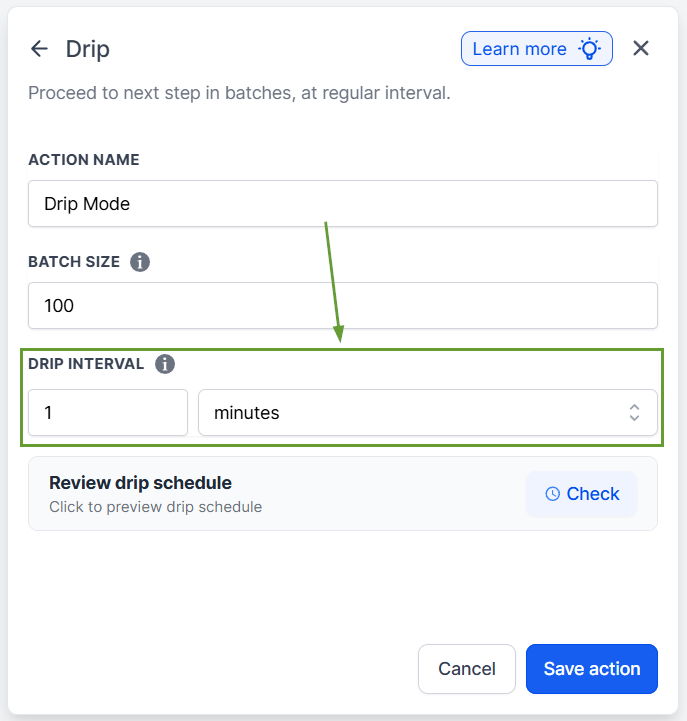
Set the time interval for the drip action. You can choose between minutes, hours, or days, with intervals ranging from one minute to seven days.
Once you've set your schedule, you can click check to get a 10-batch preview and save the action to add it to your workflow.
This release minimizes confusion by surfacing constraints directly in the product, preserving drip pacing across publish state changes, and reducing guesswork around drip scheduling. We hope you enjoy it!
