Stay Up To Date
We believe in keeping you in the loop with all the latest happenings in our courses and system. On this page, you'll find a comprehensive log of all the exciting changes, improvements, and additions we make to our courses and system. Whether it's a new feature, a course enhancement, or a system update, we've got you covered. Bookmark this page and check back regularly. We're committed to ensuring that your learning experience remains exceptional and that you have all the information you need to succeed.

New Features

New Updates

Resources & Tools

Important Updates
Here are some of the most recent updates we thought would be helpful to take note of
New Feature: HouseCall Pro Actions & Triggers in Workflows
When managing a home service business, you might need multiple tools. One of the most popular is Housecall Pro. So if you’re using this management software, follow along to learn how to connect it to Workflows thanks to this improvement.
⭐️ How To Connect Housecall Pro To Your Workflows?
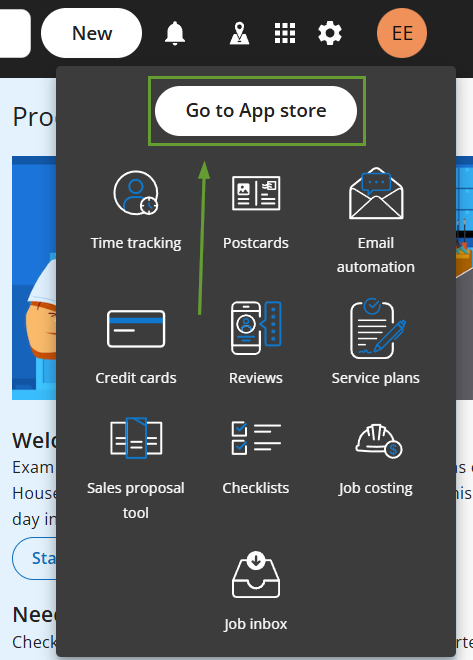
Log in to your Housecall Pro account and open My Apps, then click Go to App Store.
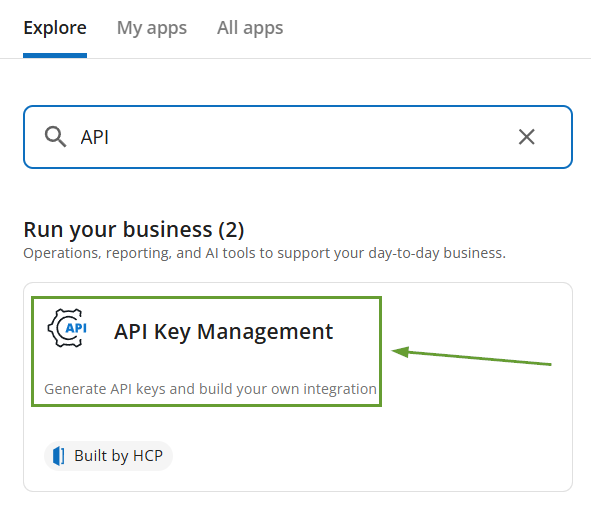
Head to API Key Management and generate an API Key with Full Access.
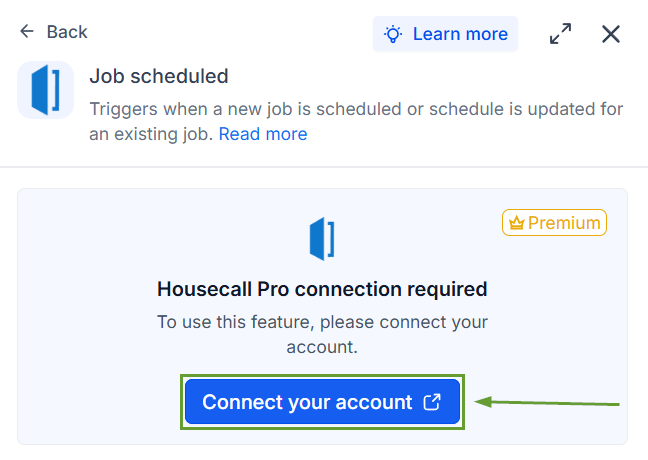
In Workflows, add a Housecall Pro trigger or action, then click Connect your account.
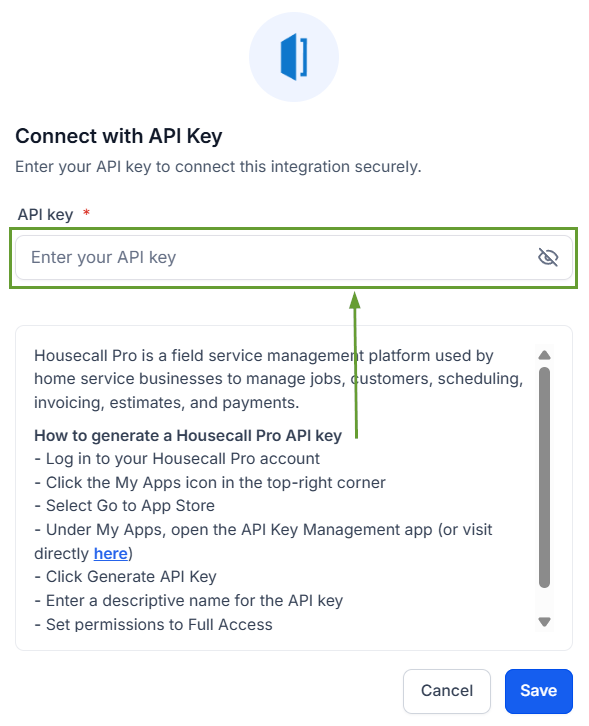
In the Connect with API Key modal, paste your Housecall Pro API key.
⭐️Why Is This Feature Beneficial To Your Company?
Home Service Management: This lets you respond more efficiently to bookings, reschedules, and job completions, providing greater access to automation tools.
Flexible Configuration: This allows you to create intricate workflows that ensure customer satisfaction while managing your jobs as you’re used to.
Improved Lead Capturing: Create efficient marketing that can move projects to HouseCall Pro once you’ve finalized the acquisition process.
Housecall Pro helps you manage the jobs, scheduling, and contract-facing side of the business, and keep lead capture, marketing, and cross-channel customer outreach inside your CRM for better management. We hope you enjoy it!
