Stay Up To Date
We believe in keeping you in the loop with all the latest happenings in our courses and system. On this page, you'll find a comprehensive log of all the exciting changes, improvements, and additions we make to our courses and system. Whether it's a new feature, a course enhancement, or a system update, we've got you covered. Bookmark this page and check back regularly. We're committed to ensuring that your learning experience remains exceptional and that you have all the information you need to succeed.

New Features

New Updates

Resources & Tools

Important Updates
Here are some of the most recent updates we thought would be helpful to take note of
New Feature: Badges Issued Trigger
Badges are a great way to mark milestones. However, this doesn’t necessarily mean their learning journey is complete. This new trigger will help you automate customer outreach and improve their return rates without manually following up with students. Let’s learn how to use it!
⭐️ How To Use The Badges Issued Trigger?
Navigate to the Workflows tab inside the Automation section, then create or edit a build.
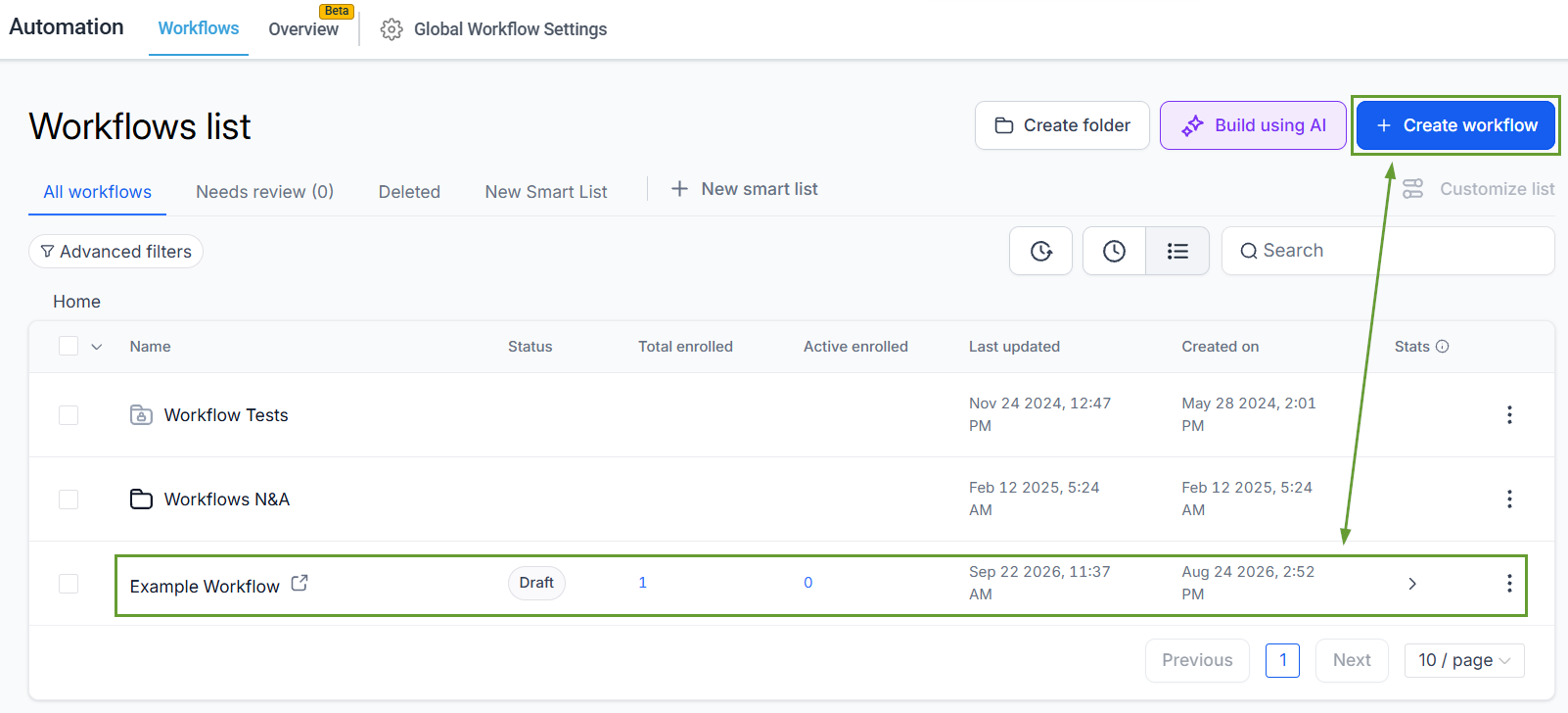
Click Add New Trigger and select Badges Issued.
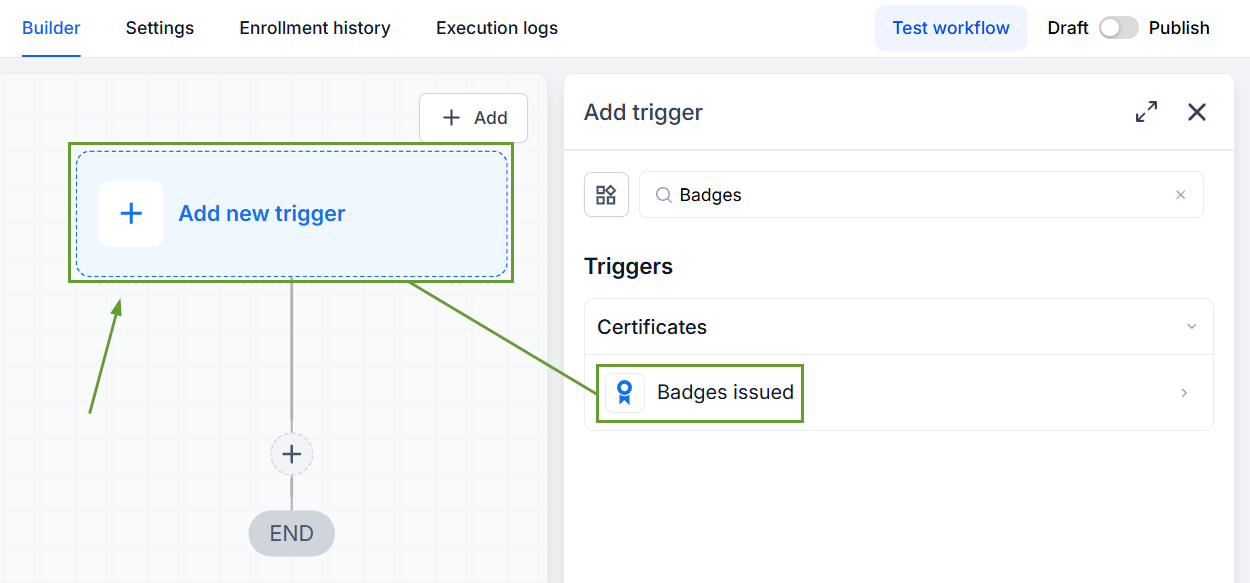
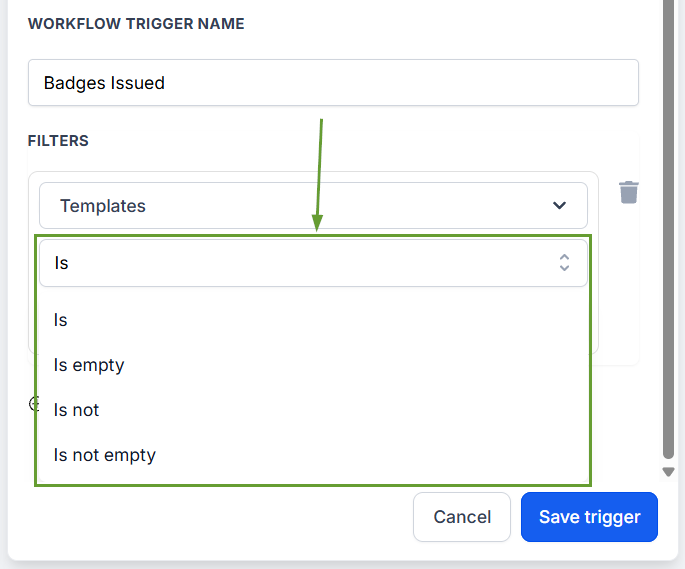
To limit the triggering to specific templates, click Add Filters and select Templates.
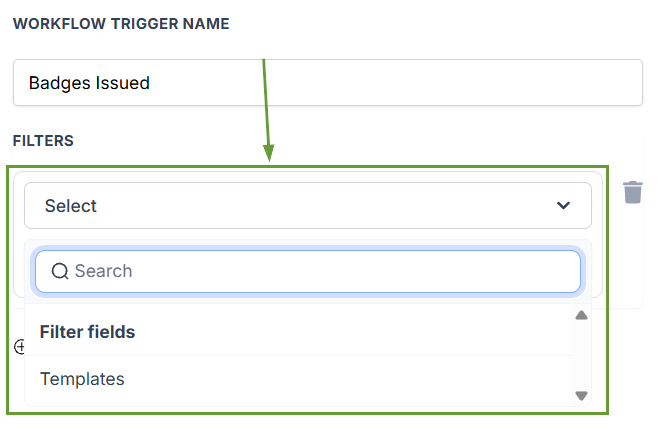
Select an operator, then pick your desired templates.
⭐️Why Is This Feature Beneficial To Your Company?
Automated Reengagement: Target your marketing with workflows that send follow-up emails, grant special offers, and add them to communities that keep them engaged with your content.
Improved Communications: Follow up with your learners as they achieve milestones, ensuring they retain their lessons, have a channel for questions, and ensure correct data in their certifications.
Friction Reduction: This allows you to note where learners left off and give them an easy road to reinsertion, with easily targeted access to review modules or continuation reminders.
Thanks to this feature, the power of workflows helps you keep learners coming back for more, automate follow-ups, and run marketing campaigns that engage and connect with learners. We hope you enjoy it!
