Stay Up To Date
We believe in keeping you in the loop with all the latest happenings in our courses and system. On this page, you'll find a comprehensive log of all the exciting changes, improvements, and additions we make to our courses and system. Whether it's a new feature, a course enhancement, or a system update, we've got you covered. Bookmark this page and check back regularly. We're committed to ensuring that your learning experience remains exceptional and that you have all the information you need to succeed.

New Features

New Updates

Resources & Tools

Important Updates
Here are some of the most recent updates we thought would be helpful to take note of
New Feature: AI Data Extract Action
We’ve added an action to make extracting data from raw input easier than ever, taking emails, SMS messages, webhook payloads, and AI outputs, then returning clean, typed variables ready for use in any downstream action. Let’s check how to use them!
⭐️ How To Use The AI Data Extract Action?
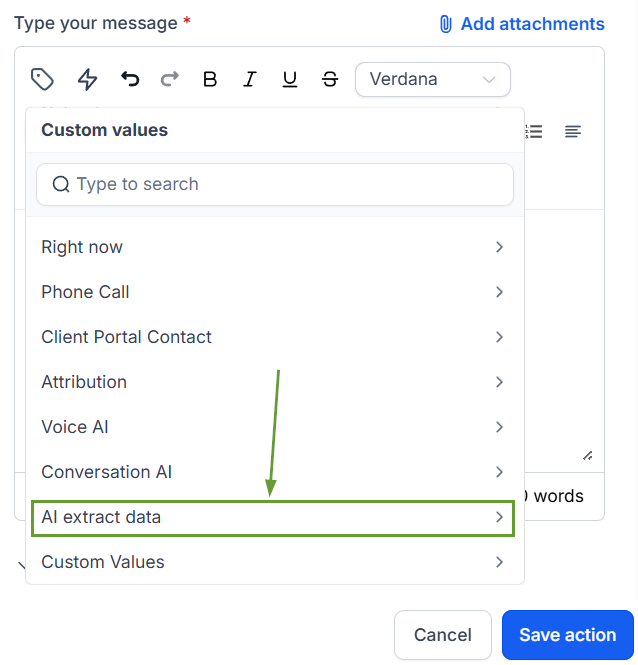
Click "+ Add Action" in your workflow, then search for "AI Extract Data" in the AI action category.
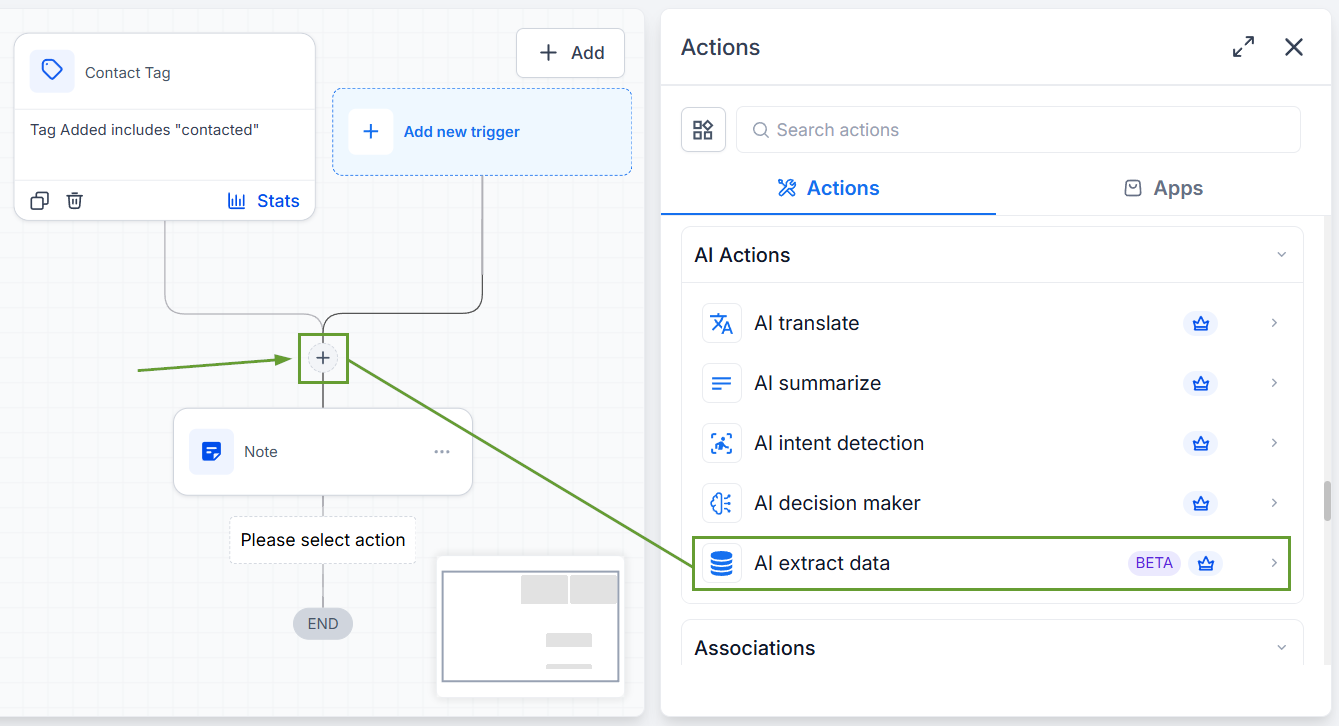
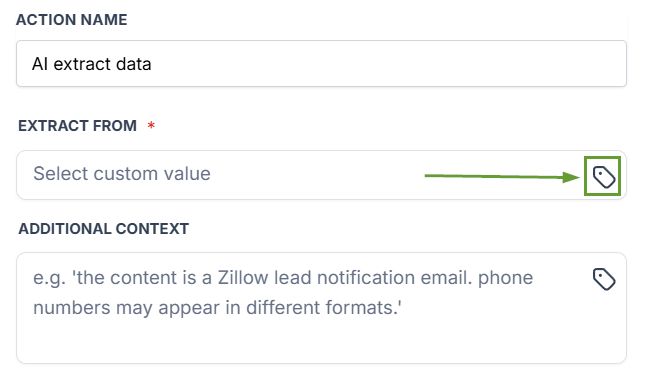
Select your input source via the custom value picker.
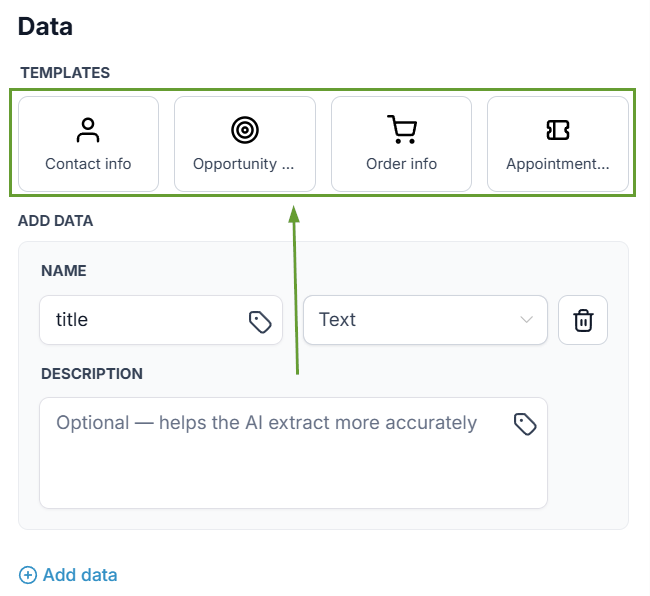
Choose a pre-built template or define your own custom fields, then click Save.
The extracted fields are now available as variables in all downstream actions.
⭐️Why Is This Feature Beneficial To Your Company?
Optional Context Field: Provide supplementary context to improve extraction accuracy for complex or ambiguous inputs.
Pre-Built Templates: Choose from ready-made templates covering common extraction patterns, or define a custom field set from scratch.
Downstream Ready Data: Every extracted field becomes a workflow variable and is immediately available in subsequent actions.
The AI Data Extract action closes the gap between input and usable output, turning raw text into structured, actionable variables without leaving the workflow builder, letting the AI handle the load. We hope you enjoy it!
