Stay Up To Date
We believe in keeping you in the loop with all the latest happenings in our courses and system. On this page, you'll find a comprehensive log of all the exciting changes, improvements, and additions we make to our courses and system. Whether it's a new feature, a course enhancement, or a system update, we've got you covered. Bookmark this page and check back regularly. We're committed to ensuring that your learning experience remains exceptional and that you have all the information you need to succeed.

New Features

New Updates

Resources & Tools

Important Updates
Here are some of the most recent updates we thought would be helpful to take note of
New Feature: Generate Marketing Audit Report via Workflows
Marketing Audit Reports help you immediately assess prospects and point out weaknesses you can easily fix. However, manually generating reports for new leads slows down your operations. Let's go through how to set up this new action and automate the process!
⭐️How to Generate a Marketing Audit Report via Workflows?
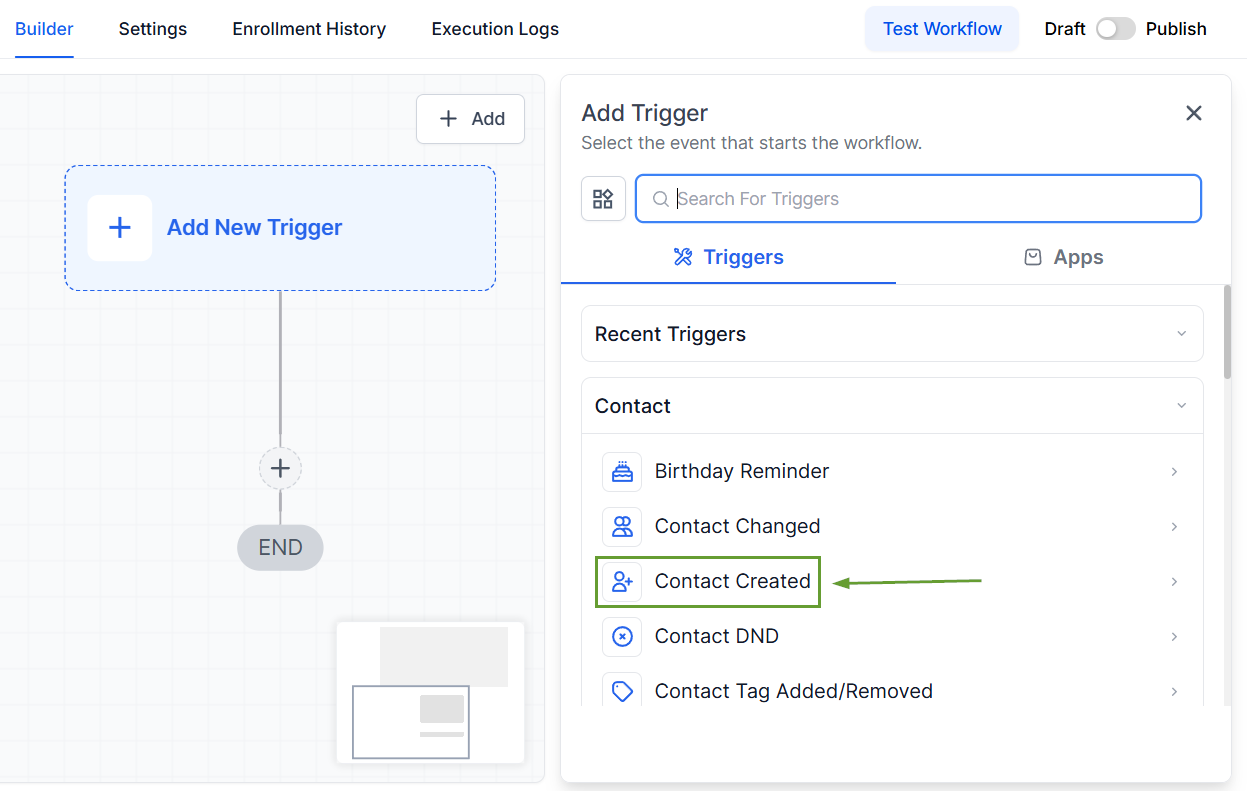
Create or edit a workflow and add the Contact Created trigger.
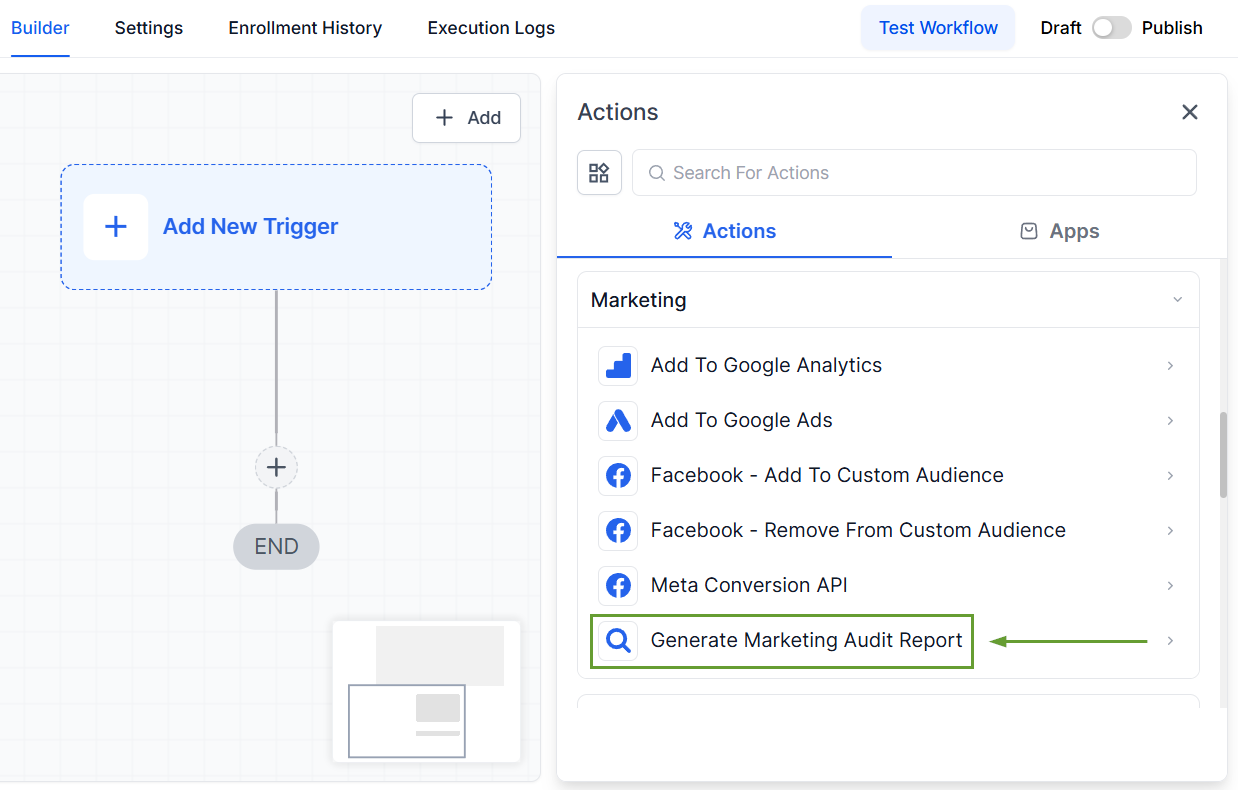
Click the plus sign icon to add an action and select Generate Marketing Audit Report from the Marketing actions.
Enter the business name and fill out other important fields; you can use custom values to do so.
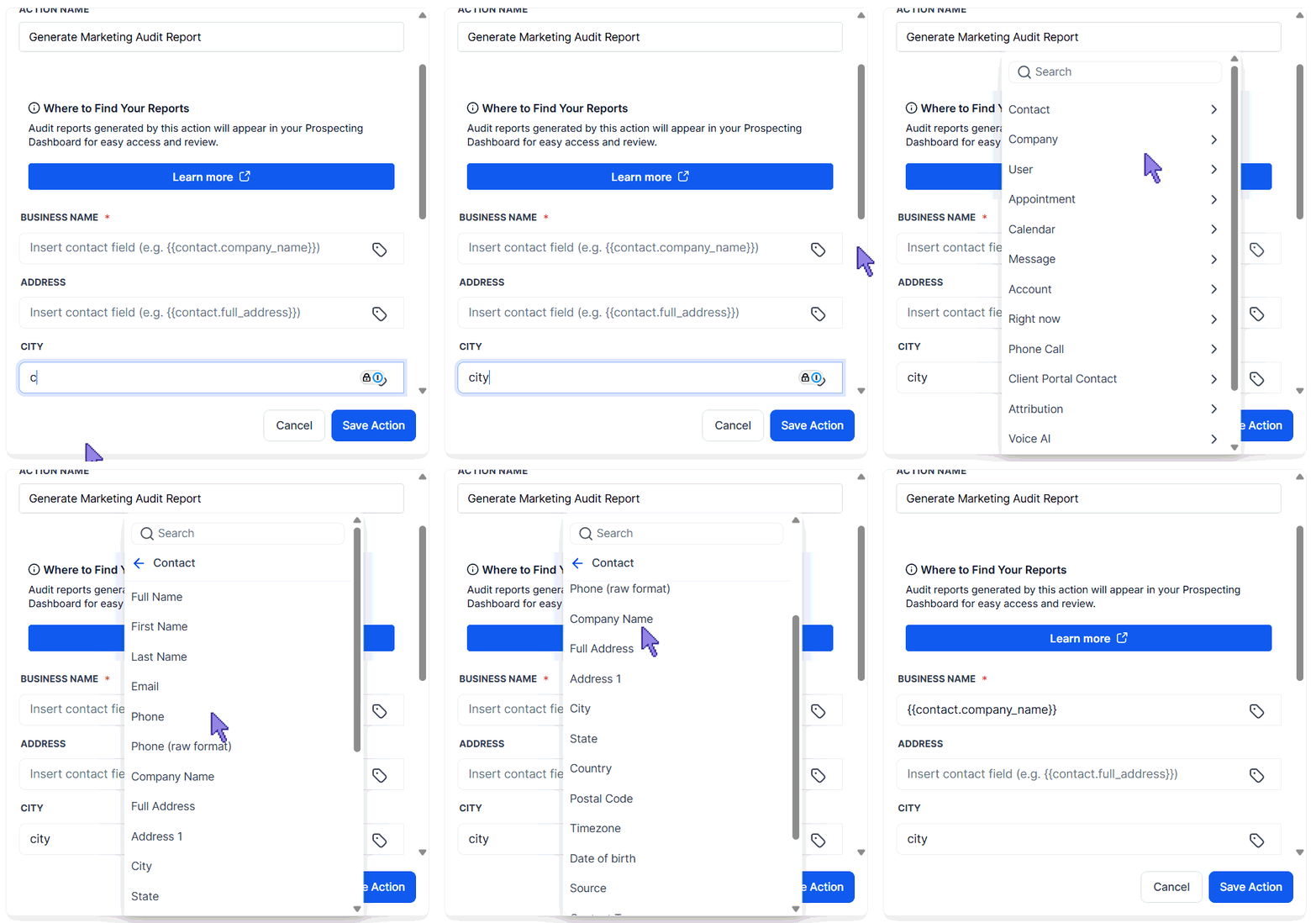
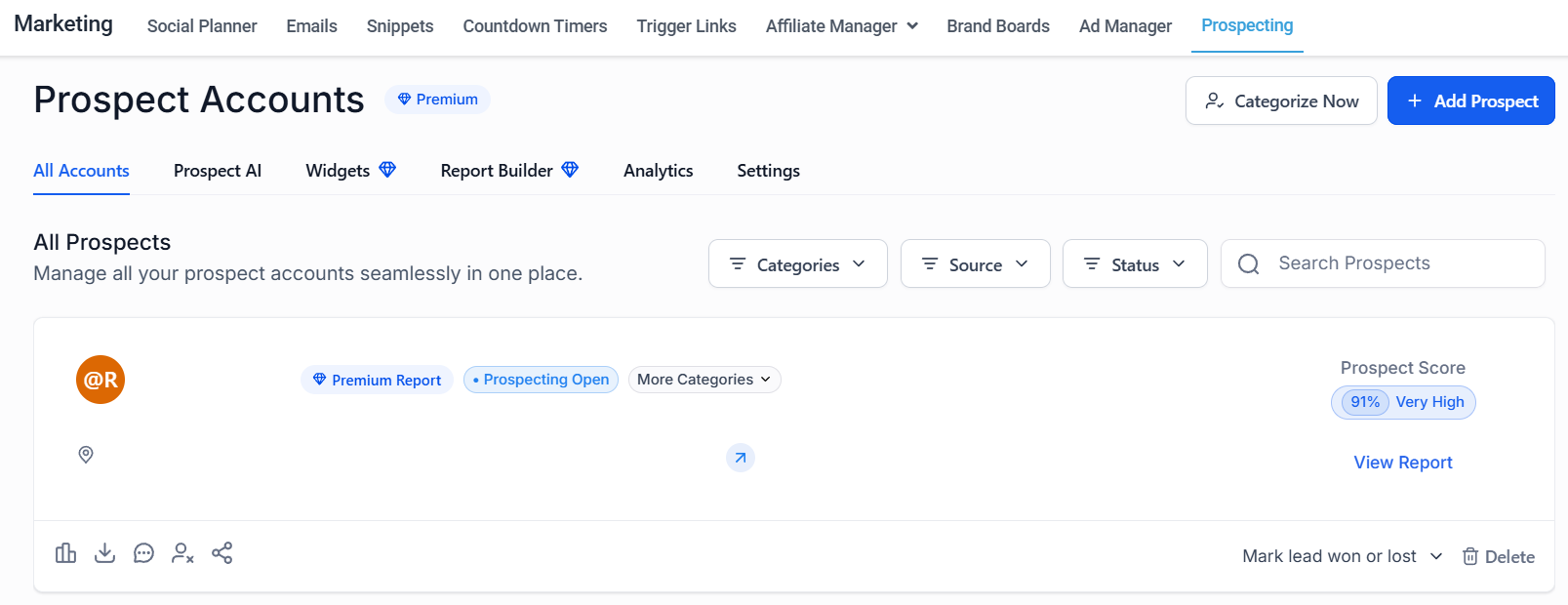
Once created, audit reports can be viewed in your Prospecting dashboard.
⭐️Why Is This Feature Beneficial To Your Company?
Efficient Qualification: Automatically evaluate business health before outreach, so you can easily focus your efforts on your best matches.
Improved Lead Capturing: This update lets you connect with leads and position your business as the expert solution, thanks to auto-generated reports.
Increased Reach: No matter where your leads come from, you can now run the same deep business audit on all of them, no longer limiting your reach to prospecting leads.
The moment a contact enters your system, a comprehensive Marketing Audit Report delivers actionable insights into their overall digital presence, helping you point out the specific areas you’ll help with and effectively convert your prospects into customers. We hope you enjoy it!
