Stay Up To Date
We believe in keeping you in the loop with all the latest happenings in our courses and system. On this page, you'll find a comprehensive log of all the exciting changes, improvements, and additions we make to our courses and system. Whether it's a new feature, a course enhancement, or a system update, we've got you covered. Bookmark this page and check back regularly. We're committed to ensuring that your learning experience remains exceptional and that you have all the information you need to succeed.

New Features

New Updates

Resources & Tools

Important Updates
Here are some of the most recent updates we thought would be helpful to take note of

Improved Feature: Update Contact Field Action
Previously, updating a multi-select field replaced all existing selections, which could unintentionally remove saved values. But now you can add selections to multi-dropdown and multiple-checkbox fields without replacing values already stored with the new Add operation. Learn how it works!
⭐️ How To Add More Values To A Contact Field?
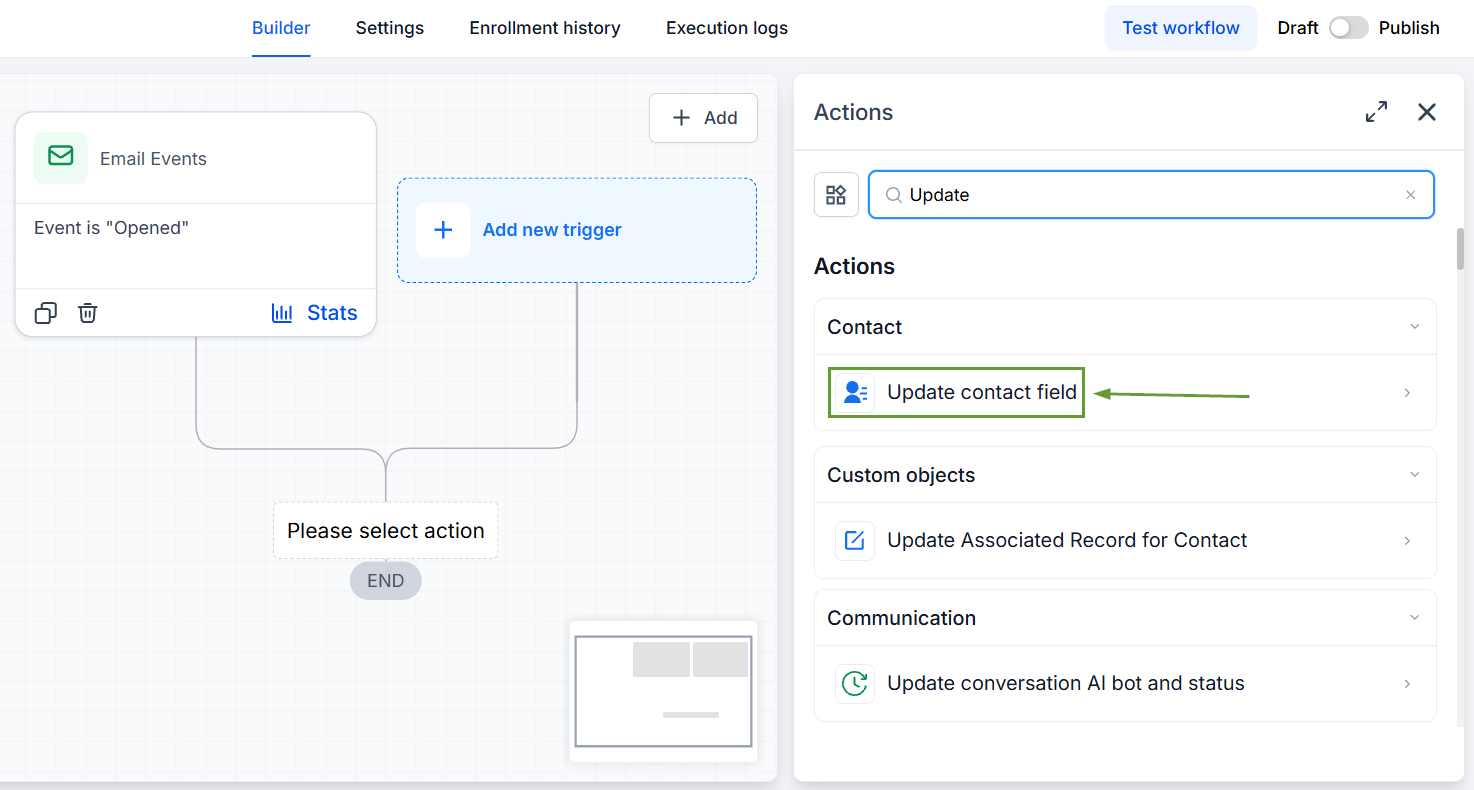
Add the Update Contact Field action to your workflow.
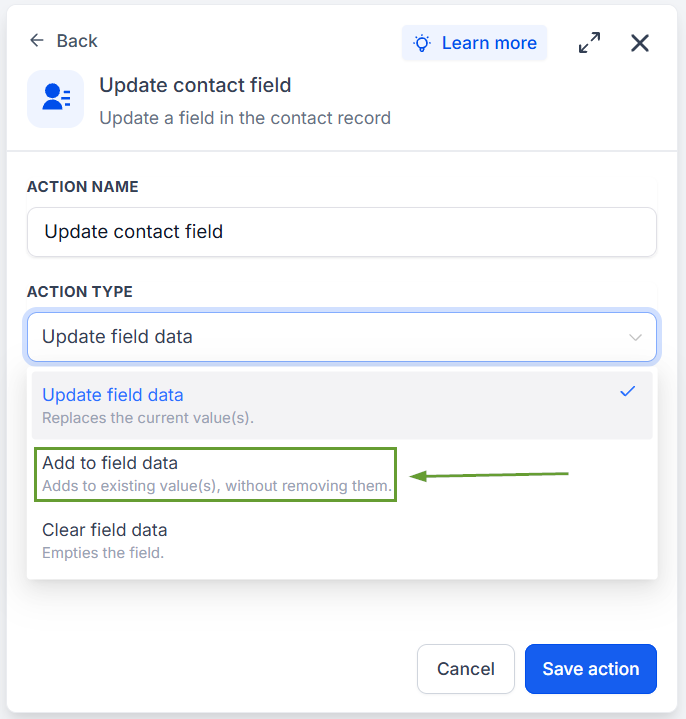
Select Add as the action type.
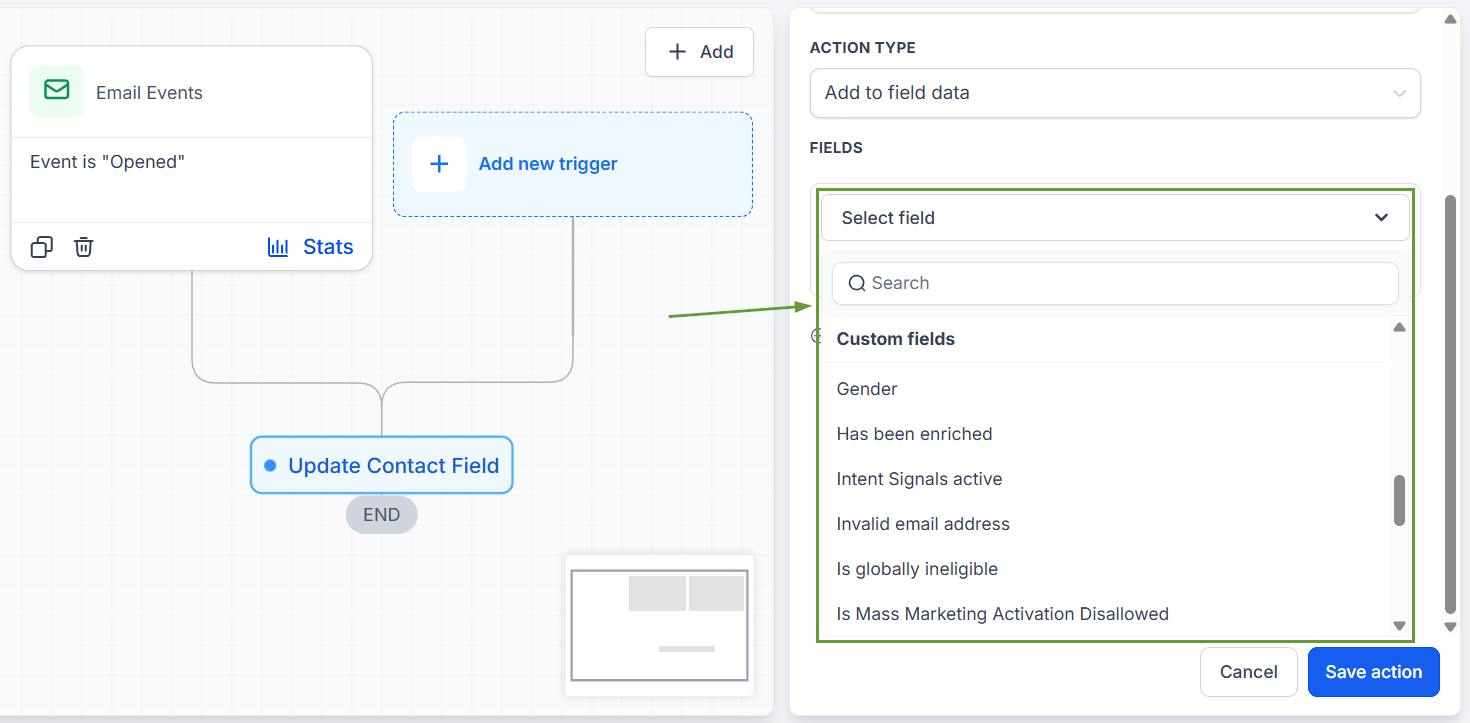
Choose your desired multi-select field.
Select the values you want to add to the contact’s existing selections.
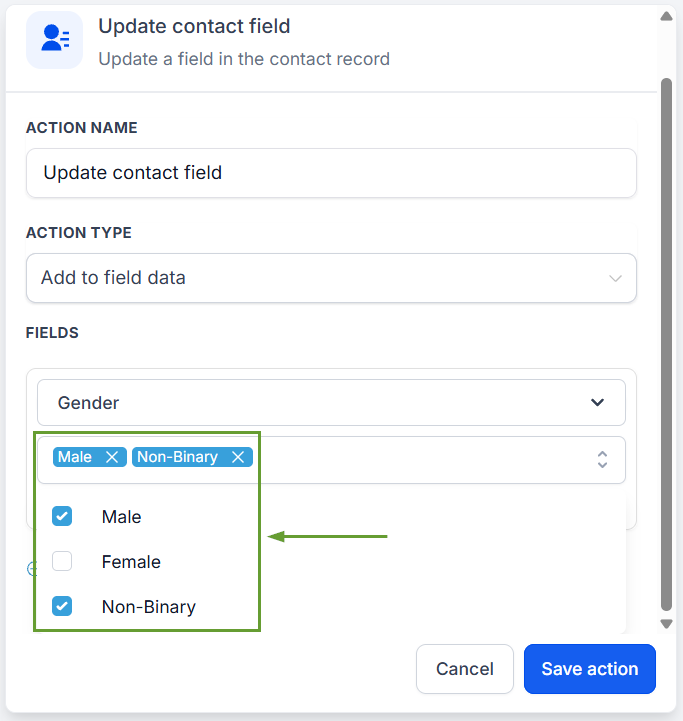
This action helps you add to existing values without removing any, so nothing gets overwritten, helping you effectively manage data with minimal effort. We hope you enjoy it!
