Stay Up To Date
We believe in keeping you in the loop with all the latest happenings in our courses and system. On this page, you'll find a comprehensive log of all the exciting changes, improvements, and additions we make to our courses and system. Whether it's a new feature, a course enhancement, or a system update, we've got you covered. Bookmark this page and check back regularly. We're committed to ensuring that your learning experience remains exceptional and that you have all the information you need to succeed.

New Features

New Updates

Resources & Tools

Important Updates
Here are some of the most recent updates we thought would be helpful to take note of
Improved Feature: Connect Call Action with Whisper Message
Transferred calls often arrive with zero context, which can cause plenty of issues. To prevent this, we’ve added an optional Call Whisper message to the Connect To Call action. Playing a private “heads-up” message before the caller is connected. Let's check it out!
⭐️How To Add A Whisper Message To The Connect Call (IVR) Action?
Create or edit a workflow and add the Connect Call (IVR) Action.
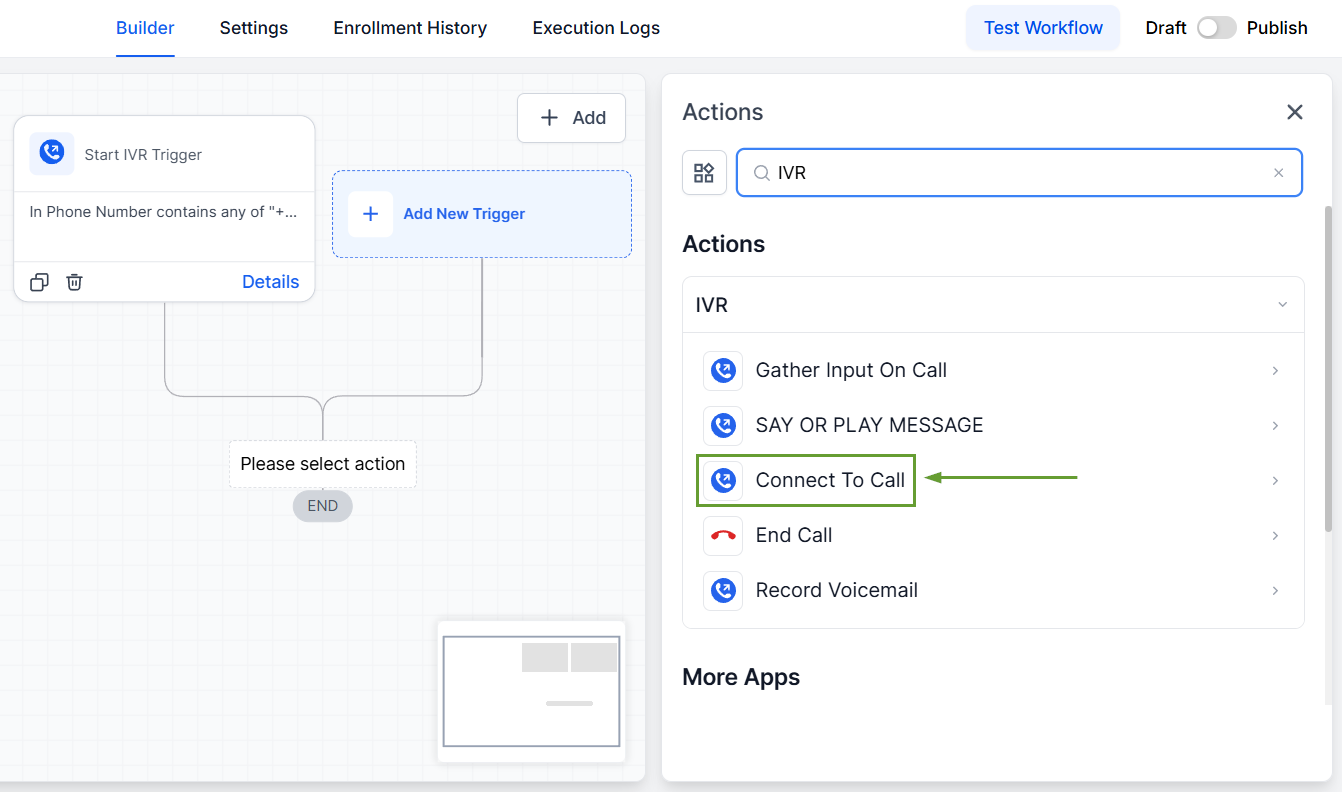
Select the user(s) you want to connect the call to.
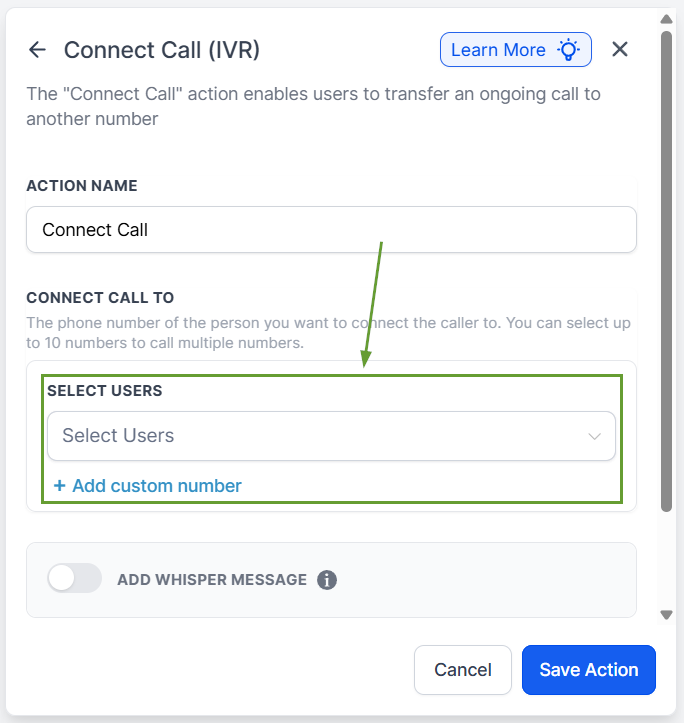
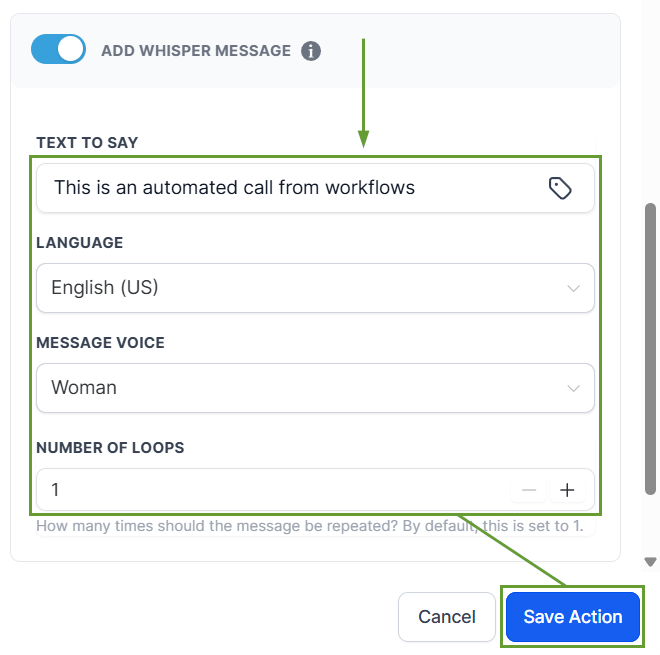
Enable “Add Whisper Message.”
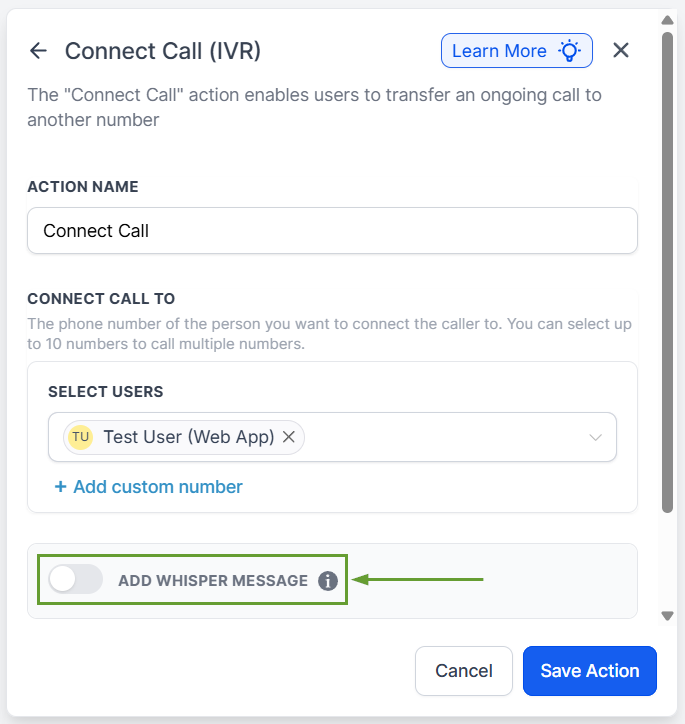
Enter your desired text, configure the added details of your whisper message, then click Save Action.
⭐️Why Is This Feature Beneficial To Your Company?
Increased Call Efficiency: The whisper message allows your team members to prepare, giving them ample opportunity to pull up any necessary information.
Improved Customer Experience: Provide customers with the treatment they deserve, reducing friction and improving rapport.
Custom Value Support: Include specific contact details in your message by clicking the tag icon and entering contact information, depending on who triggered the workflows.
The Call Whisper helps your team answer confidently by sharing key details up front, making it easy to prepare before dealing with customers. We hope you enjoy it!
