Stay Up To Date
We believe in keeping you in the loop with all the latest happenings in our courses and system. On this page, you'll find a comprehensive log of all the exciting changes, improvements, and additions we make to our courses and system. Whether it's a new feature, a course enhancement, or a system update, we've got you covered. Bookmark this page and check back regularly. We're committed to ensuring that your learning experience remains exceptional and that you have all the information you need to succeed.

New Features

New Updates

Resources & Tools

Important Updates
Here are some of the most recent updates we thought would be helpful to take note of
New Feature: New Communities Triggers in Workflows
Communities are a holding space for customer interactions, so having quick ways to respond to important member activity can improve their experience and keep them engaged, which is why we’ve added 4 new Communities triggers. Let’s learn what these triggers are, how they work, and how to configure them!
⭐️What Are The New Triggers?
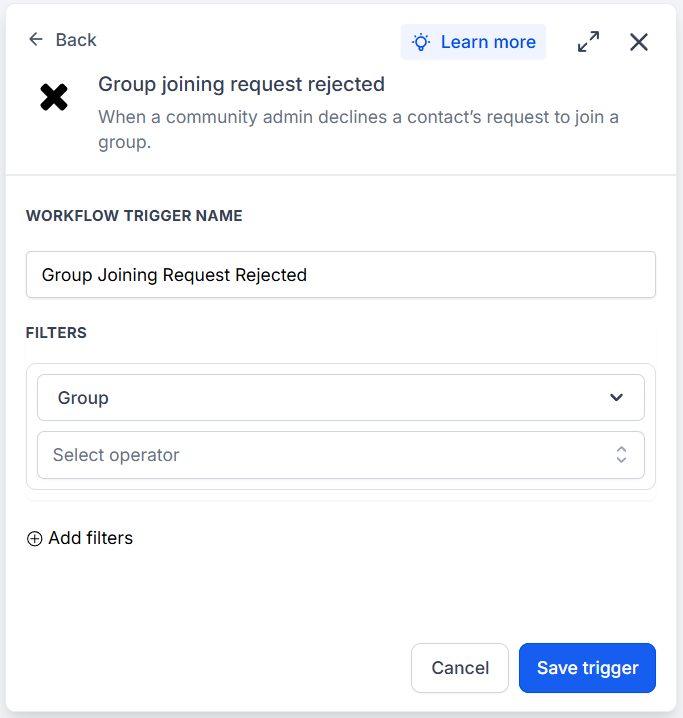
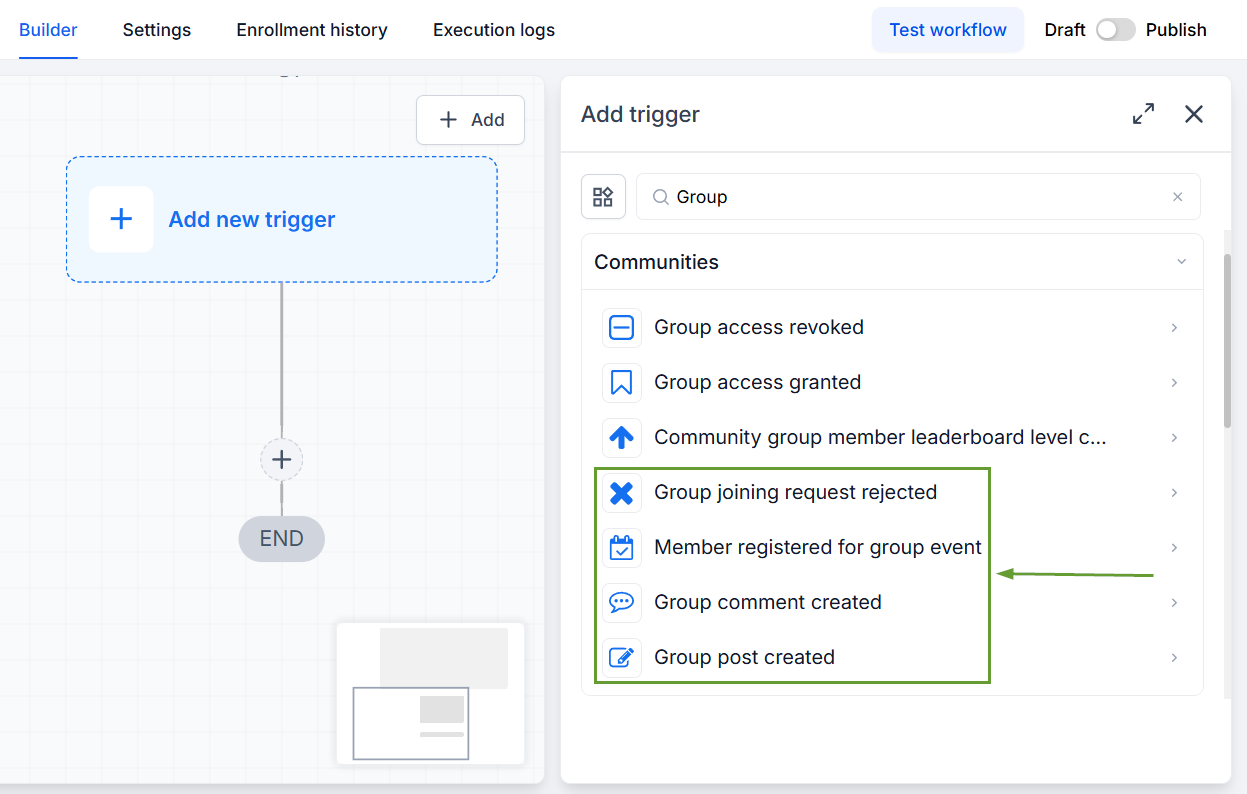
Group Joining Request Rejected: This triggers the workflow when a member's request to join a group is rejected by one of the admin members.
Group Post Created: Trigger a workflow when a new post is created in a group and can be filtered by Channel, Post Title, and Post Content.
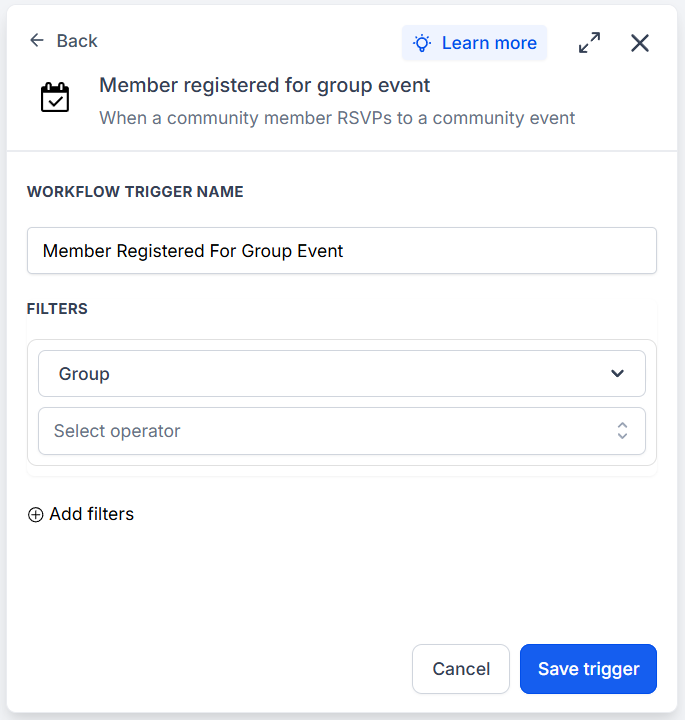
Member Registered for Group Event: This triggers the workflow when a member registers for a group event in your community.
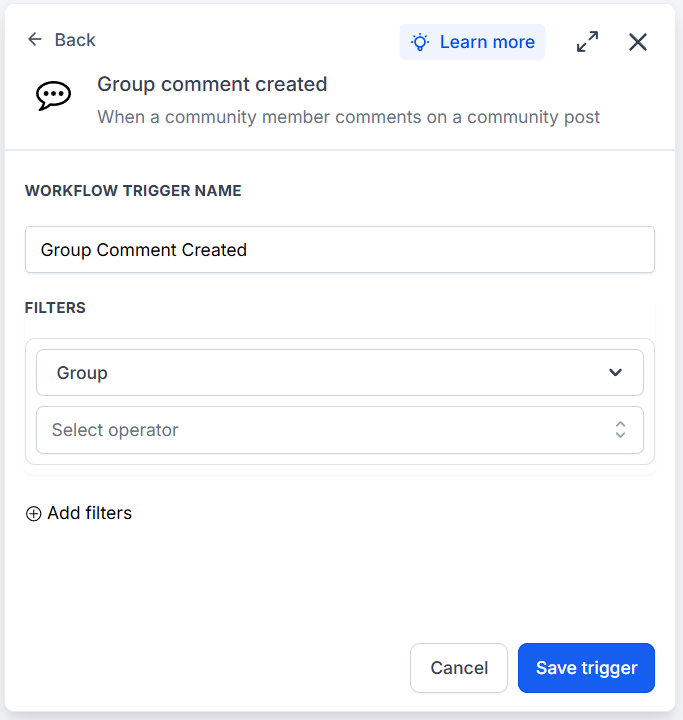
Group Comment Created: Trigger a workflow when a new comment is added to a group post and can be filtered by Channel, Post Title, Post Content, and Comment Content.
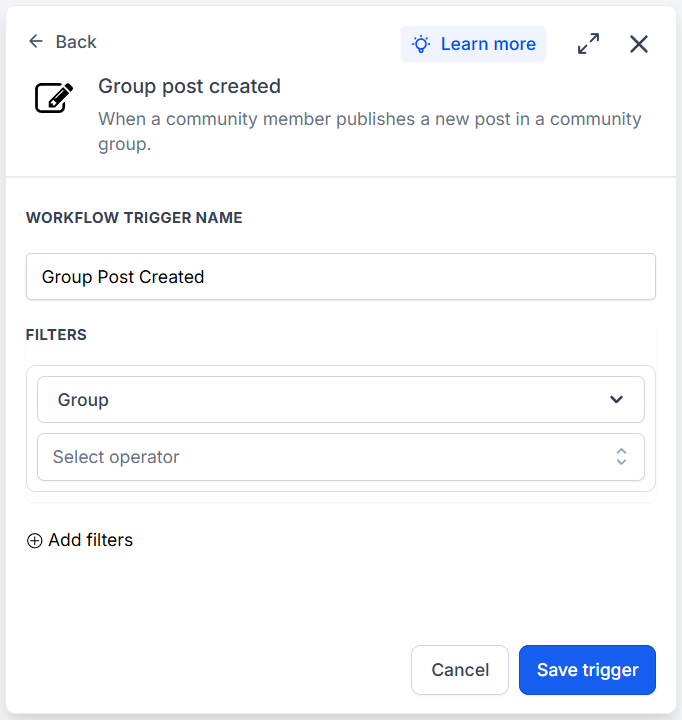
⭐️How To Use The New Community Triggers?
Let’s go over the general procedure to configure these triggers!
Create a new workflow in the Automations section and select one of the previously mentioned triggers.
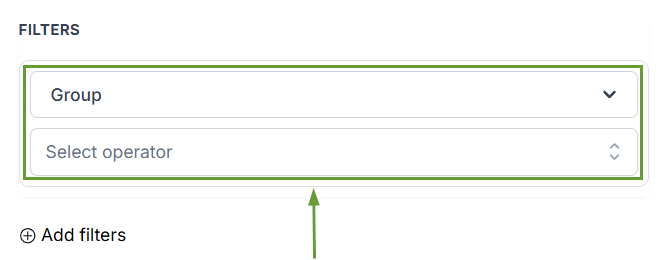
In your filters, pick the Group you want to include in the trigger.
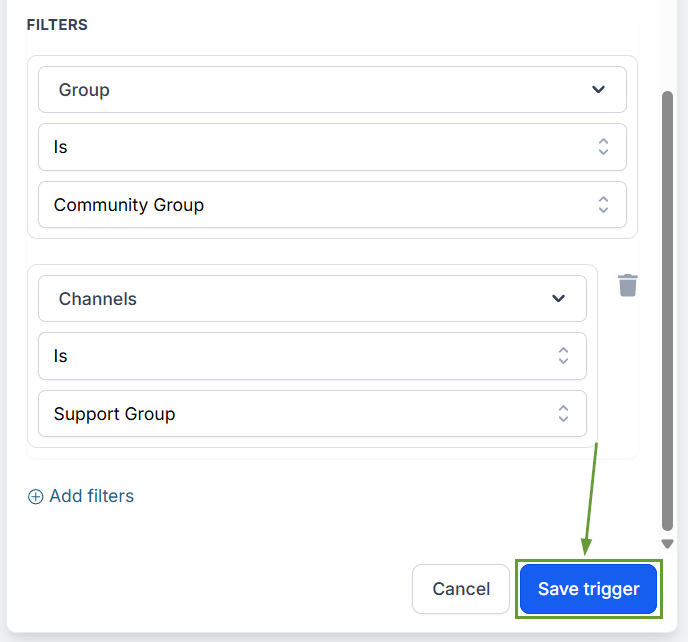
Fill out any additional details and save your trigger.
These new triggers will help your team respond faster and engage more effectively, enabling you to improve your moderation flows through automated follow-ups, alerts, and event-based engagement. We hope you enjoy it!
