Stay Up To Date
We believe in keeping you in the loop with all the latest happenings in our courses and system. On this page, you'll find a comprehensive log of all the exciting changes, improvements, and additions we make to our courses and system. Whether it's a new feature, a course enhancement, or a system update, we've got you covered. Bookmark this page and check back regularly. We're committed to ensuring that your learning experience remains exceptional and that you have all the information you need to succeed.

New Features

New Updates

Resources & Tools

Important Updates
Here are some of the most recent updates we thought would be helpful to take note of

Improved Feature: AI Agent Action
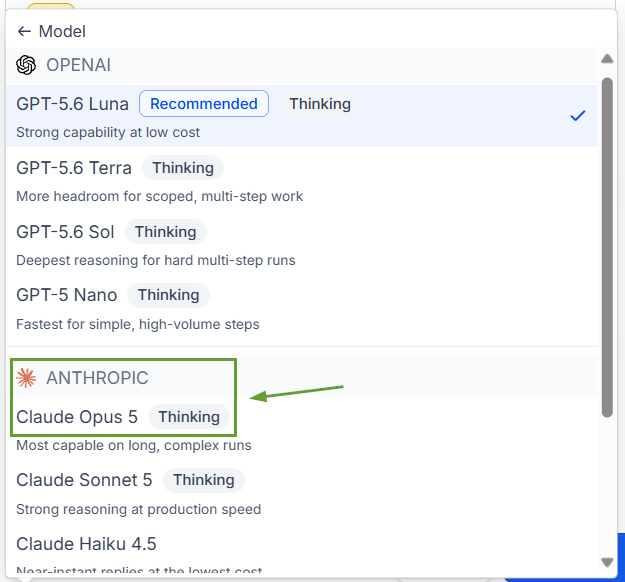
The AI Agent action lets you handle complex customer interactions. But this action was limited to GPT-based models only. Now, Anthropic and Google models are available, alongside OpenAI, letting you choose your provider, model, and control how much reasoning it applies. Let’s learn how it works!
⭐️How Do These Changes Affect You?:
Redesigned Model Picker: Models are grouped by provider, with a “Thinking” mark for reasoning support, and a short description so you can evaluate the options before committing.
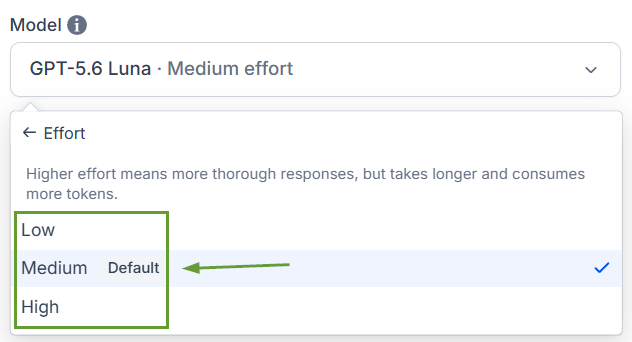
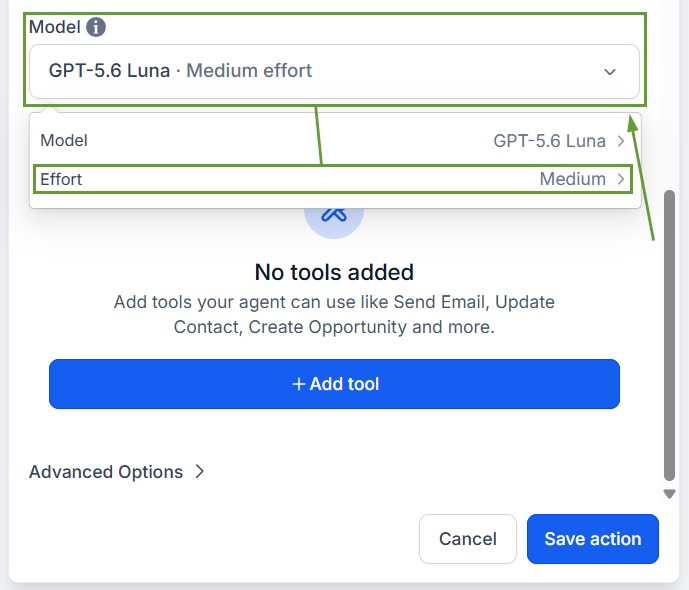
Effort Control: Set reasoning effort to Low, Medium, or High from the same dropdown. Select the desired balance between task complexity and response return based on your needs. Available on models marked “thinking.”
⭐️ How To Use The AI Agent Action?
Let’s learn how to use the AI Agent action with these updates!
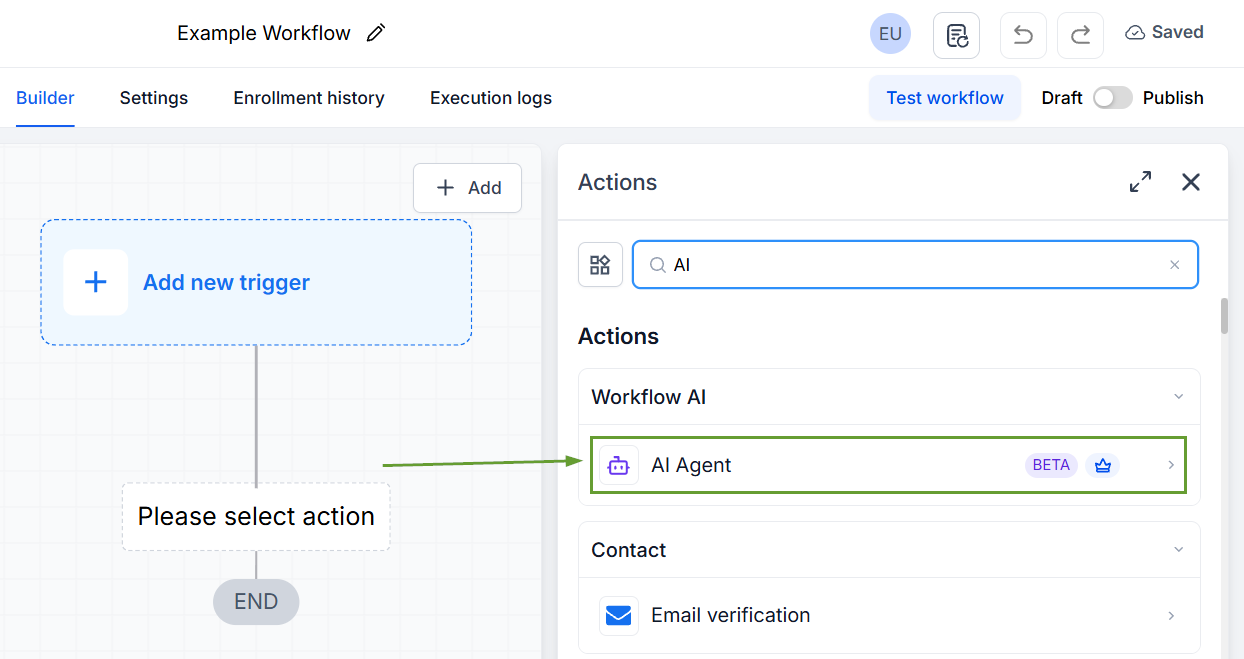
Inside the workflow builder, add the action “AI Agent.”
Click the model dropdown to browse by provider and use the thinking chip and model description to select a model.
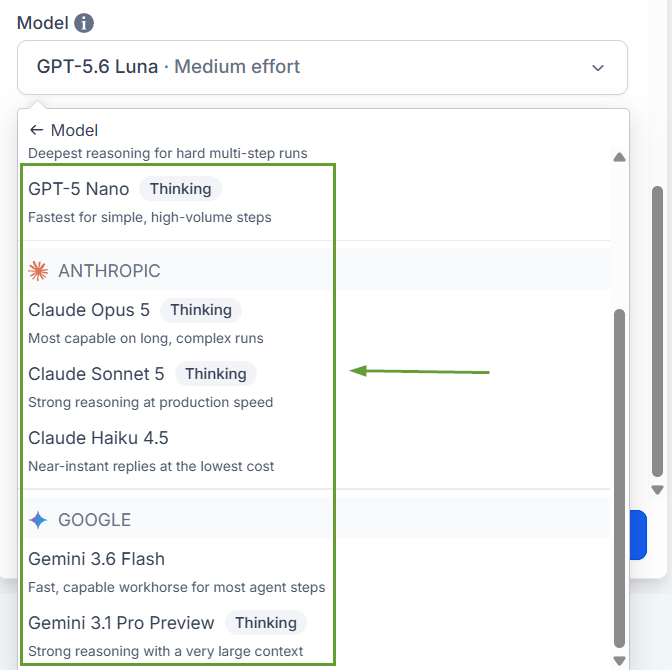
Choose an effort level from the same dropdown.
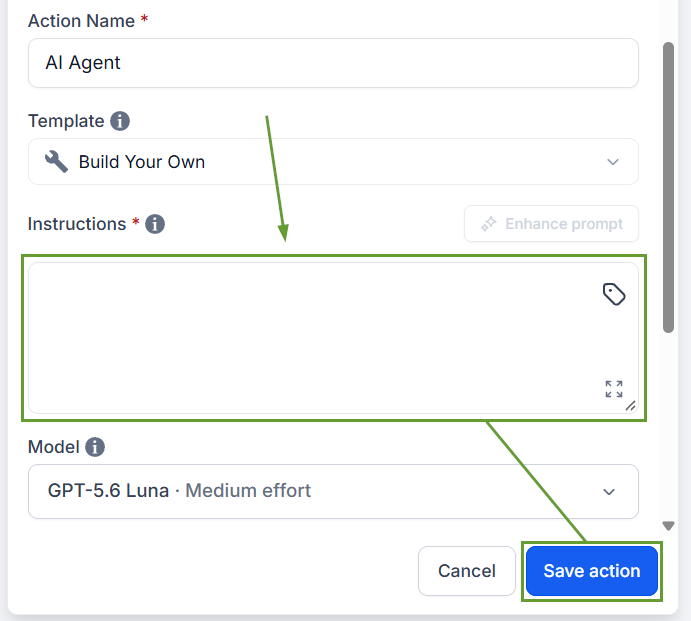
Write your instructions describing what the agent should do, then save your action.
The extended model support helps you handle complex needs easily by adding multi-step reasoning where accuracy is critical and using lighter models for simple reads and basic operations, allowing you to choose the right model. We hope you enjoy it!
