Stay Up To Date
We believe in keeping you in the loop with all the latest happenings in our courses and system. On this page, you'll find a comprehensive log of all the exciting changes, improvements, and additions we make to our courses and system. Whether it's a new feature, a course enhancement, or a system update, we've got you covered. Bookmark this page and check back regularly. We're committed to ensuring that your learning experience remains exceptional and that you have all the information you need to succeed.

New Features

New Updates

Resources & Tools

Important Updates
Here are some of the most recent updates we thought would be helpful to take note of
Improved Feature: Advanced Workflow Builder
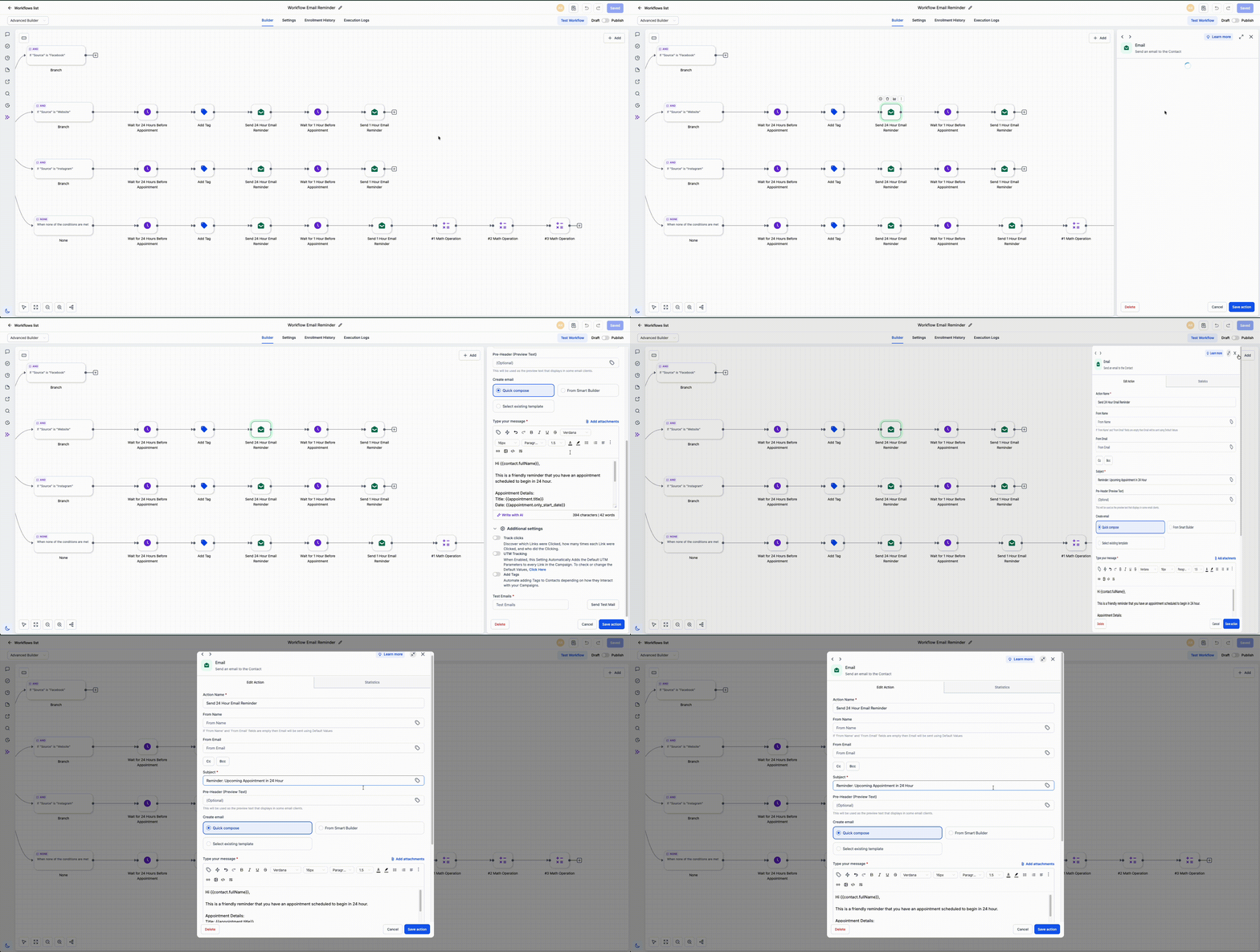
We added new workspace controls to the workflow builder, giving you a more flexible display of actions and triggers, which makes it easier to adapt to different browser and detail needs. Let's check the additions!
⭐️How Do These Changes Affect You?:
Resizable Sidebar: Choose how much space the configuration panel takes by dragging it left or right. This helps you adjust to your screen size and the amount of detail you are working with.
Expand Actions And Triggers: Open any action or trigger in full screen to focus on its configuration without working inside a narrow panel.
⭐️How To Resize The Details Panel?
Let’s go over how to configure conditional visibility for entire layouts!
Create or edit a workflow.
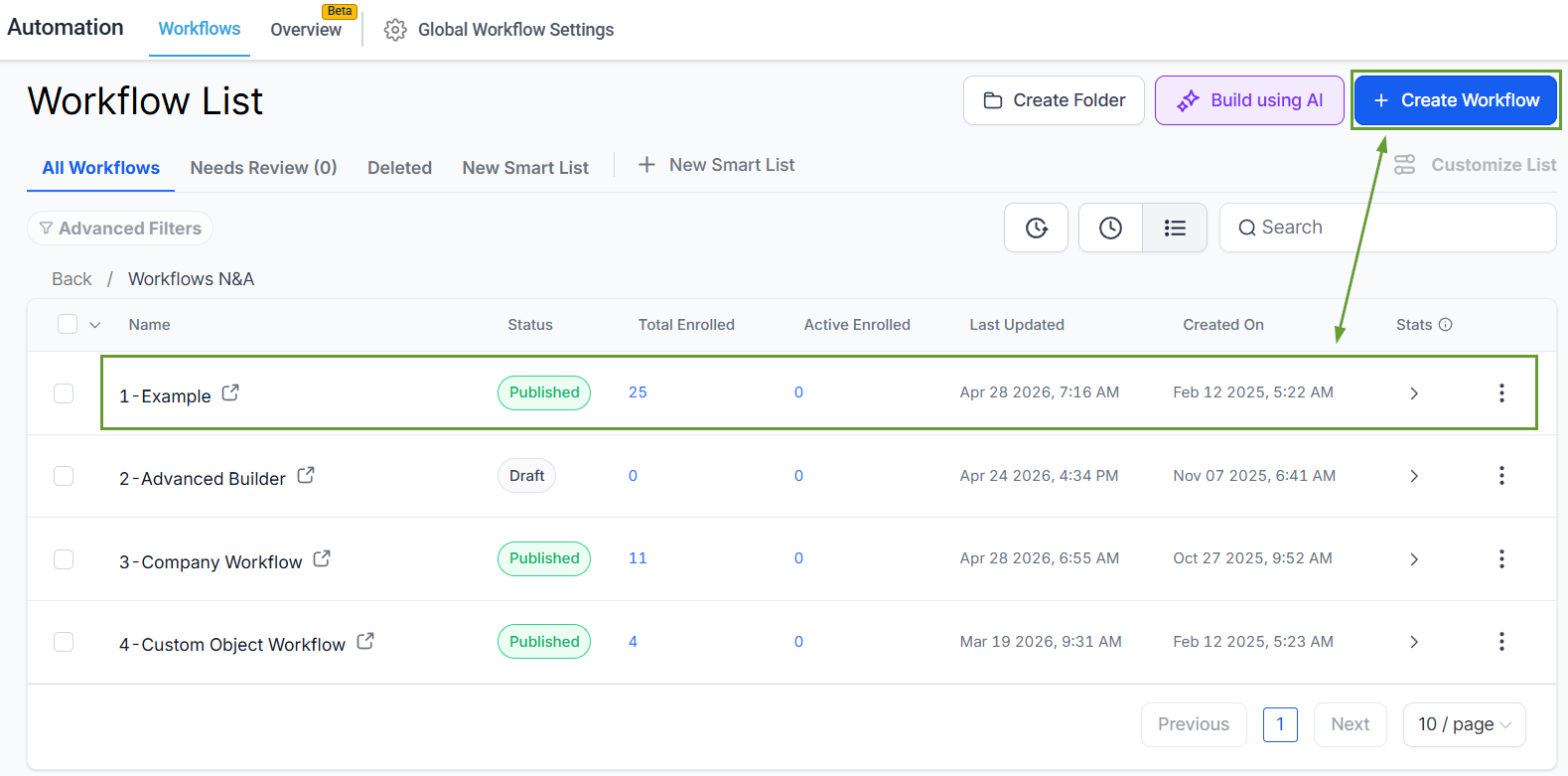
Open any workflow action or trigger.
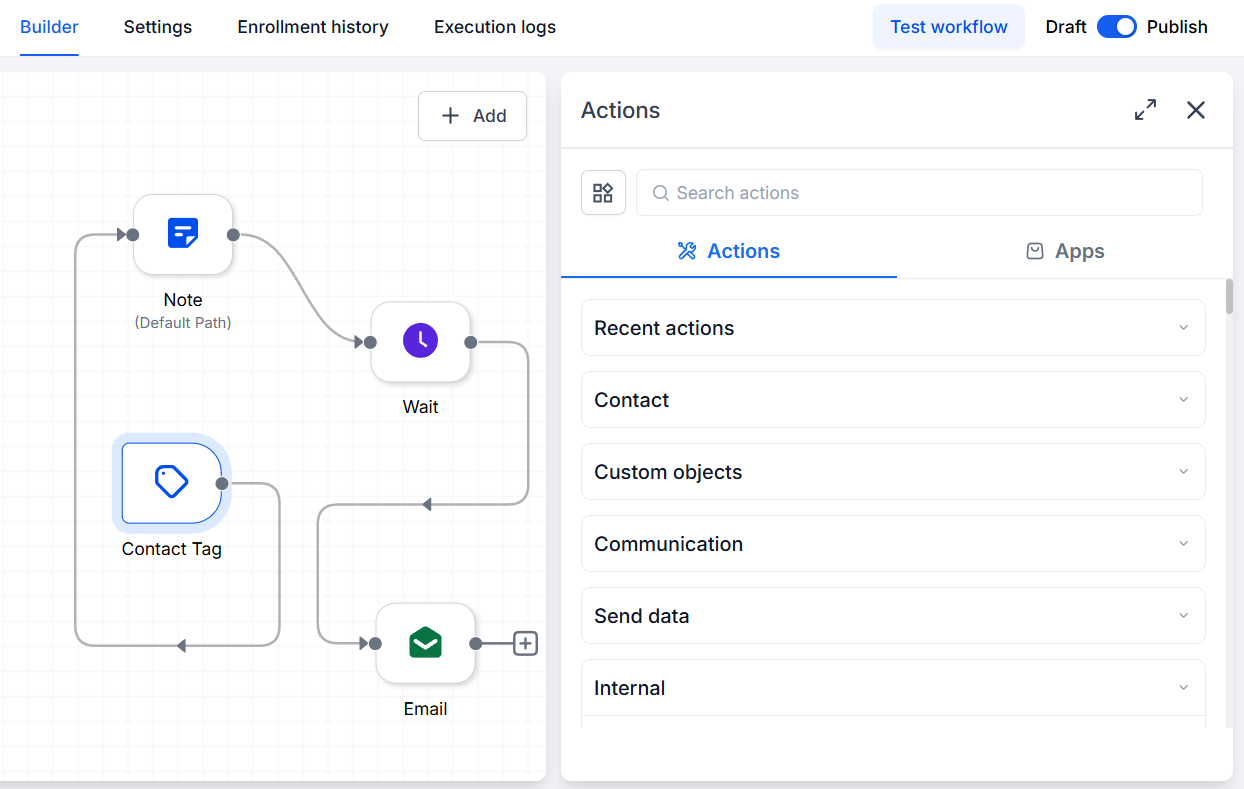
Drag the sidebar edge to resize the panel.
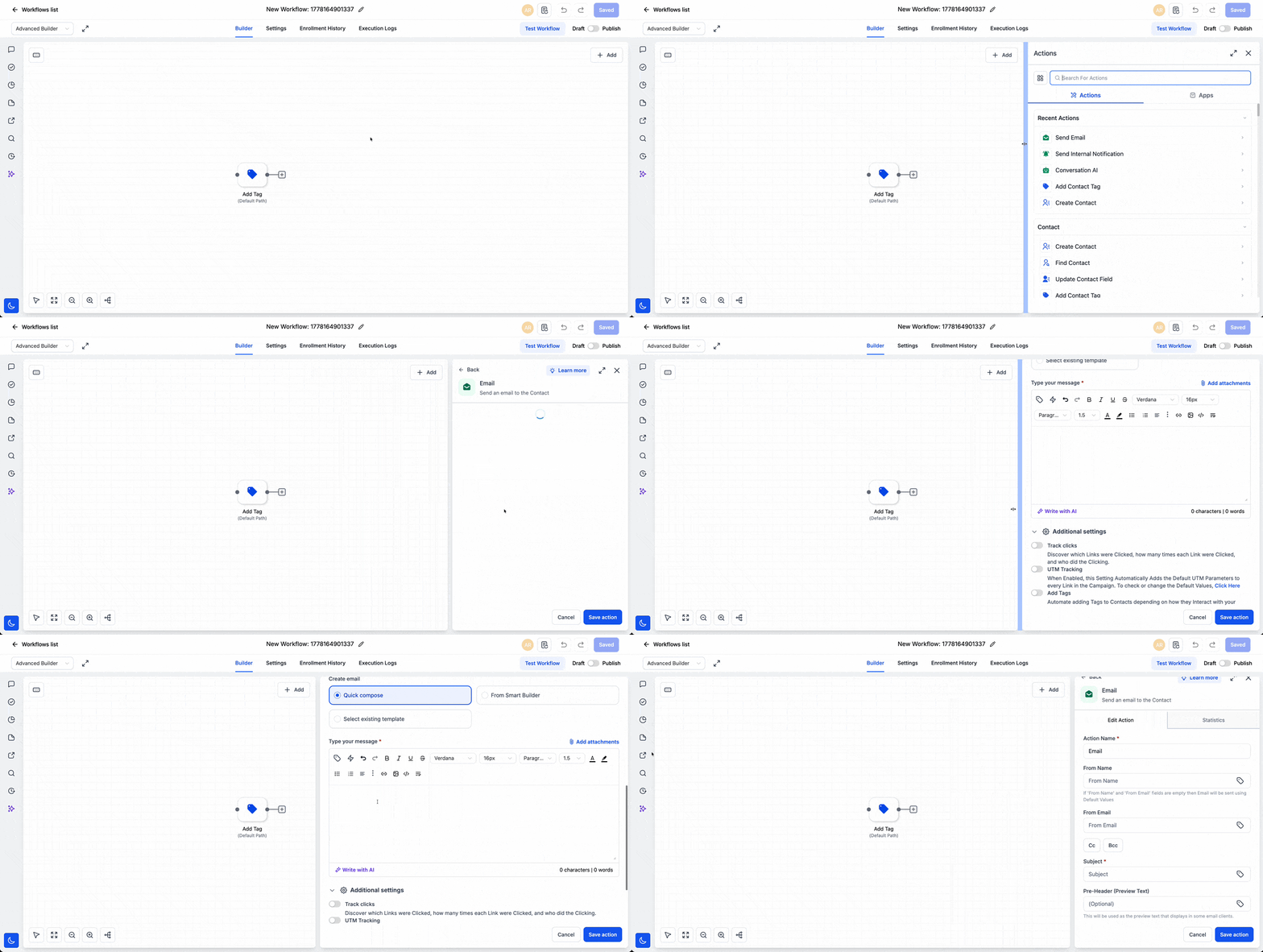
Use expand mode for the action, trigger when you need more space.
We built this to support different screen types and give you full flexibility over how the workflow workspace looks. It helps you focus on the detailed setup when needed and ensure comfort when editing. We hope you enjoy it!
