Stay Up To Date
We believe in keeping you in the loop with all the latest happenings in our courses and system. On this page, you'll find a comprehensive log of all the exciting changes, improvements, and additions we make to our courses and system. Whether it's a new feature, a course enhancement, or a system update, we've got you covered. Bookmark this page and check back regularly. We're committed to ensuring that your learning experience remains exceptional and that you have all the information you need to succeed.

New Features

New Updates

Resources & Tools

Important Updates
Here are some of the most recent updates we thought would be helpful to take note of
Improved Feature: Goal Event Action
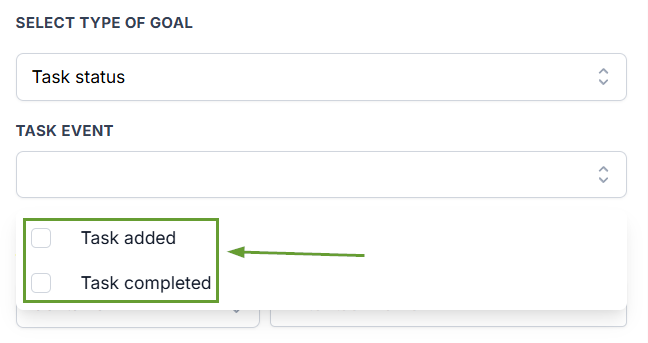
The Goal Event now supports Task Status as a goal type with support for both Task Created and Task Completed. This lets workflow builders pull a contact to a goal branch when a task tied to that contact is marked completed.
⭐️ How To Use Workflows To Manage Tasks?
Add or edit a Goal Event action in a workflow.
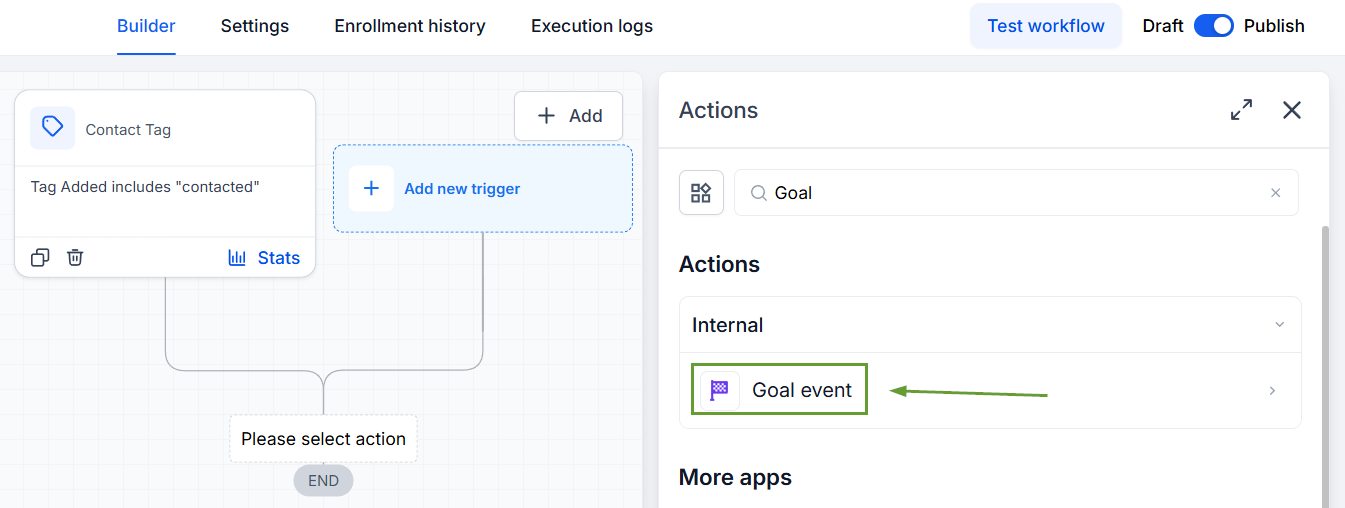
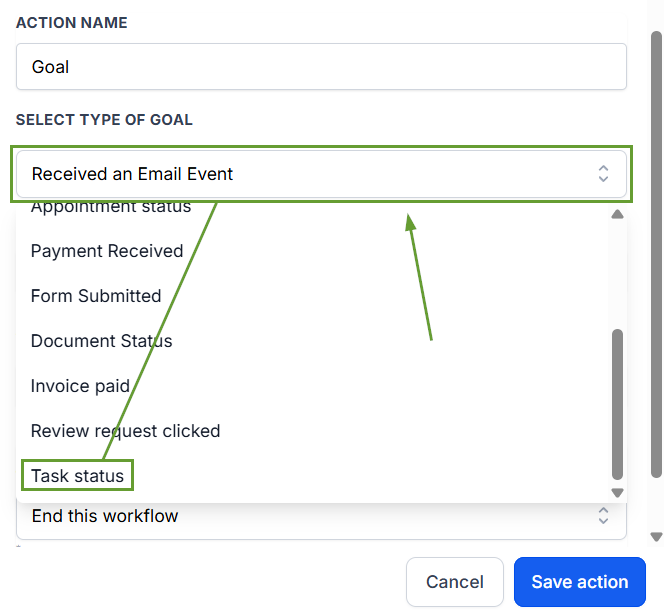
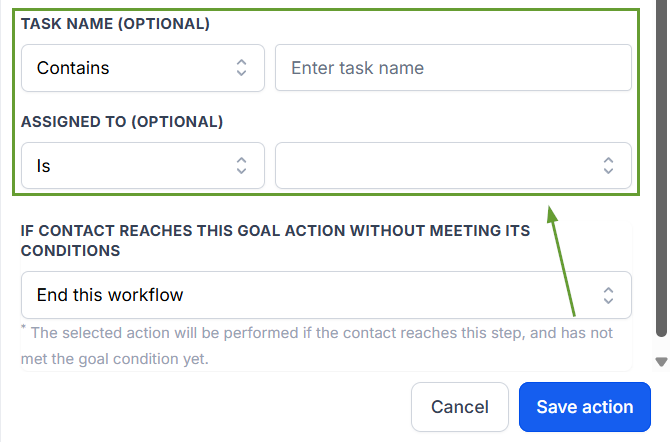
Select Task Status as the goal type.
Choose Task Created or Completed.
Apply any needed task filters.
⭐️Why Is This Feature Beneficial To Your Company?
Improved Task Management: Create workflows that aid your tasks, using the Goal action to move contacts whose related tasks have been assigned or completed between workflows without resistance.
Simplified Automated Follow-Up: Establish streamlined, automated paths to keep track of completed tasks and follow-up steps to ensure customer satisfaction.
Increased Completion Rates: Easily ensure your team is creating and completing tasks, using the workflow to notify and monitor their progress.
Task lifecycle events were already available as workflow triggers, but not as goals. This closes that gap and helps builders route contacts based on real CRM task progress without extra workflow steps.
