Stay Up To Date
We believe in keeping you in the loop with all the latest happenings in our courses and system. On this page, you'll find a comprehensive log of all the exciting changes, improvements, and additions we make to our courses and system. Whether it's a new feature, a course enhancement, or a system update, we've got you covered. Bookmark this page and check back regularly. We're committed to ensuring that your learning experience remains exceptional and that you have all the information you need to succeed.

New Features

New Updates

Resources & Tools

Important Updates
Here are some of the most recent updates we thought would be helpful to take note of
New Feature: Drag and Drop Triggers & Actions
Helping you build workflows that make sense to your team is a priority in your CRM, so to streamline this process, we’re introducing drag-and-drop functionality to your builder, allowing you to place elements where they make sense. Let’s check how to use it!
⭐️How to Use Drag and Drop Triggers or Actions?
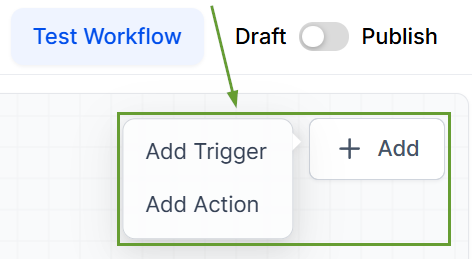
In the workflow builder, click the “+ Add” button, then select whether to add an action or a trigger.
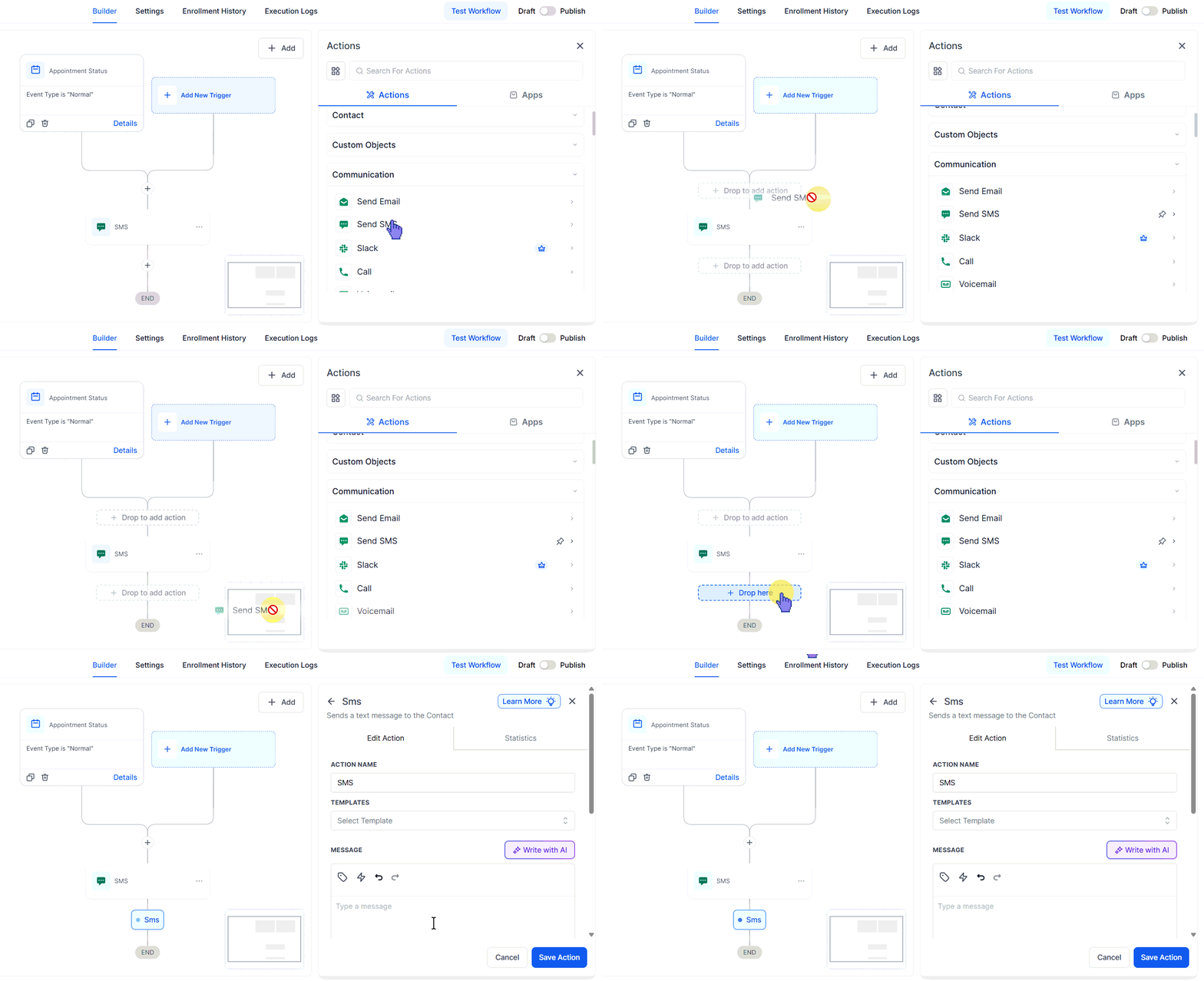
For actions, drag them into any space marked with a plus sign.
For triggers, you can drop them in place next to already existing triggers.
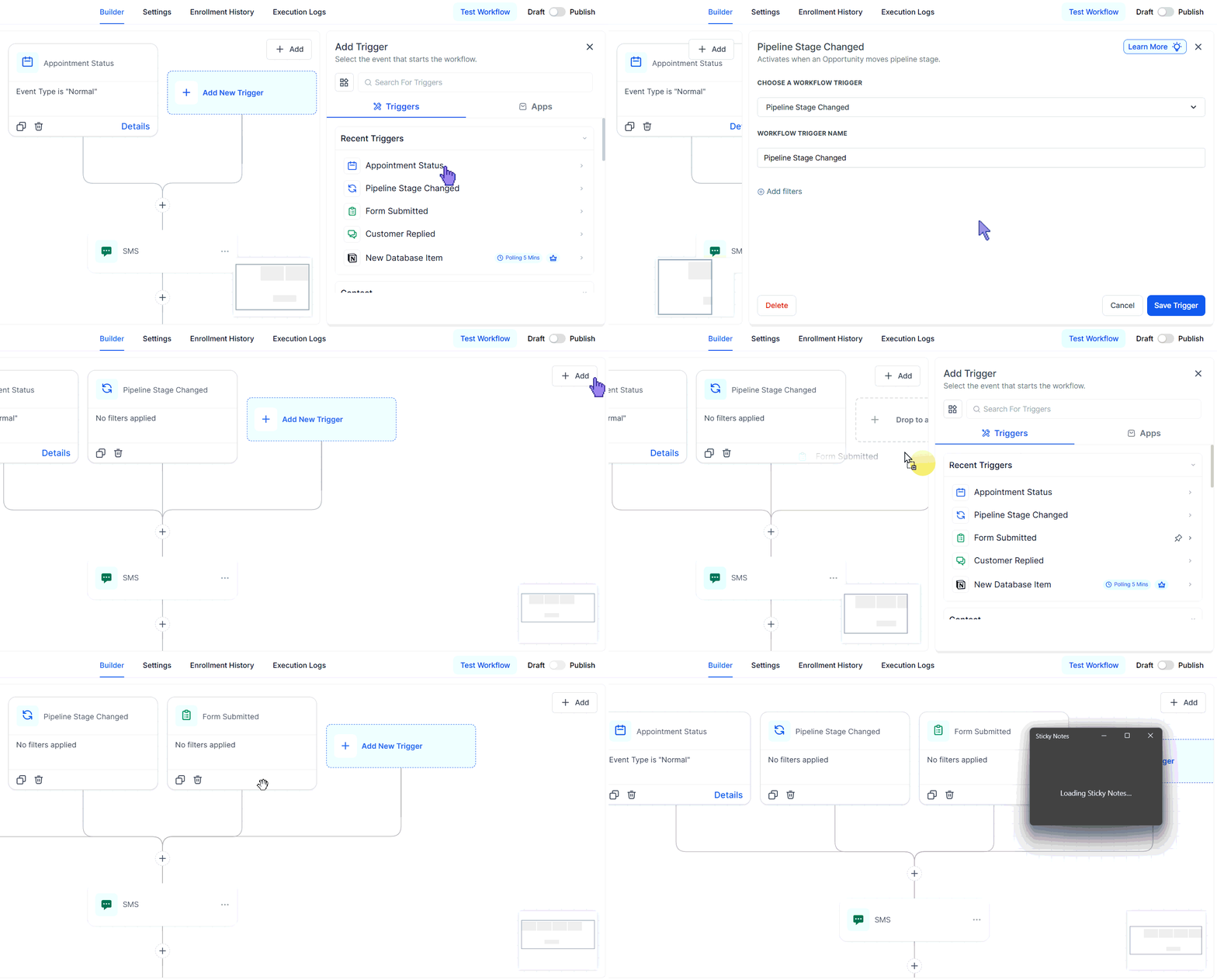
Configure your action or trigger, then click Save. If you exit without saving, the element won’t be added to the canvas.
⭐️Why Is This Feature Beneficial To Your Company?
Flexible Configuration: This update helps you build complex automation by positioning elements where needed rather than in a linear fashion.
Error-Free Builds: When you hover over a valid spot, a highlighted placeholder appears to show exactly where it will be added, preventing invalid placements.
Smoother Transition: If you like the freedom of the advanced builder but aren’t a full expert yet, this feature gives you the happy middle, maintaining flexibility with added guidance.
Building workflows can involve lots of repeated clicking and inserting steps. Drag-and-drop reduces friction so you can add actions faster, stay in flow, and build more confidently. We hope you enjoy it!
