Stay Up To Date
We believe in keeping you in the loop with all the latest happenings in our courses and system. On this page, you'll find a comprehensive log of all the exciting changes, improvements, and additions we make to our courses and system. Whether it's a new feature, a course enhancement, or a system update, we've got you covered. Bookmark this page and check back regularly. We're committed to ensuring that your learning experience remains exceptional and that you have all the information you need to succeed.

New Features

New Updates

Resources & Tools

Important Updates
Here are some of the most recent updates we thought would be helpful to take note of
New Feature: Audit Logs for Preference Management
Audit Logs help you ensure all changes can be tracked and managed, making it easier to provide support and information to customers. So, we've expanded their reach to provide greater visibility into preference and subscription management activities. Let’s learn how!
⭐️ How To View Audit Logs for Preference Management?
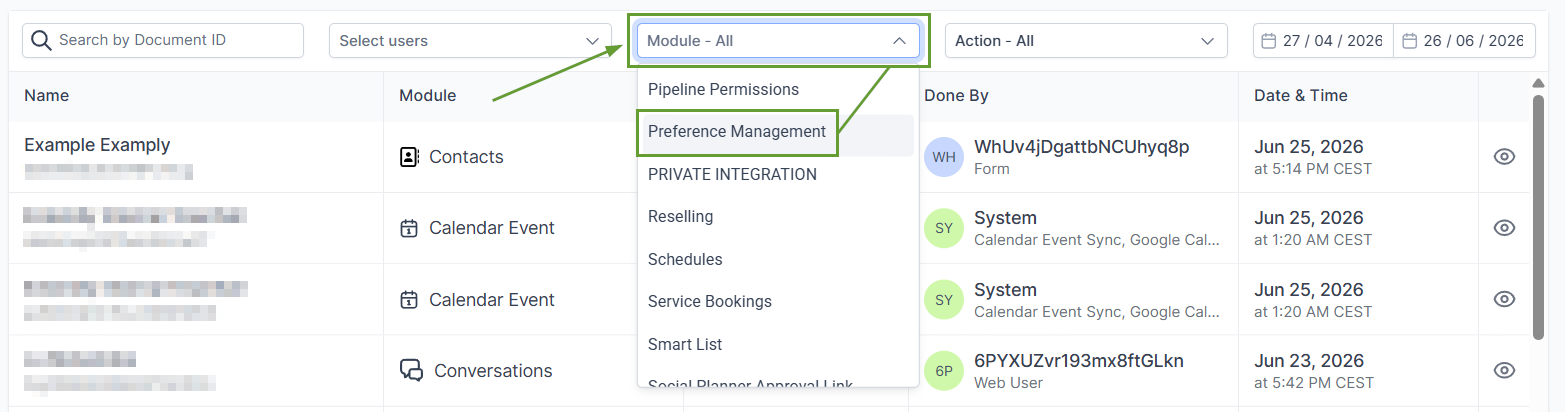
Navigate to the Audit Logs tab in your account Settings, and select the Audit Logs option.

From the Module dropdown, select Preference Management.
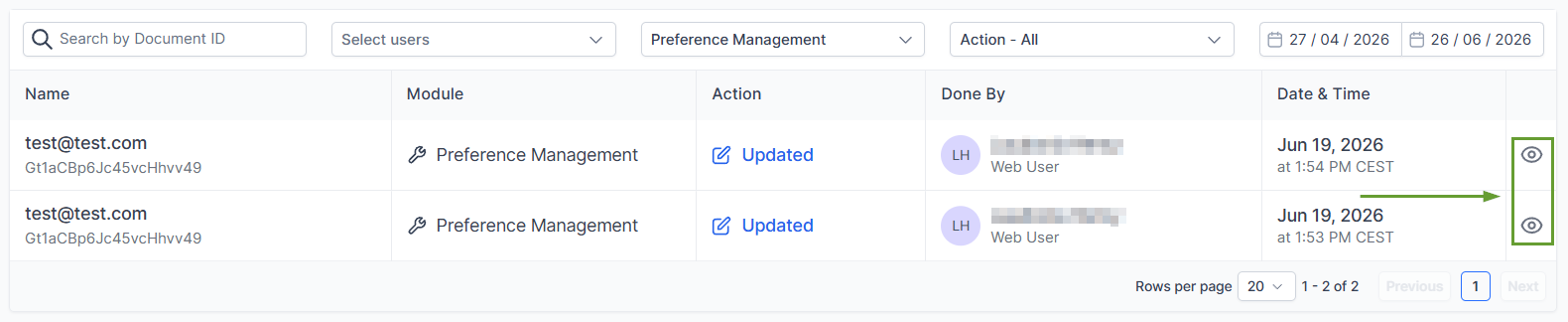
Click the eye icon to view detailed information about each change.
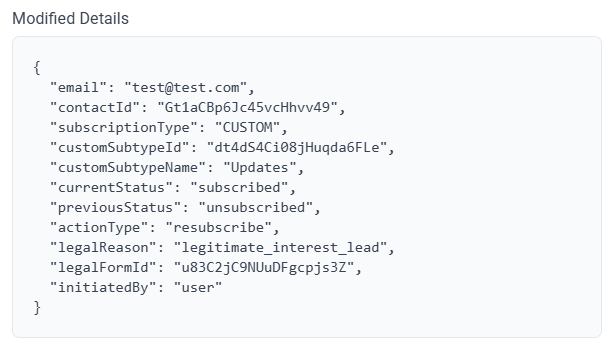
The Modified Details section will contain all changed values in brackets.
⭐️Why Is This Feature Beneficial To Your Company?
Improved Transparency: This allows you to export audit records easily for compliance and reporting, keeping your team accountable and informed.
Contact Preference Updates: Check preference updates made by logged-in users, including which preferences were updated, when the changes were made, and the previous and updated values.
Subscription Type Updates: Monitor changes to subscription types in the Preference Management Hub, including who made the change, when the update occurred, and which settings or details were changed.
This update aims to improve transparency and accountability across your team. Ensuring you can quickly identify what and when it changed, and who made the change, to make your support more complete. We hope you enjoy it!
