Stay Up To Date
We believe in keeping you in the loop with all the latest happenings in our courses and system. On this page, you'll find a comprehensive log of all the exciting changes, improvements, and additions we make to our courses and system. Whether it's a new feature, a course enhancement, or a system update, we've got you covered. Bookmark this page and check back regularly. We're committed to ensuring that your learning experience remains exceptional and that you have all the information you need to succeed.

New Features

New Updates

Resources & Tools

Important Updates
Here are some of the most recent updates we thought would be helpful to take note of

Improved Feature: All-in-One Chat Filter Added to Customer Replied Trigger
Previously, All-in-One Chat replies were not clearly distinguishable, requiring separate Chat Widget or Live Chat triggers, which made setup confusing. So, we’ve introduced this filter selection for cleaner automation. Let's check it out!
⭐️How Will These Changes Affect You?:
Precise Automation: Select All-in-One Chat directly from the Reply Channel dropdown, separating this option from single-channel widgets.

Smart Filter Expansion: Select specific All-in-One Chat Widgets, filtering replies by Chat Type, allowing you to decide whether the reply should come from a full All-in-One Chat Widget setup or specifically from Live Chat within that setup.

Dynamic Third-Level Filter: Depending on your selection under “Chat Type is,” the next filter will either list only All-in-One chat widgets or All-in-One Live Chat configurations.

⭐️How To Use The All-in-One Chat Filter?
This addition introduces some minor changes to how the Customer Replied trigger is set up. Let’s learn how this filter works!
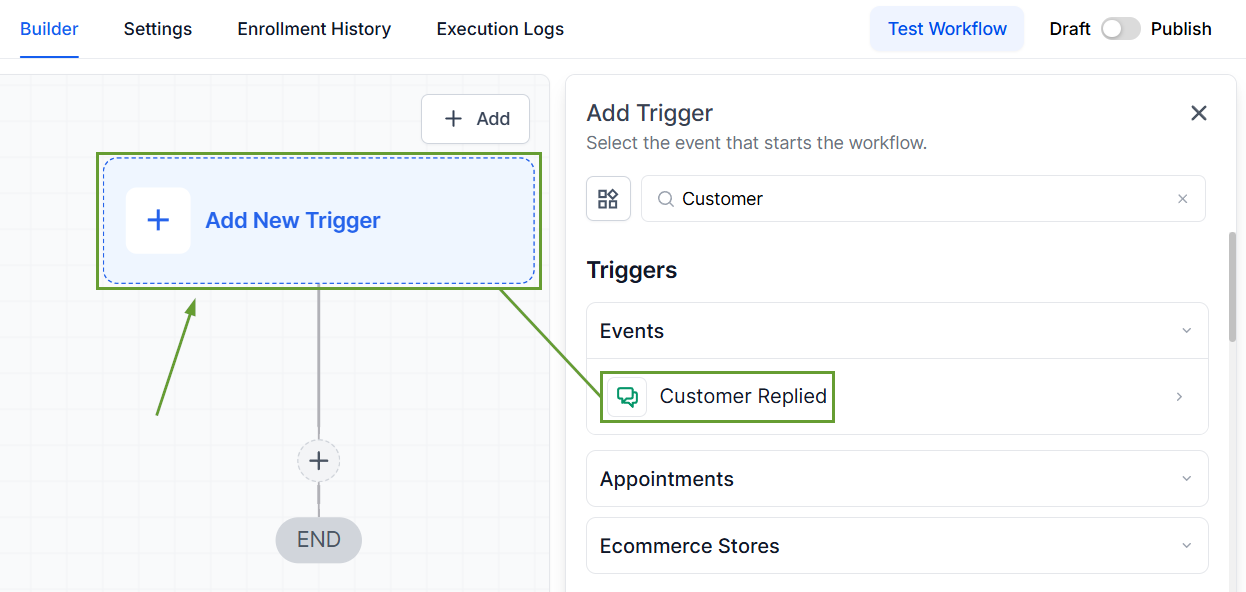
Create a workflow and select the trigger “Customer Replied.”
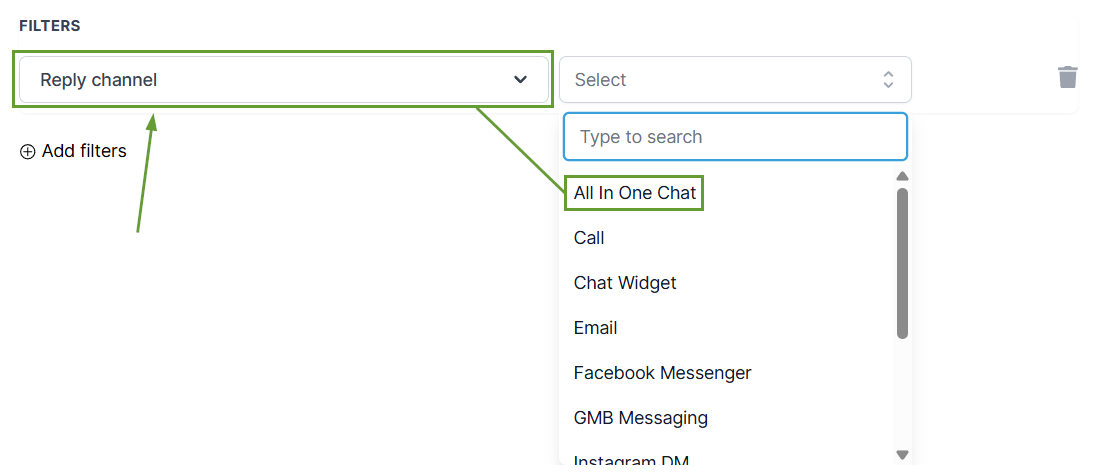
Add the filter “Reply Channel” and select All In One Chat.
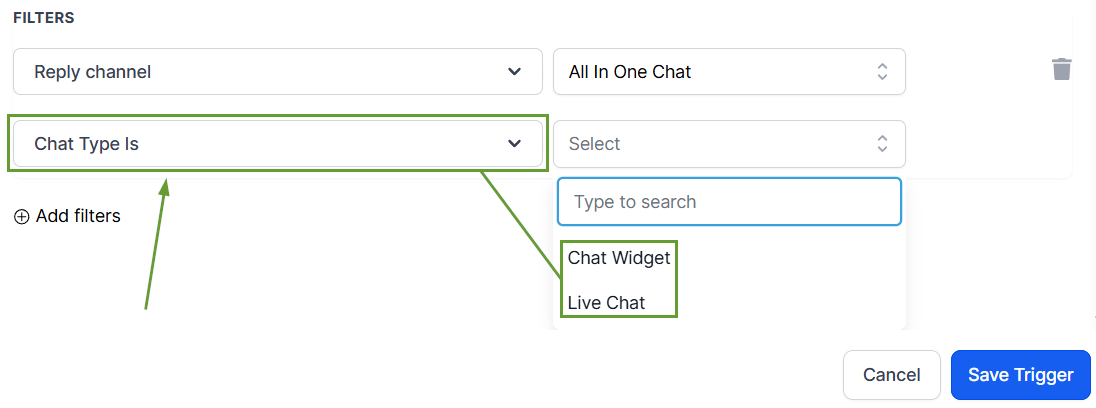
Add the filter Chat Type is and select Chat Widget or Live Chat.
Select the specific widget you want to respond to under “Chat Widget is” or “Live Chat is.”
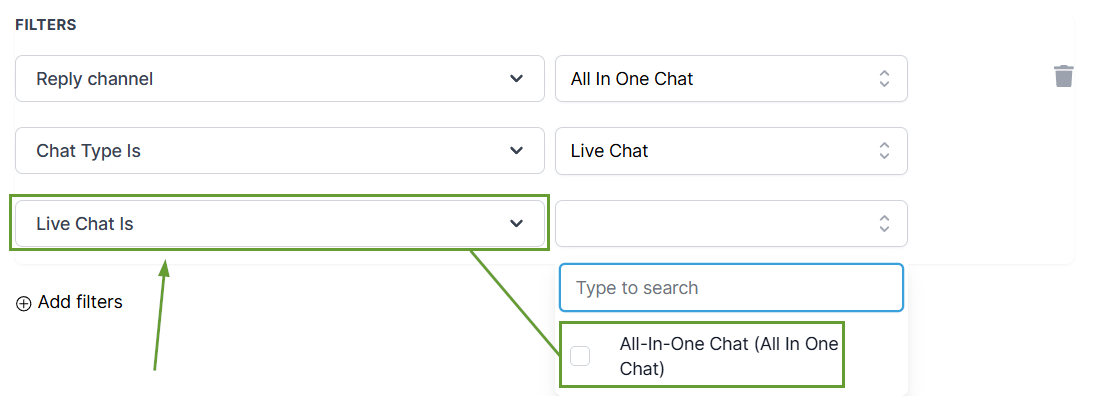
This makes automation cleaner, more flexible, and easier to configure for unified chat setups, thanks to the intuitive filters that show only relevant widgets. We hope you enjoy it!
