Stay Up To Date
We believe in keeping you in the loop with all the latest happenings in our courses and system. On this page, you'll find a comprehensive log of all the exciting changes, improvements, and additions we make to our courses and system. Whether it's a new feature, a course enhancement, or a system update, we've got you covered. Bookmark this page and check back regularly. We're committed to ensuring that your learning experience remains exceptional and that you have all the information you need to succeed.

New Features

New Updates

Resources & Tools

Important Updates
Here are some of the most recent updates we thought would be helpful to take note of

Improved Feature: AI Agent Action
The AI Agent action helps you manage customers without a complex setup. However, getting the perfect responses without the relevant business context is difficult; we’ve made it easier by adding Knowledge Base Search to the action. Let's check the changes!
⭐️How Do These Changes Affect You?:
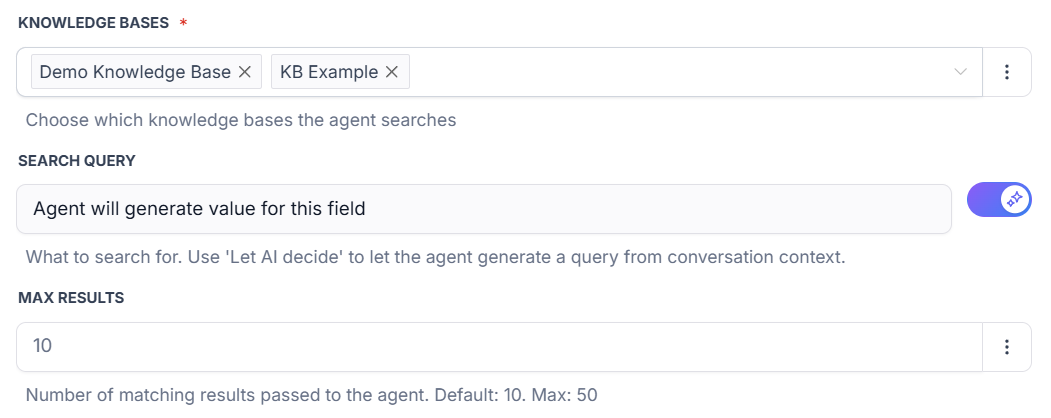
Multi-Source Support: Connect directly to your knowledge bases, adding as many bases as needed to fetch your business context for improved responses.
Prompt Data Streamlining: Retrieves only the relevant information when needed, instead of loading the full system prompt with static content.
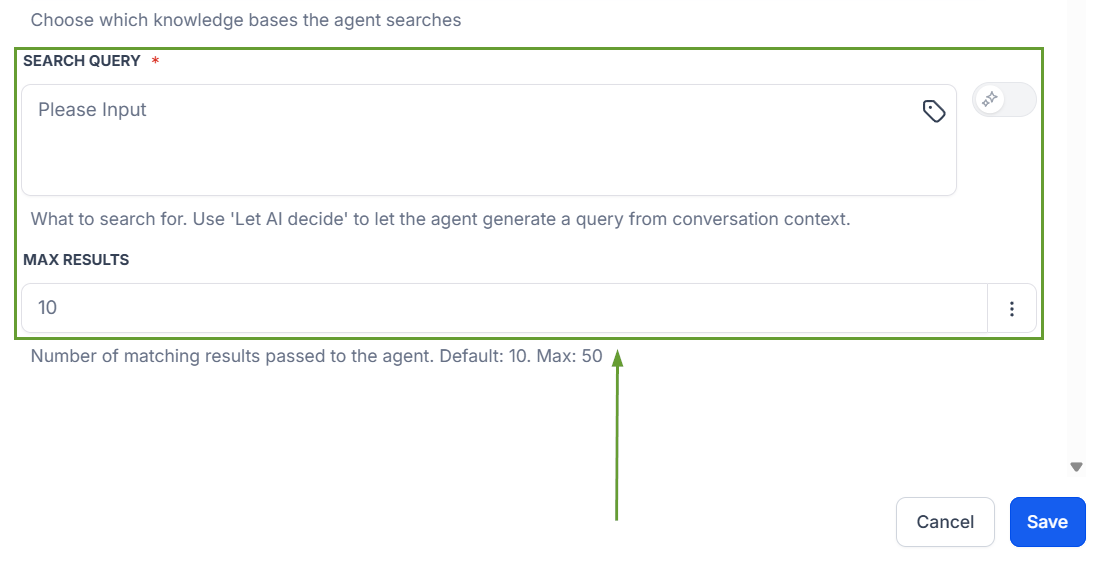
Smart Query Settings: You can set static queries or let the AI fetch them dynamically based on the conversation for easy configuration.
⭐️How To Add A Knowledge Base To Your AI Agent?
Let’s go over how to add Knowledge Base Search to your Agent’s tool set!
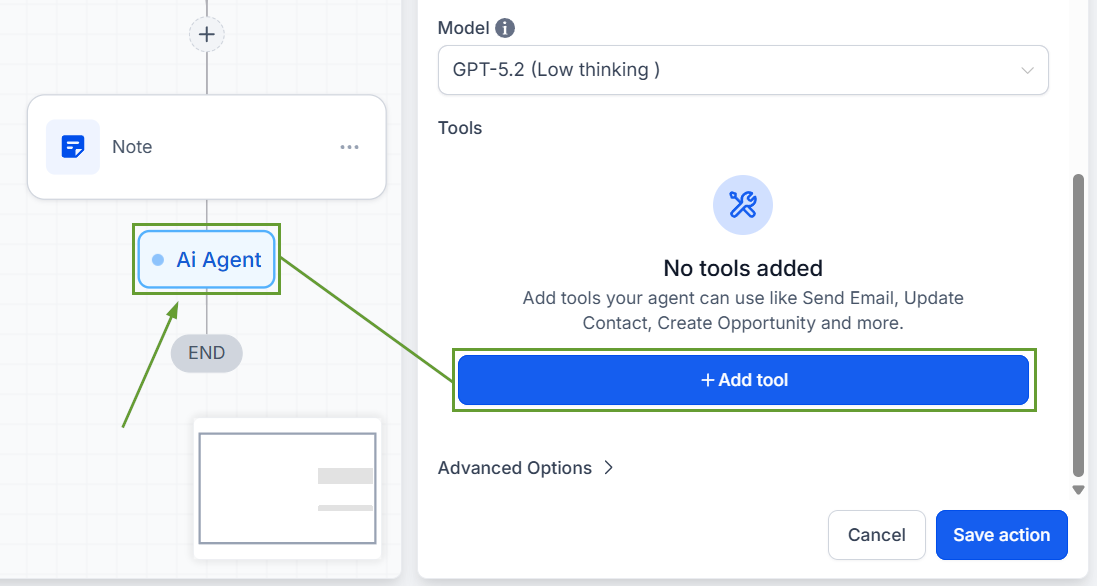
Add an AI Agent action, then click “+ Add Tool.”
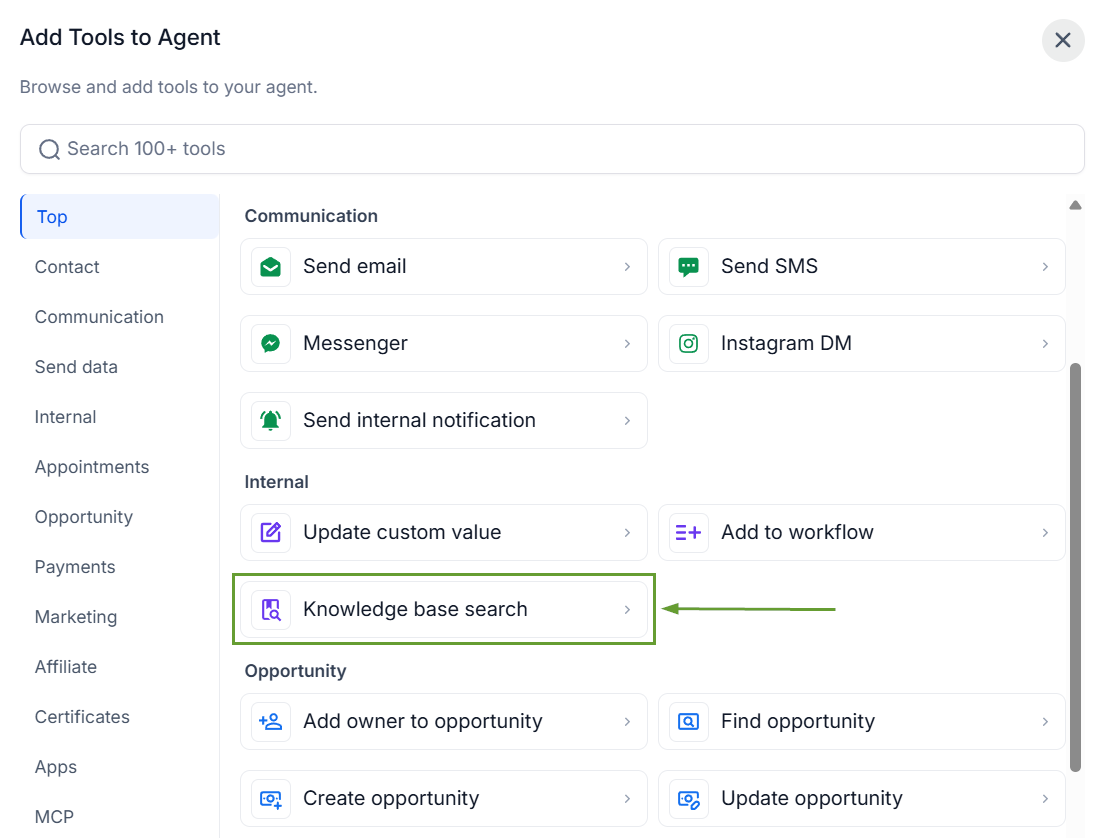
Pick Knowledge Base Search as a tool inside the selector.
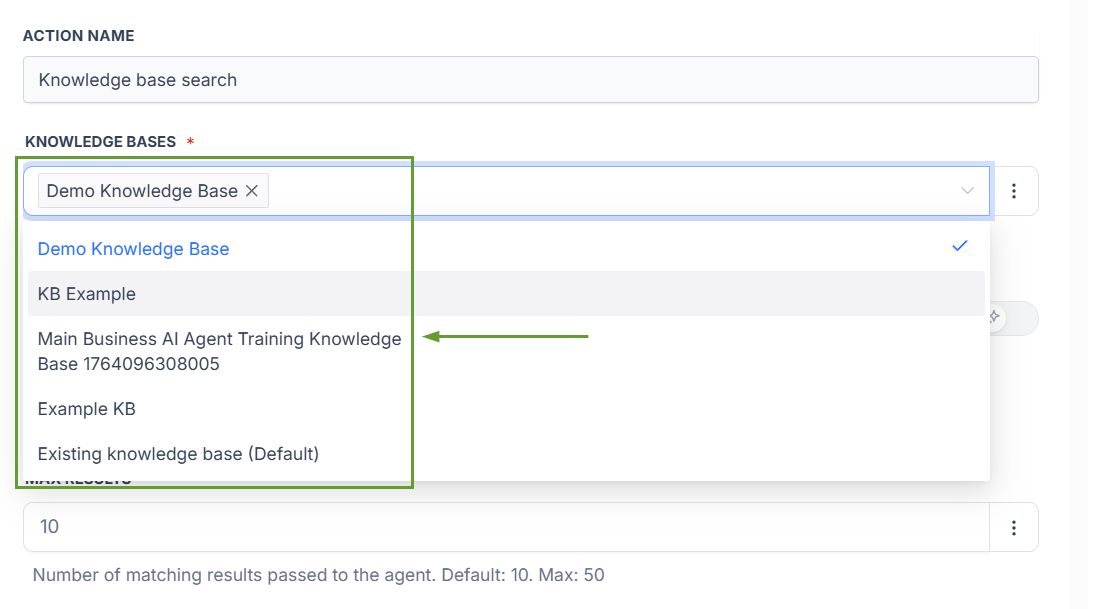
Choose which knowledge bases the agent should search.
Define a search query, then set the number of chunks the agent retrieves from the knowledge base.
By using this tool, you can avoid front-loading the prompt with pages of business context, keeping your prompt light, reducing token usage, and delivering more accurate, grounded responses. We hope you enjoy it!
