Stay Up To Date
We believe in keeping you in the loop with all the latest happenings in our courses and system. On this page, you'll find a comprehensive log of all the exciting changes, improvements, and additions we make to our courses and system. Whether it's a new feature, a course enhancement, or a system update, we've got you covered. Bookmark this page and check back regularly. We're committed to ensuring that your learning experience remains exceptional and that you have all the information you need to succeed.

New Features

New Updates

Resources & Tools

Important Updates
Here are some of the most recent updates we thought would be helpful to take note of
New Feature: Advanced Filter in Analytics Dashboard
The Analytics section of your sites helps you look into how your performance is developing and the success you’re having. However, wide results make it difficult to focus on important information. Now, you can use Advanced Filters to narrow results using available dimensions. Let’s learn how!
⭐️How To Use Advanced Filters In The Analytics Dashboard?
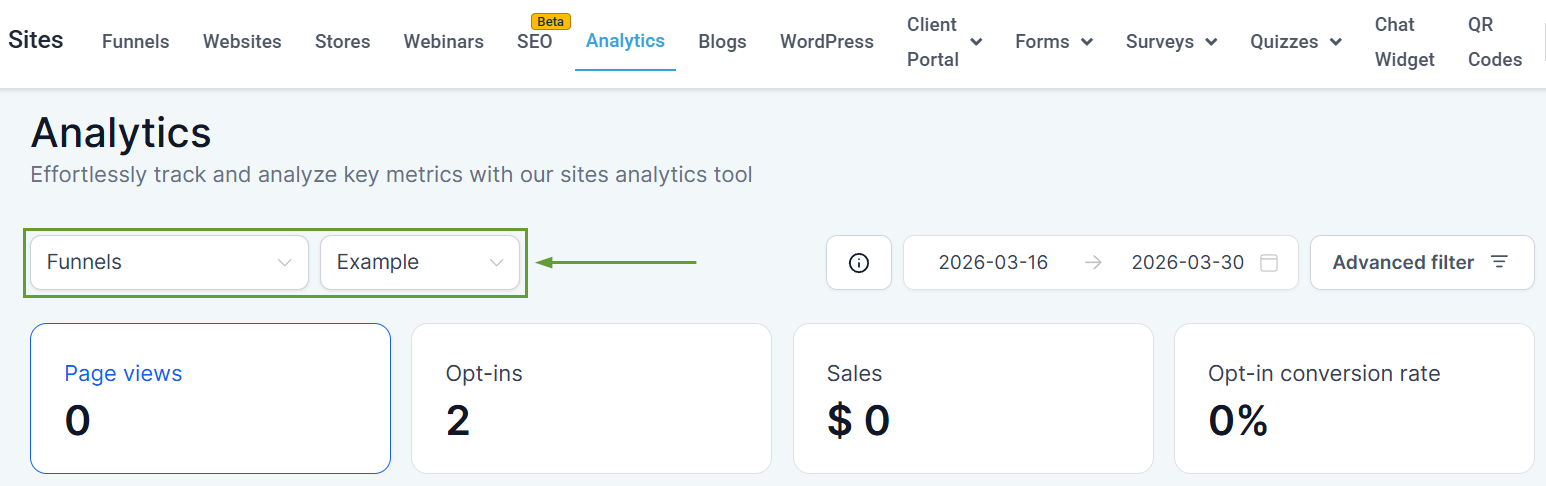
Head to the Analytics tab in the Sites section and select the Funnel, Website, or Webinar you want to view.
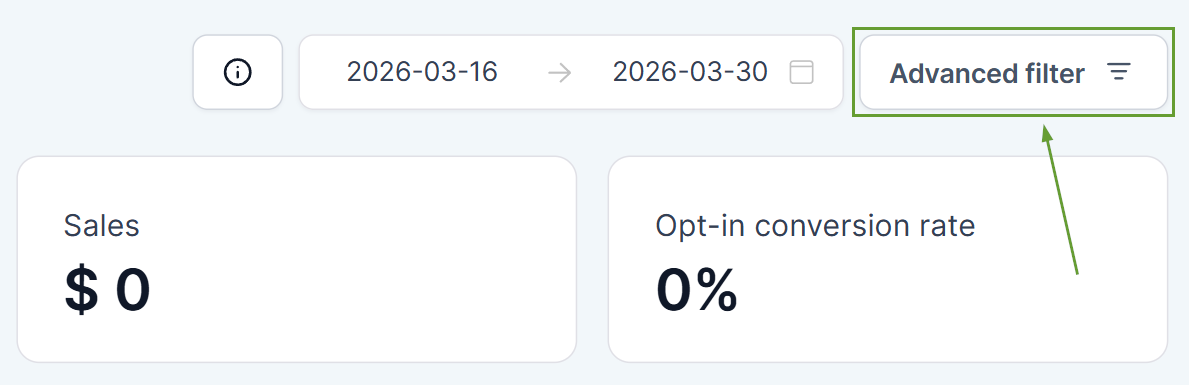
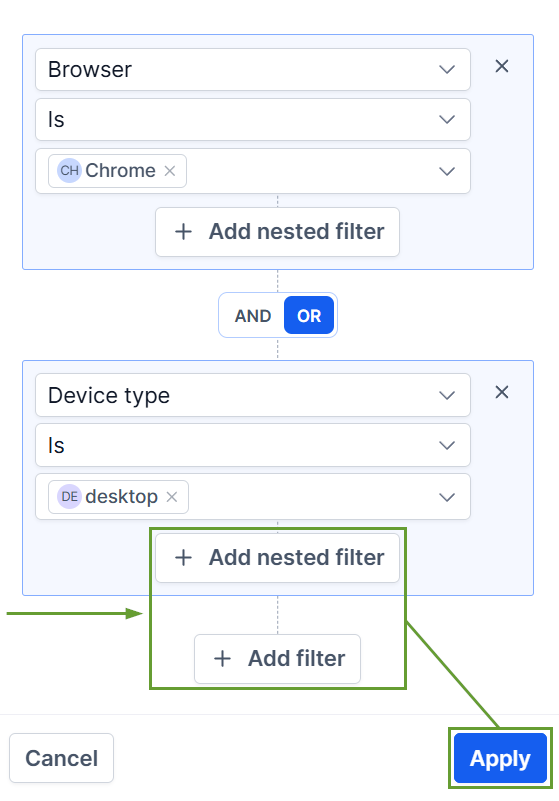
Click the Advanced filter to add one or more filters.
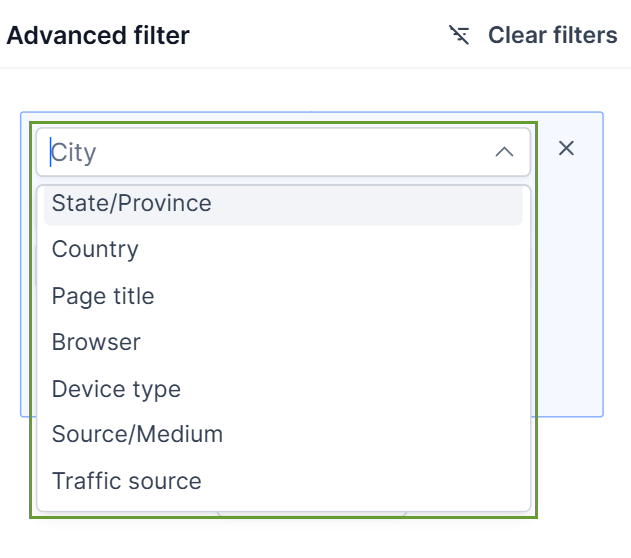
Select your desired filters from the drop-down menu.
Click “+ Add nested filter” to add conditions that should happen in unison, or “Add filter” to add alternative conditions to be met, then click Apply to save your filters.
⭐️Why Is This Feature Beneficial To Your Company?
Increased Control: Apply filters across Funnel, Website, and Webinar analytics, using one or multiple filters together to refine results.
Simplified Insights: Once your filters are applied, the system will present updated charts and metrics based on your selected filters, making it easier to break down the information.
Improved Market Targeting: Use the advanced filter information to refine your pages and improve local attention from your desired markets, even across the globe.
This makes it easier to explore performance, compare segments, and uncover insights without exporting data or reviewing everything at a high level. We hope you enjoy it!
