Stay Up To Date
We believe in keeping you in the loop with all the latest happenings in our courses and system. On this page, you'll find a comprehensive log of all the exciting changes, improvements, and additions we make to our courses and system. Whether it's a new feature, a course enhancement, or a system update, we've got you covered. Bookmark this page and check back regularly. We're committed to ensuring that your learning experience remains exceptional and that you have all the information you need to succeed.

New Features

New Updates

Resources & Tools

Important Updates
Here are some of the most recent updates we thought would be helpful to take note of

Improved Feature: Messaging Analytics
The Messaging Analytics section allows you to dig into your SMS performance and ensure you can keep contacting customers. Since it’s such a vital section, we’ve redesigned it to give you deeper visibility into your messages with interactive charts, a clearer layout, richer data, and actionable insights. Let's check these improvements out!
⭐️How Will These Changes Affect You?:
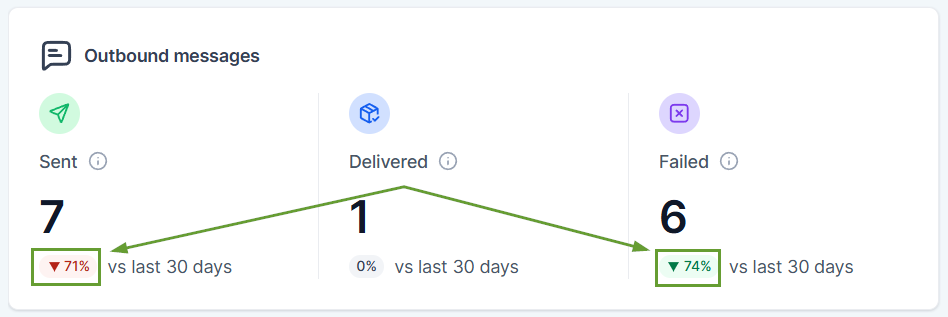
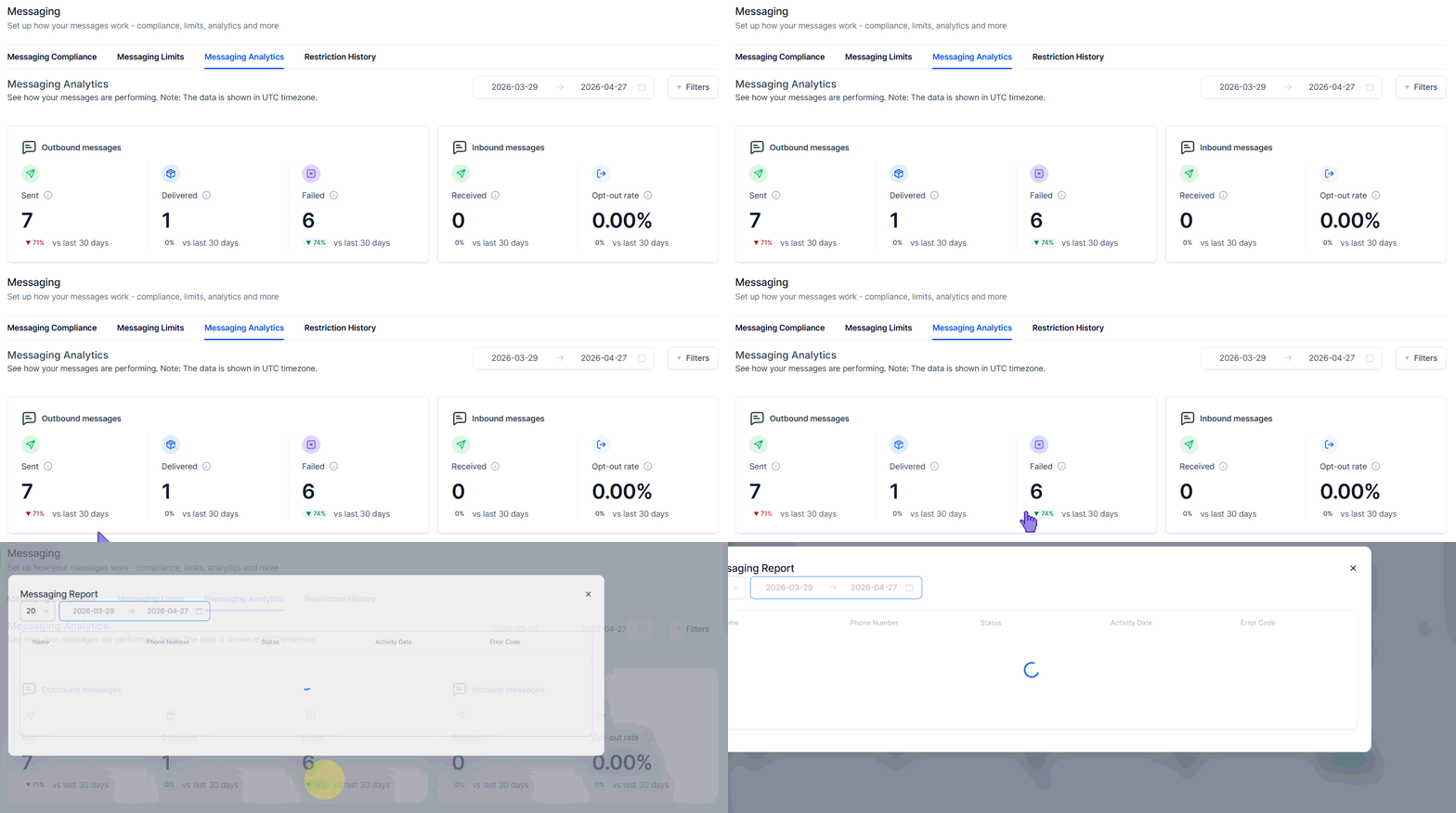
Periodical Comparisons: Every metric now shows how it changed compared to the previous period, with green or red indicators so you can instantly spot trends.
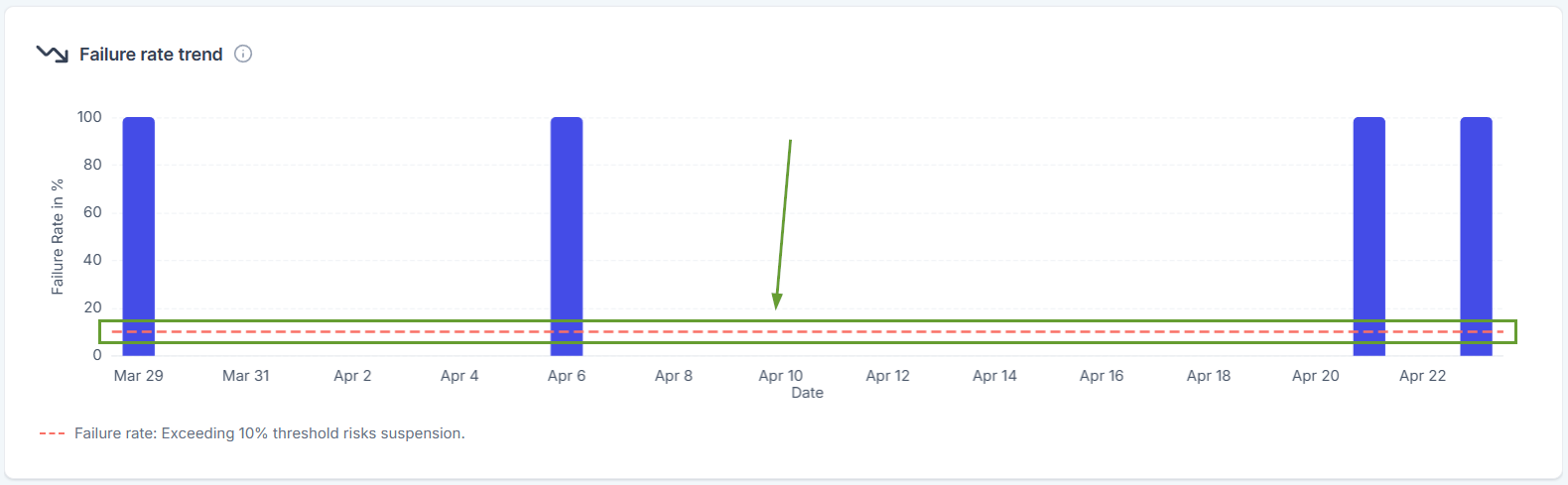
Failure Rate Trend Chart: A new bar chart shows how your message failure rate changes over time, with a clear threshold line at 10%, which helps you catch delivery issues before they escalate to account restrictions.
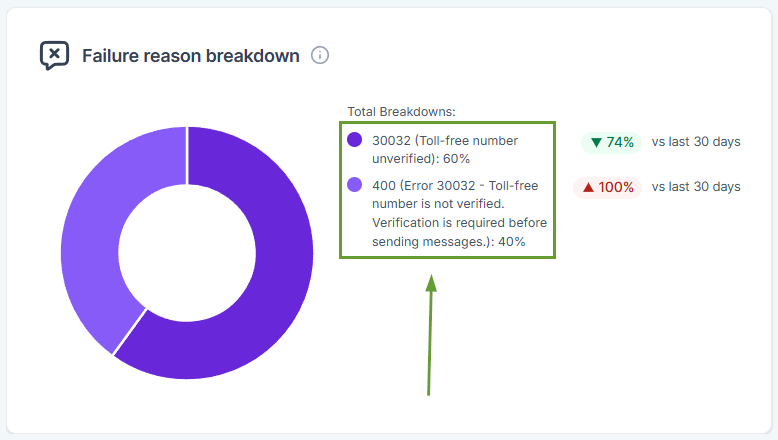
Failure Reason Breakdown: A new donut chart breaks down exactly why messages failed so you can take targeted action instead of guessing.
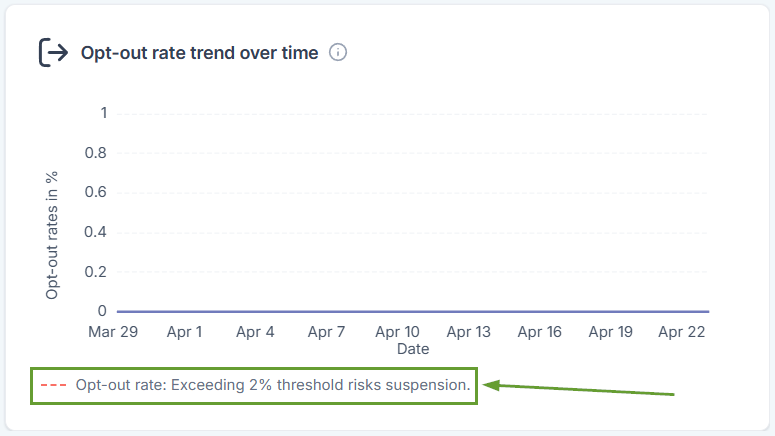
Opt-Out Rate Trend: A new line chart tracks opt-out rates over time with a 2% threshold marker, so you can monitor subscriber health and adjust your messaging strategy before reaching risky levels.
⭐️How To View Your Messaging Analytics?
Let's learn how to access and expand the messaging analytics.
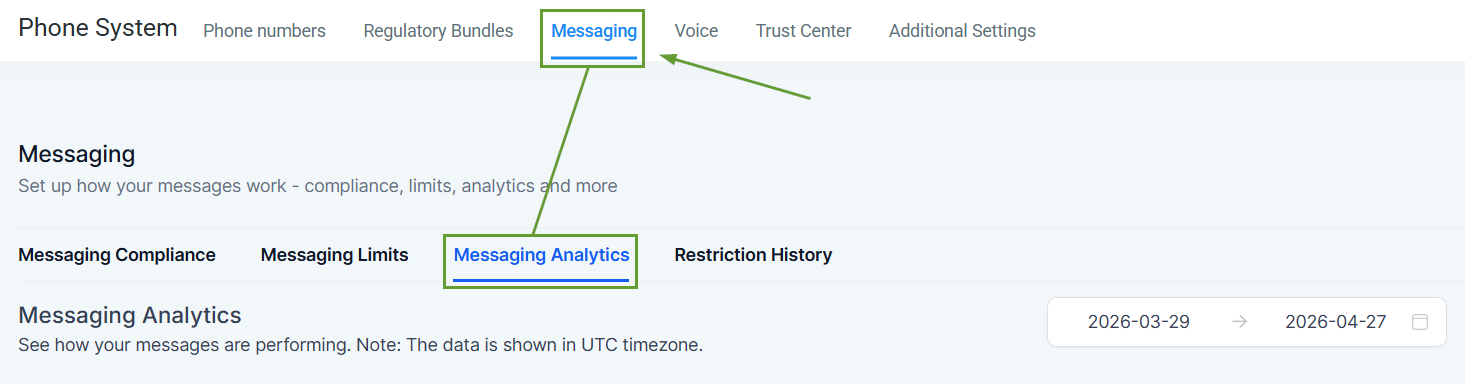
Navigate to the Messaging tab in the Phone System settings section of your account settings, and switch to Messaging Analytics.
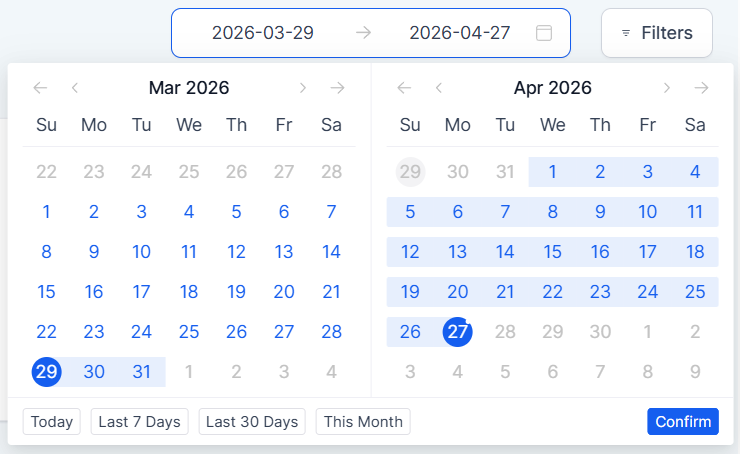
The default view shows the last 30 days, but you can select up to 90 days for a broader picture of your messaging trends.
Every summary card is clickable, so you can tab it to open a detailed logs modal showing individual message records with contact name, phone number, status, date, and error codes.
Messaging deliverability directly impacts customer engagement and revenue. So these improvements will help you catch delivery issues early and reduce failed messages, proactively protecting your sender reputation. We hope you enjoy it!
