Stay Up To Date
We believe in keeping you in the loop with all the latest happenings in our courses and system. On this page, you'll find a comprehensive log of all the exciting changes, improvements, and additions we make to our courses and system. Whether it's a new feature, a course enhancement, or a system update, we've got you covered. Bookmark this page and check back regularly. We're committed to ensuring that your learning experience remains exceptional and that you have all the information you need to succeed.

New Features

New Updates

Resources & Tools

Important Updates
Here are some of the most recent updates we thought would be helpful to take note of

New Feature: Smart Lists for Companies
Smart Lists help you create views that keep important contacts at the forefront, ensuring you have quick access to their information and can easily share the focused view with your team. And now, you can create them in Companies. Let’s learn how!
⭐️ How To Create A Smart List For Companies?
Head to the Companies tab inside the Contacts section and click + List.

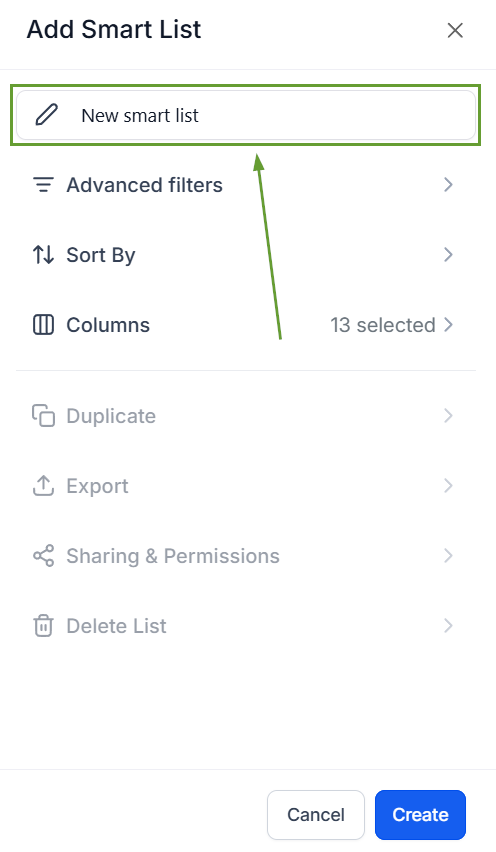
Enter a name to identify your smart list.
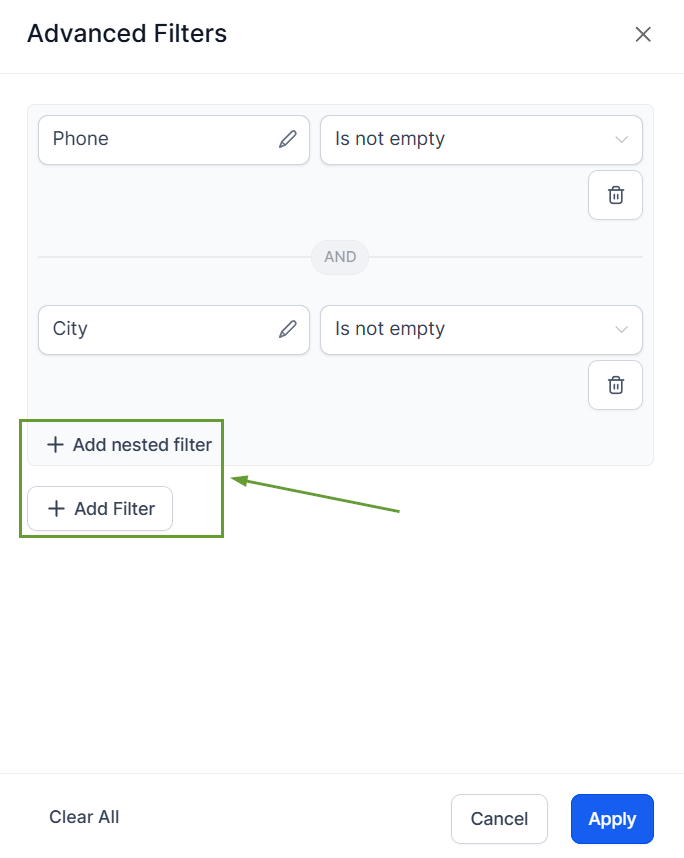
Set your conditions by clicking “+ Add nested filters” for filters that need to happen in tandem or “+ Add filters” for filters that can happen independently. Then click Apply once satisfied with your filters.
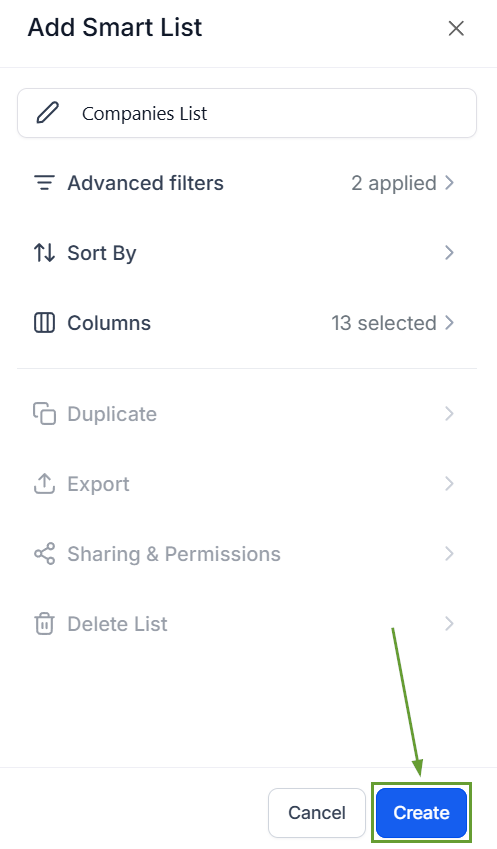
Click Create to save your smart list and add it to your company's sorting tools.
⭐️Why Is This Feature Beneficial To Your Company?
Simplified Set-Up: Reduces repetitive setup for teams working with Companies, making it easier to return to the exact views you use most.
Increased Organization: Gives admins better control over how Company records are organized and displayed, filtering out unnecessary noise.
Improved Prioritization: This helps standardize pipeline views across users by using the sharing options to add the important filtered views to your team’s toolbox.
This feature helps teams quickly focus on the most relevant Companies by prioritizing records that fit your filters, giving you the comfort of Smart Lists you are used to from the Contacts view. We hope you enjoy it!
