Stay Up To Date
We believe in keeping you in the loop with all the latest happenings in our courses and system. On this page, you'll find a comprehensive log of all the exciting changes, improvements, and additions we make to our courses and system. Whether it's a new feature, a course enhancement, or a system update, we've got you covered. Bookmark this page and check back regularly. We're committed to ensuring that your learning experience remains exceptional and that you have all the information you need to succeed.

New Features

New Updates

Resources & Tools

Important Updates
Here are some of the most recent updates we thought would be helpful to take note of
Improved Feature: Sell Products in Forms & Surveys
Selling through Forms and Surveys is great. However, when an order comes to nothing, asking customers for their credit card information can cause confusion and rejection. So, we’ve introduced a new Require Credit Card setting on the Sell Products element, letting them complete free orders without a card. Let’s learn how this change works!
⭐️How Do These Changes Affect You?:
Simplified Checkout: When a customer's product selection totals $0 with nothing recurring due, the payment fields are hidden, and the order completes without card entry.
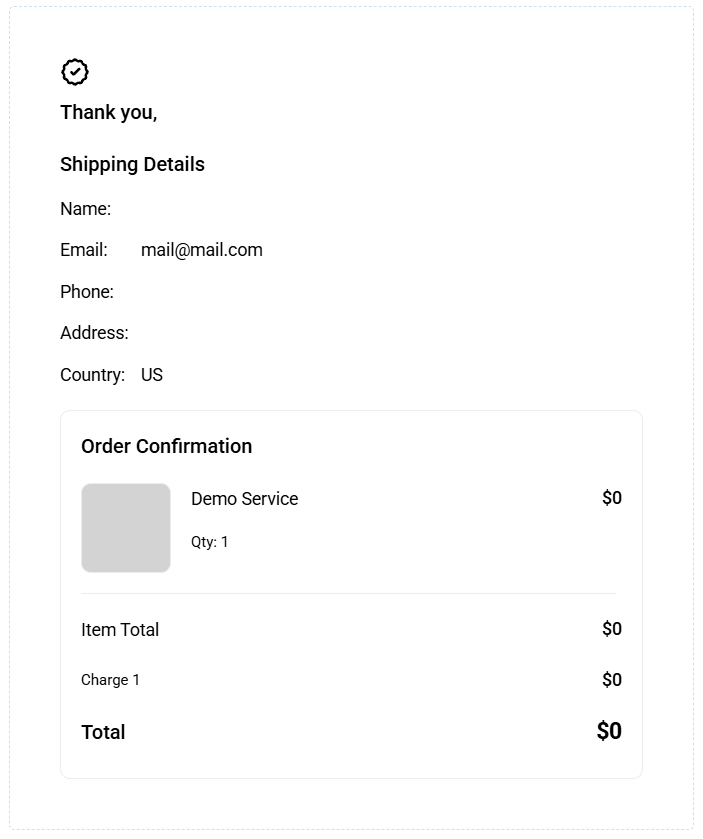
Funnel Hierarchy: For Forms and Surveys embedded in a Funnel, the Funnel's Require Credit Card setting is used instead of the element setting.
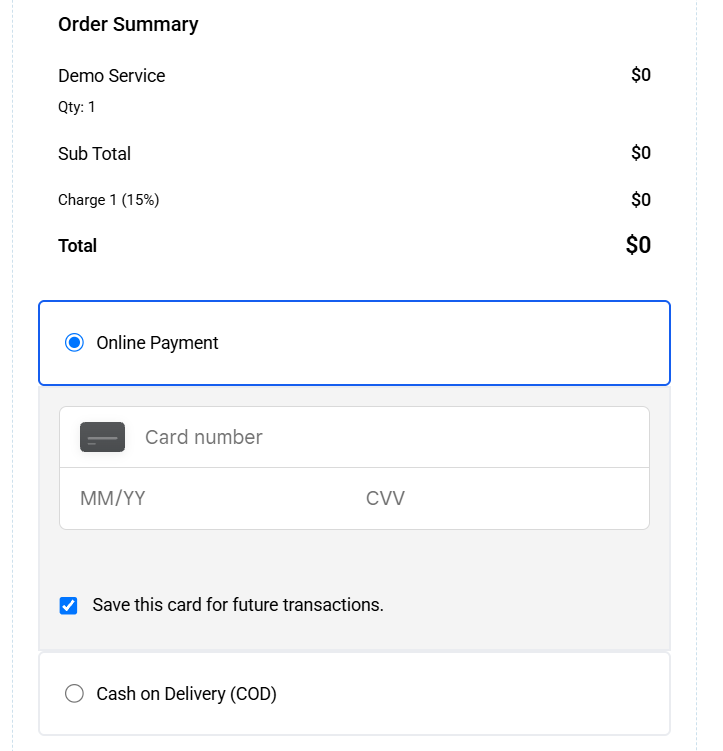
Automatic Payment Field Visibility: Whether it's because of product selection or discount codes, as soon as the total reaches $0, the payment fields hide automatically.
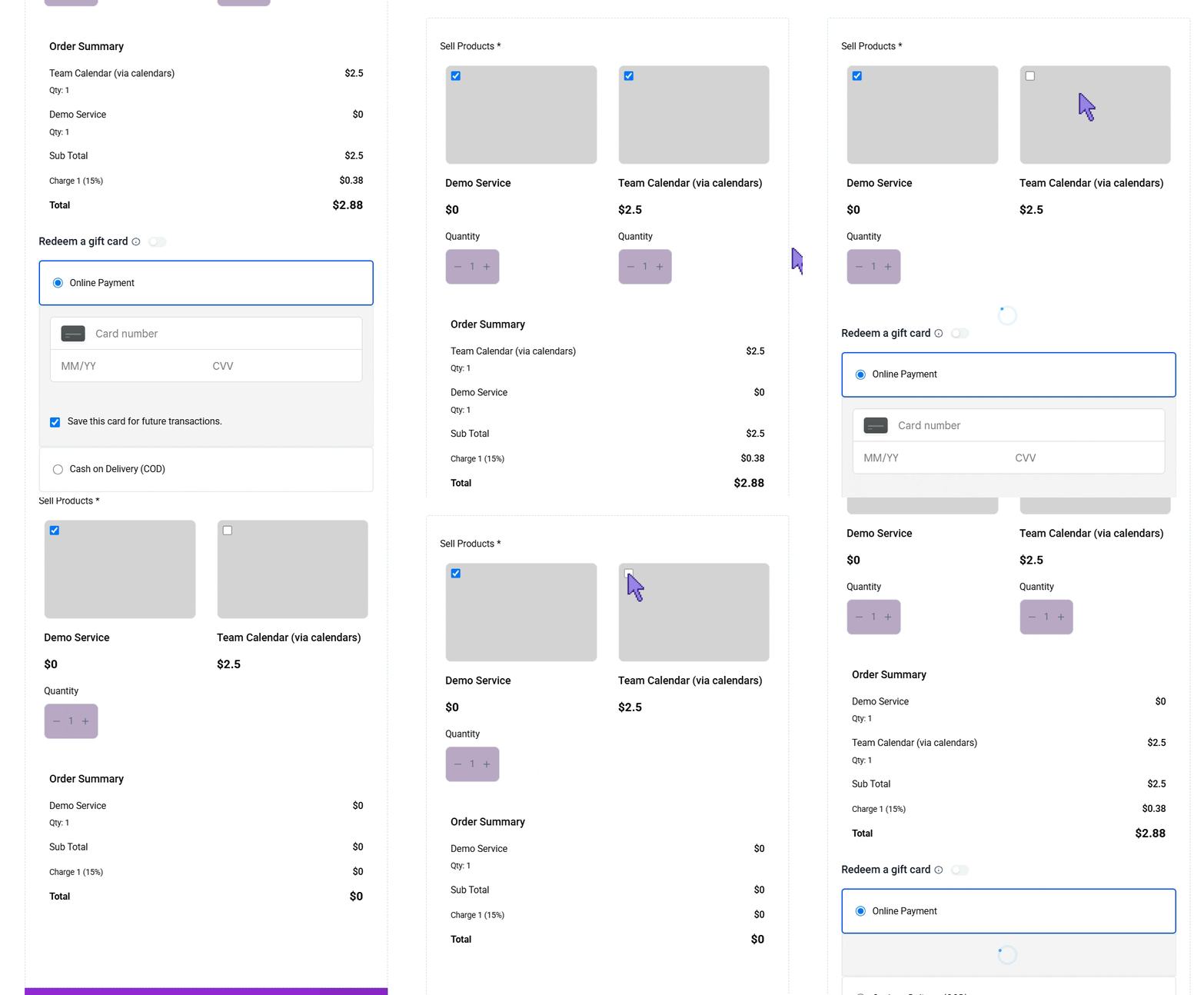
⭐️ How To Automatically Hide The Payment Field?
Let’s go over how to disable the required card option in forms and funnels!
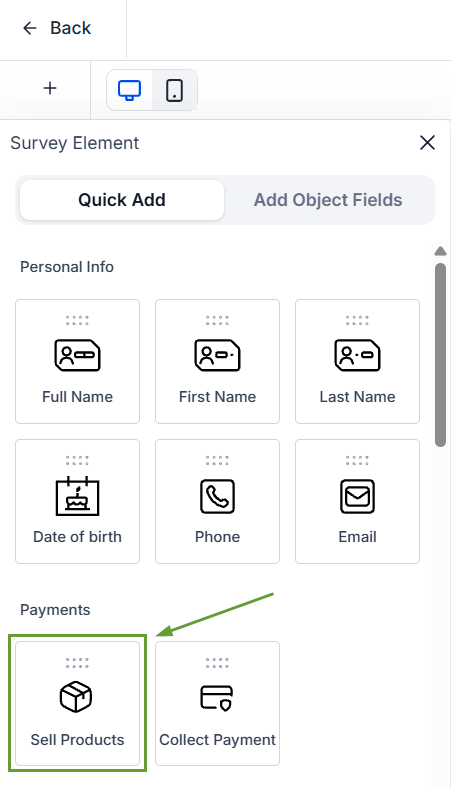
Add or edit a Sell Products element in your Form or Survey.
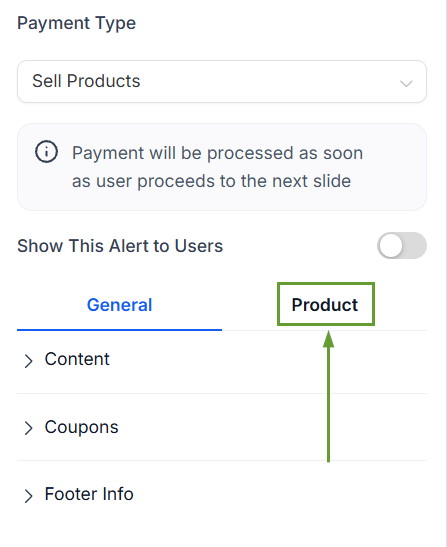
Switch to the Product settings.
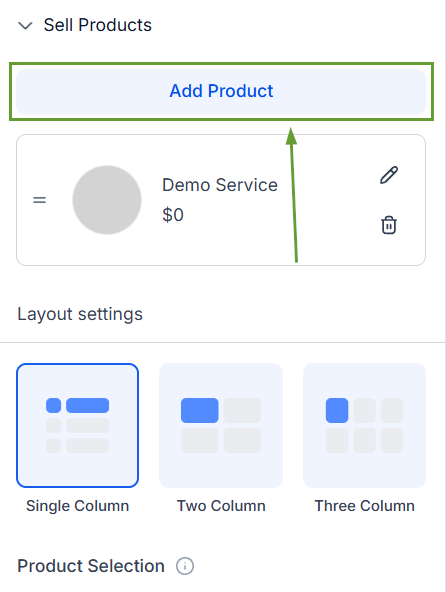
Add your desired products to the element.
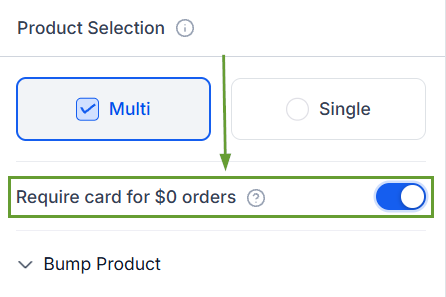
In Product Selection, turn “Require card for $0 orders” off, then save your changes.
Free and paid offers can now live in the same Form or Survey without asking customers for card details they shouldn't need to give, improving their overall experience and confidence in your business. We hope you enjoy it!
