Stay Up To Date
We believe in keeping you in the loop with all the latest happenings in our courses and system. On this page, you'll find a comprehensive log of all the exciting changes, improvements, and additions we make to our courses and system. Whether it's a new feature, a course enhancement, or a system update, we've got you covered. Bookmark this page and check back regularly. We're committed to ensuring that your learning experience remains exceptional and that you have all the information you need to succeed.

New Features

New Updates

Resources & Tools

Important Updates
Here are some of the most recent updates we thought would be helpful to take note of
New Feature: AI Reply for Facebook Reviews
The way you respond to reviews goes a long way to dissuading negative emotions and encouraging positive reviewers to keep interacting with your business. And you can manage comments on your Facebook pages with the power of AI Agents!
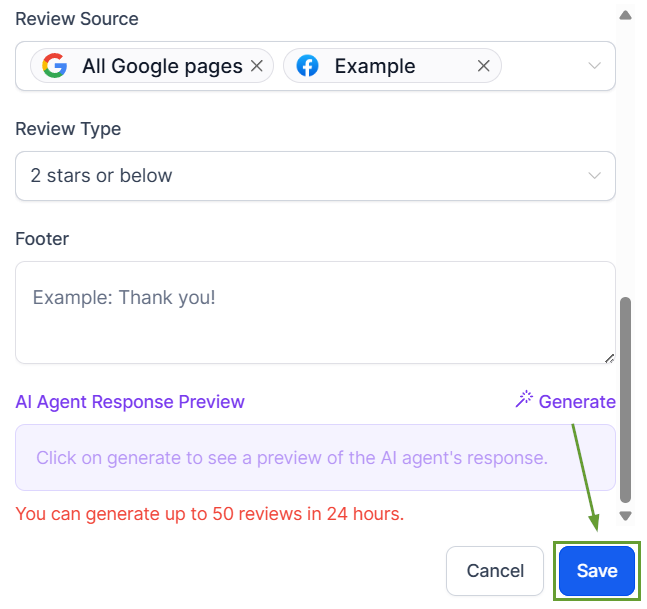
⭐️ How To Enable AI Replies For Facebook Reviews?
Go to the Settings tab in the Reputation section, then click Create Agent.
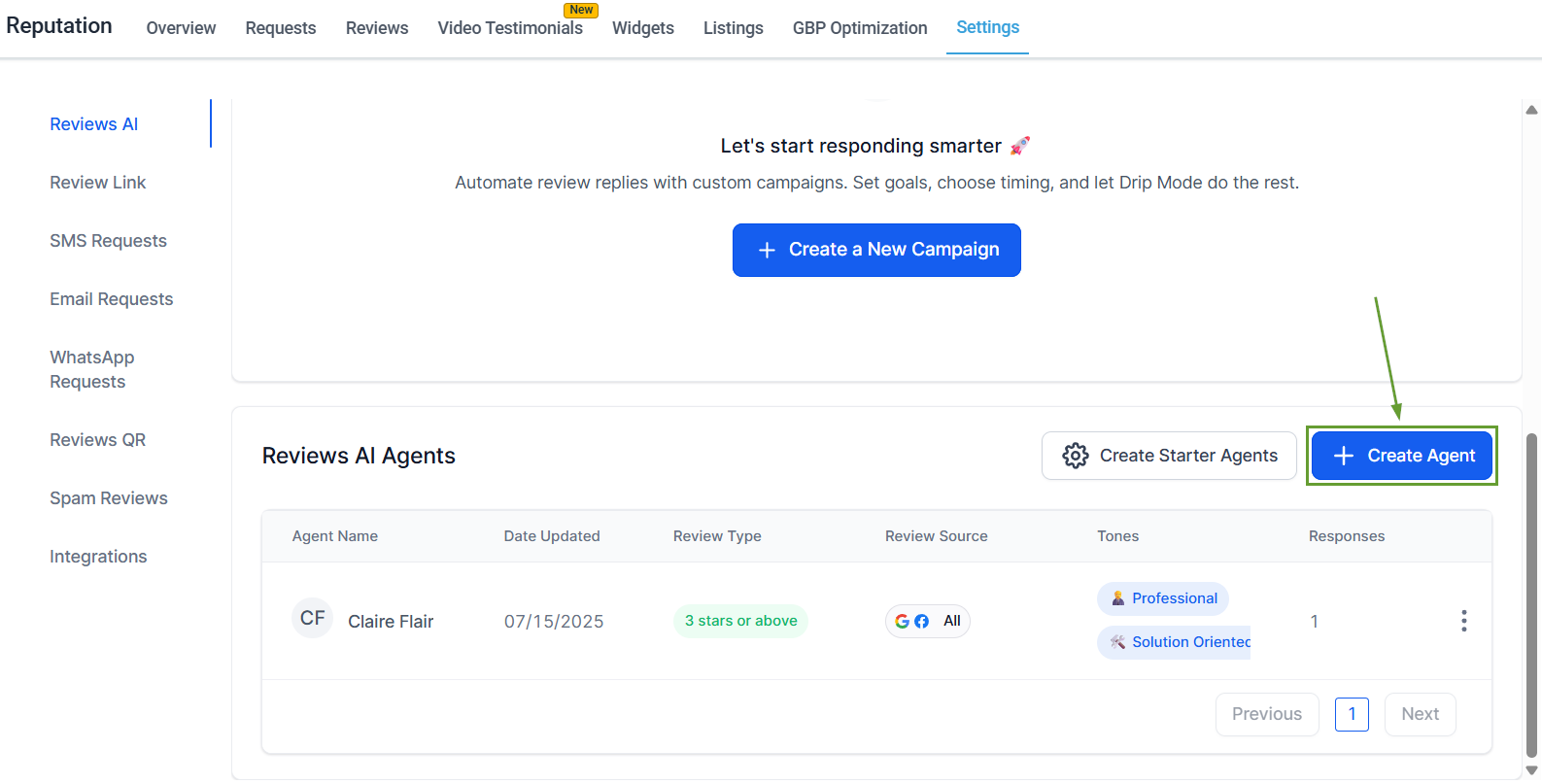
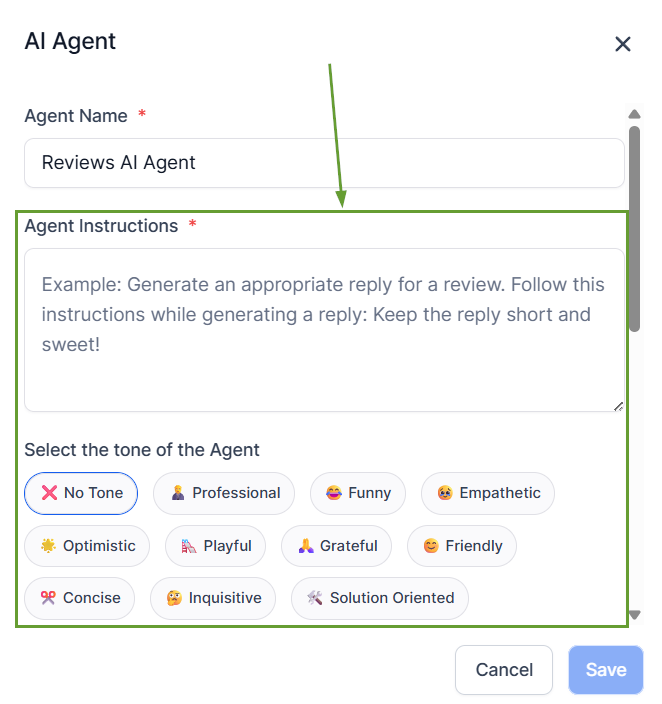
Choose tone, language, and review conditions.
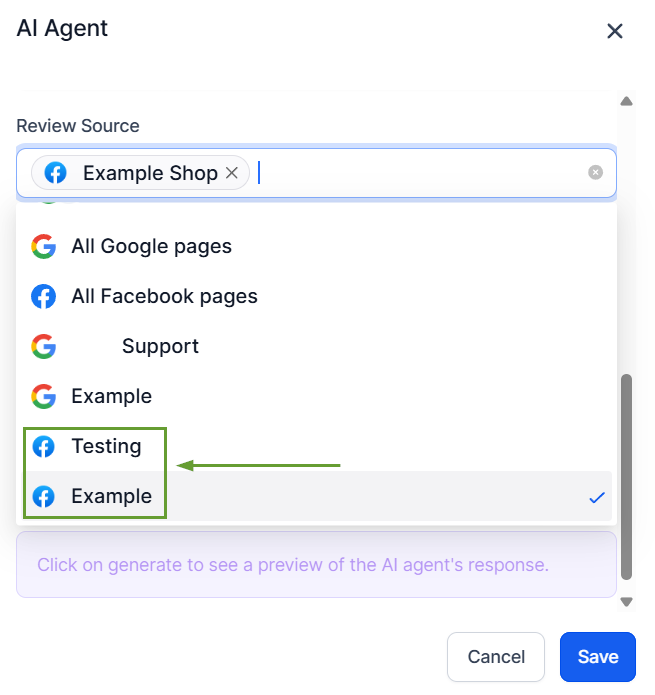
Select all Facebook pages or specific Facebook pages under Review Source.
Save the agent to start using it.
⭐️Why Is This Feature Beneficial To Your Company?
Multi-Tone Management: Create distinct personalities to fit your page’s branding or the review’s content, using AI Agents to create organic-feeling replies.
Branding Consistency: Easily maintain a unified voice across all responses, even when using multiple languages to interact with customers or responding to different platforms.
Immediate Responses: Improve review response coverage and timing to ensure customer satisfaction with fully generated or AI-assisted replies that prioritize context.
Use the dynamic AI personalities to create a response team without hiring more people, reduce robotic responses, create distinct voices for different pages, and take your review management to the next level.
