Stay Up To Date
We believe in keeping you in the loop with all the latest happenings in our courses and system. On this page, you'll find a comprehensive log of all the exciting changes, improvements, and additions we make to our courses and system. Whether it's a new feature, a course enhancement, or a system update, we've got you covered. Bookmark this page and check back regularly. We're committed to ensuring that your learning experience remains exceptional and that you have all the information you need to succeed.

New Features

New Updates

Resources & Tools

Important Updates
Here are some of the most recent updates we thought would be helpful to take note of
New Feature: LinkedIn Polls in Social Planner
LinkedIn Polls are among the most engaging content formats you can post, encouraging your followers to interact with your page and easily gather audience feedback. Now, you can create them from your Social Planner. Let’s learn how!
⭐️ How To Post a LinkedIn Poll From The Social Planner?
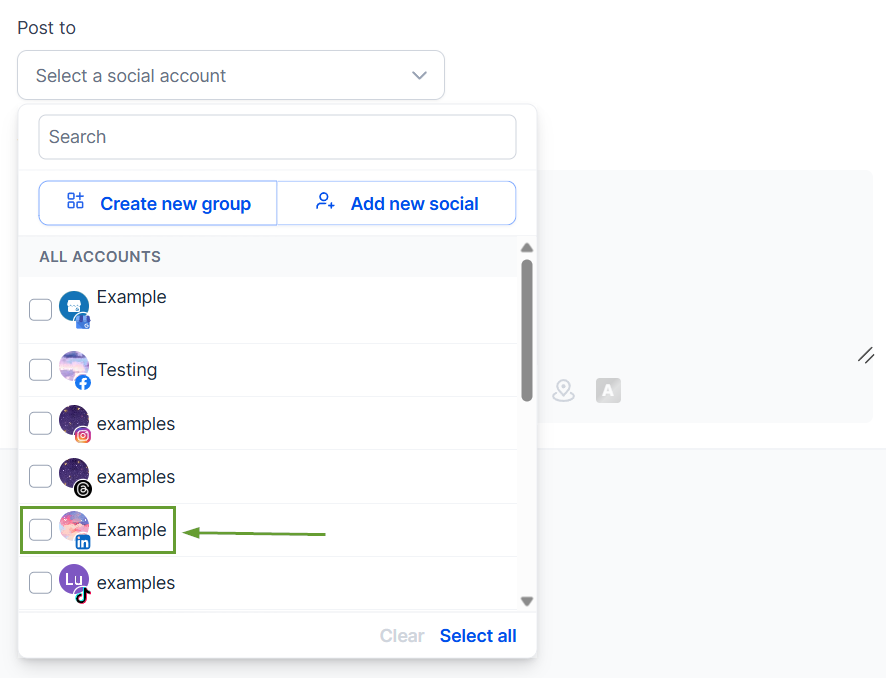
Create a new post and select a LinkedIn account.
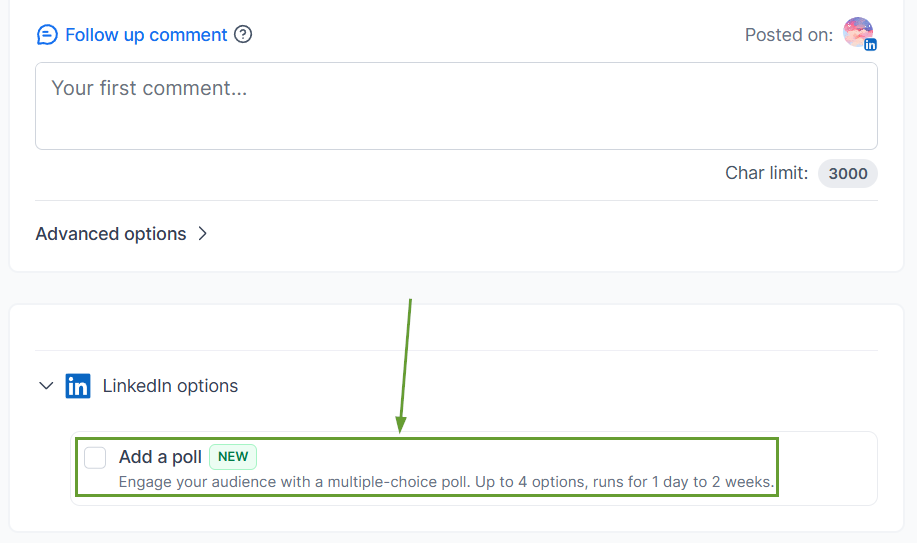
Check the box next to Add Poll to enable it.
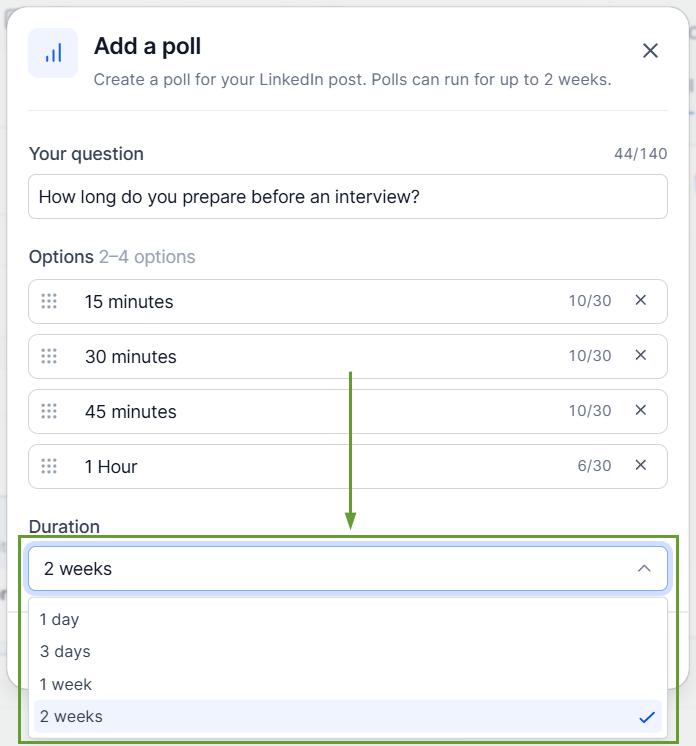
Enter your poll question and up to four answer options.
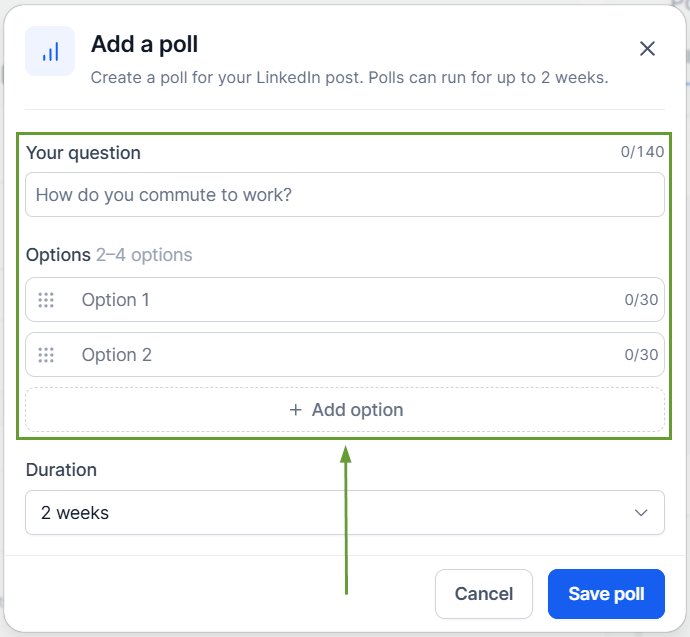
Select a poll duration from 1 to 14 days.
⭐️Why Is This Feature Beneficial To Your Company?
Social Planner Support: Reduce the need to switch between tools for content creation, allowing you to manage poll publishing alongside all other content.
Improved Post Engagement: This content type helps you increase interaction and participation on LinkedIn posts, efficiently promoting your page.
Integrated Poll Preview: You can review your poll directly from the post builder, getting a true view of your content before it goes live to ensure your question, options, and duration are set correctly.
From audience research to engagement campaigns, LinkedIn Polls are now part of your Social Planner workflow. Improving your content management experience by powering existing connections. We hope you enjoy it!
