Stay Up To Date
We believe in keeping you in the loop with all the latest happenings in our courses and system. On this page, you'll find a comprehensive log of all the exciting changes, improvements, and additions we make to our courses and system. Whether it's a new feature, a course enhancement, or a system update, we've got you covered. Bookmark this page and check back regularly. We're committed to ensuring that your learning experience remains exceptional and that you have all the information you need to succeed.

New Features

New Updates

Resources & Tools

Important Updates
Here are some of the most recent updates we thought would be helpful to take note of
New Feature: Dashboard Widgets for SMS Messages
SMS now sits alongside Emails and Calls on your dashboard, so you can see all channel activity without switching tools or filtering through Conversations, making your monitoring more efficient and helping you make changes to your SMS sending in real-time. Let’s learn how to use it!
⭐️ How To Add An SMS Widget To Your Dashboard?
Open any dashboard and click Edit Dashboard.
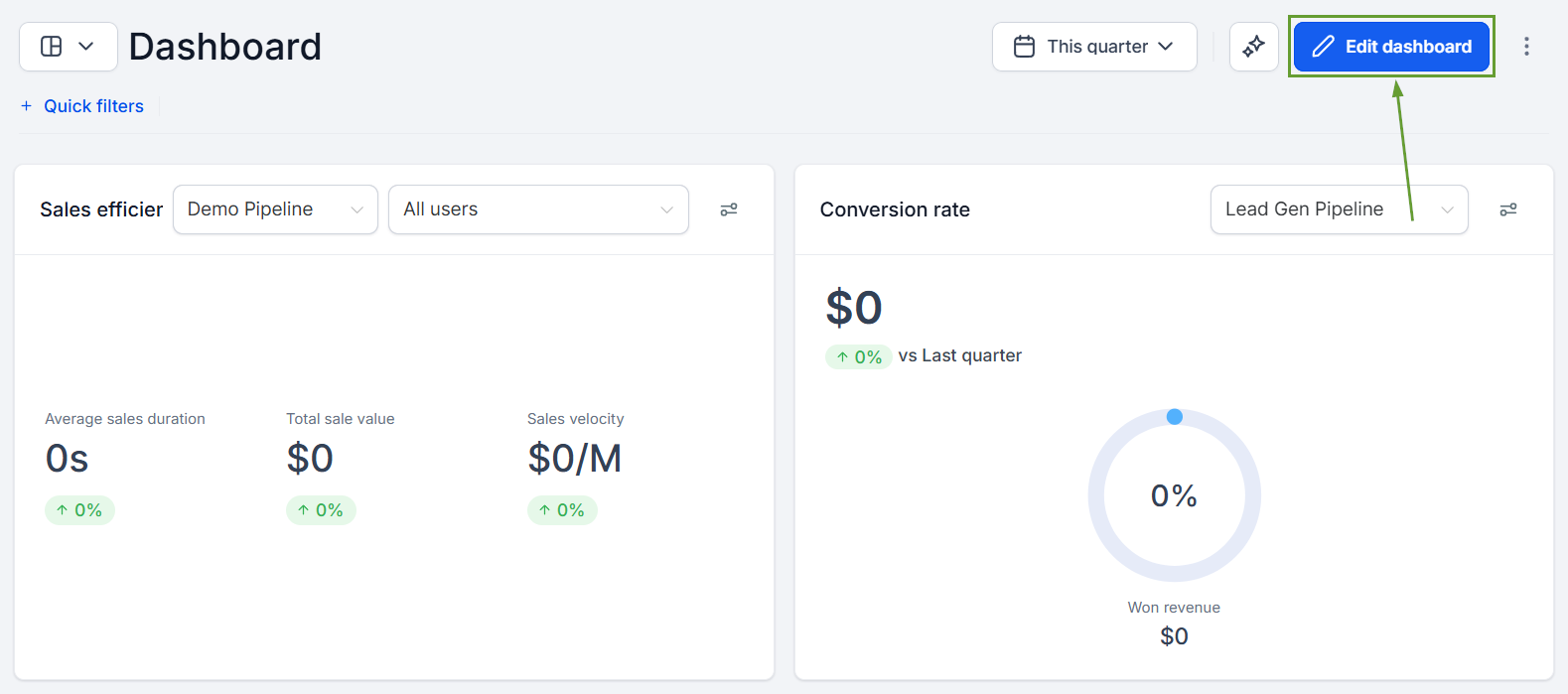
Click + Add Widget.

Scroll to the new SMS section and pick a widget.
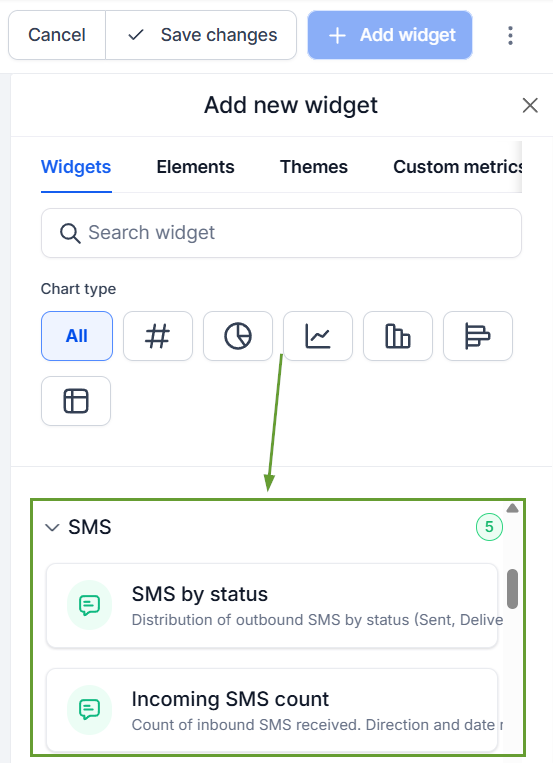
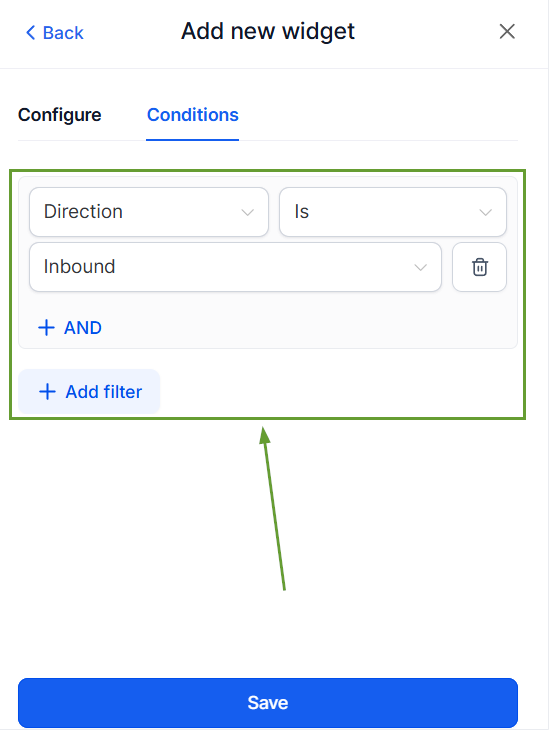
Configure filters and chart type, and click Save Changes.
⭐️Why Is This Feature Beneficial To Your Company?
Delivery Health Insights: Know exactly how many messages were Sent, Delivered, Failed, or Undelivered for any time period.
Volume Identification: Break down SMS by source (Workflow, Campaign, Bulk action) or by team member to see who sent what and from where.
Two-way Visibility: Track inbound and outbound SMS to measure how conversations are performing, not just how many messages were sent.
These five ready-to-use widgets are fully configurable and available in Custom Metrics. Helping you build KPIs, such as delivery rate or inbound volume, using the formula builder and providing better reporting. We hope you enjoy it!
