Stay Up To Date
We believe in keeping you in the loop with all the latest happenings in our courses and system. On this page, you'll find a comprehensive log of all the exciting changes, improvements, and additions we make to our courses and system. Whether it's a new feature, a course enhancement, or a system update, we've got you covered. Bookmark this page and check back regularly. We're committed to ensuring that your learning experience remains exceptional and that you have all the information you need to succeed.

New Features

New Updates

Resources & Tools

Important Updates
Here are some of the most recent updates we thought would be helpful to take note of
New Feature: Custom Category Content in Quiz Results
Personalized result pages give your quizzes an edge that gets your audience engaged. With this update, you have more control over how quiz results are presented by adding separate sections for categories. Let’s learn how to use it!
⭐️ How To Add Custom Category Content To The Quiz Results?
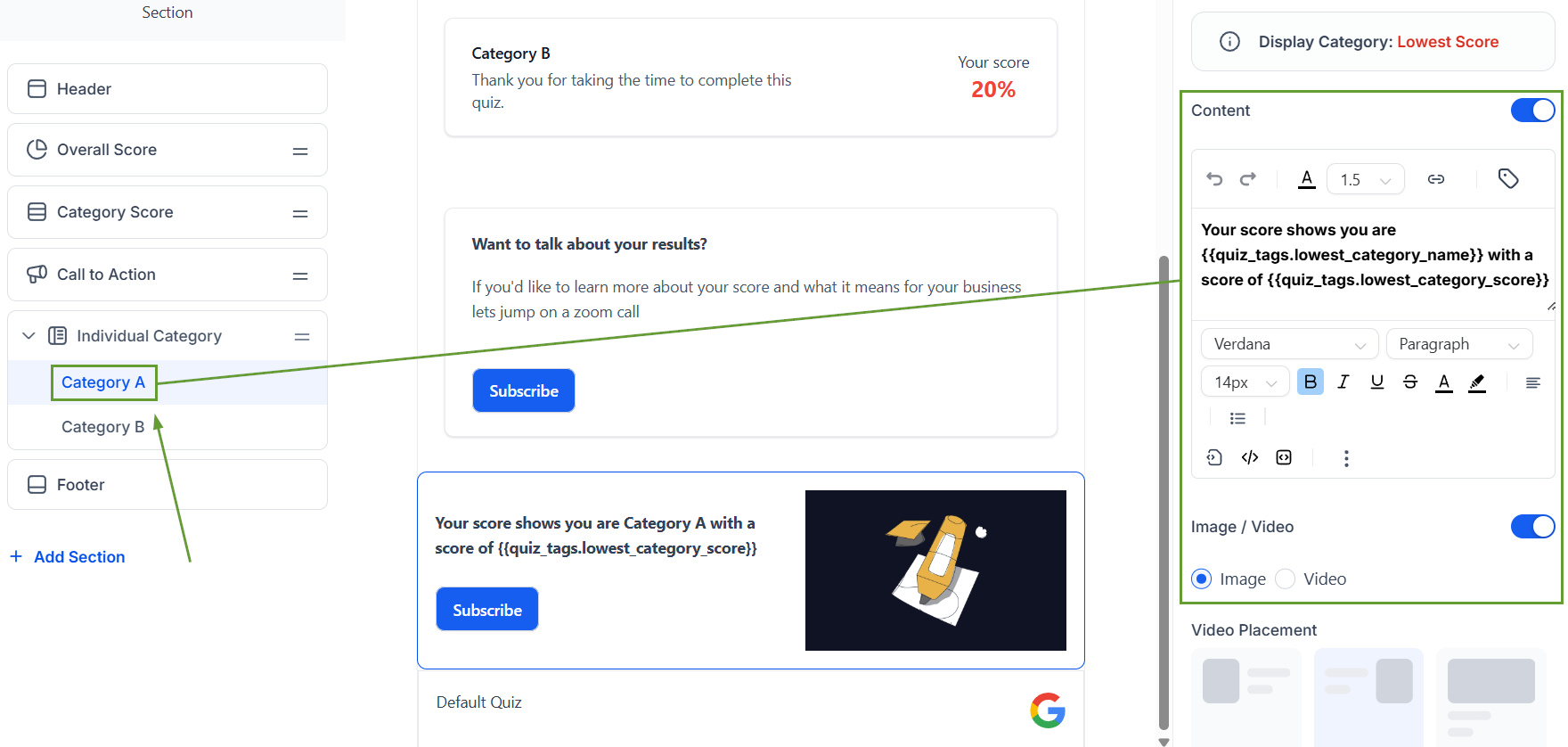
Inside the Quiz builder, go to Customize Result Page.
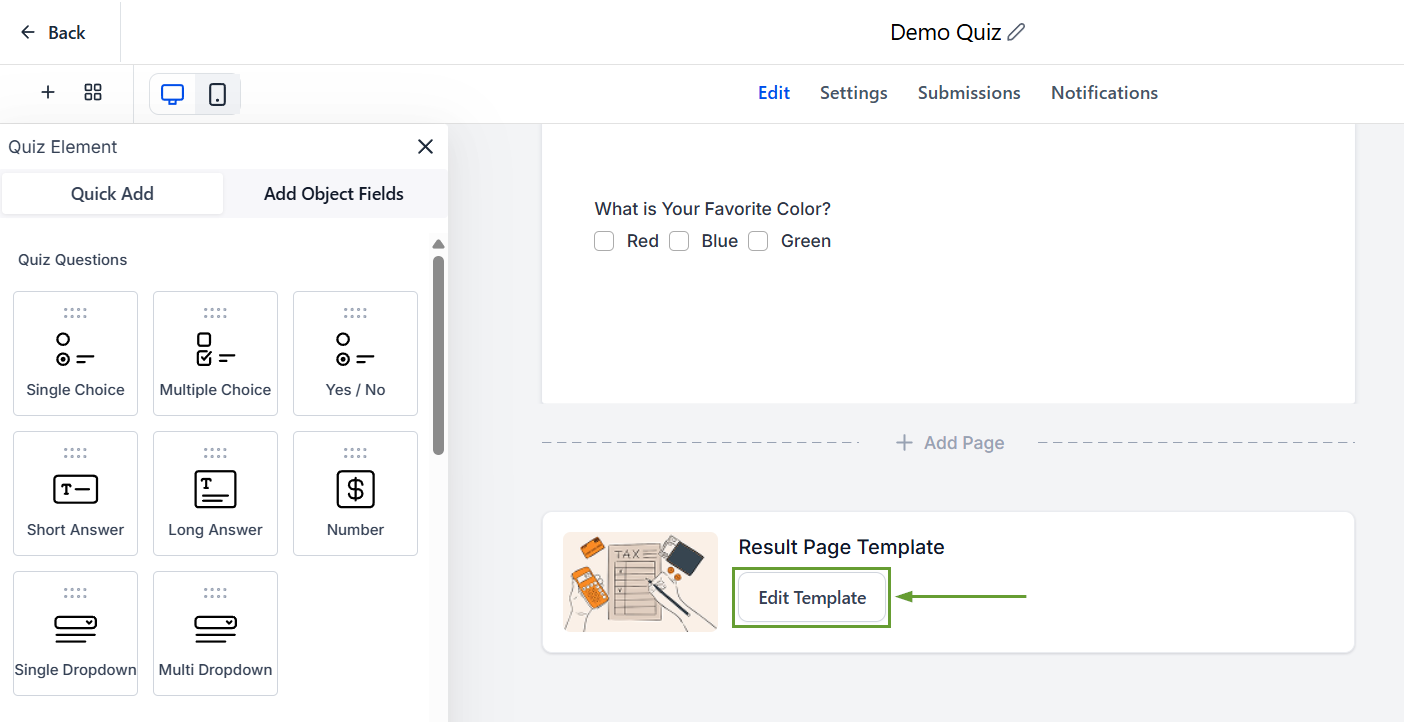
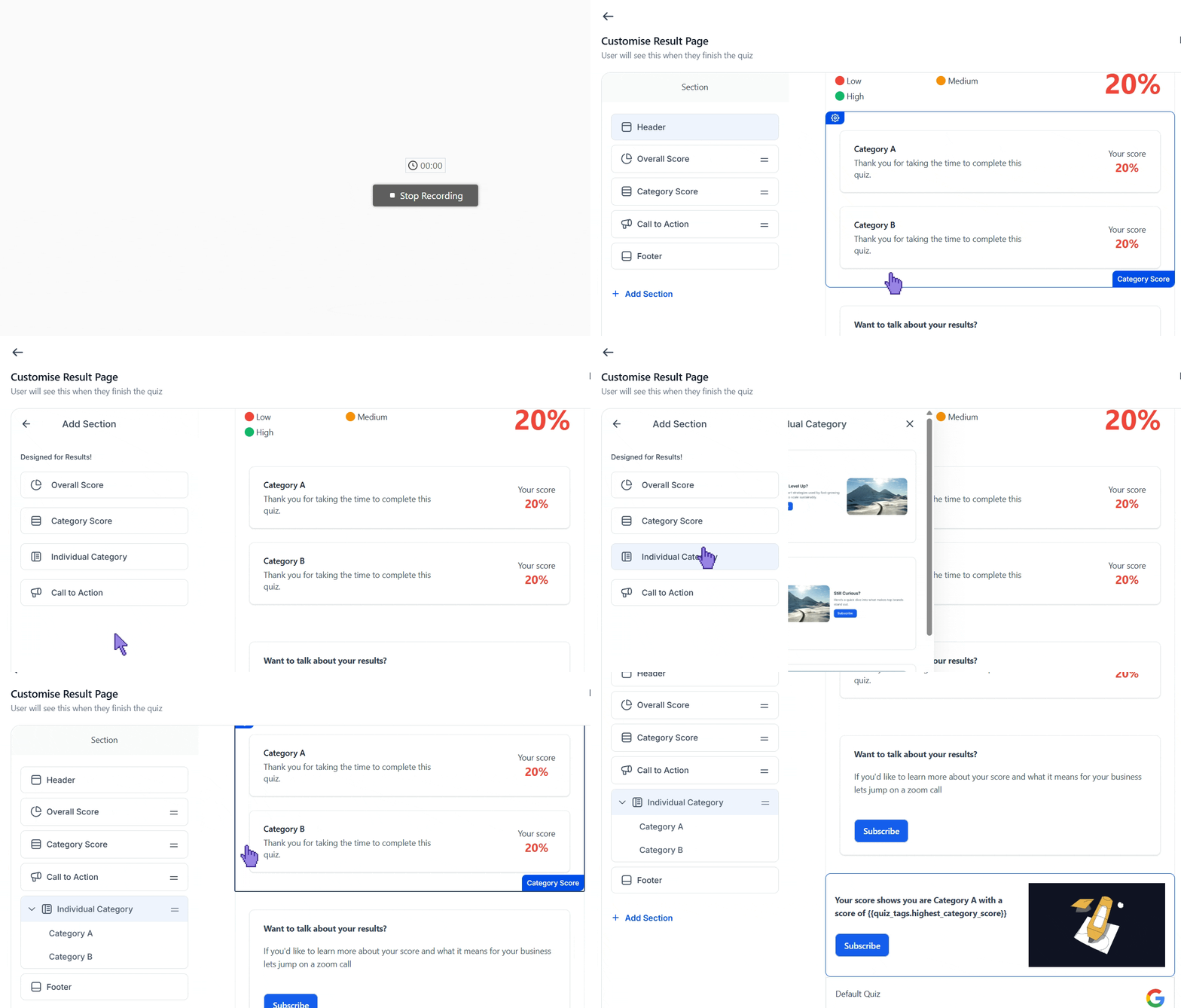
Click + Add Section, then select Individual Category.
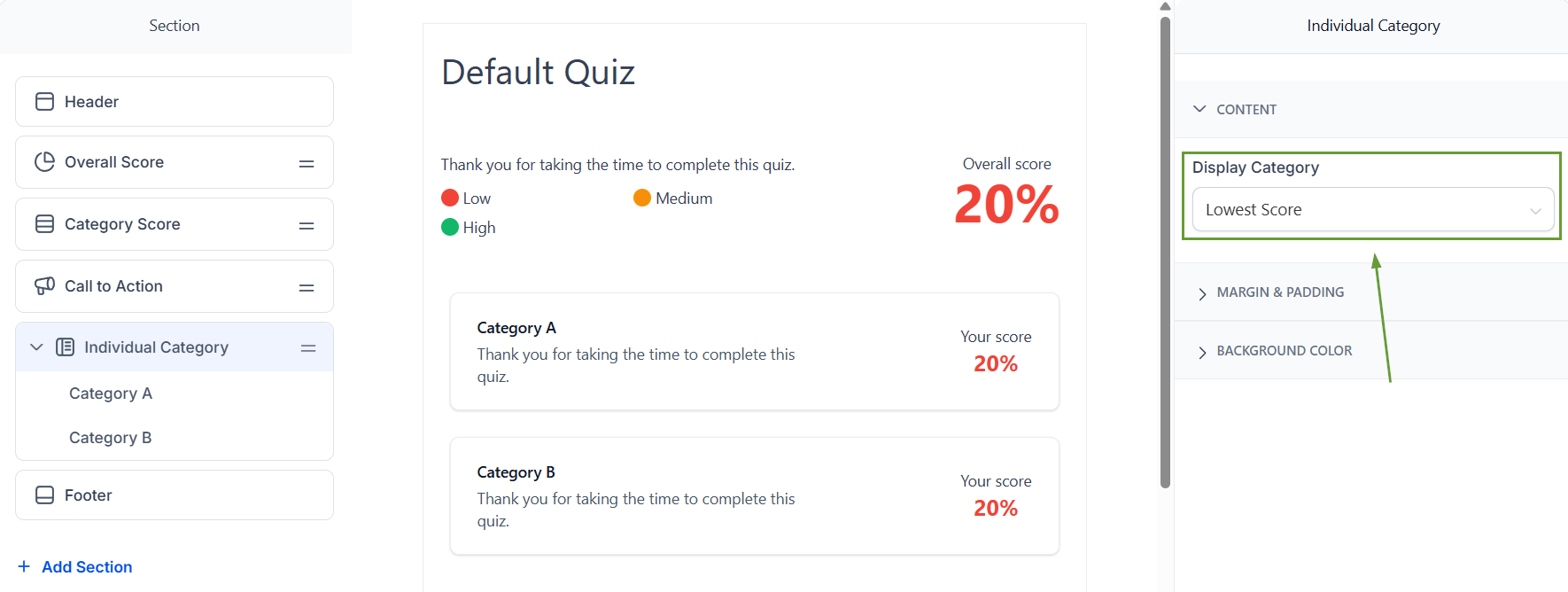
In the right panel, use Display Category to choose whether the content should apply to the Highest Score or Lowest Score
Customize the content for that category, including text, images, videos, CTA text, and links
⭐️Why Is This Feature Beneficial To Your Company?
Improved Set-Up: The first category acts as a starting point to help reduce setup time without sacrificing customization or control.
Increased Appeal: Makes personality quiz results feel more relatable, encouraging audience engagement by giving them a category to identify with.
Clearer Previews: We’ve improved the preview experience so category-related content is easier to understand and visualize while editing.
You can now customize the content of the results for each category by adding or modifying elements such as text, images, videos, CTA text, and links. We hope you enjoy it!
