Stay Up To Date
We believe in keeping you in the loop with all the latest happenings in our courses and system. On this page, you'll find a comprehensive log of all the exciting changes, improvements, and additions we make to our courses and system. Whether it's a new feature, a course enhancement, or a system update, we've got you covered. Bookmark this page and check back regularly. We're committed to ensuring that your learning experience remains exceptional and that you have all the information you need to succeed.

New Features

New Updates

Resources & Tools

Important Updates
Here are some of the most recent updates we thought would be helpful to take note of
Improved Feature: Button Element in Forms, Surveys, and Quizzes
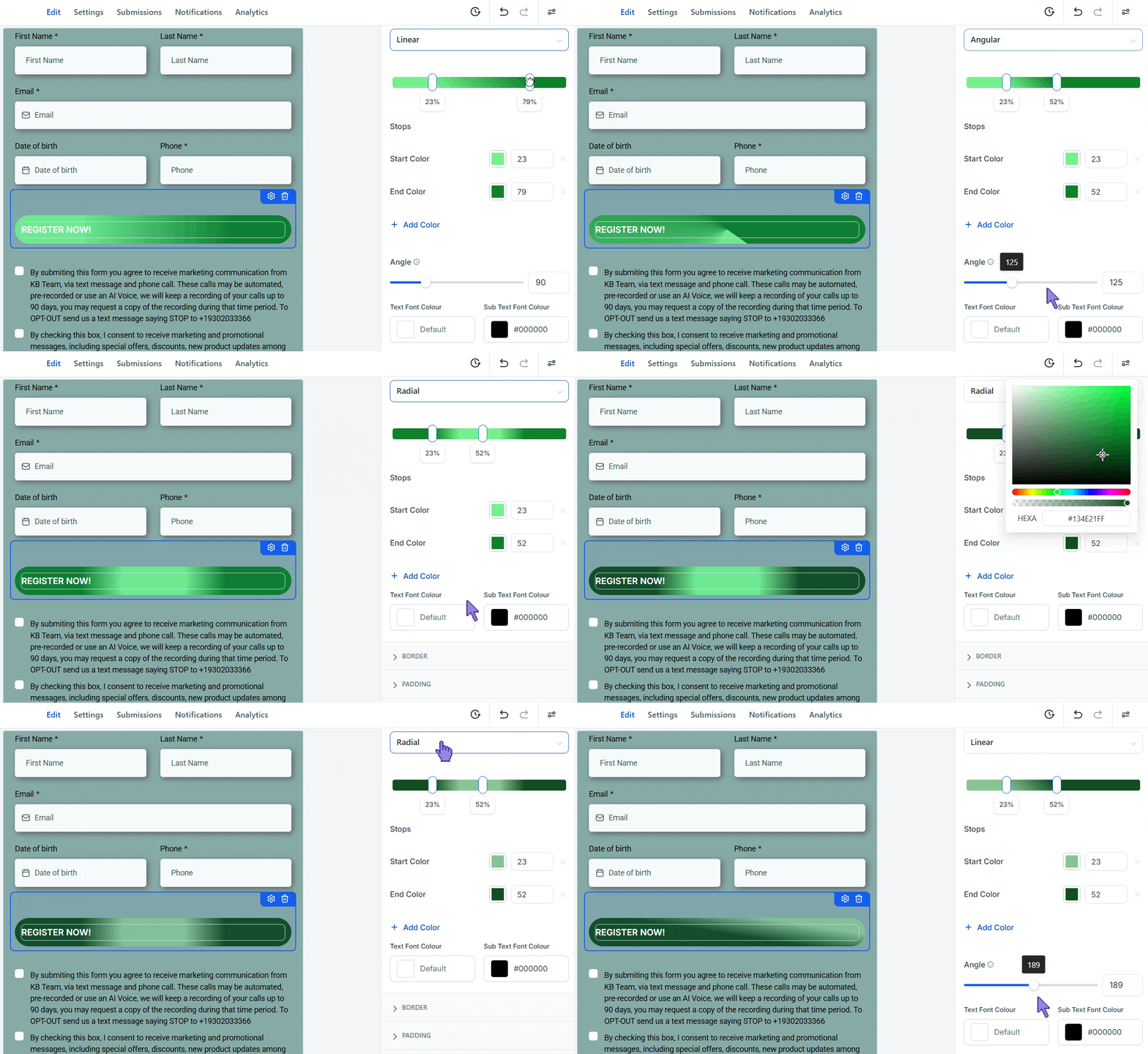
We’ve added gradient background support for buttons in the Form, Survey, and Quiz Builder. This gives you more control over button styling by letting you switch between a solid color and a gradient background directly from the button settings. Let's check it out!
⭐️How To Add A Gradient To Button Elements?
Let’s learn how to make the background color of your button into a gradient!
Open the Form, Survey, or Quiz Builder and select a button element.
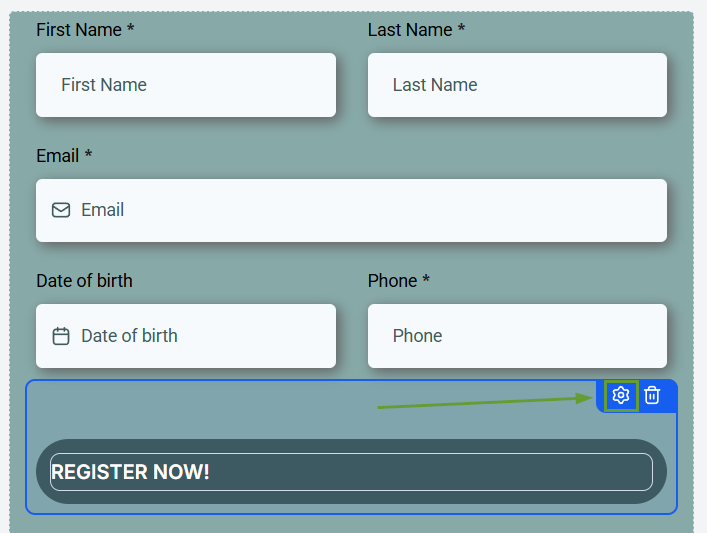
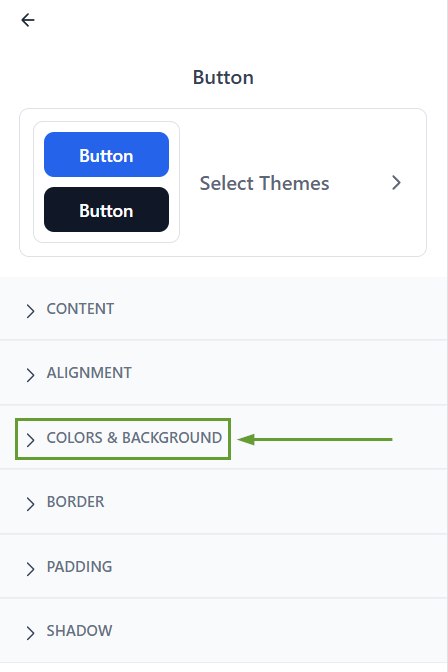
From the button style settings, open the Button Colors & Background section.
Switch from a solid color to a gradient.
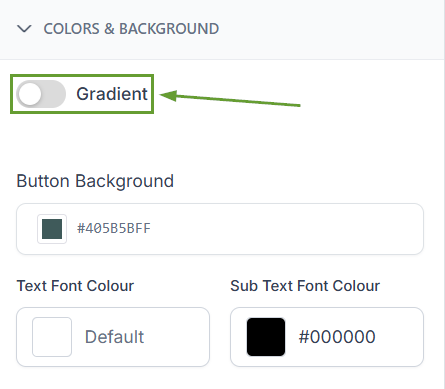
Customize the colors, type, and angle.
⭐️Why Is This Feature Beneficial To Your Company?
Interesting Designs: This gives you flexibility in styling your buttons and makes it easier to create more modern and visually dynamic designs.
Multi-Colored Buttons: Add and edit multiple color stops, and adjust the gradient angle to create more customized button designs.
Increased Customization Control: Choose between solid color or gradient styling. Keeping existing button styles working while adding more design options.
Now, you can customize buttons without needing custom code, keeping your designs interesting and dynamic without needing to be an expert. We hope you enjoy it!
