Stay Up To Date
We believe in keeping you in the loop with all the latest happenings in our courses and system. On this page, you'll find a comprehensive log of all the exciting changes, improvements, and additions we make to our courses and system. Whether it's a new feature, a course enhancement, or a system update, we've got you covered. Bookmark this page and check back regularly. We're committed to ensuring that your learning experience remains exceptional and that you have all the information you need to succeed.

New Features

New Updates

Resources & Tools

Important Updates
Here are some of the most recent updates we thought would be helpful to take note of
New Feature: Live Sessions in Courses
Live Sessions in Courses make it easy to plan, host, and reuse live learning. Giving you a central hub, connected to your course’s content, where you can seamlessly interact with your learners. Let’s learn how to use it!
⭐️ How To Create A Live Session?
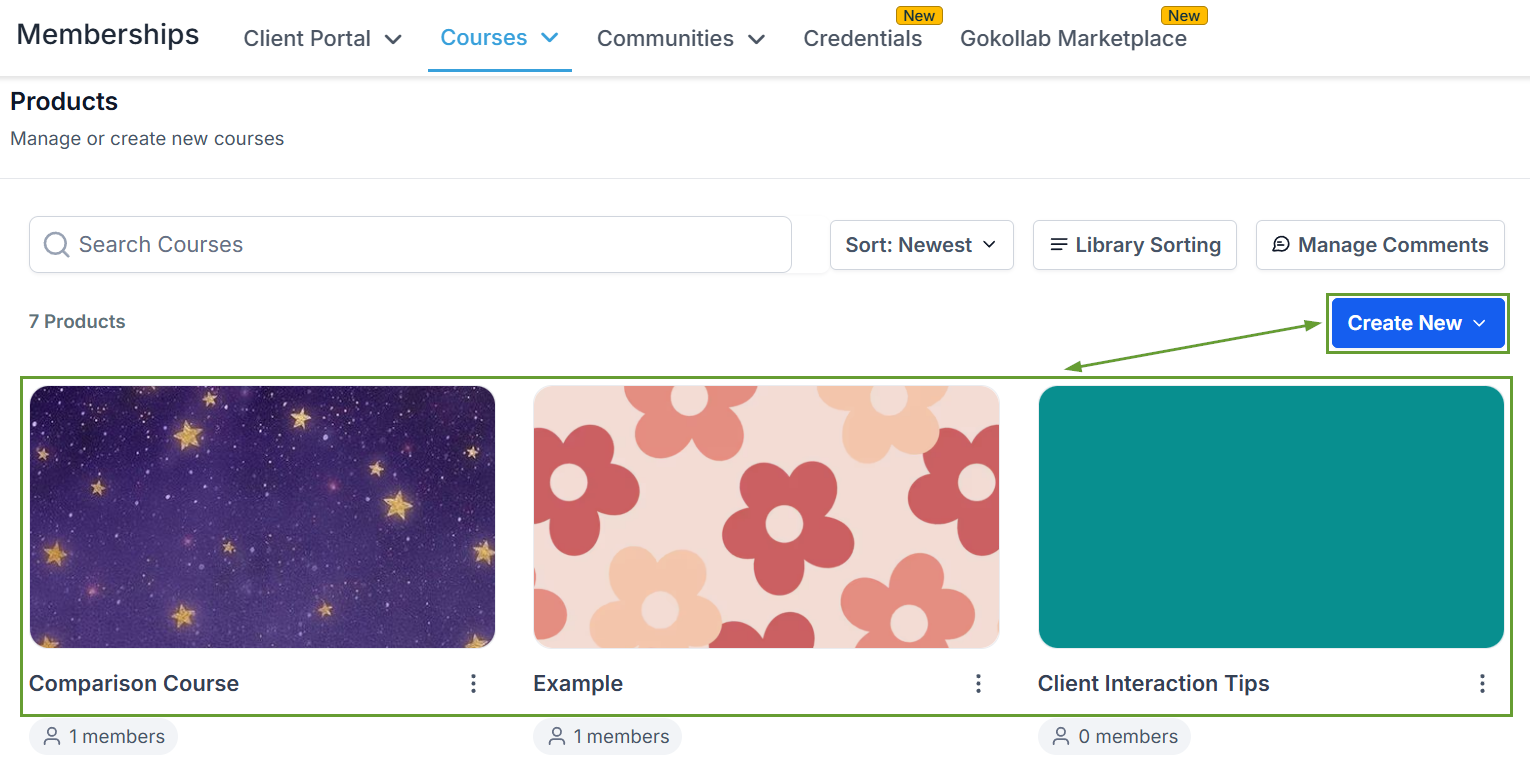
Head to the Courses Products tab and create or edit a Course.
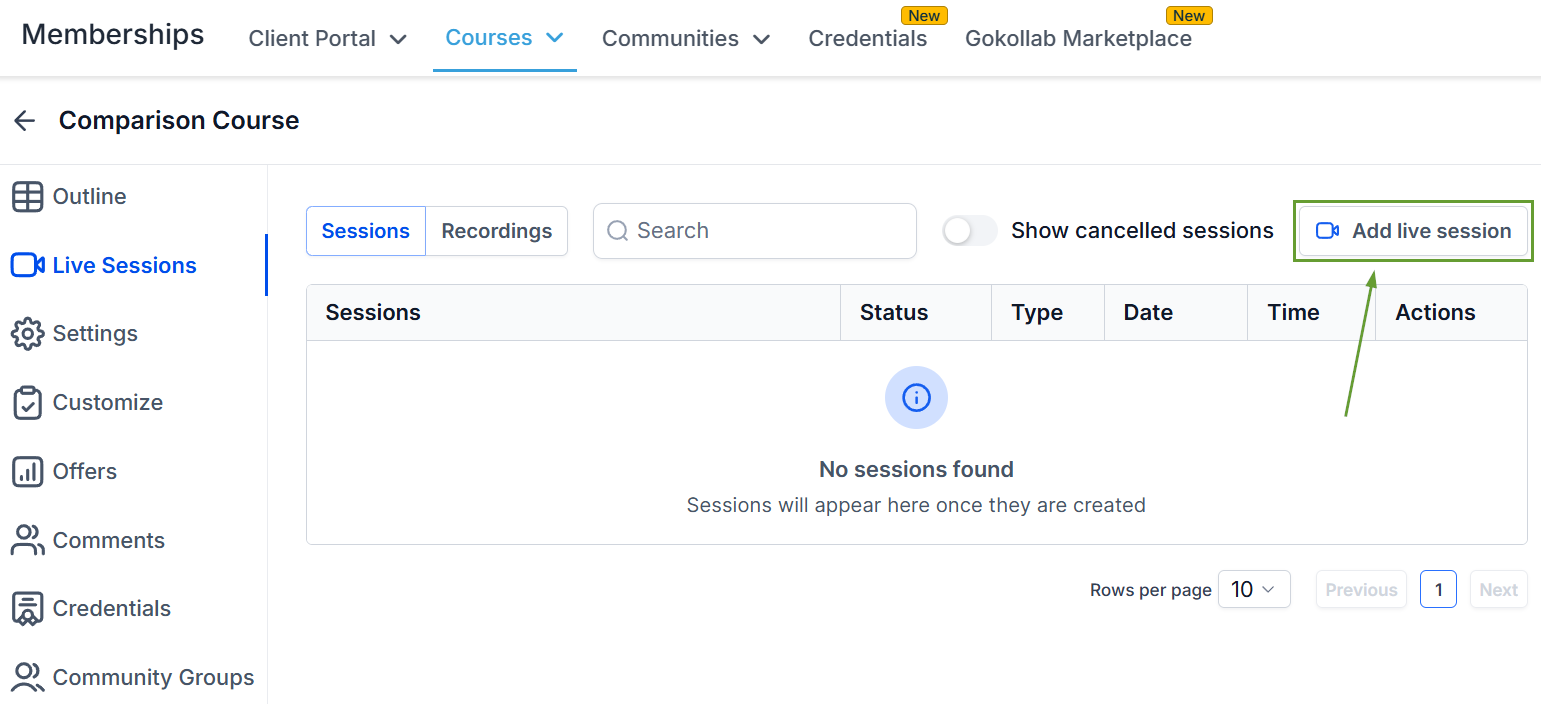
Switch to the Live Sessions tab and click “Add live session” in the top right corner.
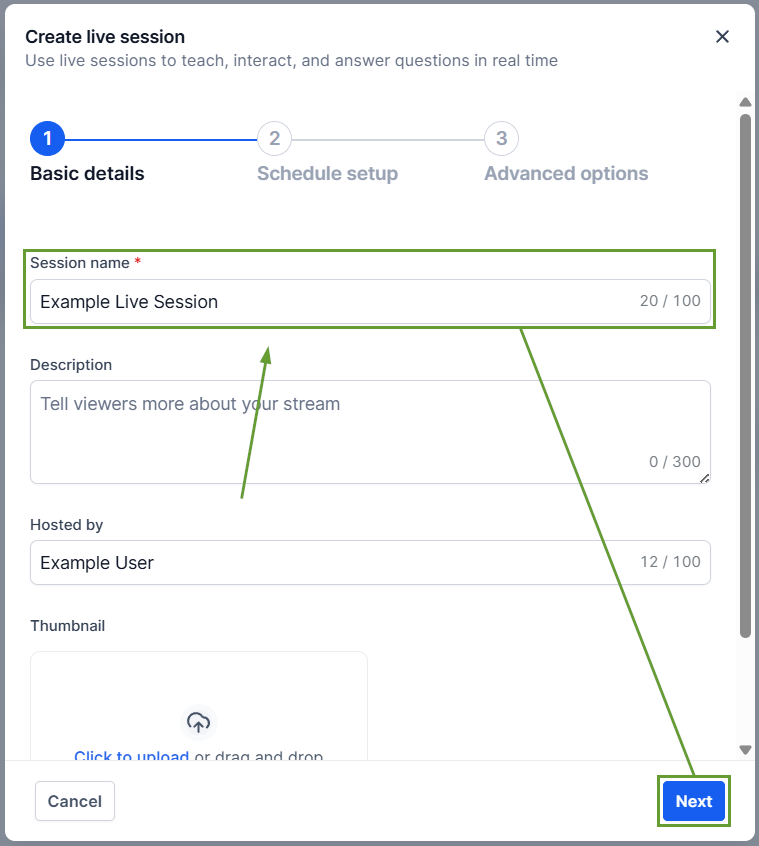
Enter a Session name and a thumbnail if desired, then click Next.
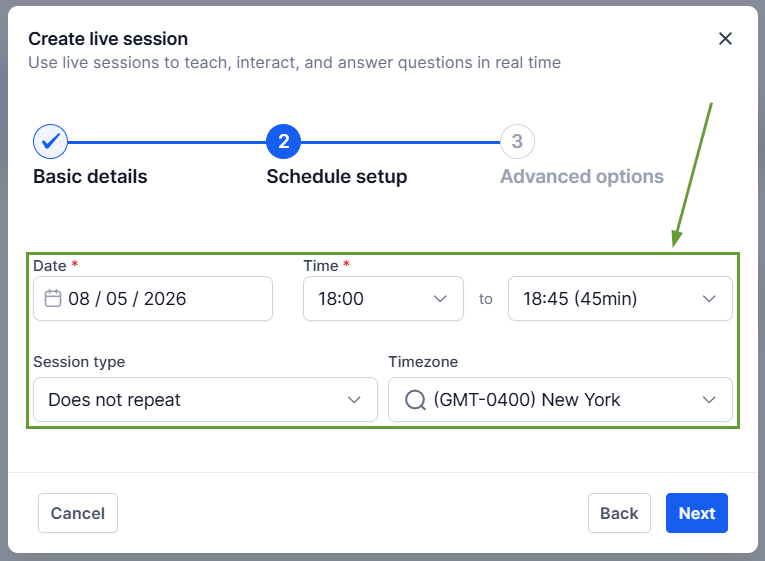
Enter the date and time details, and click Next.
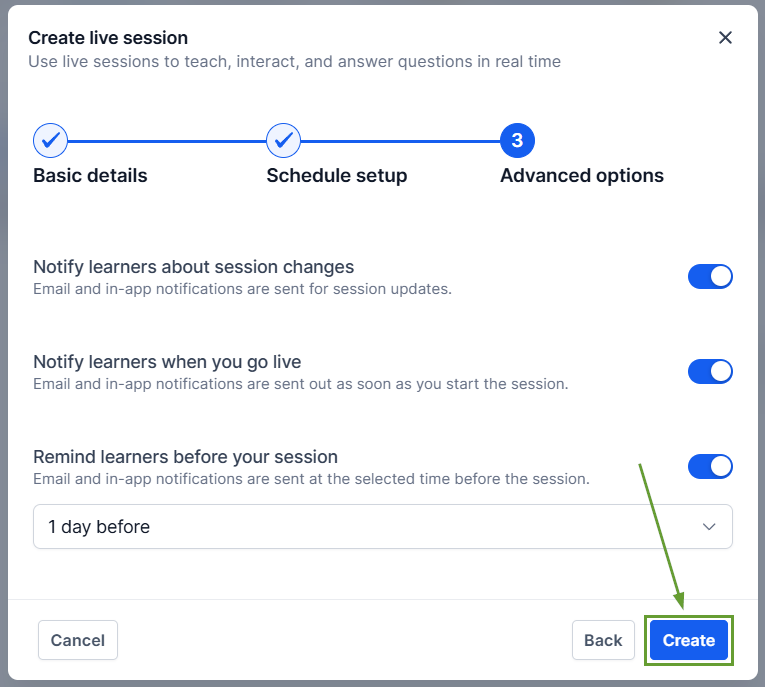
Set the Advanced Options, and lastly click Create to add your session.
⭐️Why Is This Feature Beneficial To Your Company?
Flexible Session Scheduling: You can schedule both one-time and recurring sessions directly within a course, with full support for custom sessions for recurring scheduling.
Integrated Management: You can edit or cancel sessions at any time. For recurring sessions, updates can be applied to a single occurrence or all upcoming sessions, offering flexibility without disrupting the entire schedule.
Embedded Recordings: After sessions end, creators can access, download, and add recordings back to the course as lessons for future viewing.
Live Sessions unify scheduling, hosting, notifications, learner access, and recordings into a single workflow, making live teaching simpler for creators and more engaging for learners. We hope you enjoy it!
