Stay Up To Date
We believe in keeping you in the loop with all the latest happenings in our courses and system. On this page, you'll find a comprehensive log of all the exciting changes, improvements, and additions we make to our courses and system. Whether it's a new feature, a course enhancement, or a system update, we've got you covered. Bookmark this page and check back regularly. We're committed to ensuring that your learning experience remains exceptional and that you have all the information you need to succeed.

New Features

New Updates

Resources & Tools

Important Updates
Here are some of the most recent updates we thought would be helpful to take note of
New Feature: Associate Companies with Custom Objects & Opportunities
Associating objects inside your CRM helps you keep their updates connected and relevant information accessible at any needed stage. However, until now, this has not been possible within companies, limiting your B2B capabilities. This update fixes that constraint. Let’s learn how to use it!
⭐️How To Enable Associations Between Objects And Companies?
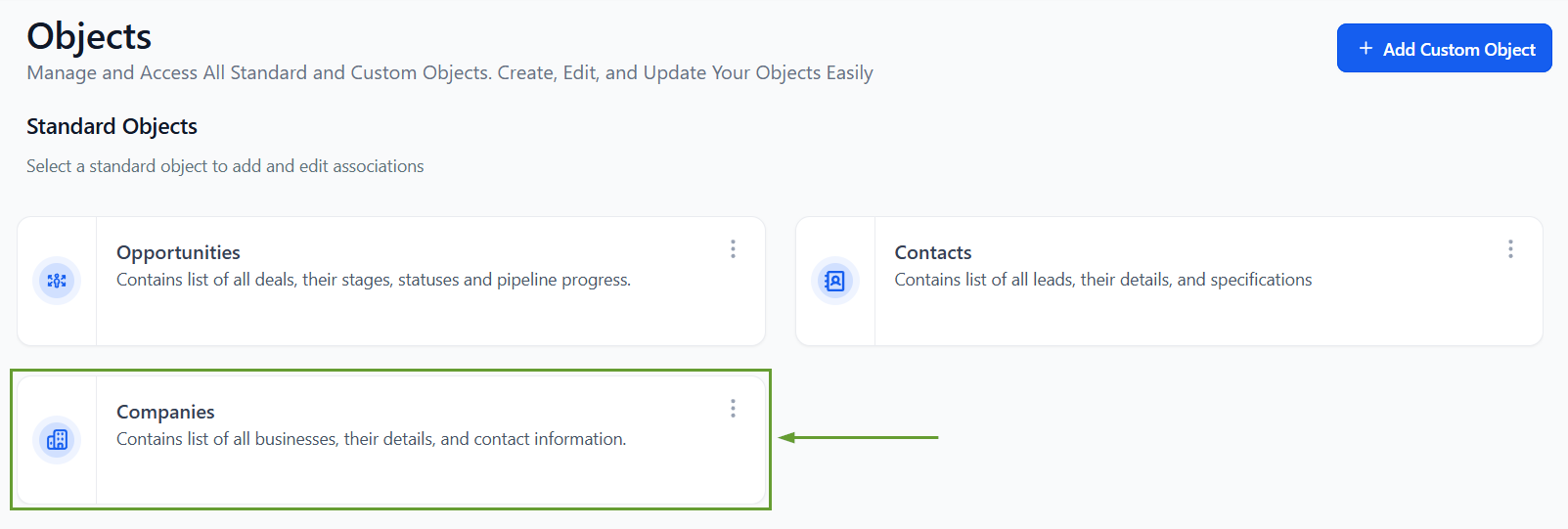
Head to the Objects section in your subaccount settings and click the Companies card.
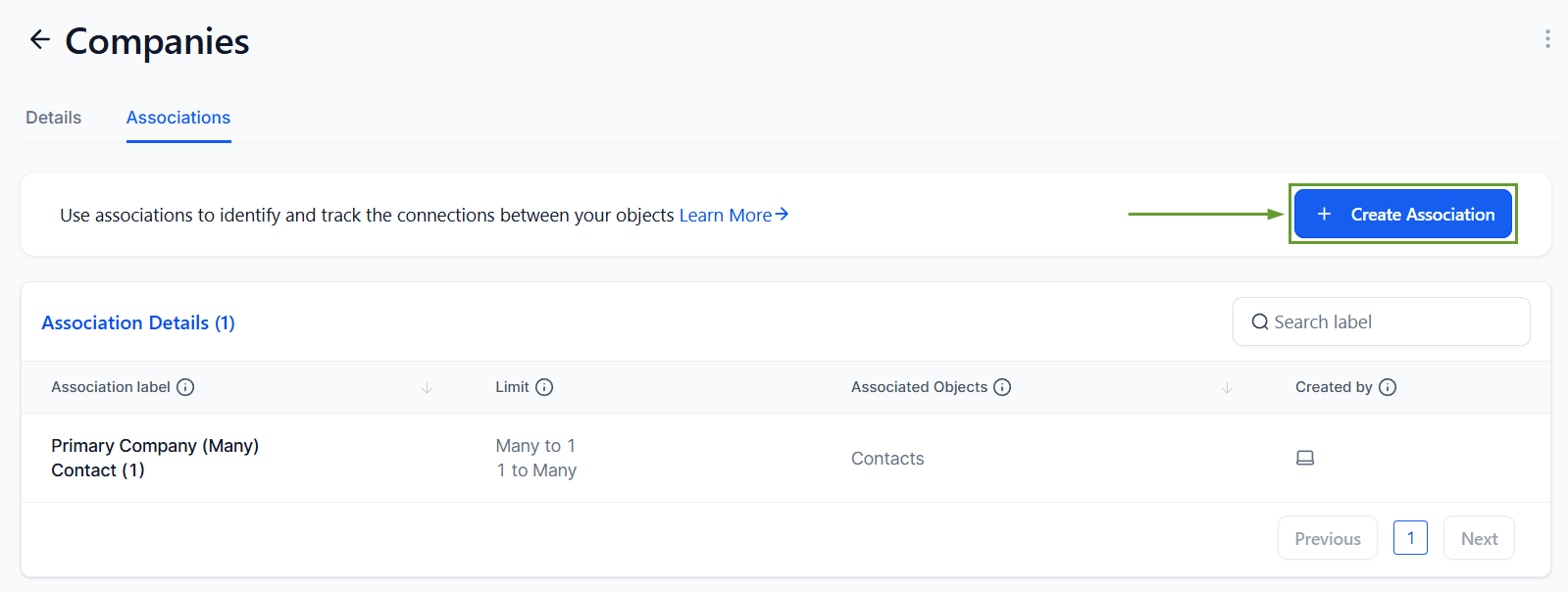
Switch to the Associations tab and click + Create Association.
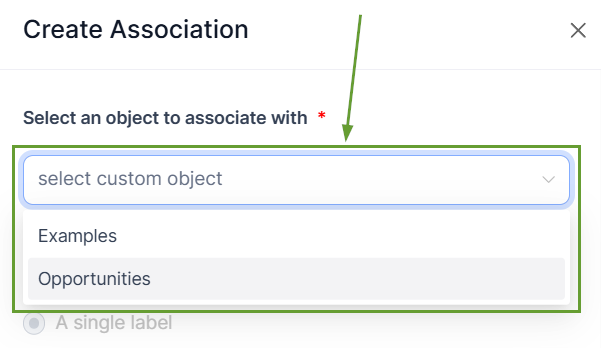
Select the type of object you want to connect your company to.
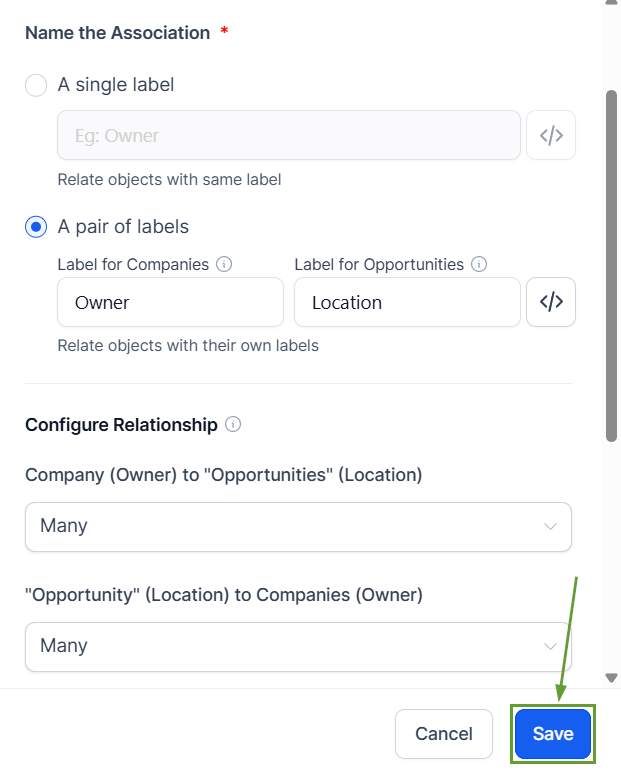
Configure the labels and relationships, then save your changes.
⭐️Why Is This Feature Beneficial To Your Company?
Connected Entries: Build richer data relationships you can view and manage directly within record views, expanding your scope beyond contacts.
Better Information Management: Get expansive context across opportunities, companies, and custom objects, helping you easily manage internal processes and workflows in unison.
Improved Data Analysis: This feature enables more accurate reporting and segmentation, allowing single-panel updates and connected entries that enhance your datasets.
With this update, you can build associations between multiple objects. Making it easier than ever to keep your information centralized and add objects to existing companies. We hope you enjoy it!
