Stay Up To Date
We believe in keeping you in the loop with all the latest happenings in our courses and system. On this page, you'll find a comprehensive log of all the exciting changes, improvements, and additions we make to our courses and system. Whether it's a new feature, a course enhancement, or a system update, we've got you covered. Bookmark this page and check back regularly. We're committed to ensuring that your learning experience remains exceptional and that you have all the information you need to succeed.

New Features

New Updates

Resources & Tools

Important Updates
Here are some of the most recent updates we thought would be helpful to take note of
New Feature: Triggers/Instructions in Conversation AI Knowledge Base
The Conversation AI is constantly learning, growing, and changing as it responds to customers. However, in some instances, you want a specific response. Now you can configure specific conditions or instructions within the Knowledge Base as signals for the AI to explicitly invoke its content when the scenarios are met. Let’s learn how!
⭐️ How To Add Knowledge Base Usage Instructions?
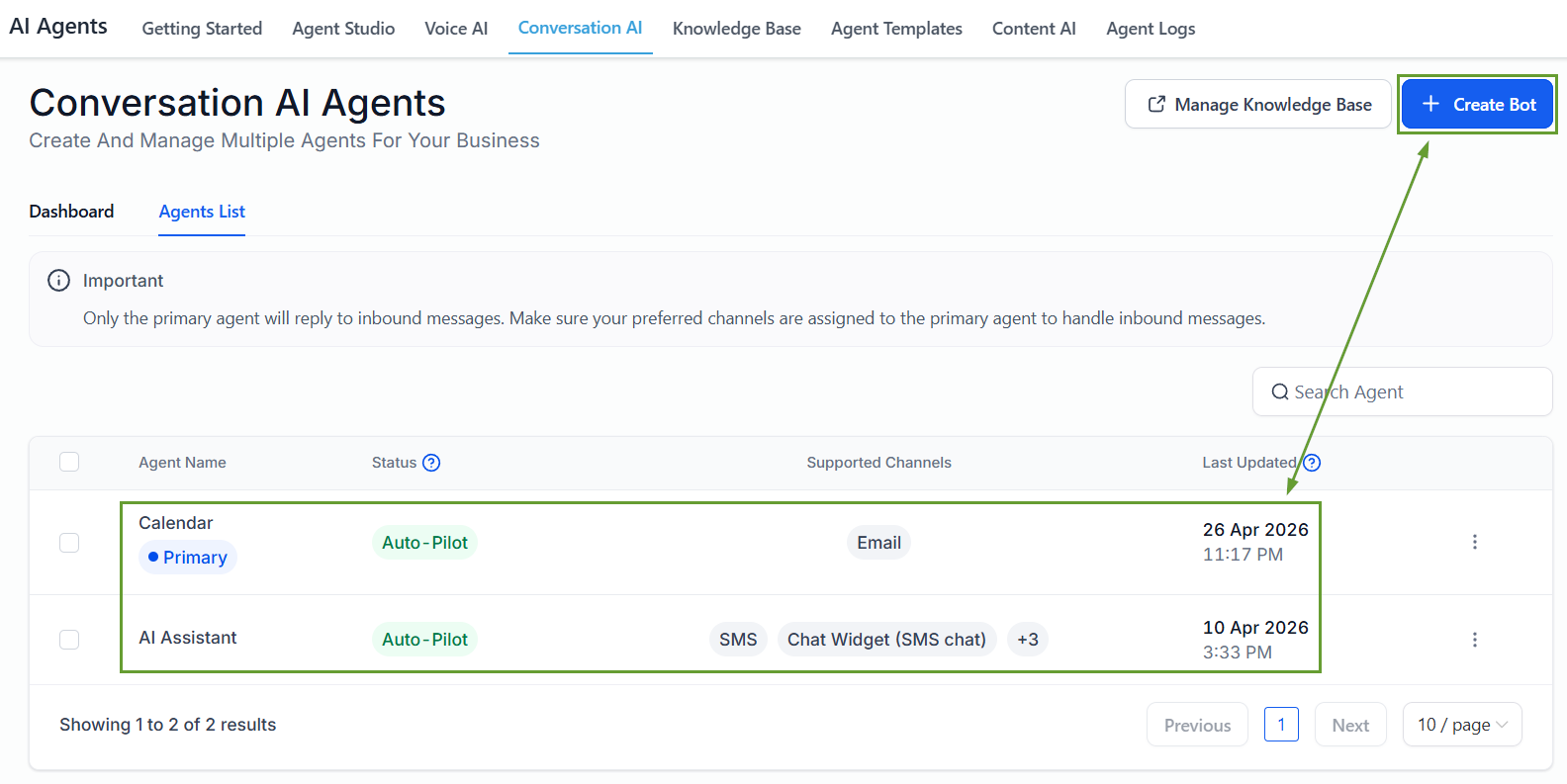
Head to the Conversation AI tab inside the AI Agents section and create or edit an agent.
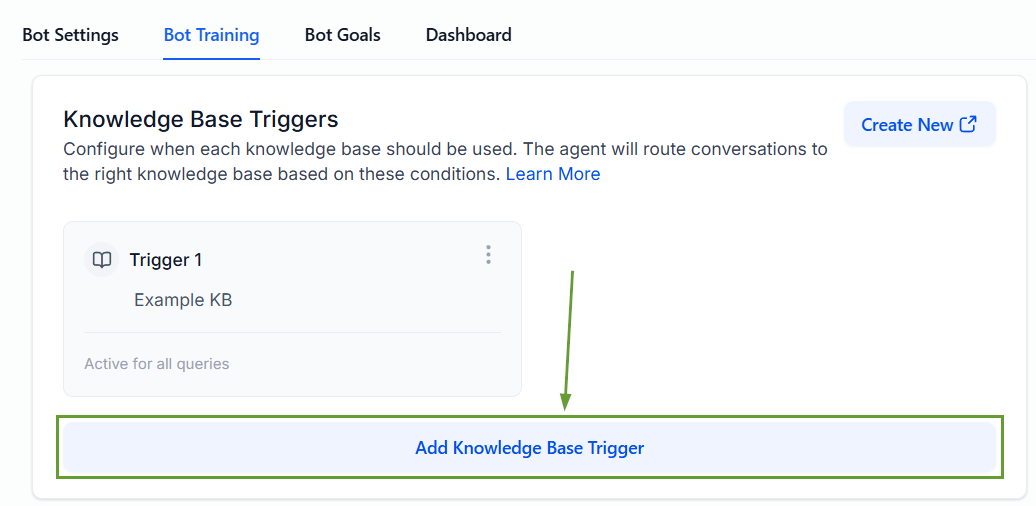
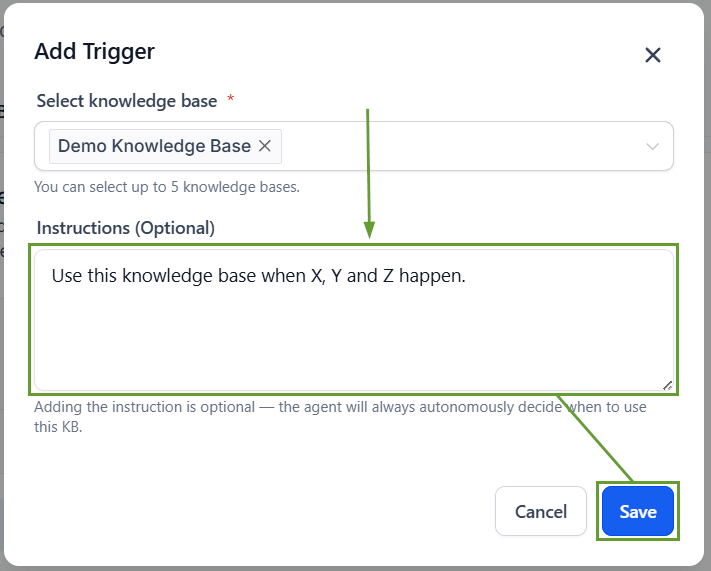
In the Bot Training section, click Add Knowledge base Trigger.
Select your desired Knowledge Base from the dropdown menu.
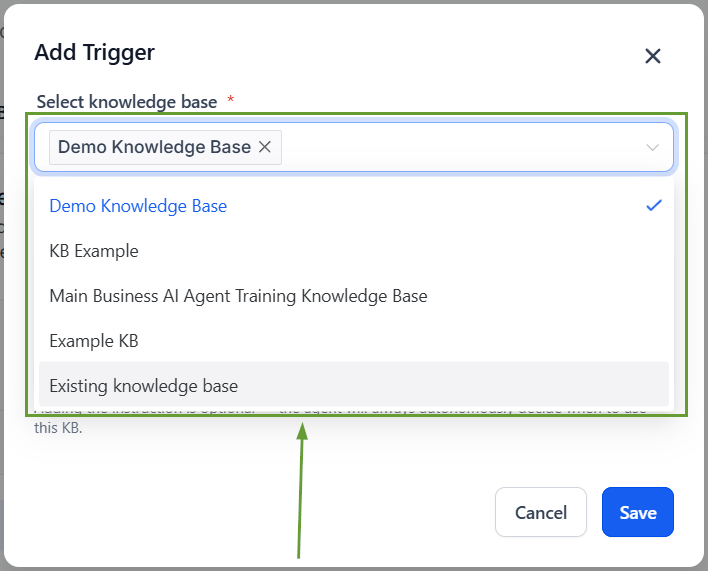
Enter your triggering instructions, then click Save.
⭐️Why Is This Feature Beneficial To Your Company?
Increased Output Control: Easily set up your Trigger Conditions, helping your AI Agent provide more accurate and standardized responses across conversations.
Default Behavior: If no trigger conditions are defined, the AI will continue to autonomously decide when to query the Knowledge Base and follow the existing behaviour.
Dynamic Decision Making: The AI can still independently decide to use the KB when needed, evaluating the condition at execution, and only prioritizing retrieving information when properly matched.
This feature improves response accuracy and reliability, giving you more deterministic control, better responses, and reducing missed information. We hope you enjoy it!
