Stay Up To Date
We believe in keeping you in the loop with all the latest happenings in our courses and system. On this page, you'll find a comprehensive log of all the exciting changes, improvements, and additions we make to our courses and system. Whether it's a new feature, a course enhancement, or a system update, we've got you covered. Bookmark this page and check back regularly. We're committed to ensuring that your learning experience remains exceptional and that you have all the information you need to succeed.

New Features

New Updates

Resources & Tools

Important Updates
Here are some of the most recent updates we thought would be helpful to take note of
New Feature: TikTok Comment Management in Social Planner
Interacting with your audience frequently helps you build rapport by making your business feel approachable. The brand interaction culture is strongest on TikTok. So, let’s learn how to use this new feature to respond to comments from your CRM!
⭐️ How To Respond To TikTok Comments From The Social Planner?
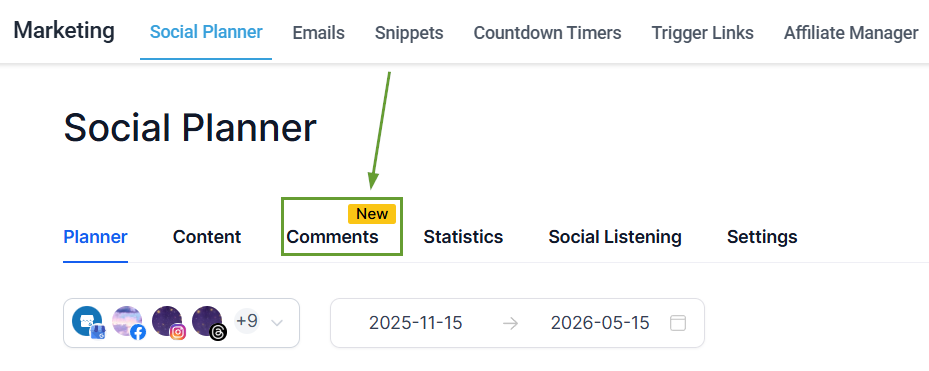
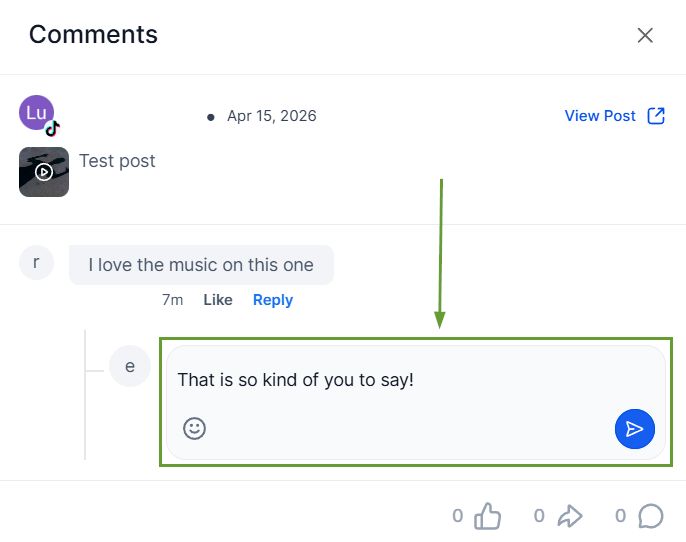
Navigate to the Comments area inside the Social Planner tab of your Marketing section.
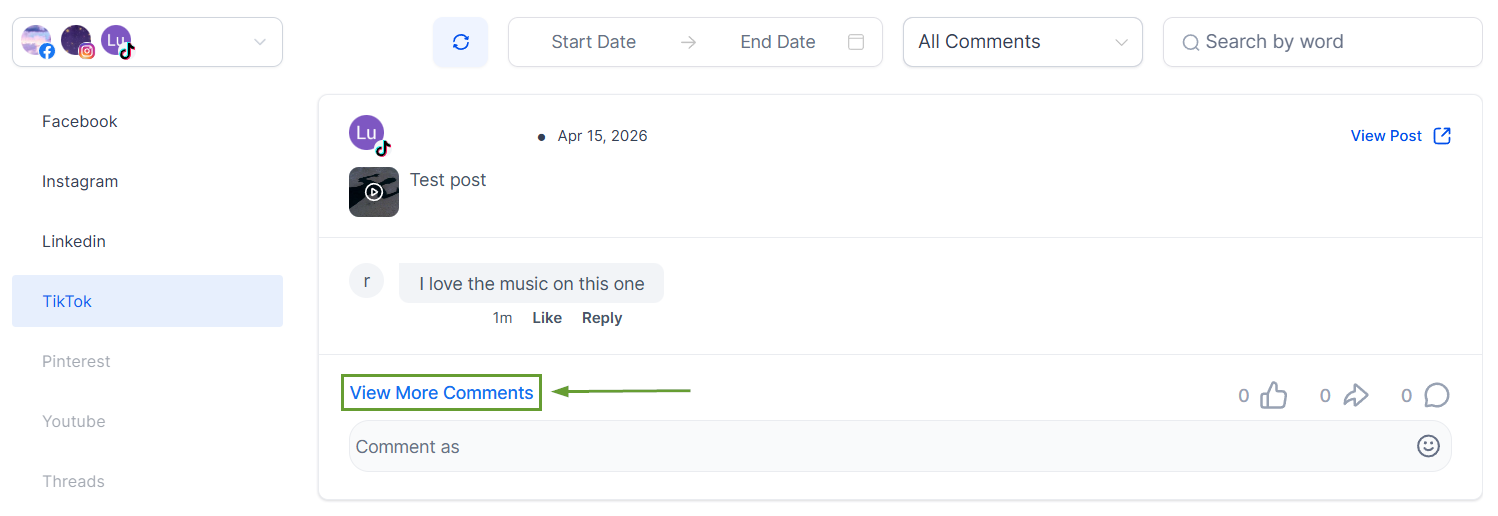
To respond to a comment, click View More Comments to open the detailed view.
Click Reply under the comment you want to respond to.
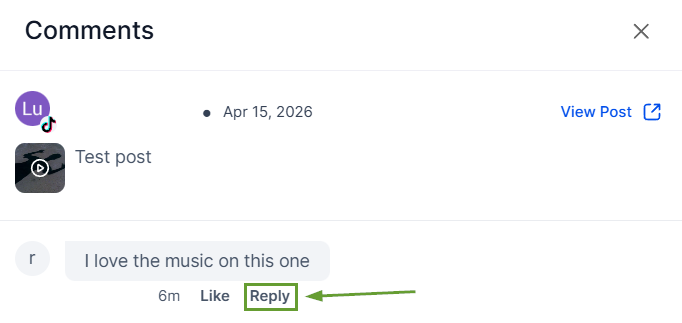
Type in your response in the text bubble under the comment.
⭐️Why Is This Feature Beneficial To Your Company?
Algorithm Favor: The algorithm prioritizes highly interactive posts. Replies to comments keep the conversation going, helping you reach bigger audiences and maintain relevance.
Customer Relationships: Replying to comments shows that there are people behind the account who are listening and engaging, which builds a stronger connection with your audience.
Feedback Gathering: By addressing comments, you can identify areas for improvement and gain insights into your audience's needs and concerns, demonstrating a commitment to customer satisfaction.
Use this feature to reach customers without switching platforms, which helps you avoid distractions, reduce friction with credentials, and increase your effectiveness. We hope you enjoy it!
