Stay Up To Date
We believe in keeping you in the loop with all the latest happenings in our courses and system. On this page, you'll find a comprehensive log of all the exciting changes, improvements, and additions we make to our courses and system. Whether it's a new feature, a course enhancement, or a system update, we've got you covered. Bookmark this page and check back regularly. We're committed to ensuring that your learning experience remains exceptional and that you have all the information you need to succeed.

New Features

New Updates

Resources & Tools

Important Updates
Here are some of the most recent updates we thought would be helpful to take note of

Improved Feature: Suggestive Mode in Conversation AI
We've revamped Suggestive Mode in Conversations AI; now, reply suggestions are ready before you even open the conversation. Bringing you an experience with less waiting and fewer clicks that provides more control over every message. Let's check the changes!
⭐️How Do These Changes Affect You?:
New Suggestion Experience: A cleaner, redesigned card makes it easy to review, edit, and send AI responses without breaking your flow.
Suggestions Generated Automatically: AI now drafts a reply in the background the moment a new message arrives, instead of making you wait after opening the composer.
Enhanced Response Control: Suggestions are drafts only; nothing is ever sent automatically, and the final decision is always yours.
⭐️How To Use Conversation AI’s Suggestive Mode?
Let’s review how to use Conversation AI suggestions to respond to customers!
As soon as a contact replies, Conversations AI starts preparing a suggested response in the background.
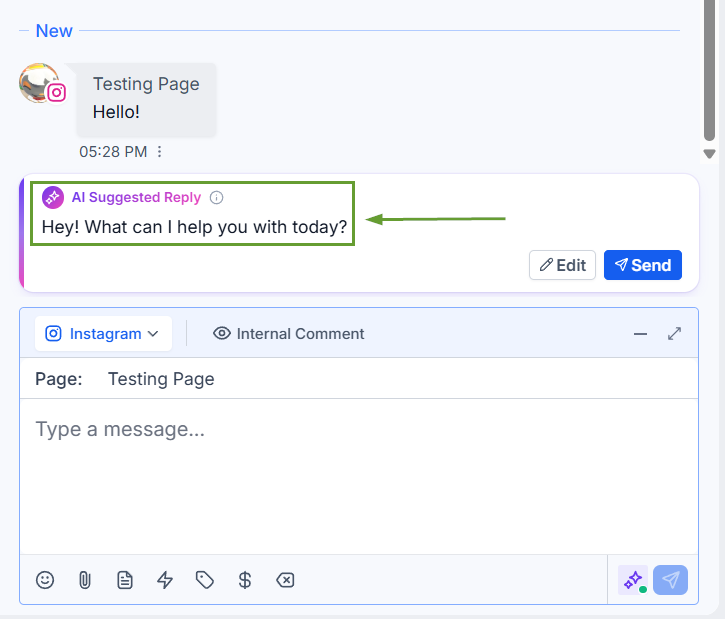
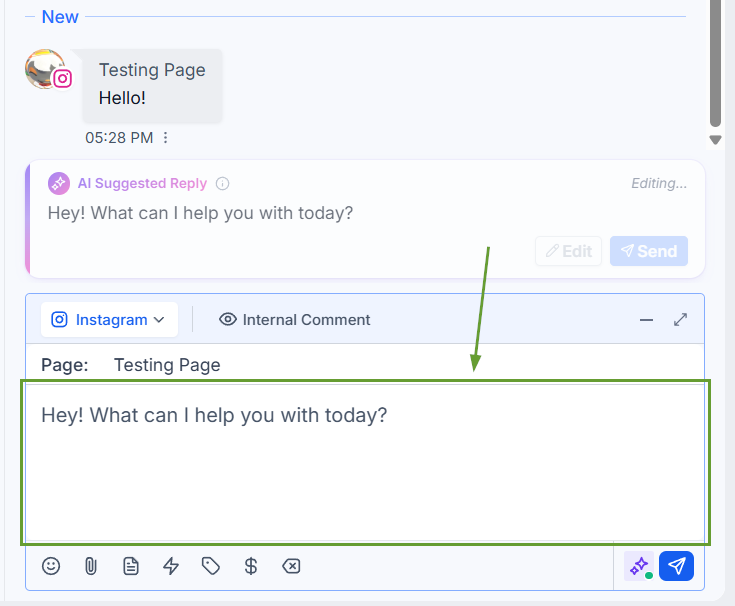
Read the suggestion, tweak the wording, or rewrite it entirely if you'd like.
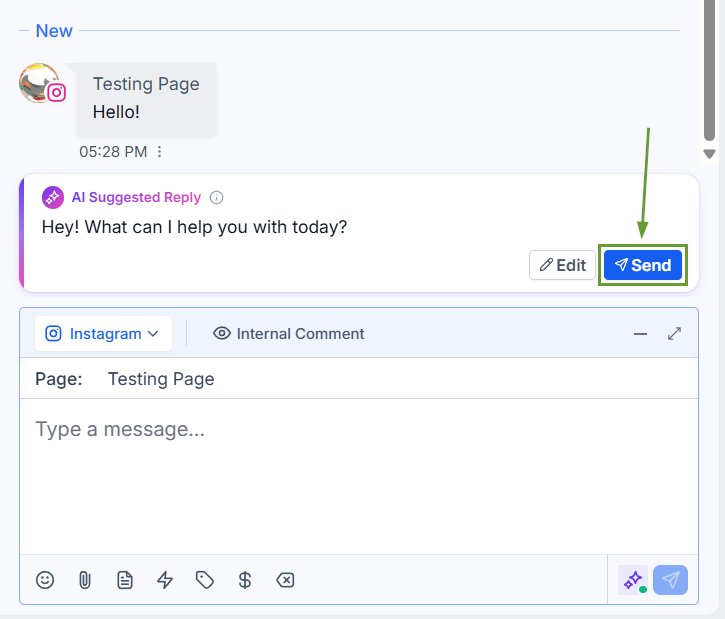
When the message looks good, simply send it to your customer.
If a newer message arrives, the suggestion refreshes to stay relevant.
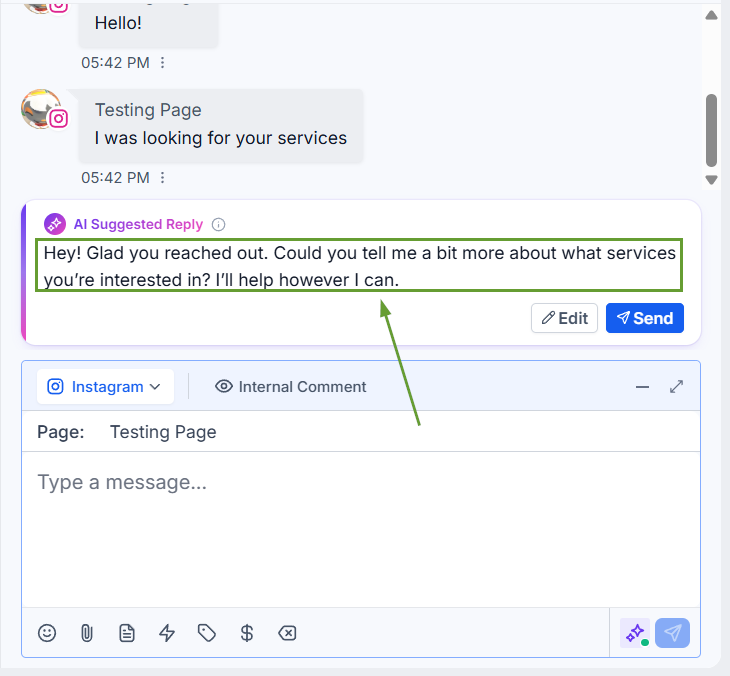
This update lets you think of Conversation AI’s Suggestive Mode as an ever-present assistant, offering instant, context-sensitive recommendations while leaving every final decision in your hands. We hope you enjoy it!
