Stay Up To Date
We believe in keeping you in the loop with all the latest happenings in our courses and system. On this page, you'll find a comprehensive log of all the exciting changes, improvements, and additions we make to our courses and system. Whether it's a new feature, a course enhancement, or a system update, we've got you covered. Bookmark this page and check back regularly. We're committed to ensuring that your learning experience remains exceptional and that you have all the information you need to succeed.

New Features

New Updates

Resources & Tools

Important Updates
Here are some of the most recent updates we thought would be helpful to take note of
Improved Feature: Services Calendar Support in Conversation AI
Now you can book appointments in Services Calendar directly through chat using Conversation AI across all supported channels, SMS, Live Chat, Facebook, Instagram, and WhatsApp. Let's check the improvement!
⭐️What Are The Major Changes?:
Memory Layer: The conversation AI remembers user inputs even if they deviate mid-conversation.
Ambiguity Detection: Asks clarifying questions when needed.
Booking Preview: Shows customers the booking details before confirmation to ensure satisfaction.
⭐️How To Use Conversation AI To Book Service Appointments?
Let's learn how to get your agents to book appointments in the Service calendars.
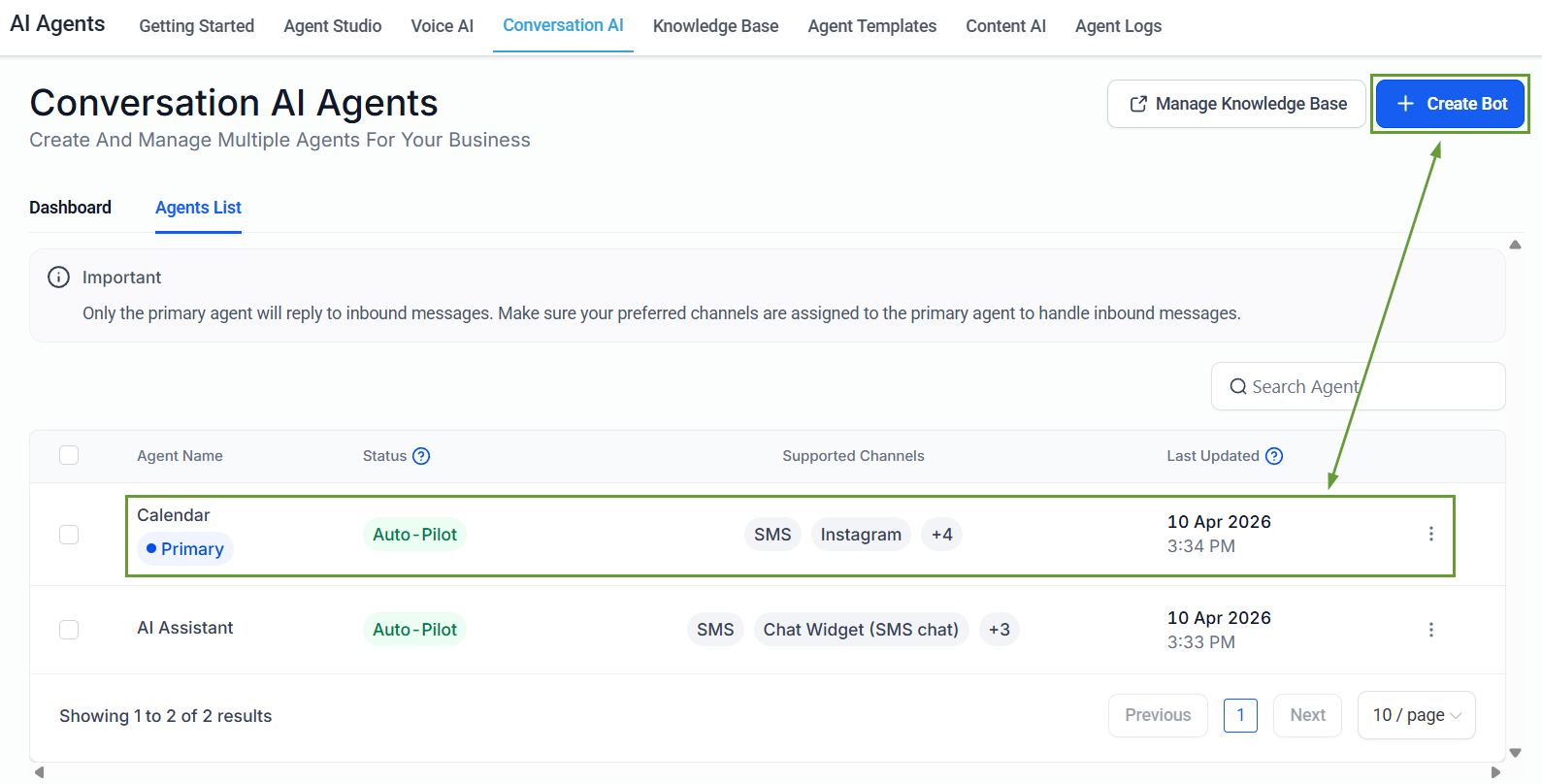
To start, navigate to the Conversation AI tab in the AI Agents section. Within Conversation AI, you can edit an already existing bot or create a new bot.
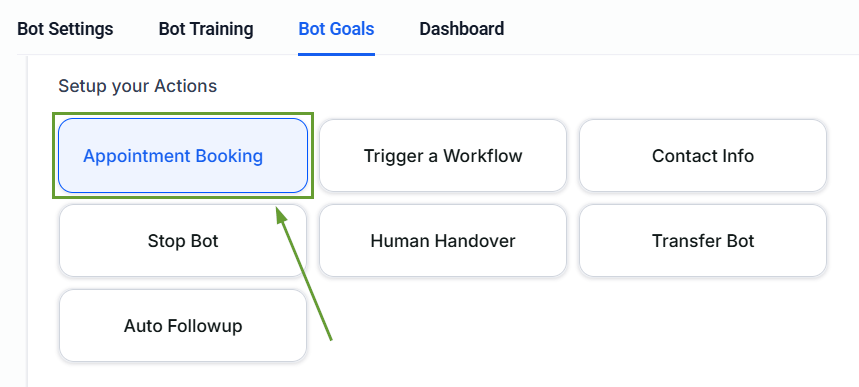
Head to the Bot Goals tab and enable Appointment Booking.
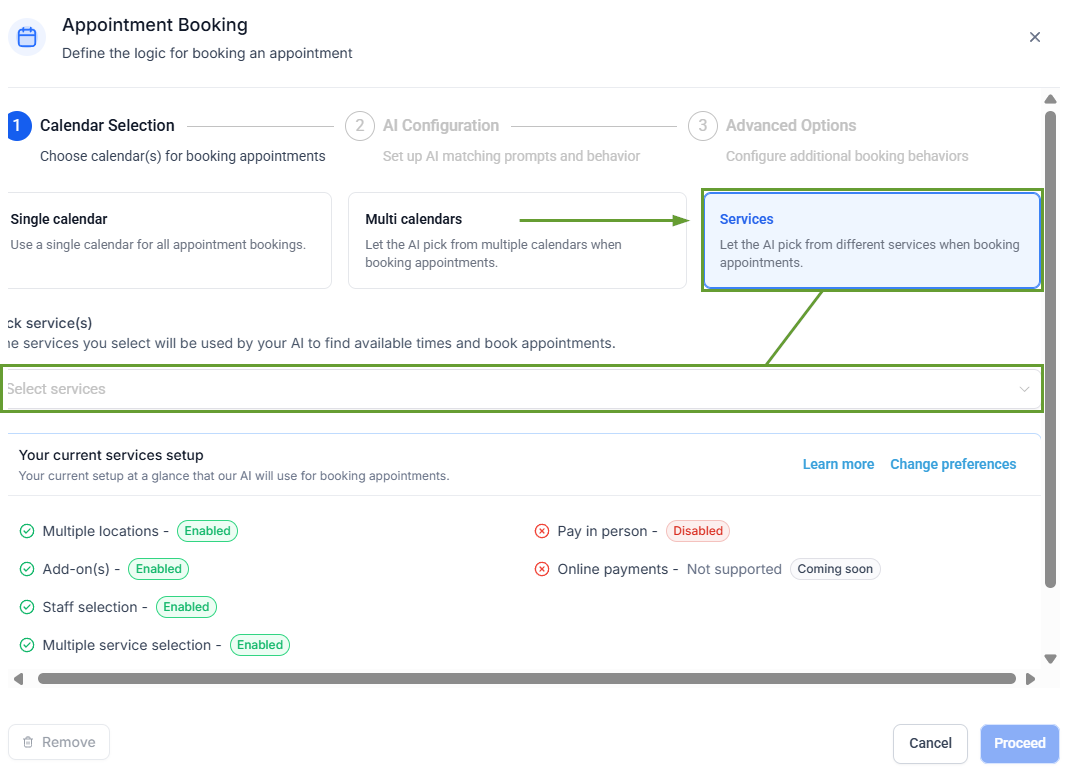
Select Services as the calendar type, then choose the services to include from the drop-down menu.
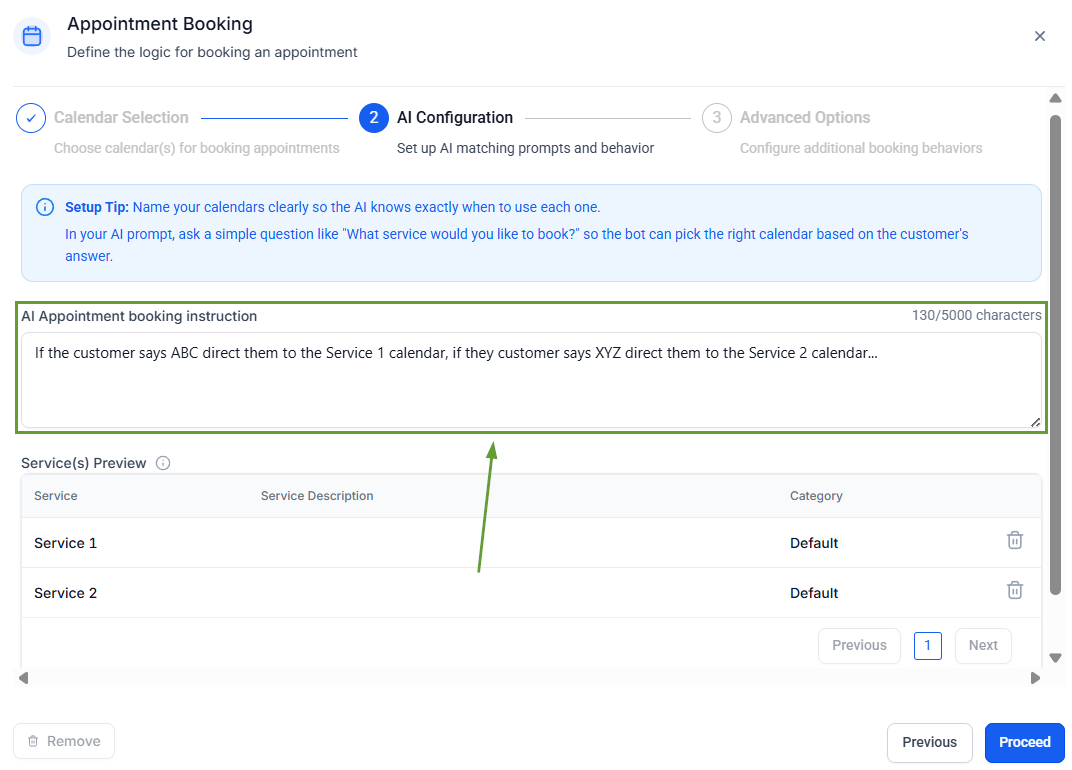
Enter your AI Appointment booking instructions
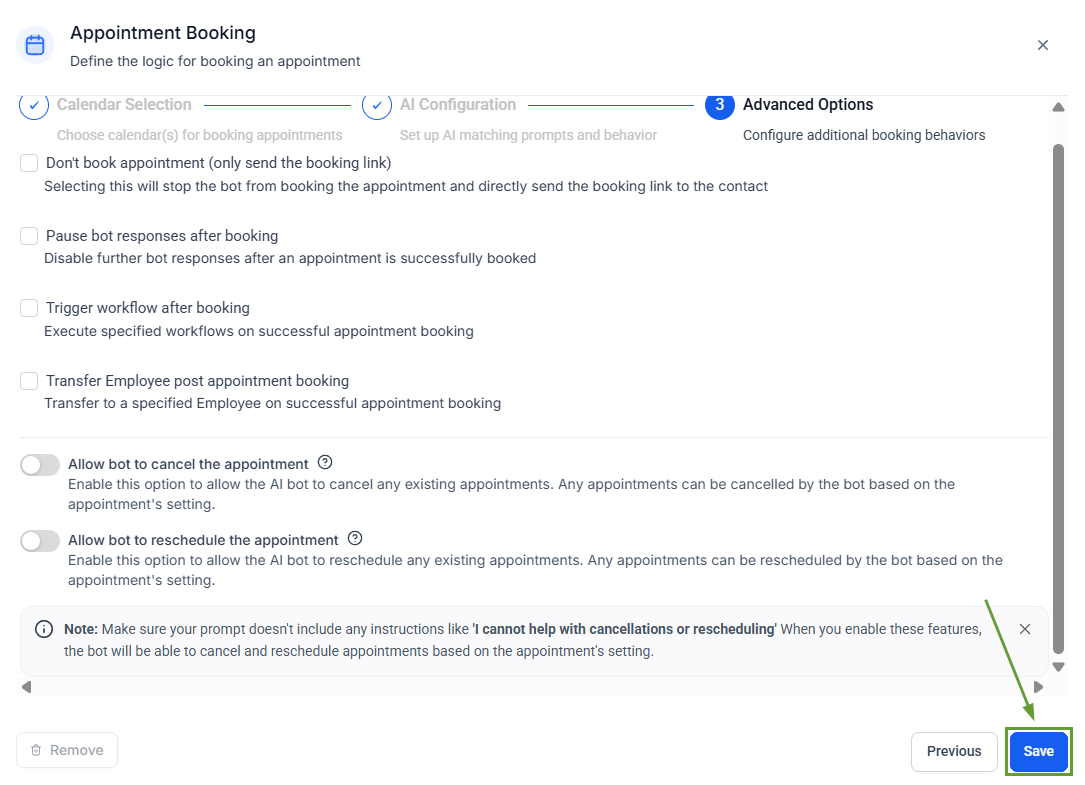
Enable any advanced options you desire, then click Save.
This introduces a conversational-first approach to service bookings, allowing customers to describe their needs and have the AI agent handle the booking, removing the need for forms and other robotic-feeling elements. We hope you enjoy it!
