Stay Up To Date
We believe in keeping you in the loop with all the latest happenings in our courses and system. On this page, you'll find a comprehensive log of all the exciting changes, improvements, and additions we make to our courses and system. Whether it's a new feature, a course enhancement, or a system update, we've got you covered. Bookmark this page and check back regularly. We're committed to ensuring that your learning experience remains exceptional and that you have all the information you need to succeed.

New Features

New Updates

Resources & Tools

Important Updates
Here are some of the most recent updates we thought would be helpful to take note of
Improved Feature: RSS Publishing Enhancements in Social Planner
RSS Publishing in Social Planner allows you to create a consistent schedule that’s easy to maintain. However, it could feel a little stiff when posting to multiple platforms, so we’ve rolled out enhancements to make it more flexible and reliable across platforms. Let's check how it works!
⭐️How Will These Fields Work?:
Items with Description: You now have more control over how much content is shared from RSS feeds, with the option to toggle it on to publish posts with an item description or off to continue publishing title-only.
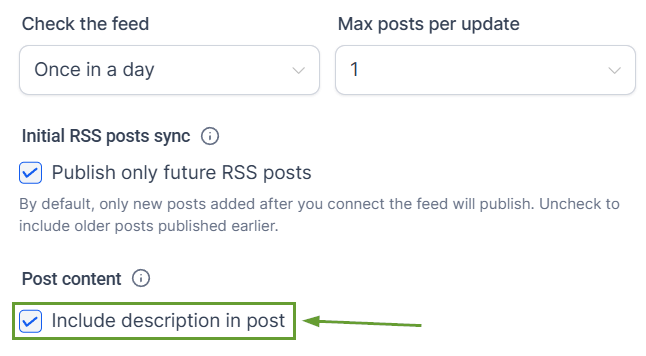
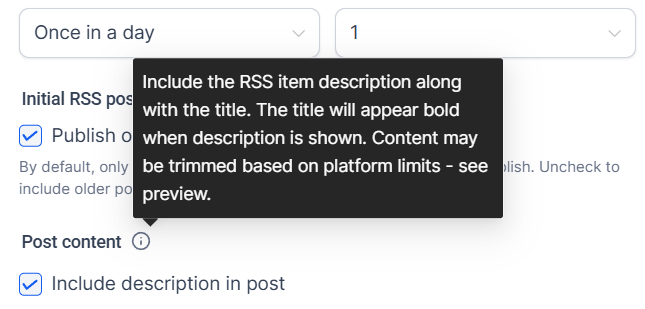
Platform Aware Summary: Post content is now generated per platform, allowing them to apply their own content limits independently, with links and ending text preserved whenever possible.
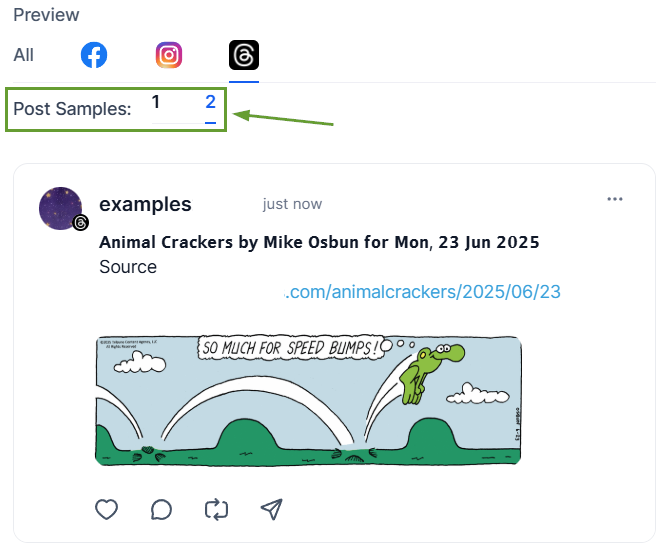
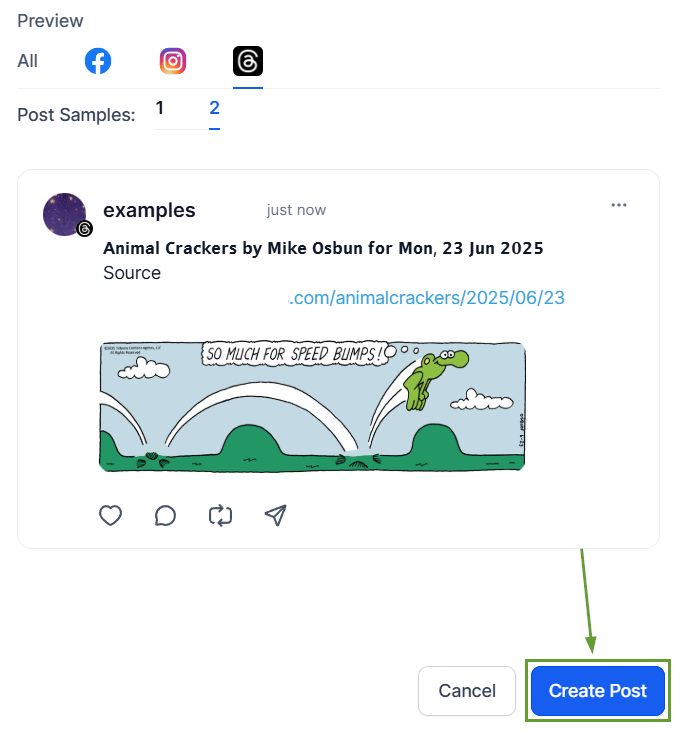
Preview Multiple Items: Preview up to 5 RSS feed items at once to quickly evaluate formatting, truncation, and content flow.
⭐️How To Schedule An RSS Feed In The Social Planner?
Let’s learn how to schedule an RSS Post with the updates.
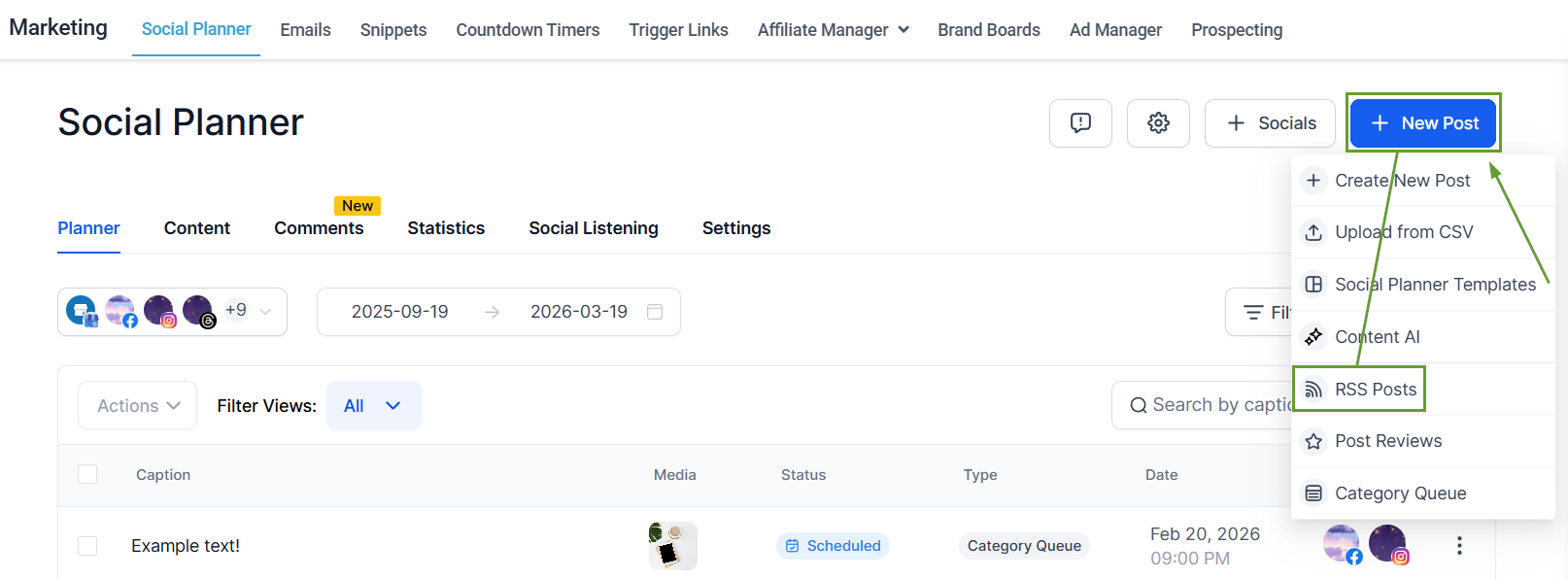
Head to the Social Planner tab in the Marketing section, and create an RSS Post.
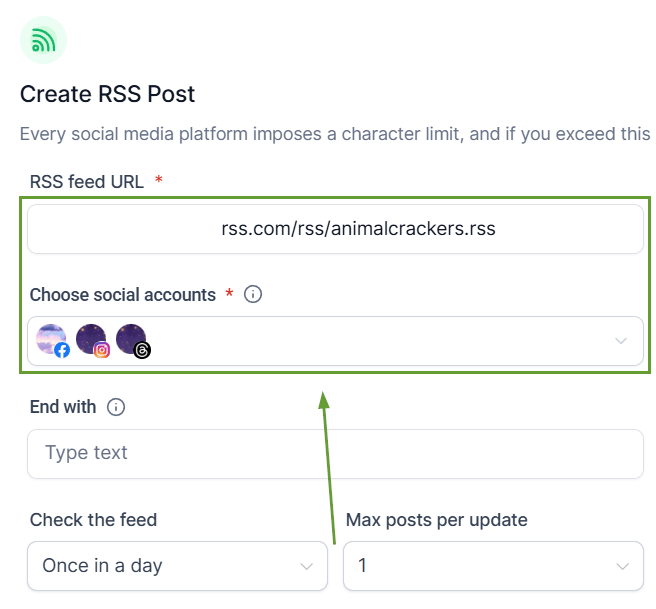
Add the RSS feed URL and choose the social accounts you want to post to.
Enable Post content to publish posts with an item description.
Review the up to 5-item preview, then save and automate RSS posts.
These updates improve how RSS content is generated, previewed, and published, especially for users posting across multiple platforms with different content limits. We hope you enjoy it!
