Stay Up To Date
We believe in keeping you in the loop with all the latest happenings in our courses and system. On this page, you'll find a comprehensive log of all the exciting changes, improvements, and additions we make to our courses and system. Whether it's a new feature, a course enhancement, or a system update, we've got you covered. Bookmark this page and check back regularly. We're committed to ensuring that your learning experience remains exceptional and that you have all the information you need to succeed.

New Features

New Updates

Resources & Tools

Important Updates
Here are some of the most recent updates we thought would be helpful to take note of
New Feature: Rich Link & Event Previews in Communities
Communities are meant to be home to conversations. However, members were taken away from the conversation when viewing shared content or events. So, we’ve added embedded previews to host outside content interaction without leaving the group. Let’s learn how it works!
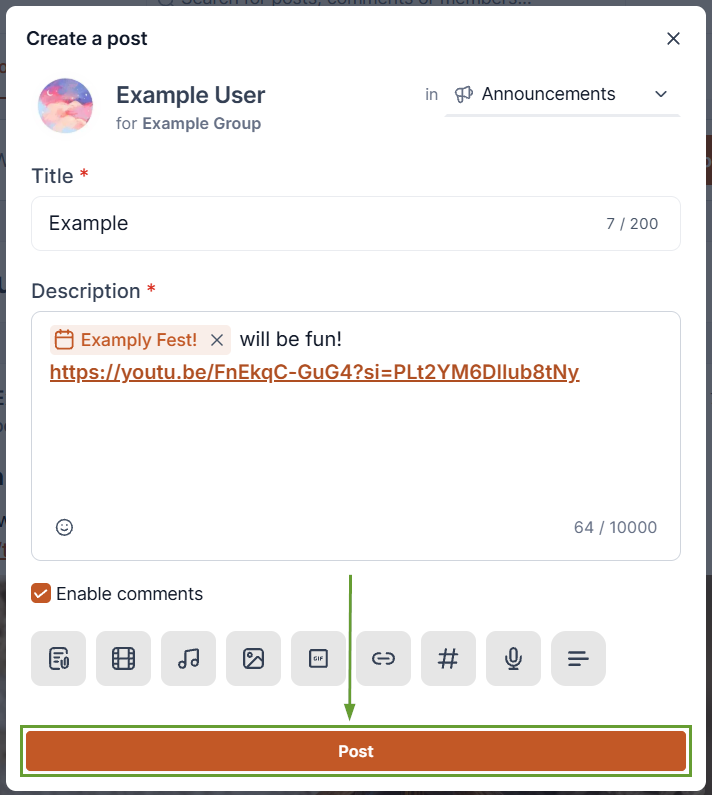
⭐️ How To Create a Post With A Rich Preview?
In the Discussion tab, start a Post under “What’s on your mind?”
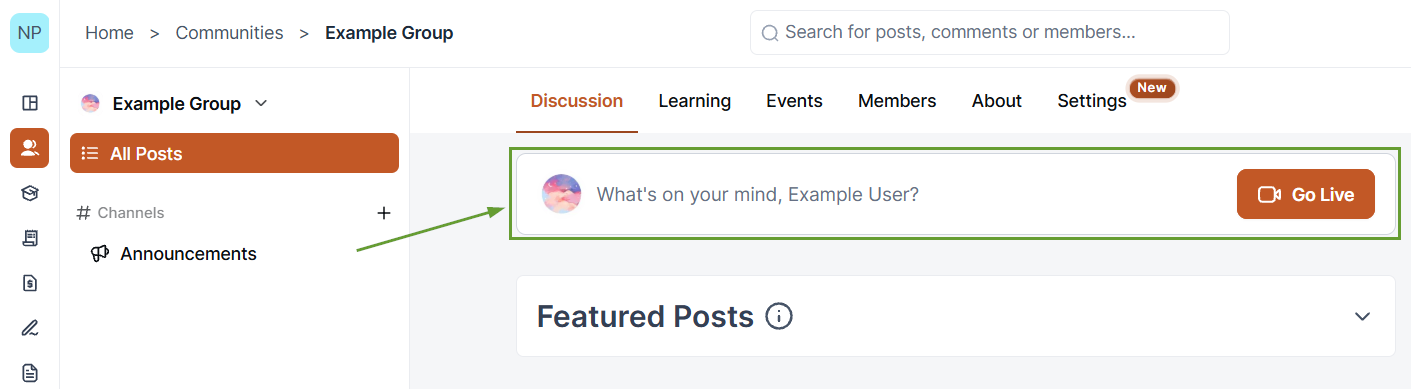
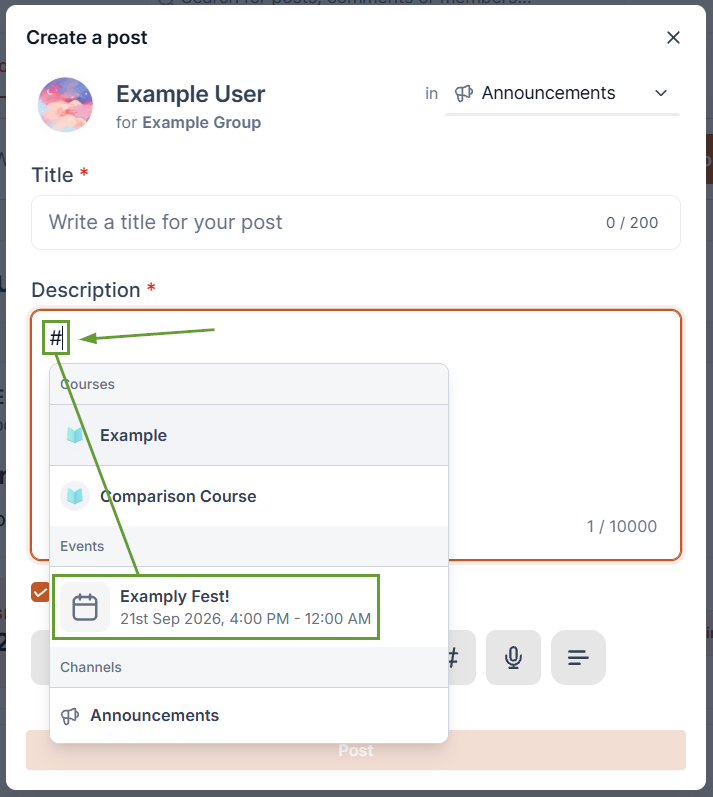
To add an interactive event, add a hashtag or click the # icon, then select your event.
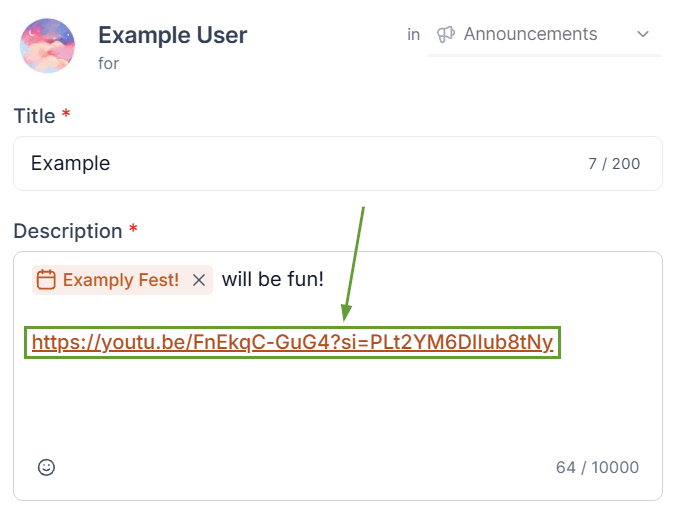
To add an interactive link preview, add a supported link such as a YouTube or Loom video.
Once ready, click Post.
⭐️Why Is This Feature Beneficial To Your Company?
Rich Link & Video Previews: Paste a supported link into a post or comment, and a preview generates automatically, with supported videos playing directly in the feed.
Interactive Event Previews: Mentioning an event in a post automatically generates a preview card that displays key details such as event name, date, time, price, and status to keep members informed.
Direct Event Registration: Members can register or RSVP directly from the preview card without navigating to the Events page. Events become a natural part of community conversations instead of living in a separate section.
Sharing content and events in Communities just got more interactive with rich previews that reduce friction, keep members in the feed longer, and make community discussions more engaging. We hope you enjoy it!
