Stay Up To Date
We believe in keeping you in the loop with all the latest happenings in our courses and system. On this page, you'll find a comprehensive log of all the exciting changes, improvements, and additions we make to our courses and system. Whether it's a new feature, a course enhancement, or a system update, we've got you covered. Bookmark this page and check back regularly. We're committed to ensuring that your learning experience remains exceptional and that you have all the information you need to succeed.

New Features

New Updates

Resources & Tools

Important Updates
Here are some of the most recent updates we thought would be helpful to take note of
New Feature: Response Style Settings for Conversation AI
Having control over how long and detailed your bot’s replies are can greatly improve your customers' experience. With this new feature, you can choose between concise, balanced, or detailed responses based on your business needs. Let's learn how to use it!
⭐️How To Enable And Select A Response Style?
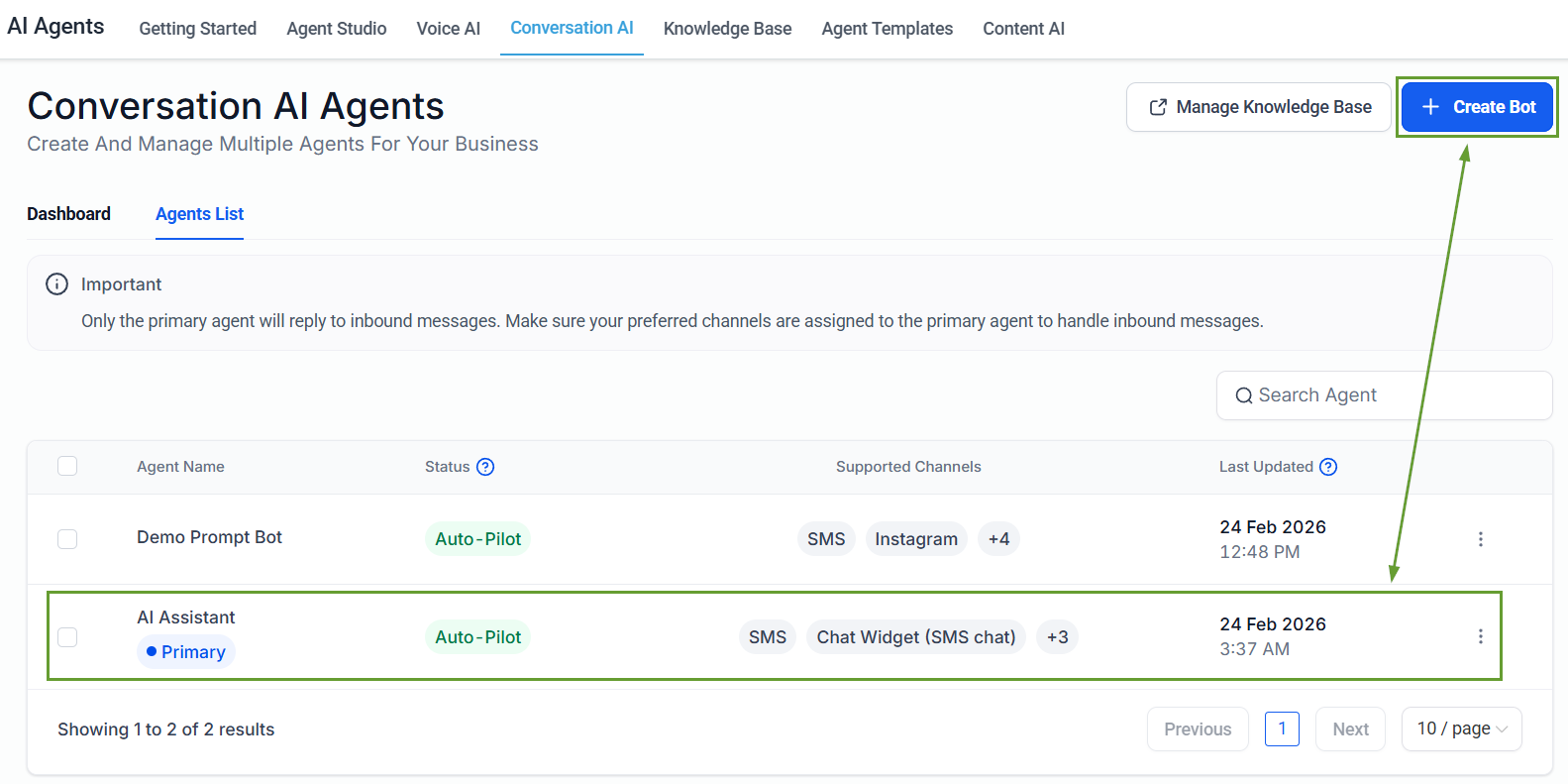
Head to the Conversation AI tab inside the AI Agents section and select an existing bot or create a new one.
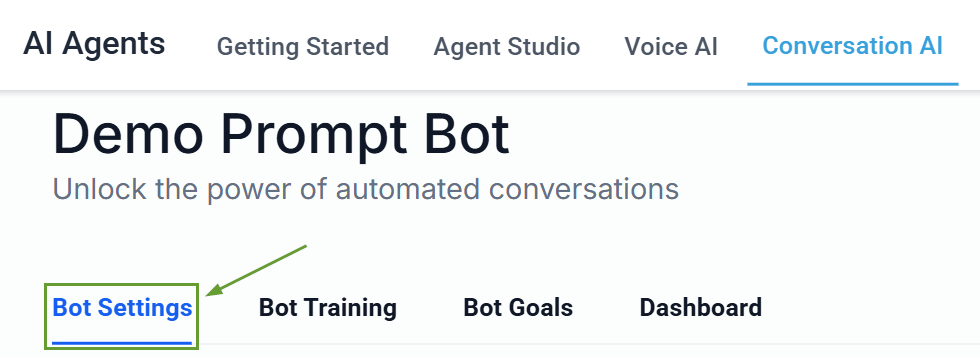
Go to the Bot Settings tab.
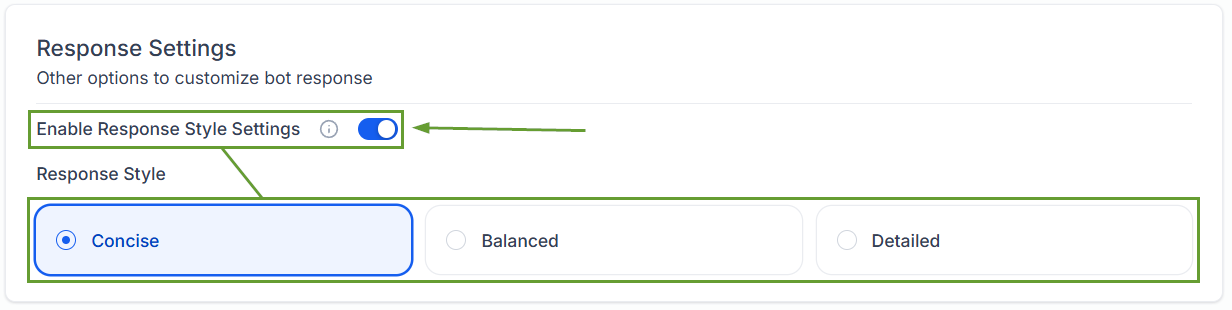
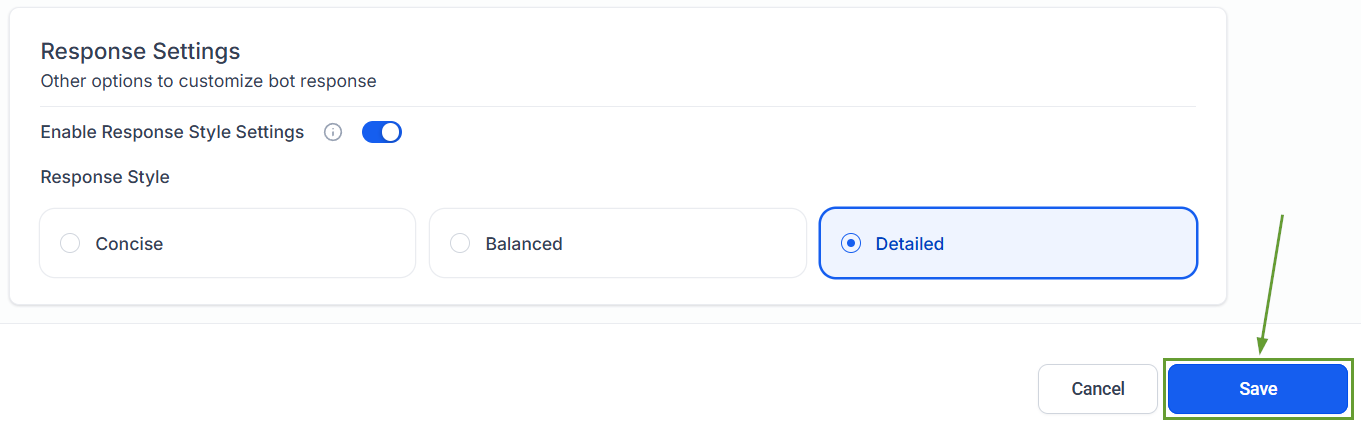
Toggle on Response Style Settings and select one of the three style options.
Click Save in the bottom right corner to set your changes.
⭐️Why Is This Feature Beneficial To Your Company?
Improved Responses: More natural conversations based on context, allowing for better control over tone and depth to improve engagement.
Context-Based Output: The style acts as a soft limit, not a strict word cap. Depending on the conversation and information involved, the bot will attempt to respond within the selected style.
Promptless Customization: Greater flexibility without changing prompts; if multiple length instructions are present, prompt-level instructions may override the selected style for a smooth experience.
If this feature is turned off, the bot will continue responding exactly as it does today. This gives you full control over the responses your customers receive, providing agents that match your company’s cadence. We hope you enjoy it!
