Stay Up To Date
We believe in keeping you in the loop with all the latest happenings in our courses and system. On this page, you'll find a comprehensive log of all the exciting changes, improvements, and additions we make to our courses and system. Whether it's a new feature, a course enhancement, or a system update, we've got you covered. Bookmark this page and check back regularly. We're committed to ensuring that your learning experience remains exceptional and that you have all the information you need to succeed.

New Features

New Updates

Resources & Tools

Important Updates
Here are some of the most recent updates we thought would be helpful to take note of

Improved Feature: QR Code Styling Options
QR codes make it easy to share information instantly with just a scan. However, if their image is weak, the response you get will be as well. So, we’ve added more customization options to strengthen your QR codes’ appeal and get people scanning. Let's check the changes!
⭐️How Will These Changes Affect You?:
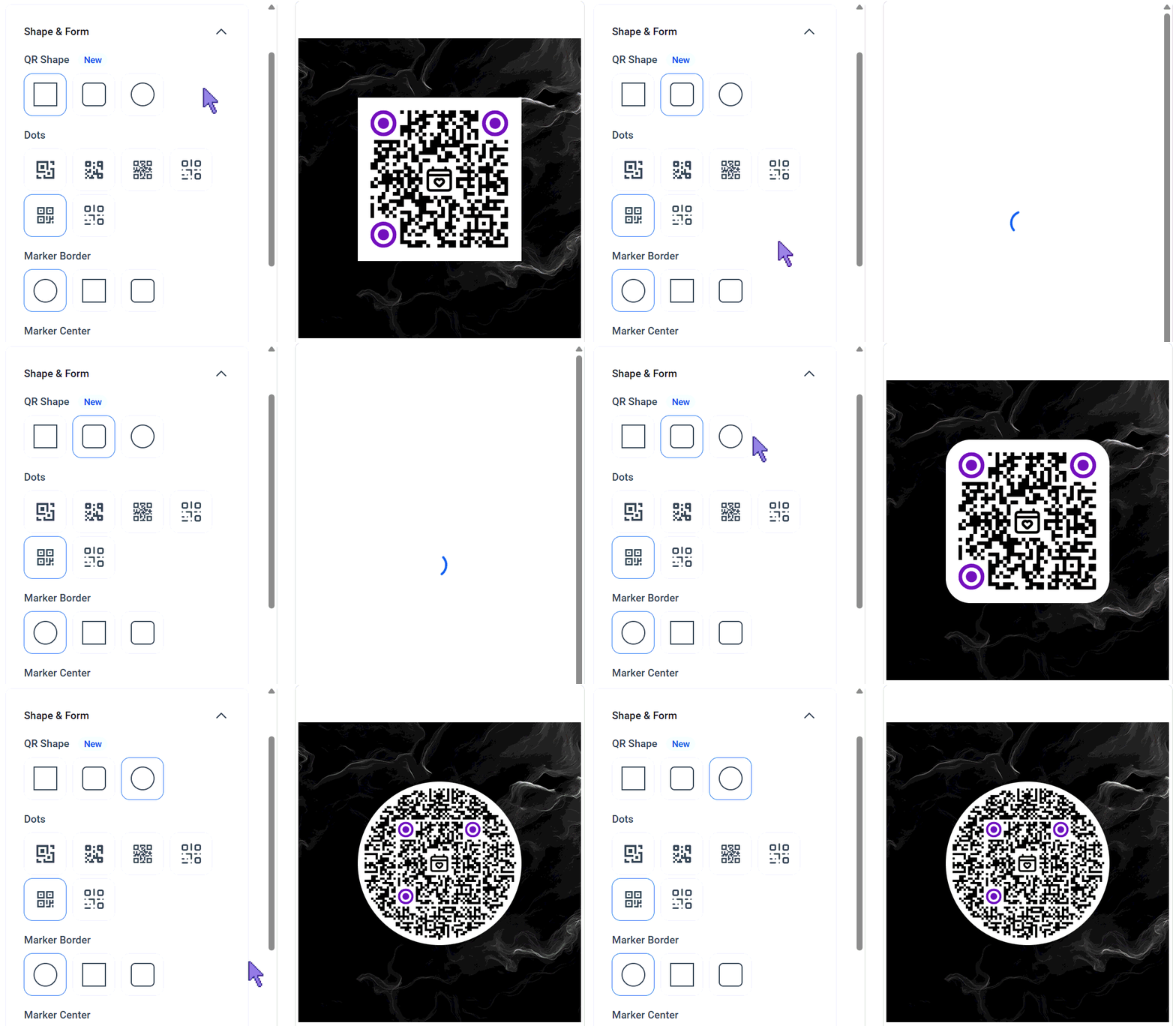
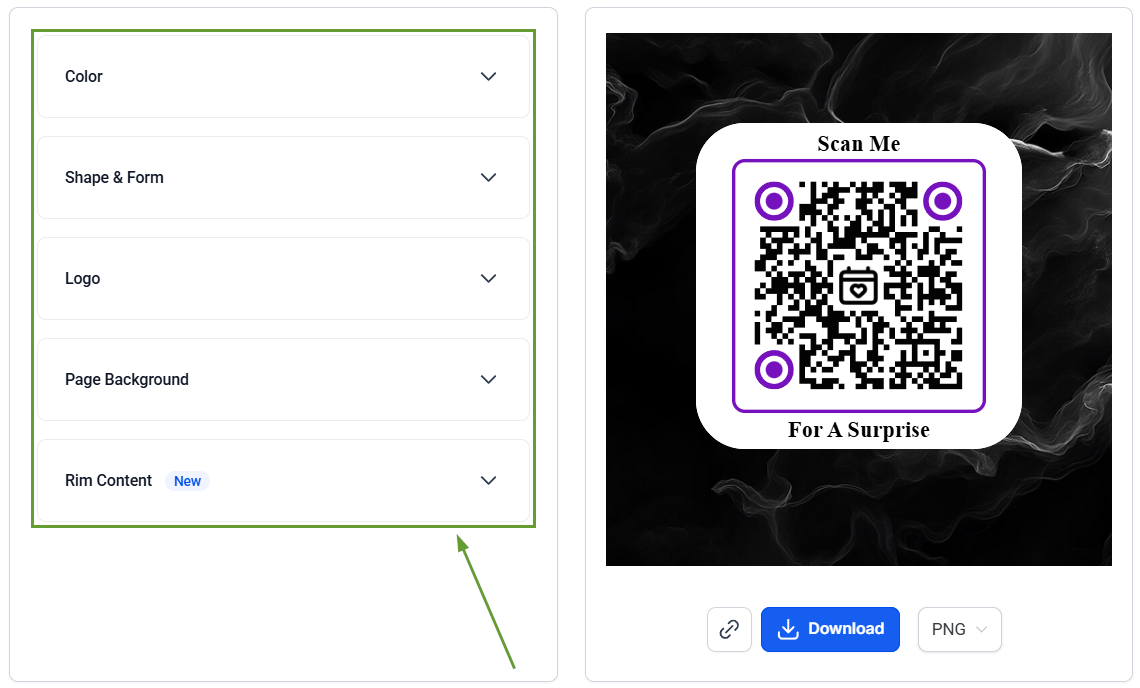
New QR Code Shapes: You can now choose from Rounded and Circular QR code shapes for a more modern look.
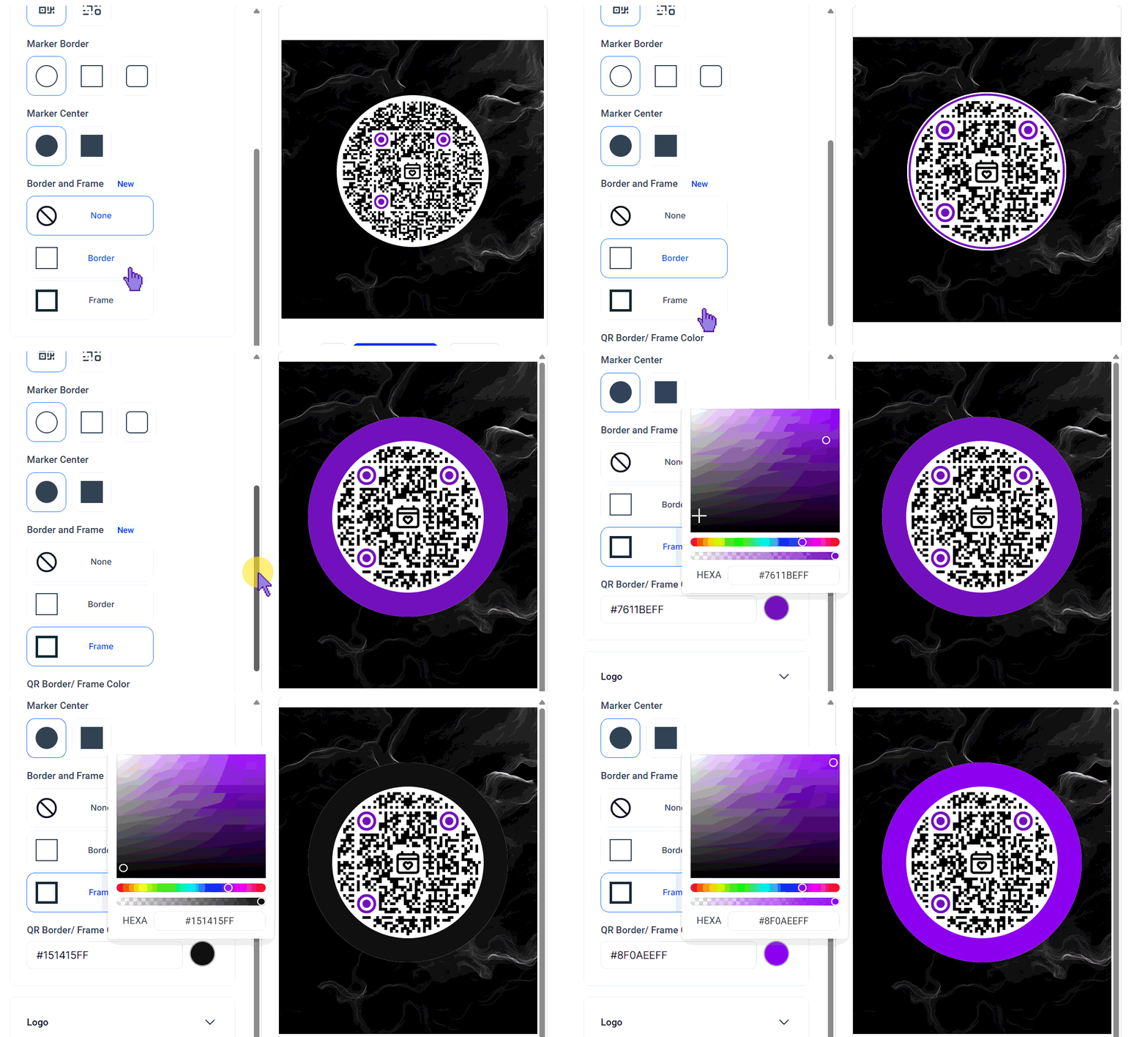
Border And Frame Customization: You can now add a border or frame to your QR code and customize its color to better match your branding.
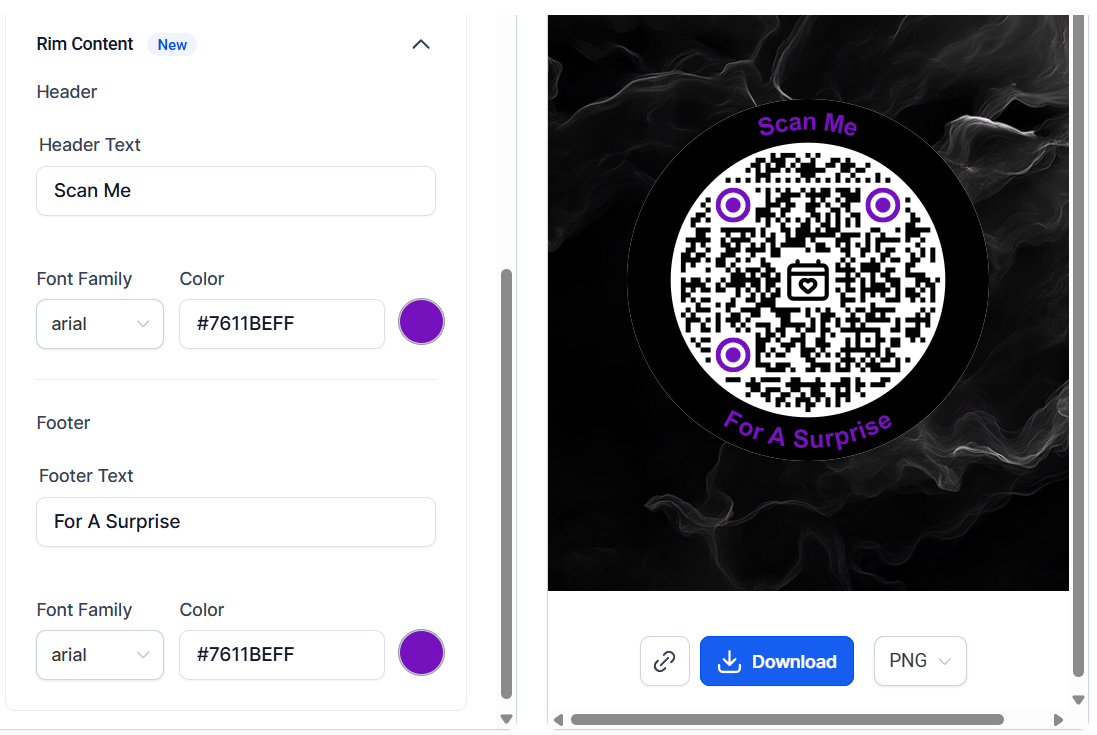
Rim Content: You can now add CTA text to the top and bottom of your QR code to make it clearer and more action-oriented.
⭐️How To Create And Download A QR Code?
If you’re not yet familiar with creating QR codes, this change is the best time to learn how to do it!
Head to the QR Codes tab inside the Sites section and click the Create QR Code.

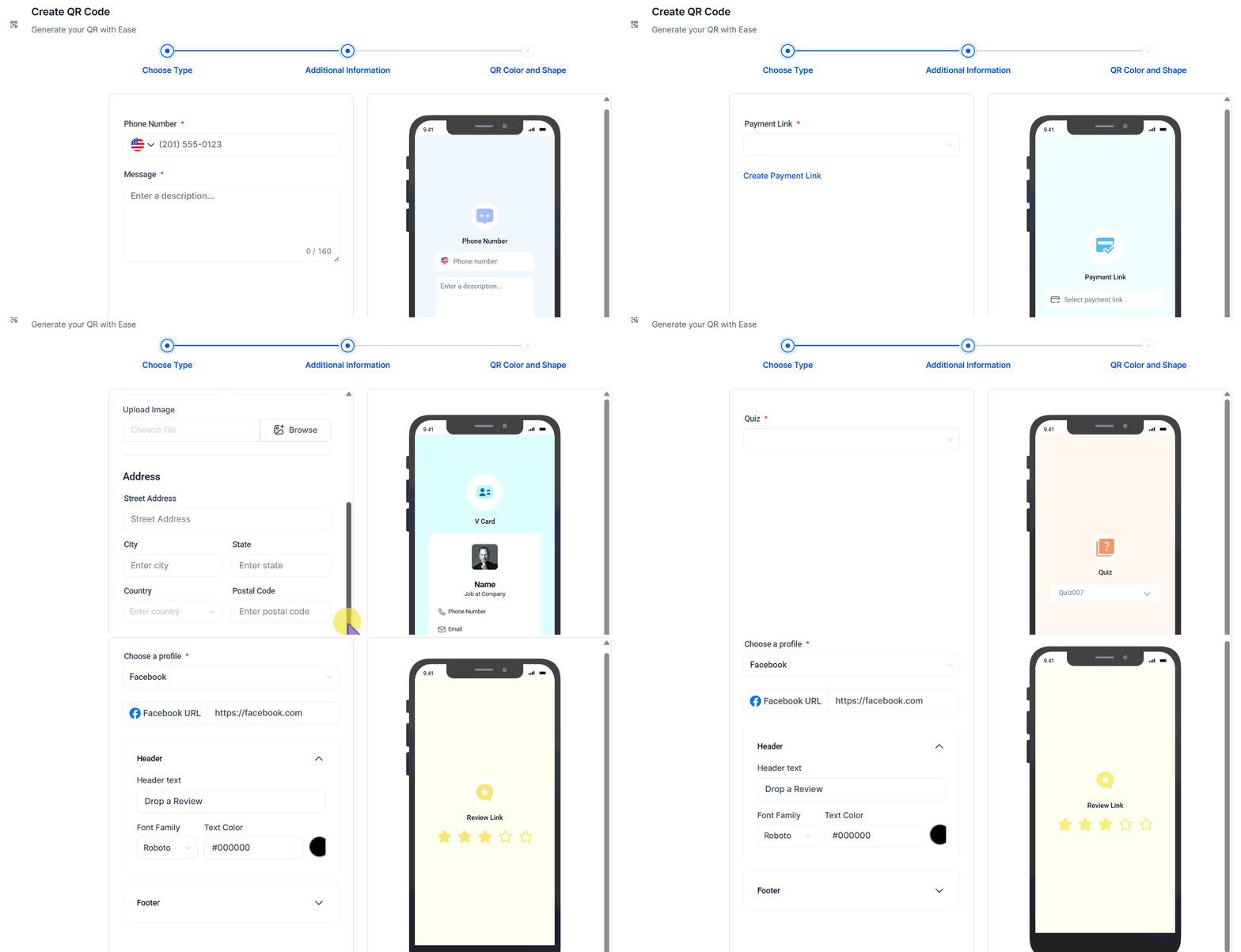
Give your QR code a recognizable name and select what the QR opens to upon scanning, and click Next to proceed.
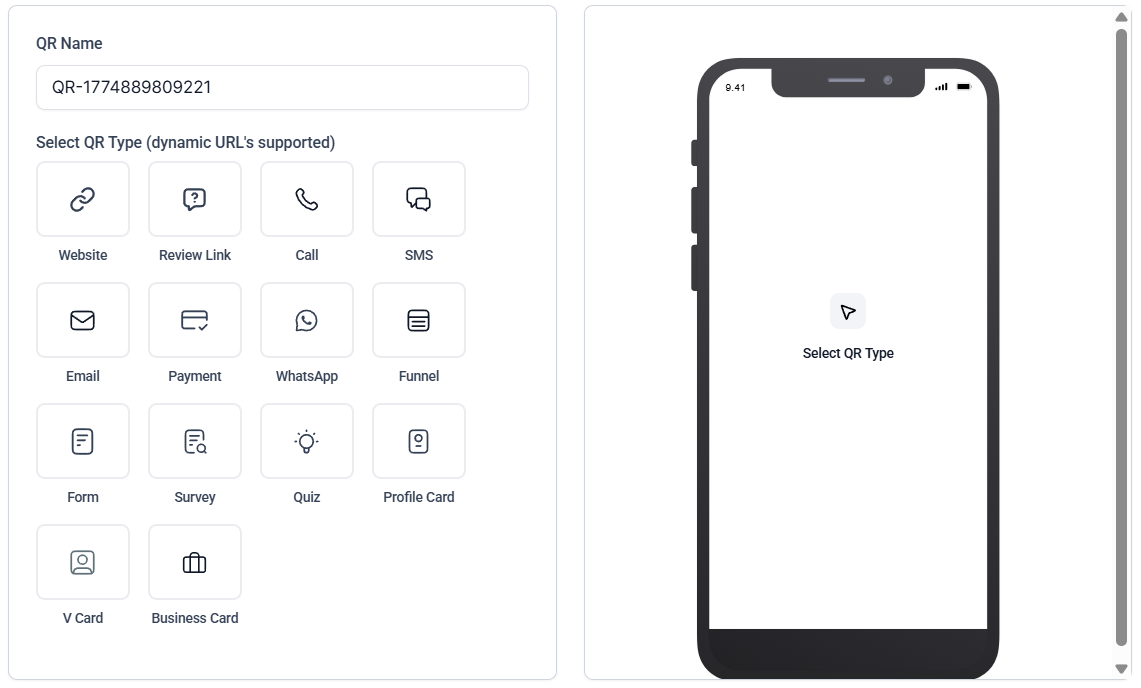
Enter the additional information needed for your QR type.
Use the QR Color and Shape section to customize, and once satisfied, download or share your QR code.
These updates give you more flexibility to design QR codes that better match your brand, making your call to action clearer and your QRs look more visually appealing. We hope you enjoy it!
