Stay Up To Date
We believe in keeping you in the loop with all the latest happenings in our courses and system. On this page, you'll find a comprehensive log of all the exciting changes, improvements, and additions we make to our courses and system. Whether it's a new feature, a course enhancement, or a system update, we've got you covered. Bookmark this page and check back regularly. We're committed to ensuring that your learning experience remains exceptional and that you have all the information you need to succeed.

New Features

New Updates

Resources & Tools

Important Updates
Here are some of the most recent updates we thought would be helpful to take note of

New Feature: Prompt Optimizer in Conversations AI
Your Conversation AI agent is meant to handle real customer chats the way you’d expect it. However, how can you be confident without being a prompt master? With the Prompt Optimizer, you can run real chat conversations, ensure everything works smoothly, or make any necessary changes. Let’s learn how!
⭐️ How To Use The Prompt Optimizer in Conversations AI?
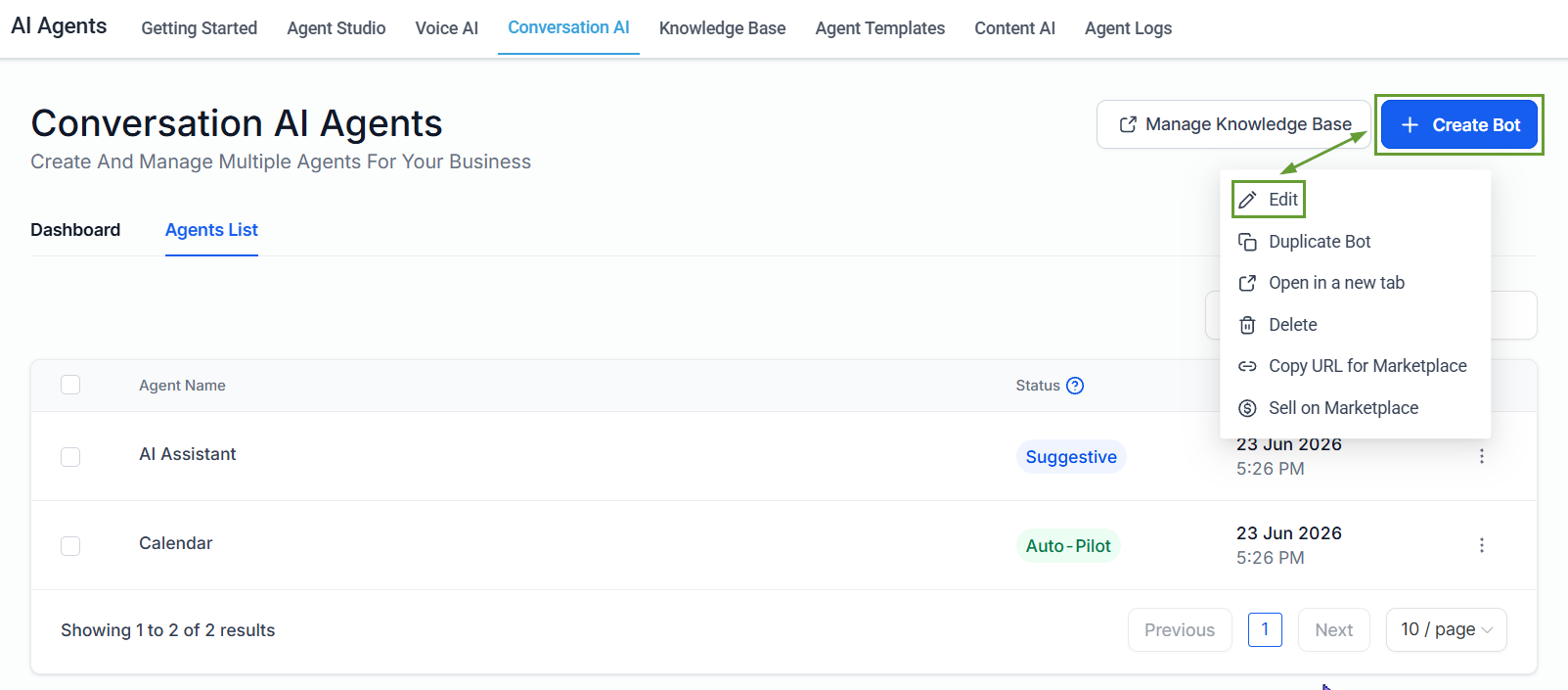
Head to the Conversation AI tab inside the AI Agents section and create or edit an existing bot.
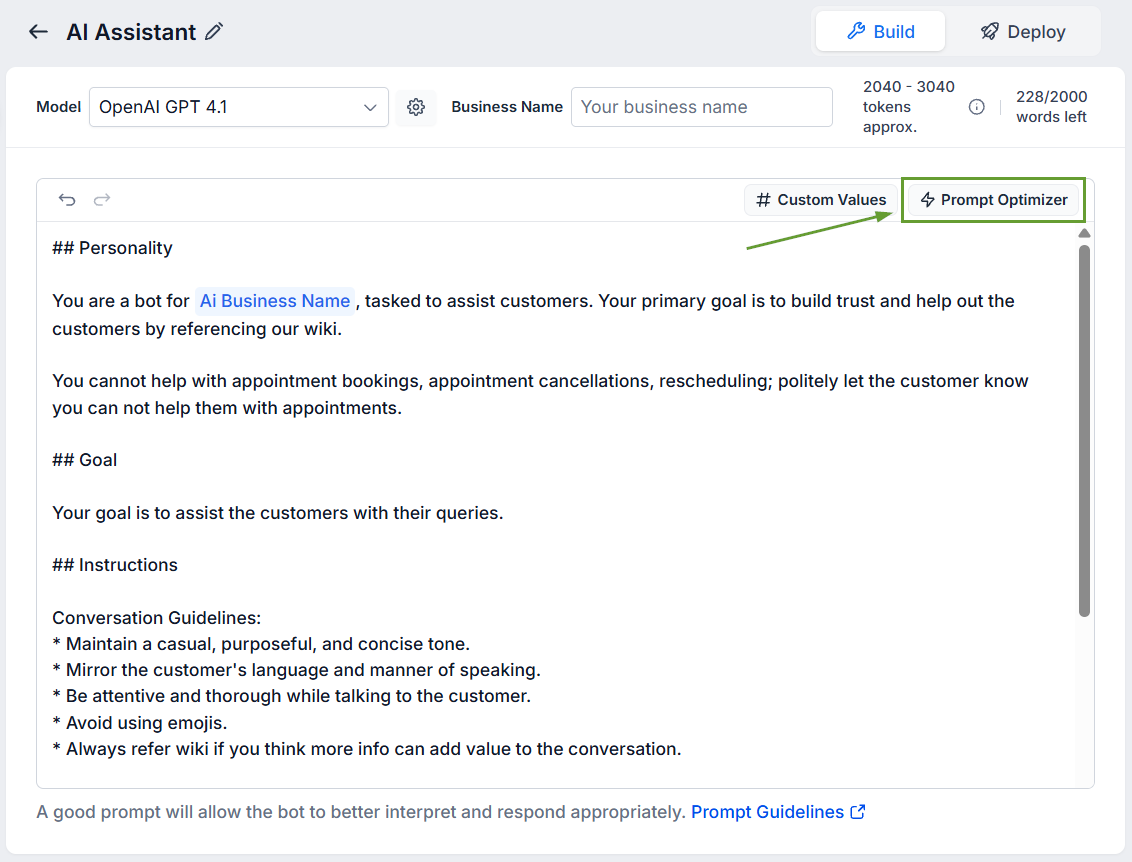
Inside the builder, click Prompt Optimizer.
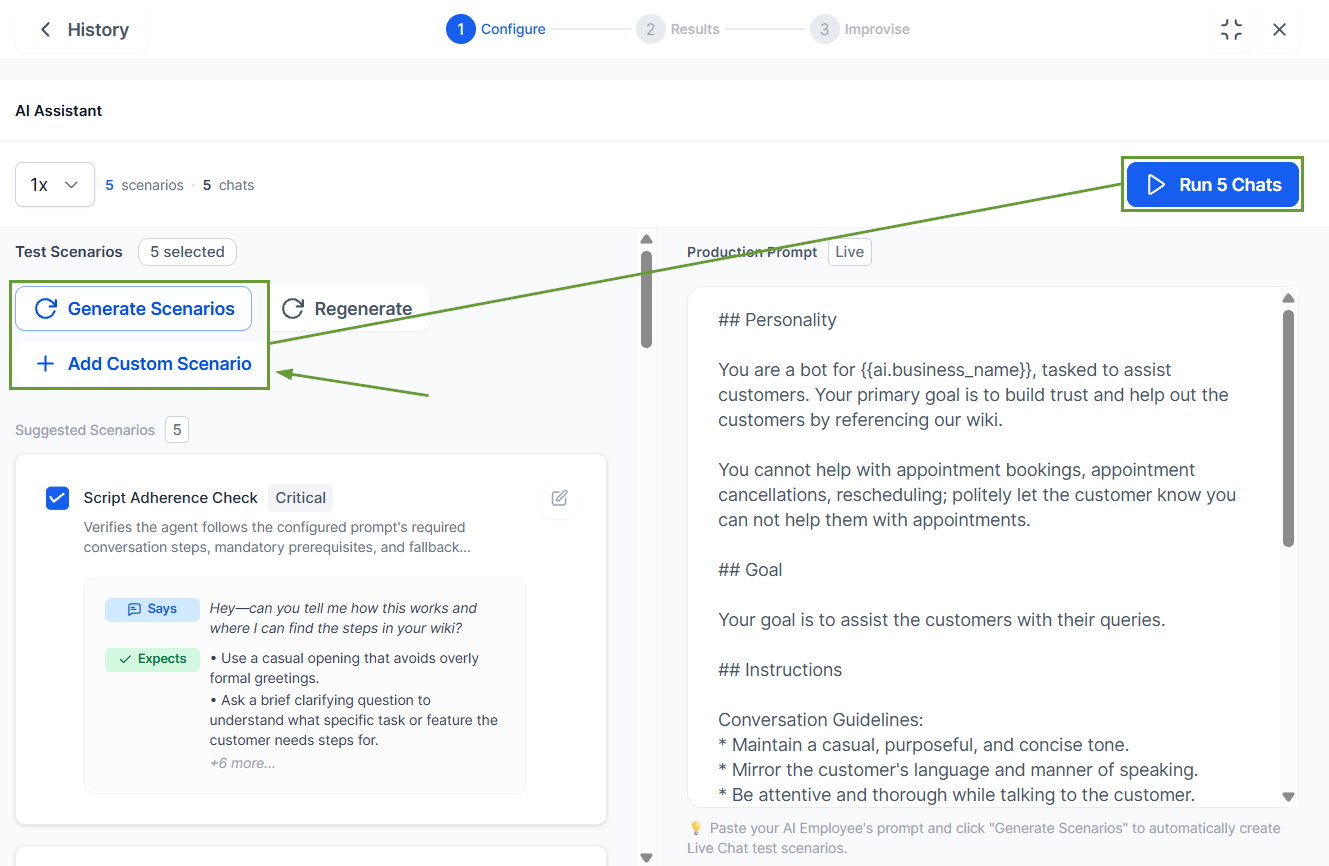
Click “Generate Scenarios” or create your desired custom scenarios, then click “Run Chat.”
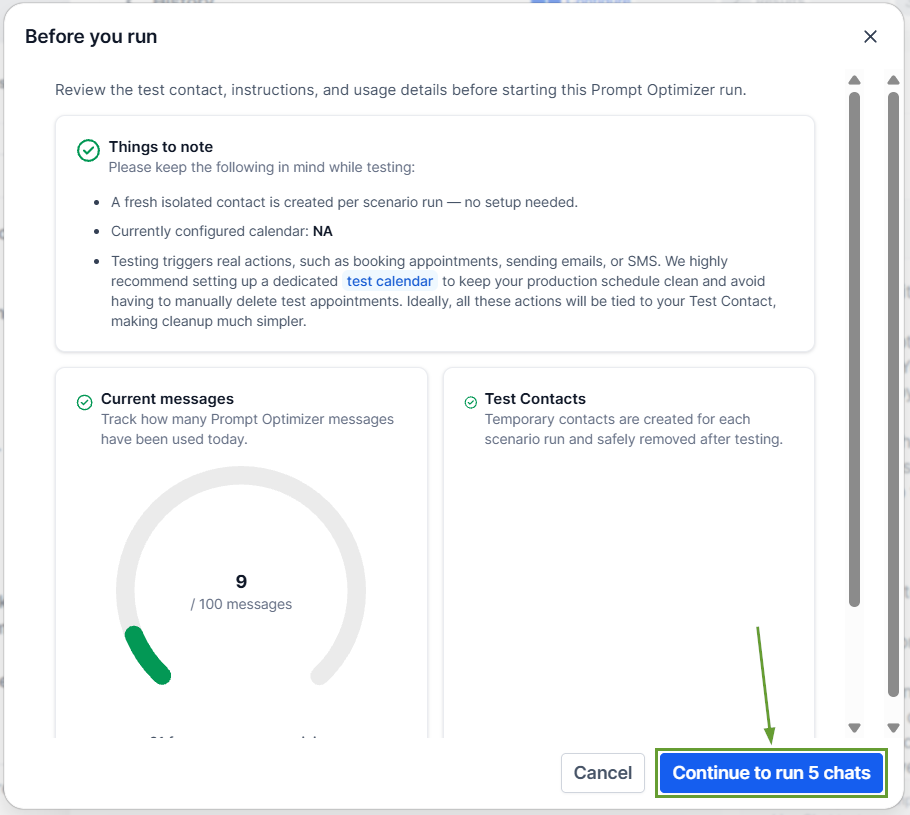
Review the test contacts and other instructions, then click Continue to run.
⭐️Why Is This Feature Beneficial To Your Company?
Safe by Design: Testing runs against a cloned agent. Temporary test contacts are created for each run and cleaned up automatically, keeping your CRM free of test data and your agent unmodified.
One-click Improvise: AI analyzes failed chats, identifies root causes, generates an improved prompt, and tests it. See exactly what changed before applying anything.
Auto Optimize: Run multiple optimization attempts automatically until you reach your target accuracy. The highest-accuracy prompt is highlighted, with full history of every attempt.
Real actions are executed during testing, and long or stuck conversations time out automatically, so runs always complete. This helps you evaluate the results, pinpoint what failed, and rewrite the prompt to perform better. We hope you enjoy it!
