Stay Up To Date
We believe in keeping you in the loop with all the latest happenings in our courses and system. On this page, you'll find a comprehensive log of all the exciting changes, improvements, and additions we make to our courses and system. Whether it's a new feature, a course enhancement, or a system update, we've got you covered. Bookmark this page and check back regularly. We're committed to ensuring that your learning experience remains exceptional and that you have all the information you need to succeed.

New Features

New Updates

Resources & Tools

Important Updates
Here are some of the most recent updates we thought would be helpful to take note of

New Feature: Product Price and Variant Level Coupons
Coupons are a great way to attract customers and drive sales. However, offering discounts on entire products is a big limitation, so we’ve made the controls even more granular by targeting specific prices or variants within a product. Let’s learn how to use it!
⭐️How To Limit The Product Price and Variant Level Coupons Are Applied To?
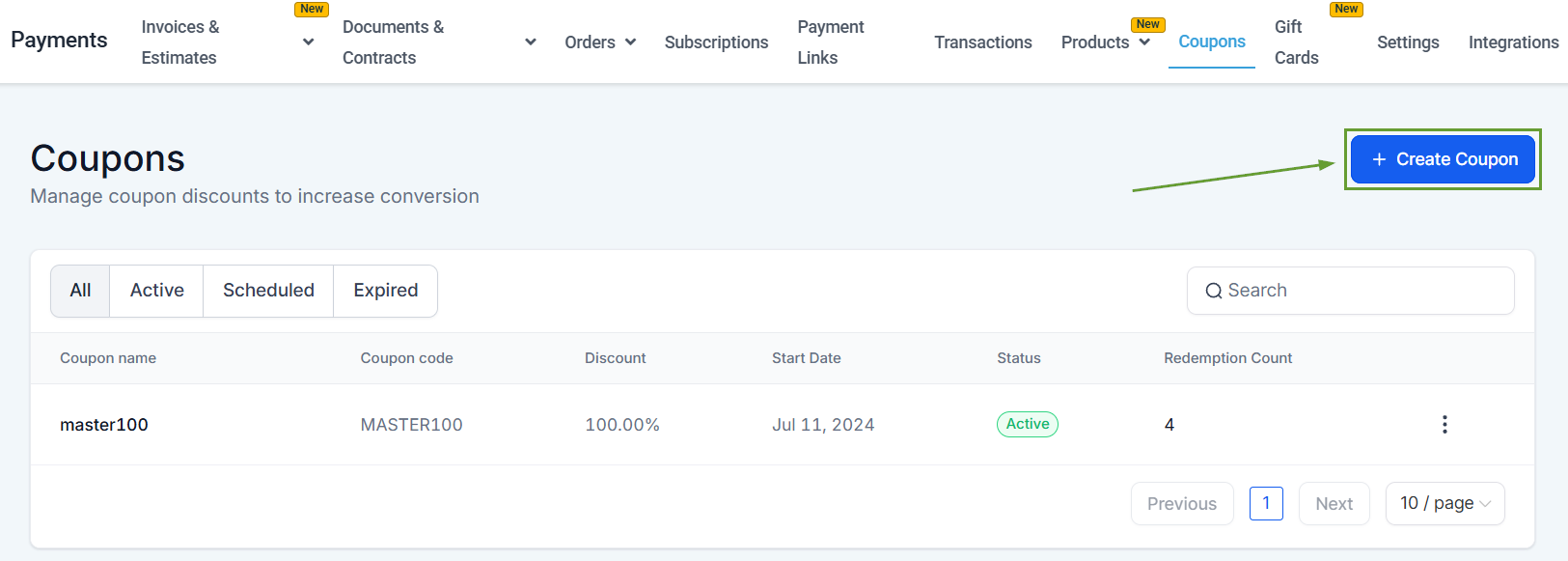
Head to the Coupons tab inside the payments section and click the "Create Coupon" button.
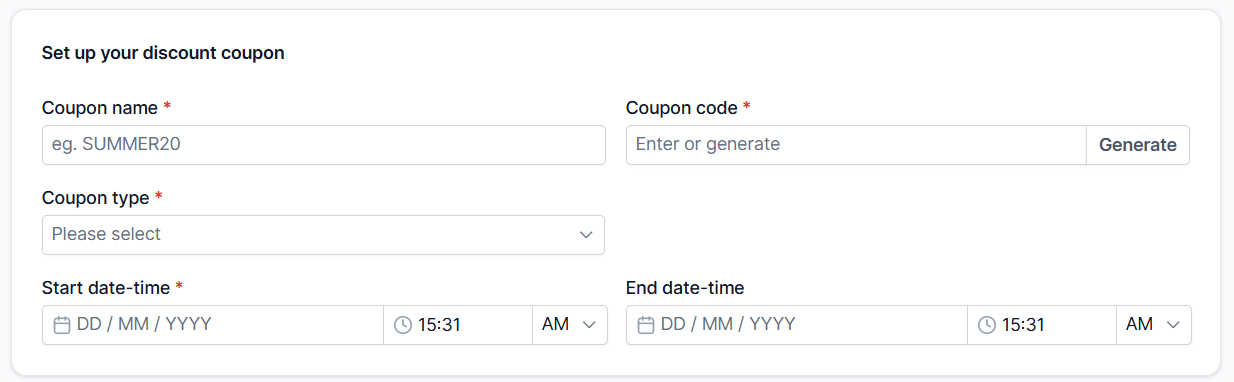
Fill out your Coupon details as normal, then scroll to the Coupon usage rules & restrictions section.
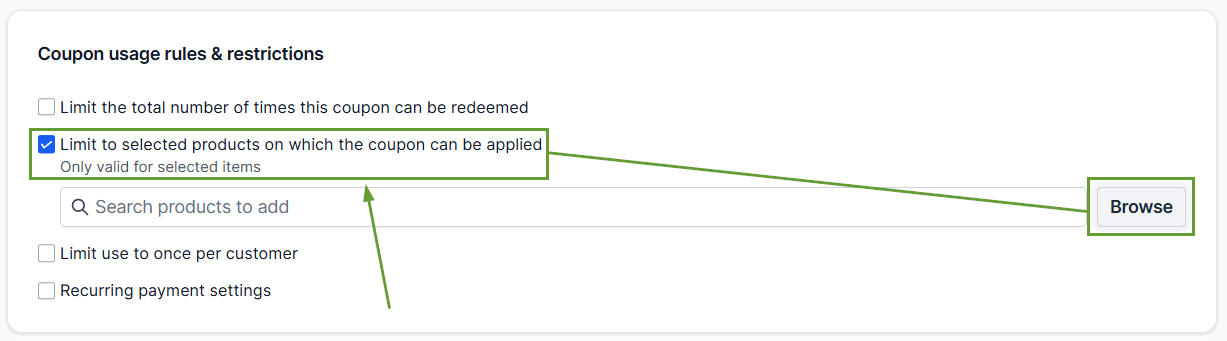
Check the box next to “Limit to selected products on which the coupon can be applied” and click Browse.
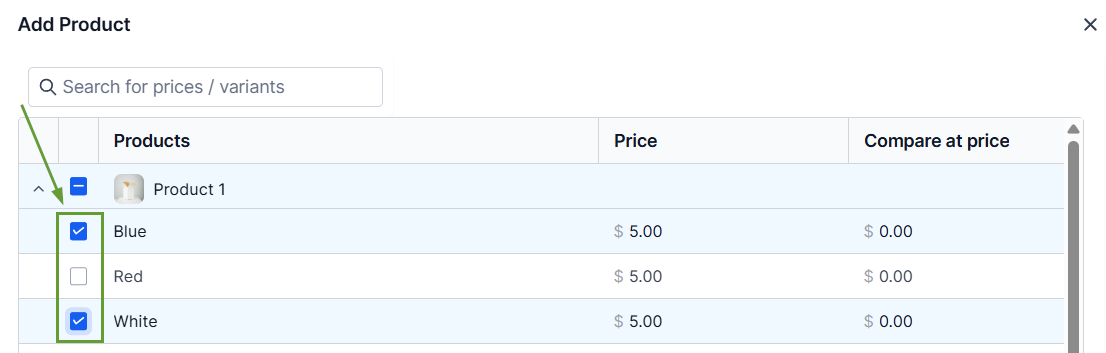
Select the specific products you want to apply this coupon to by opening the dropdown, then mark the box next to the variants or price points you want to include.
⭐️Why Is This Feature Beneficial To Your Company?
Increased Control: Coupons can now be configured to apply to entire products, specific prices, or variants within a product from a nested section that gives you the final say.
Simplified Integration: This eliminates the need for workarounds like duplicating products or removing variants to apply targeted discounts, making setup easier than ever.
Workflow Trigger Enhancements: Triggers have been updated to support this new level of granularity, adding dependent filters for triggers like Coupon Code Applied and Coupon Code Redeemed.
Existing coupons continue to work as-is, applying the updated logic to only newly created coupons, updated coupons, and future orders, helping you have smarter checkouts without disrupting your current flow. We hope you enjoy it!
