Stay Up To Date
We believe in keeping you in the loop with all the latest happenings in our courses and system. On this page, you'll find a comprehensive log of all the exciting changes, improvements, and additions we make to our courses and system. Whether it's a new feature, a course enhancement, or a system update, we've got you covered. Bookmark this page and check back regularly. We're committed to ensuring that your learning experience remains exceptional and that you have all the information you need to succeed.

New Features

New Updates

Resources & Tools

Important Updates
Here are some of the most recent updates we thought would be helpful to take note of

New Feature: Opportunity Smart Lists
Smart Lists help you create views that keep important contacts at the forefront, ensuring you have quick access to their information and can easily share the focused view with your team. And now, you create them in Opportunities. Let’s learn how!
⭐️ How To Create A Smart List?
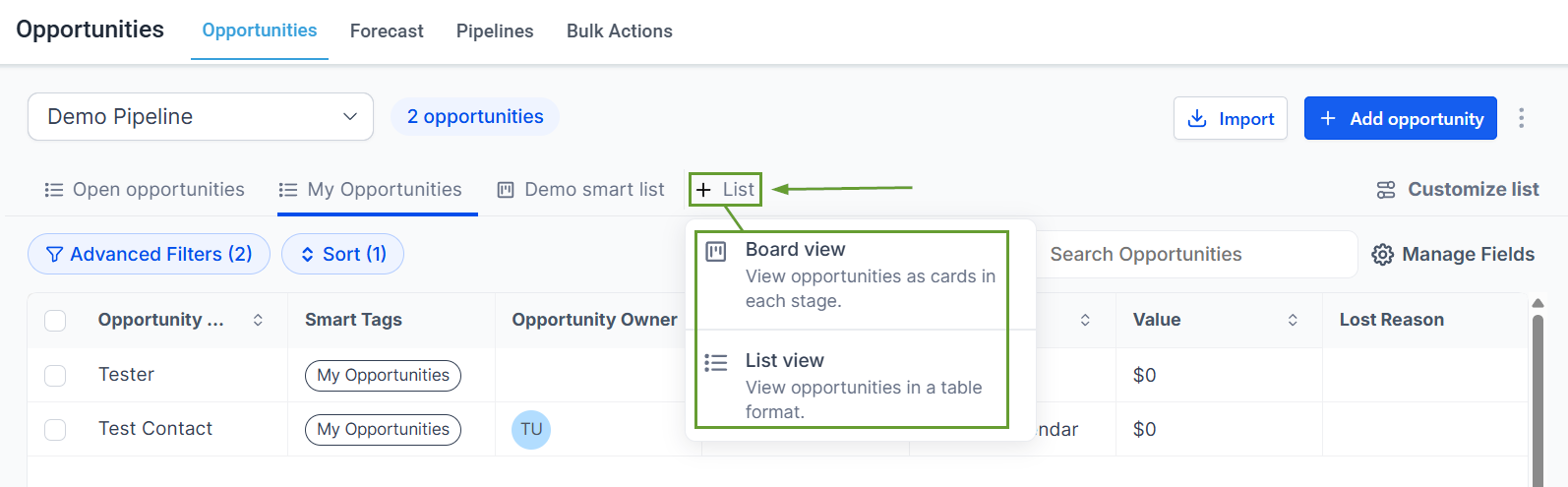
Head to Opportunities, click + List, and select Board view or List view.
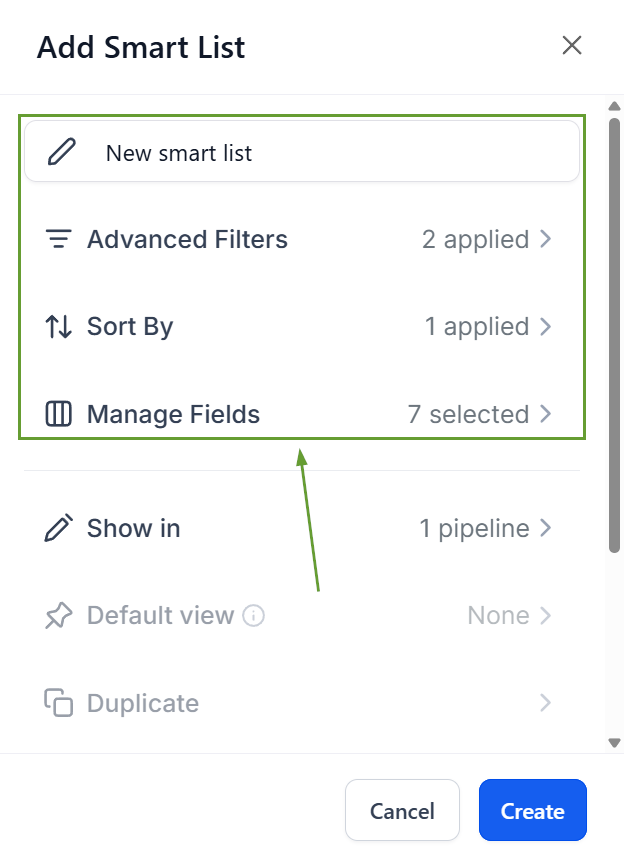
Name your Smart list, then apply the filters, sorting, and fields you want.
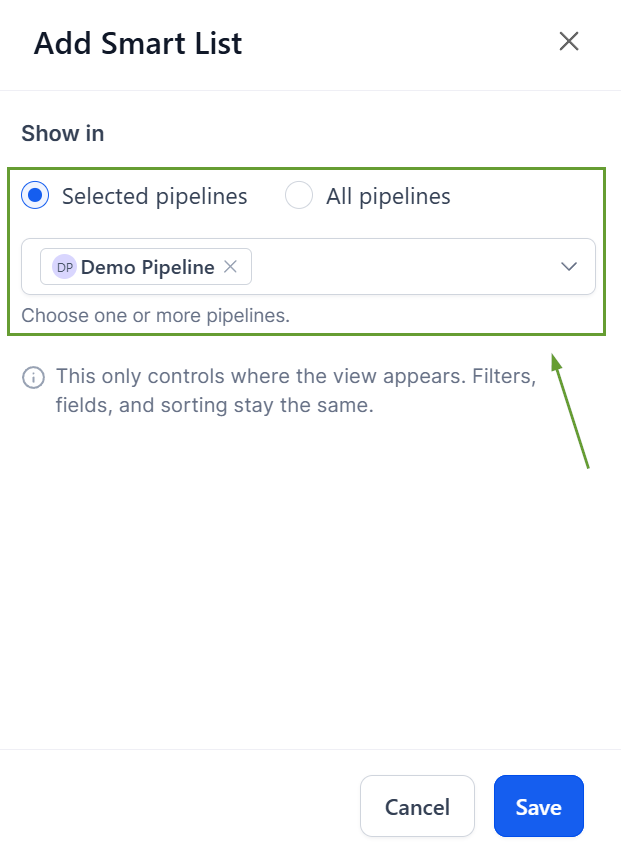
Select the Pipelines you want the Smart List to show on, then click Create.
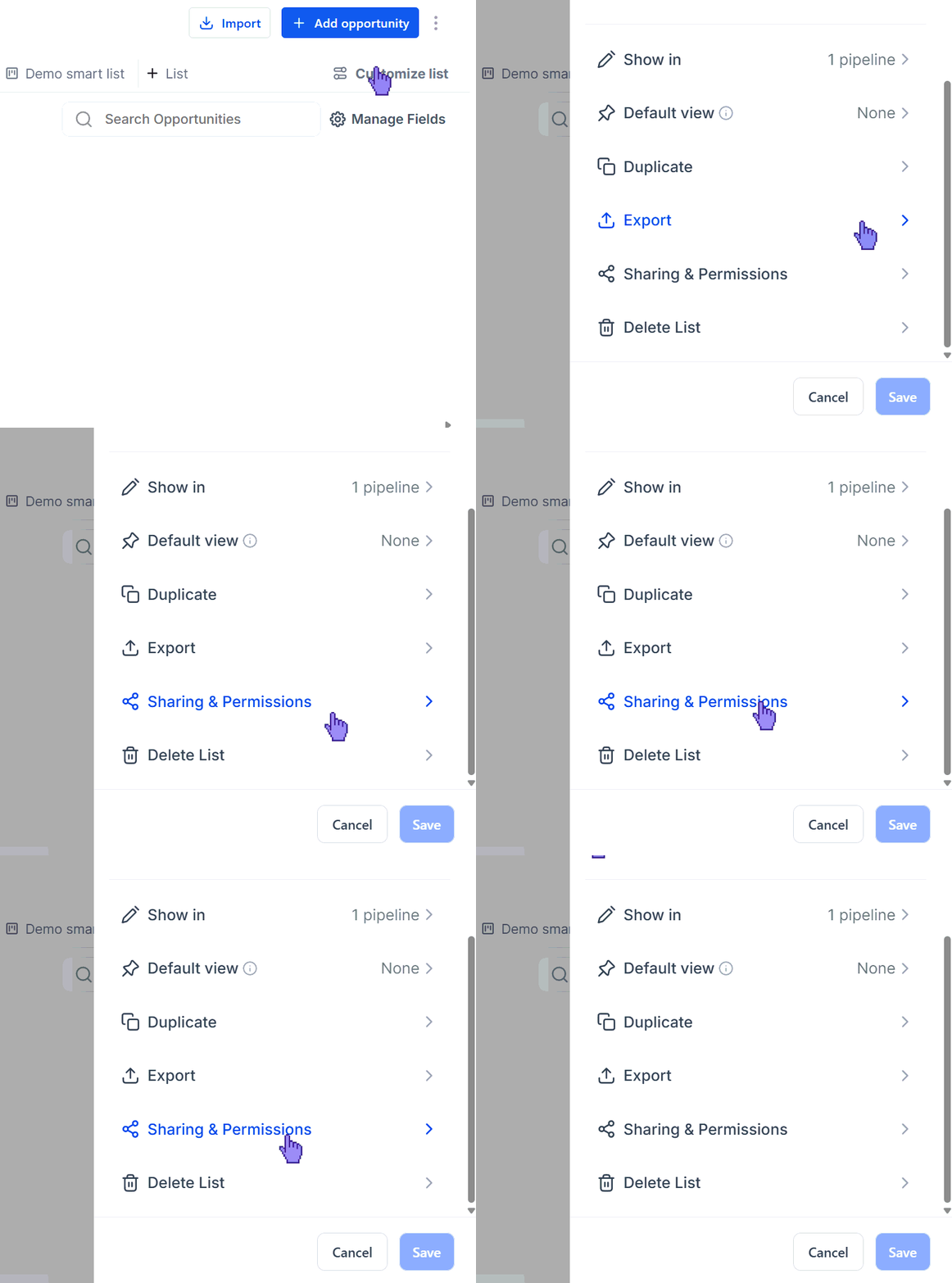
Click Customize list, then head to Sharing & Permissions to share it with other team members.
⭐️Why Is This Feature Beneficial To Your Company?
Simplified Set-Up: Reduces repetitive setup for teams working in Opportunities, making it easier to return to the exact views you use most.
Improved Prioritization: This helps standardize pipeline views across users by using the sharing options to add the important filtered views to your team’s toolbox.
Increased Organization: Gives admins better control over how opportunity views are organized and displayed, filtering out unnecessary noise.
This feature helps teams quickly switch between the opportunity views they use most, giving you all the comfort of Smart Lists you are used to from the Contacts views. We hope you enjoy it!
