Stay Up To Date
We believe in keeping you in the loop with all the latest happenings in our courses and system. On this page, you'll find a comprehensive log of all the exciting changes, improvements, and additions we make to our courses and system. Whether it's a new feature, a course enhancement, or a system update, we've got you covered. Bookmark this page and check back regularly. We're committed to ensuring that your learning experience remains exceptional and that you have all the information you need to succeed.

New Features

New Updates

Resources & Tools

Important Updates
Here are some of the most recent updates we thought would be helpful to take note of

New Feature: Multiple Meeting Durations in Calendars
Managing different calendars for small changes can quickly become overwhelming and cause conflicts, so for meetings that only vary in duration, we’ve added the option to configure up to three duration options to help you be more efficient and organized. Let’s learn how to access it!
⭐️ How To Set Multiple Meeting Durations?
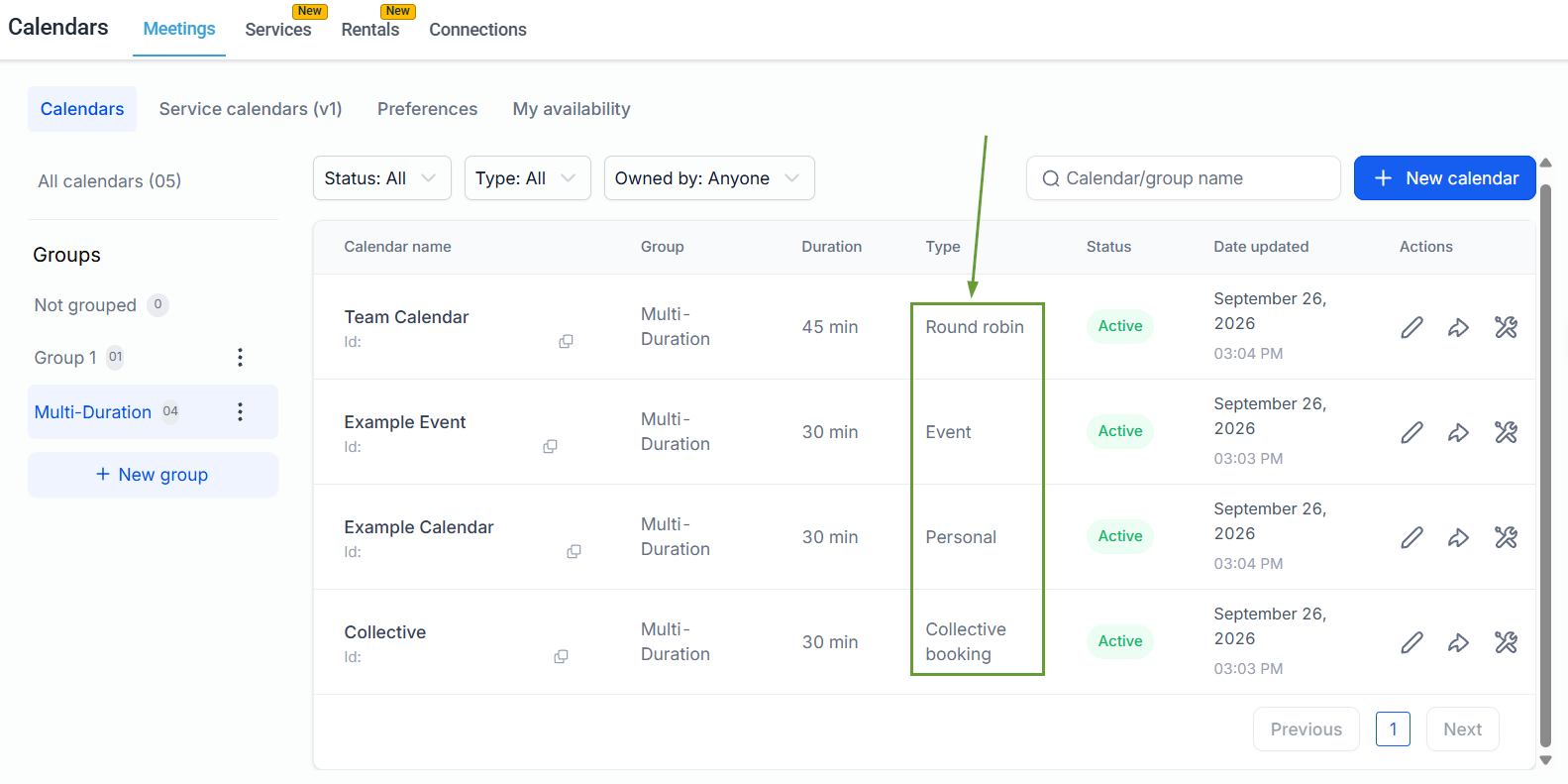
In your Calendar settings, create or edit a Personal, Round Robin, Collective, or Event Calendar.
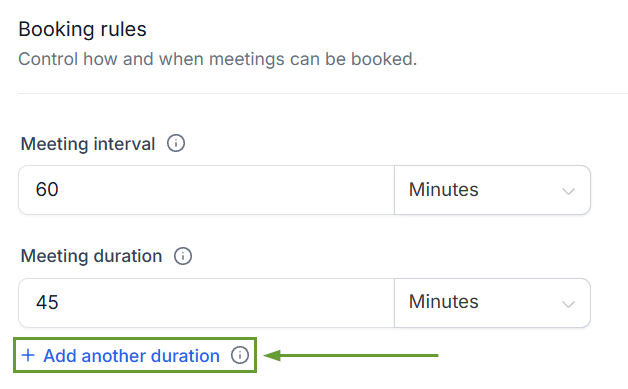
Click “+ Add another duration” to include up to 3 duration options.
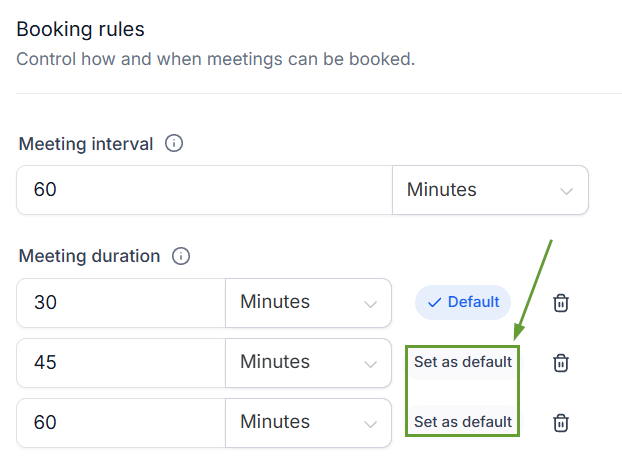
Choose which duration should be pre-selected for customers.
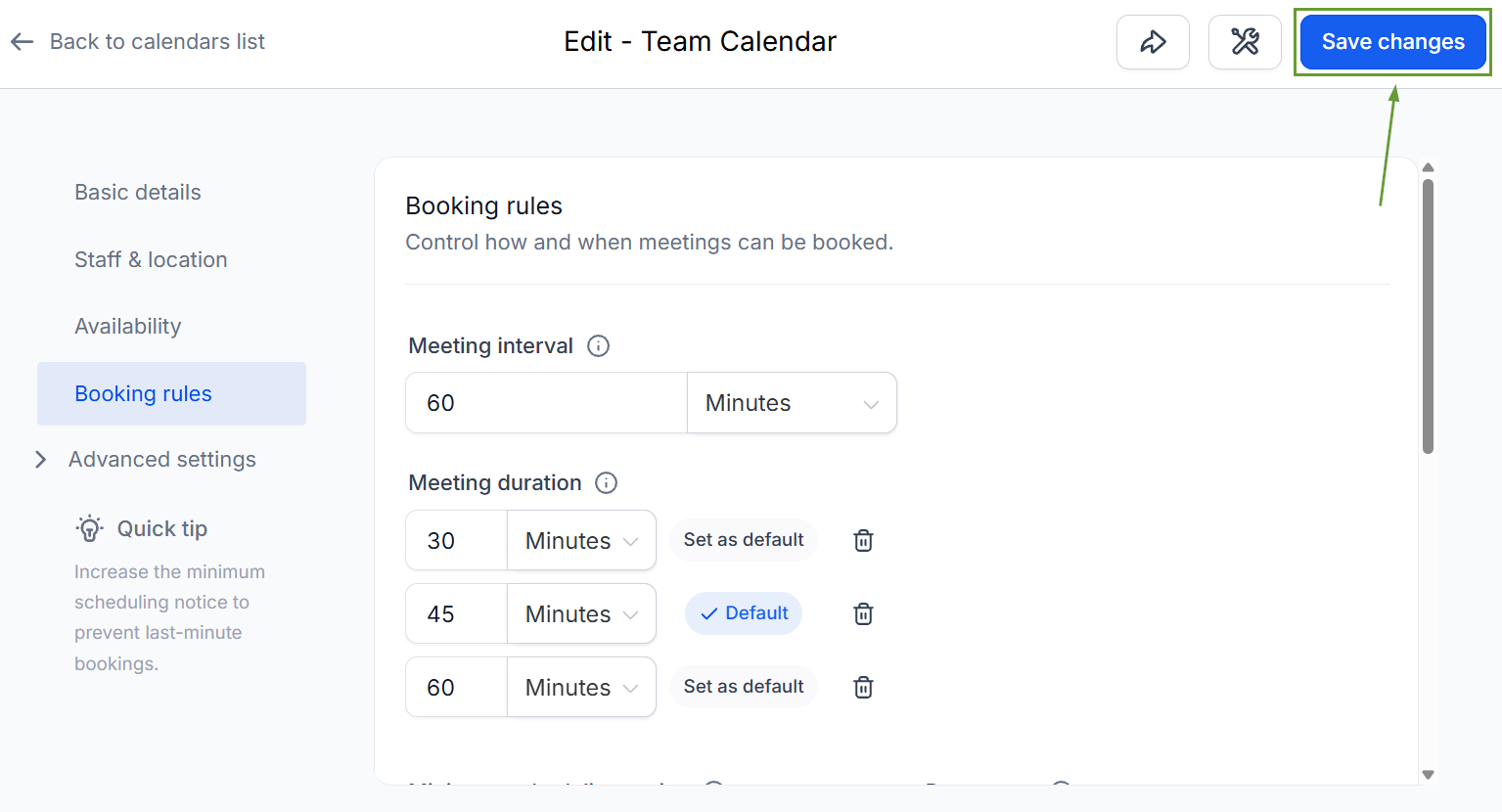
Click Save Changes in the top-right corner.
⭐️Why Is This Feature Beneficial To Your Company?
Selection Flexibility: Bookers can choose shorter slots for quick check-ins or longer slots for detailed planning, all from one link, matching the length to the task.
Responsive Modification Support: Selecting a different duration automatically refreshes availability, and changes to your calendar's duration options never modify or cancel existing appointments.
Rescheduling Management: The selected duration is also supported when rescheduling an appointment, allowing meeting length changes if time slots don’t suit the customer or aren’t available.
Using this feature, you can give clients and team members the flexibility to pick the time block they need without creating complex selections or cramming your system with calendars for the same meeting type. We hope you enjoy it!
