Stay Up To Date
We believe in keeping you in the loop with all the latest happenings in our courses and system. On this page, you'll find a comprehensive log of all the exciting changes, improvements, and additions we make to our courses and system. Whether it's a new feature, a course enhancement, or a system update, we've got you covered. Bookmark this page and check back regularly. We're committed to ensuring that your learning experience remains exceptional and that you have all the information you need to succeed.

New Features

New Updates

Resources & Tools

Important Updates
Here are some of the most recent updates we thought would be helpful to take note of

New Feature: "Me" Filter & Primary Contact Notes in Opportunities
We’ve rolled out two changes to the Opportunities section, making personal pipeline views easier to set up and giving you more context at a glance with the addition of a new filter and additional field. Let’s learn how to use them!
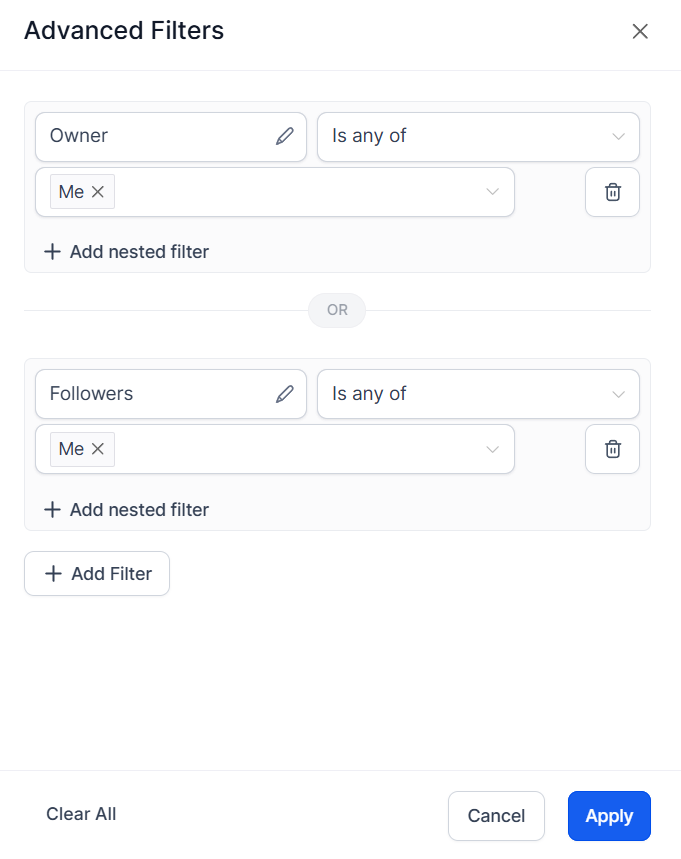
⭐️ How To Add The “Me” Filter?
Edit or create a pipeline.
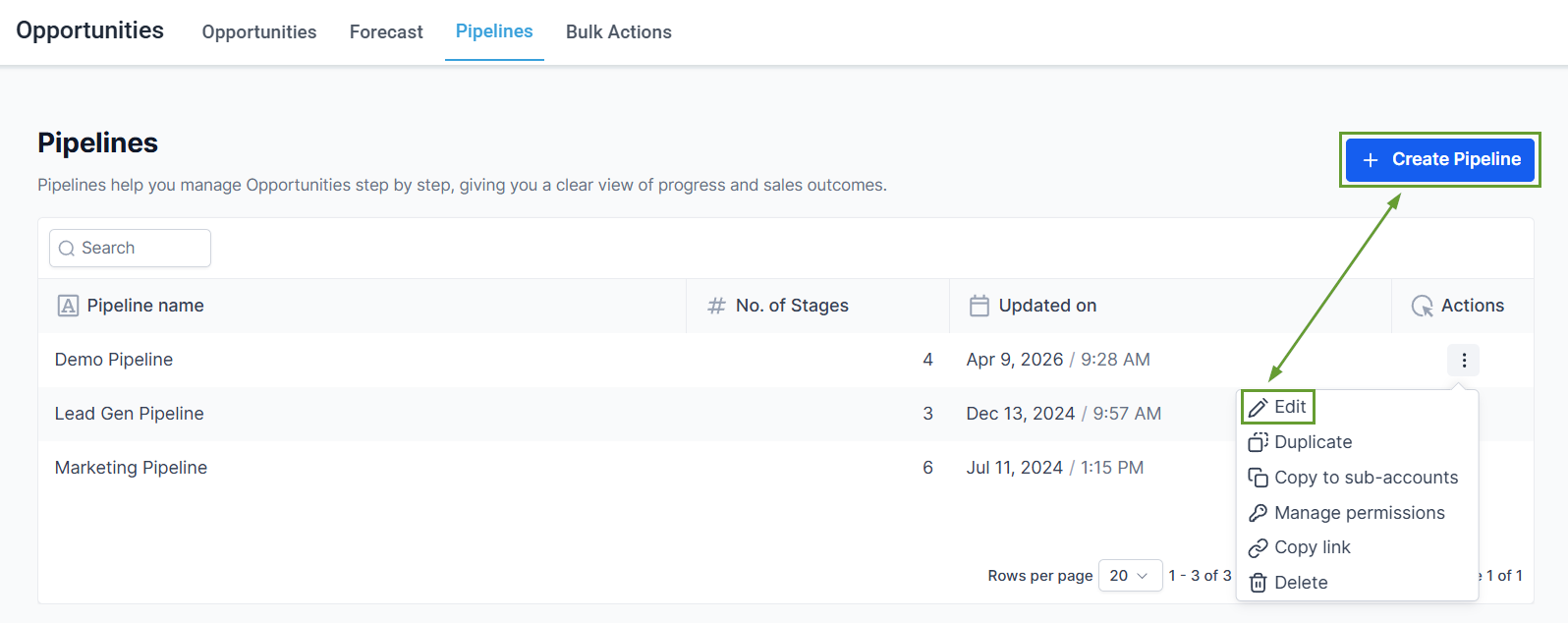
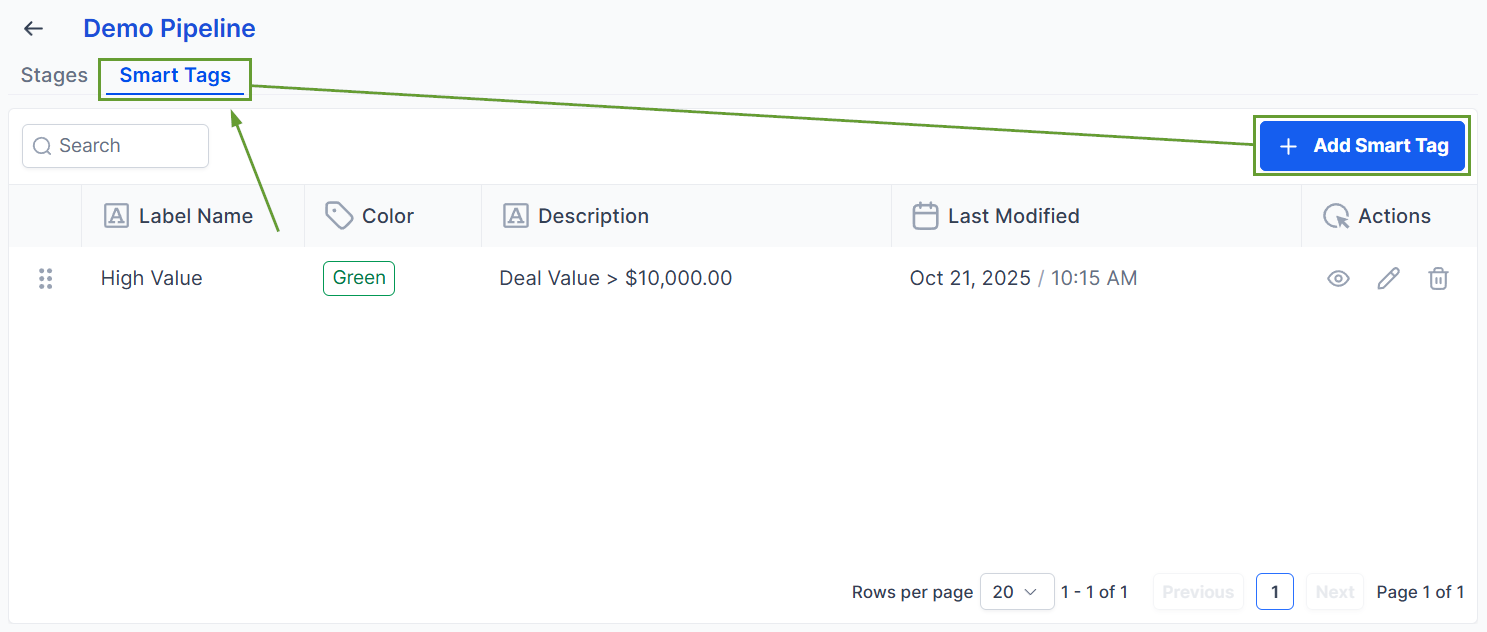
Head to the Smart tags section and click “Add Smart Tag.”
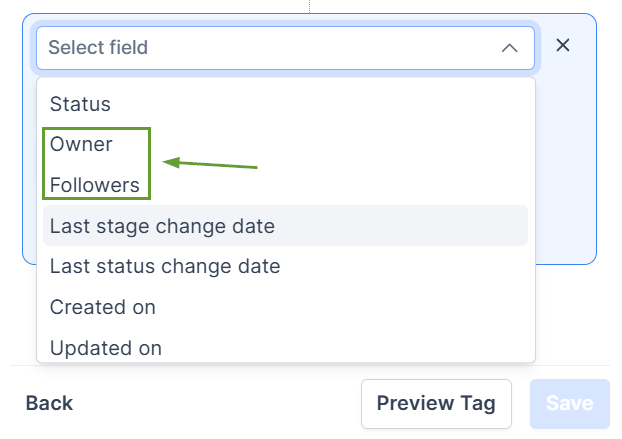
In the Add Rule section, select Owner or Follower.
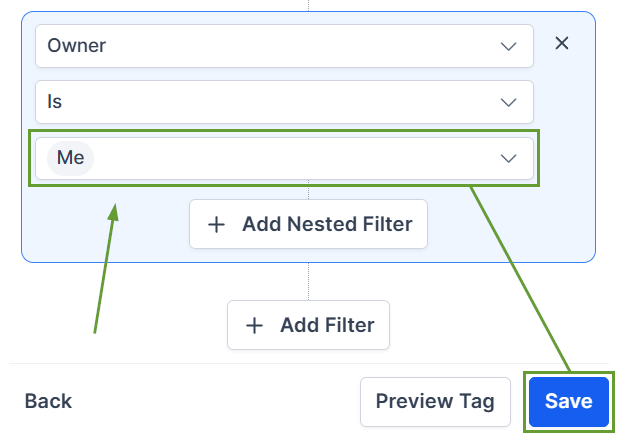
In the value dropdown, select “me,” then click save.
Alternatively, this can be added as a Smart List filter in the Opportunities section.
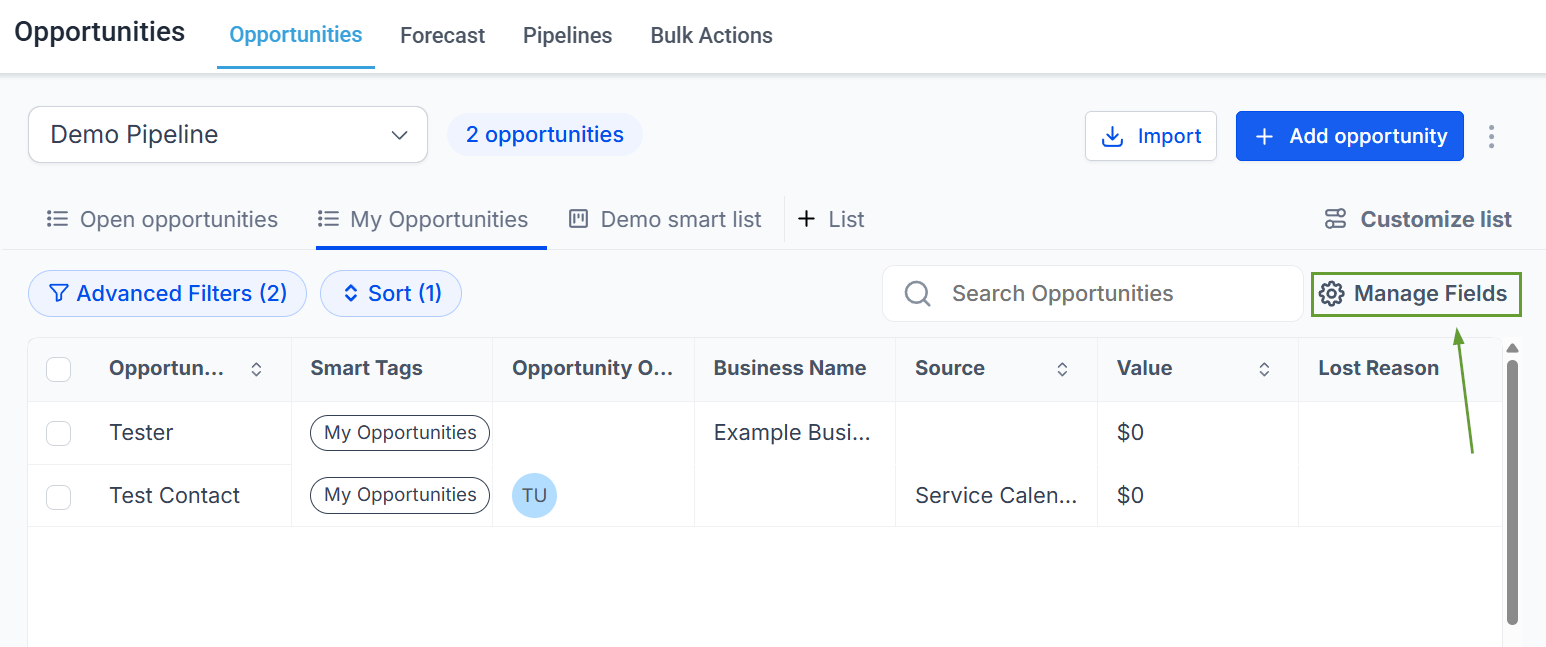
⭐️ How To View Primary Contact Notes?
Open Opportunities in List view and click Manage Fields.
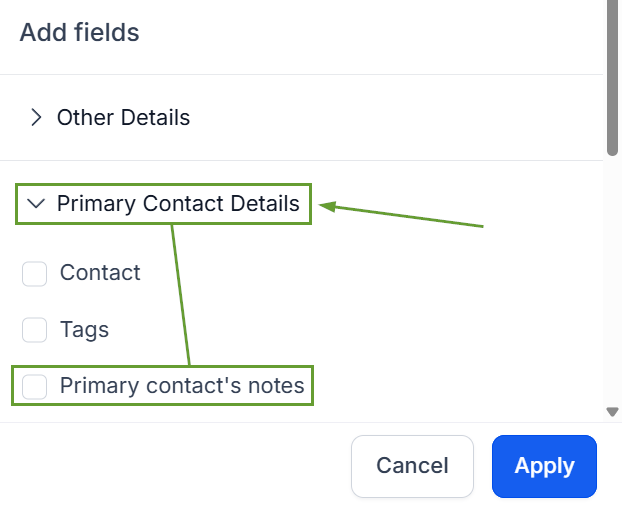
Toggle on Primary Contact Notes.
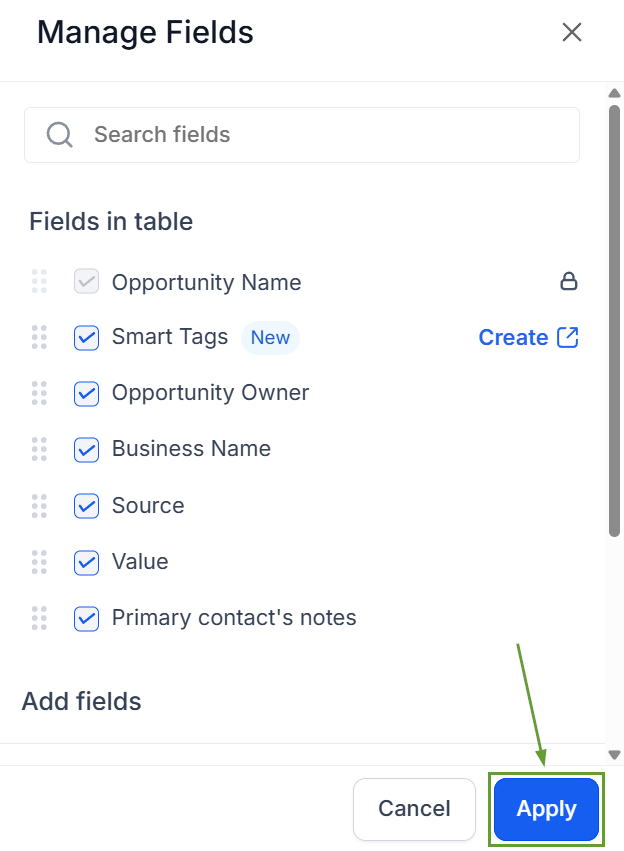
Click Apply to save your changes.
These updates remove the need to build a separate filter view per user, standardize "my opportunities" across the team with a single shared definition, and provide faster context for prep before calls and daily triage. We hope you enjoy it!
