Stay Up To Date
We believe in keeping you in the loop with all the latest happenings in our courses and system. On this page, you'll find a comprehensive log of all the exciting changes, improvements, and additions we make to our courses and system. Whether it's a new feature, a course enhancement, or a system update, we've got you covered. Bookmark this page and check back regularly. We're committed to ensuring that your learning experience remains exceptional and that you have all the information you need to succeed.

New Features

New Updates

Resources & Tools

Important Updates
Here are some of the most recent updates we thought would be helpful to take note of
Improved Feature: Increased Products Per Page Count in Product List Page
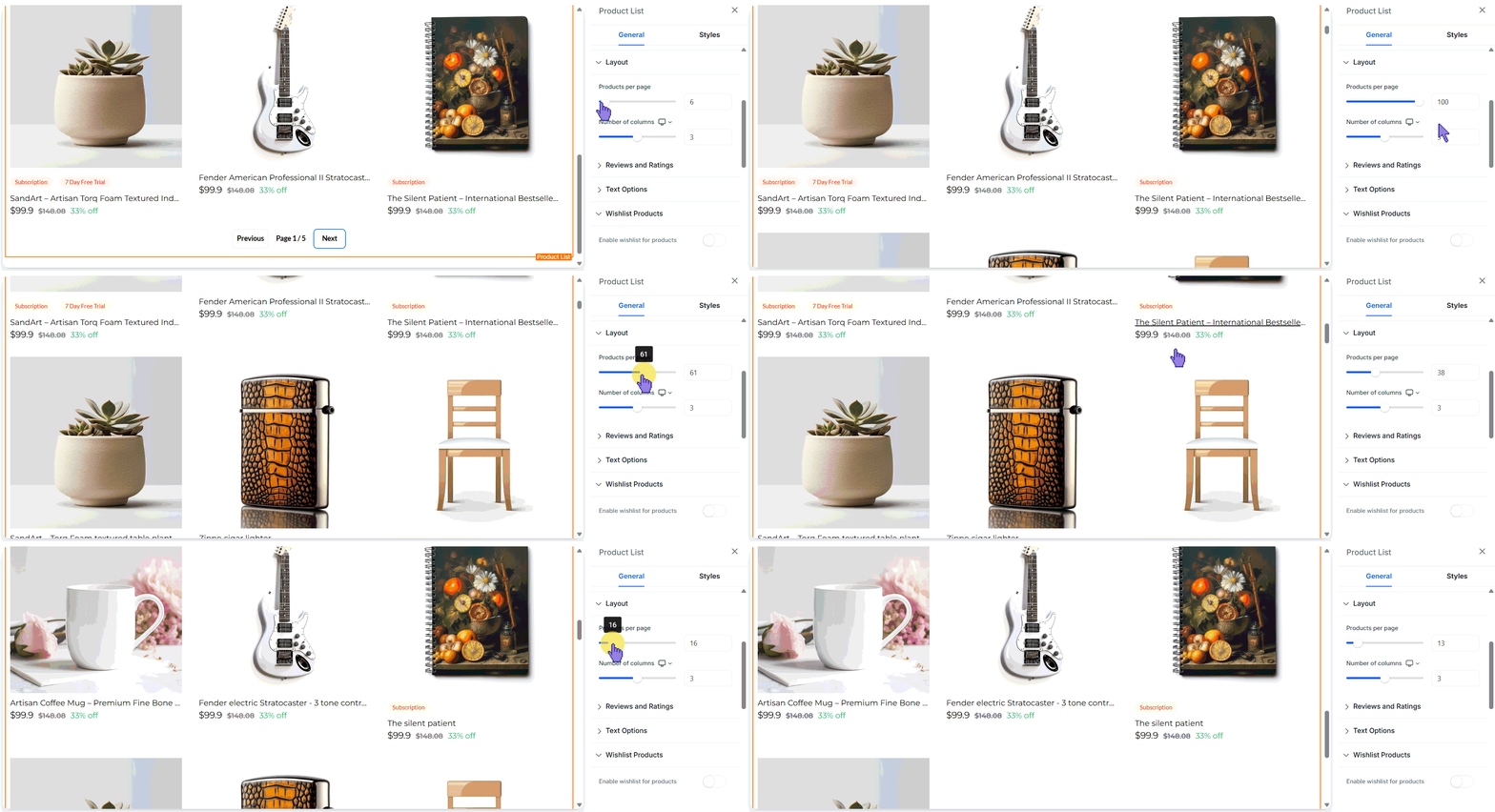
Your e-commerce stores help customers discover your products. However, when managing large product catalogs, you run the risk of creating friction with too many pages. So, we’ve enhanced the Product Listing Page, allowing you to list up to 100 products per page in your stores. Let's check how this update works!
⭐️How To Modify The Products Per Page Count?
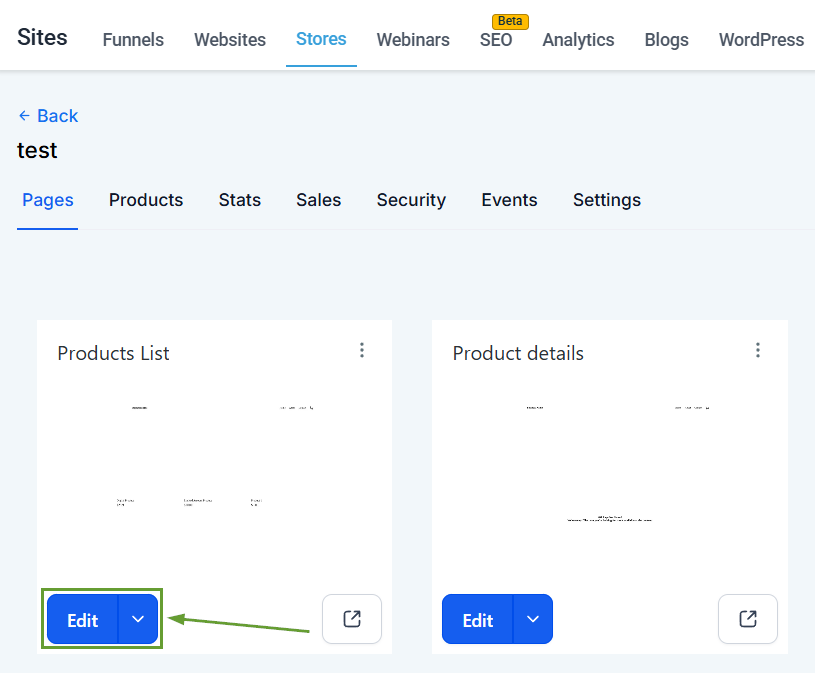
Access the Products List page of one of your stores inside Sites.
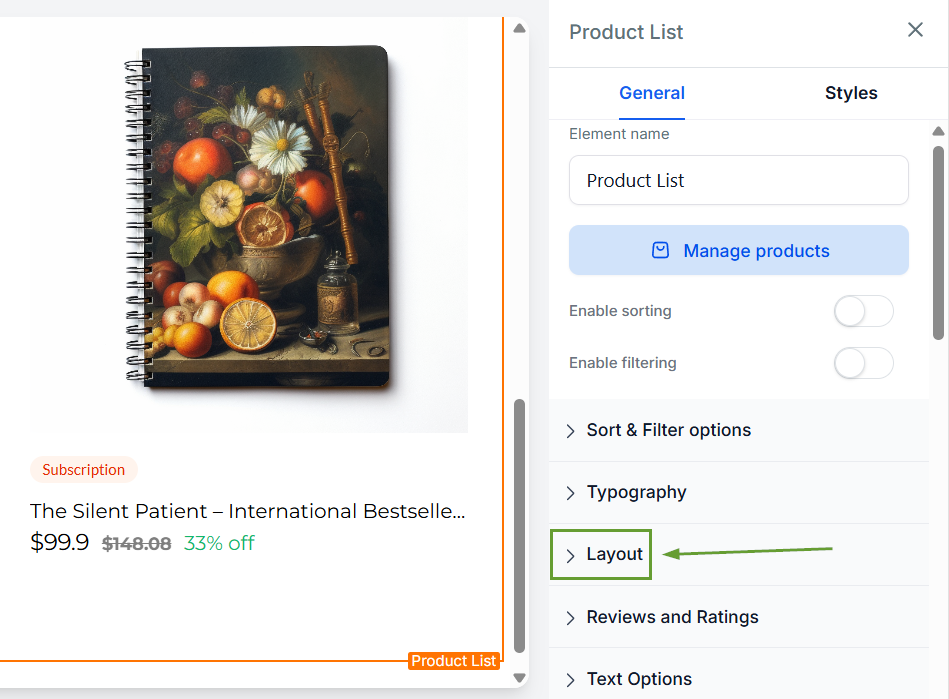
Click the Product List element to edit it and scroll to Layout.
Change the count of products per page via the slider.
Save and publish your changes once satisfied.
⭐️Why Is This Feature Beneficial To Your Company?
Reduced Pagination: This helps you better deal with large catalogs, increasing the product maximum from 24 to 100 products per page.
Product Discoverability: The lowered pagination creates a better navigation experience, especially for desktop users, leading to an increase in sales.
Improved Browsing: Minimize the number of pages your customers go through to find their perfect match.
Once set, the added flexibility will enhance the way you present your products, maintaining layout consistency for large catalogs to improve customer satisfaction and increase sales. We hope you enjoy it.
