Stay Up To Date
We believe in keeping you in the loop with all the latest happenings in our courses and system. On this page, you'll find a comprehensive log of all the exciting changes, improvements, and additions we make to our courses and system. Whether it's a new feature, a course enhancement, or a system update, we've got you covered. Bookmark this page and check back regularly. We're committed to ensuring that your learning experience remains exceptional and that you have all the information you need to succeed.

New Features

New Updates

Resources & Tools

Important Updates
Here are some of the most recent updates we thought would be helpful to take note of

Improved Feature: Guests in Calendars
Previously, guest details were limited to Name and Email, which could lead to communication failures, so we’ve enhanced guest management for calendars, giving businesses more flexibility over the information they collect from guests while improving guest contact data. Let’s learn how to use it!
⭐️ How To Manage Guest Data Collection?
Head to the Settings tab in the Calendars section and create or edit a calendar.
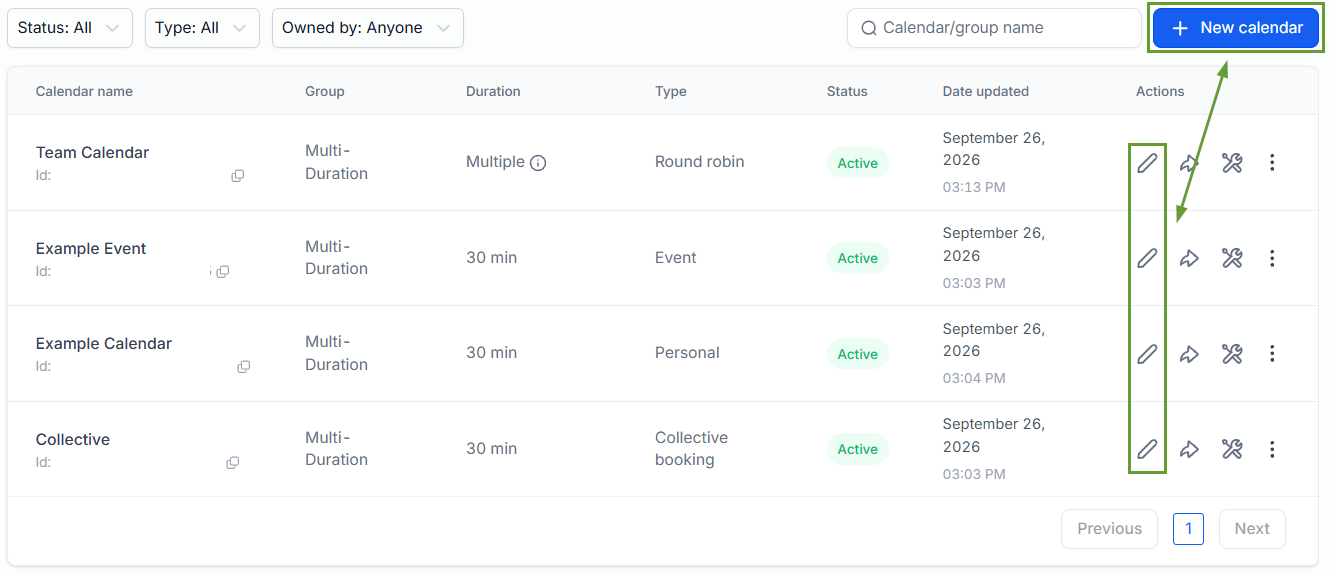
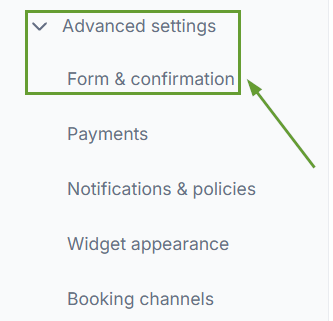
Open the advanced settings and head to the Form & Confirmation tab.
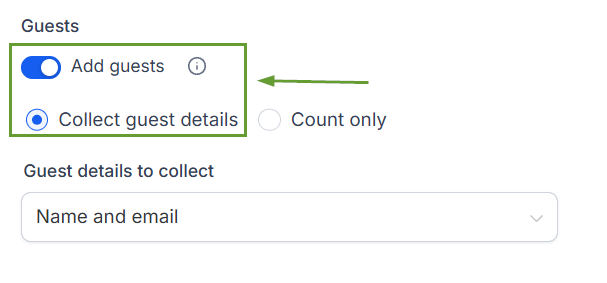
Enable the Add Guest option, then select Collect Guest details.
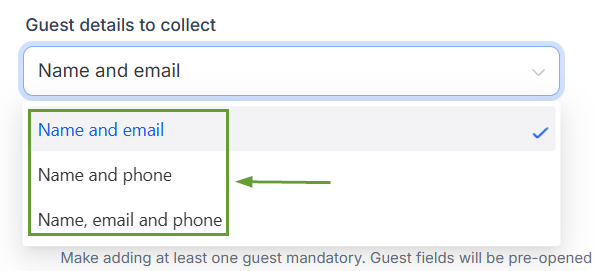
Select the details you want to collect and save your changes.
⭐️How Does This Affect Your Calendars?
Simplified Contact Creation: When guest details are collected, a contact file is automatically created or matched for each guest using their email or phone number.
Default Behaviour: For existing calendars, guest data collection will remain unchanged to maintain the booking experience. New calendars’ default will be Name, Email & Phone, helping you capture richer guest information from the start.
Accurate Guest Timezones: Guest contacts created during a booking will now inherit the primary contact’s timezone, and if the guest already exists as a contact, their existing timezone will remain unchanged.
These enhancements allow you to stay in control of the data collected while creating richer guest contact records with phone numbers when needed. Leading to improved contact with all attendees. We hope you enjoy it!
