Stay Up To Date
We believe in keeping you in the loop with all the latest happenings in our courses and system. On this page, you'll find a comprehensive log of all the exciting changes, improvements, and additions we make to our courses and system. Whether it's a new feature, a course enhancement, or a system update, we've got you covered. Bookmark this page and check back regularly. We're committed to ensuring that your learning experience remains exceptional and that you have all the information you need to succeed.

New Features

New Updates

Resources & Tools

Important Updates
Here are some of the most recent updates we thought would be helpful to take note of
Improved Feature: Community Group Settings
Not every community uses the same tabs, and default labels don't always match how a community talks about its sections. To help you tailor your community to your needs, we’ve added tab customization that shapes navigation and sections to your brand language. Let’s learn how it works!
⭐️ How To Modify Your Community Tabs?
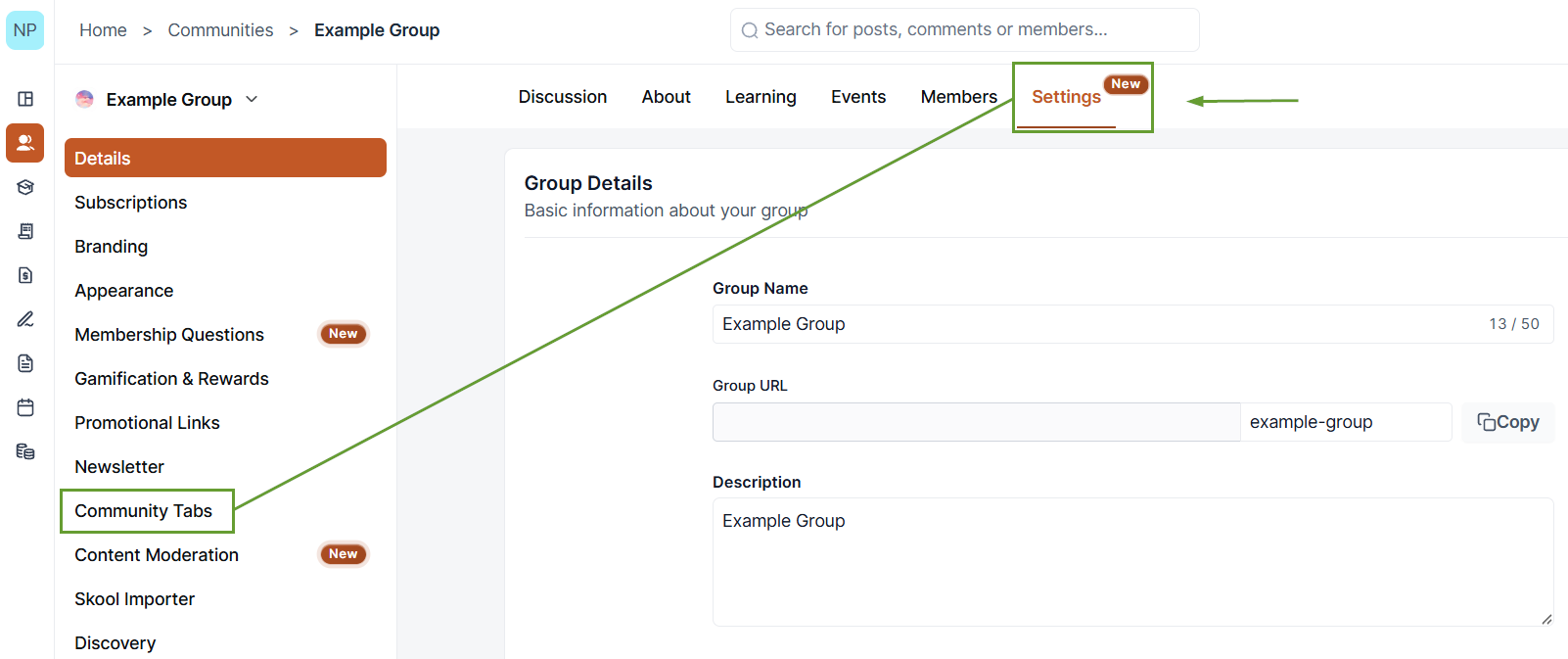
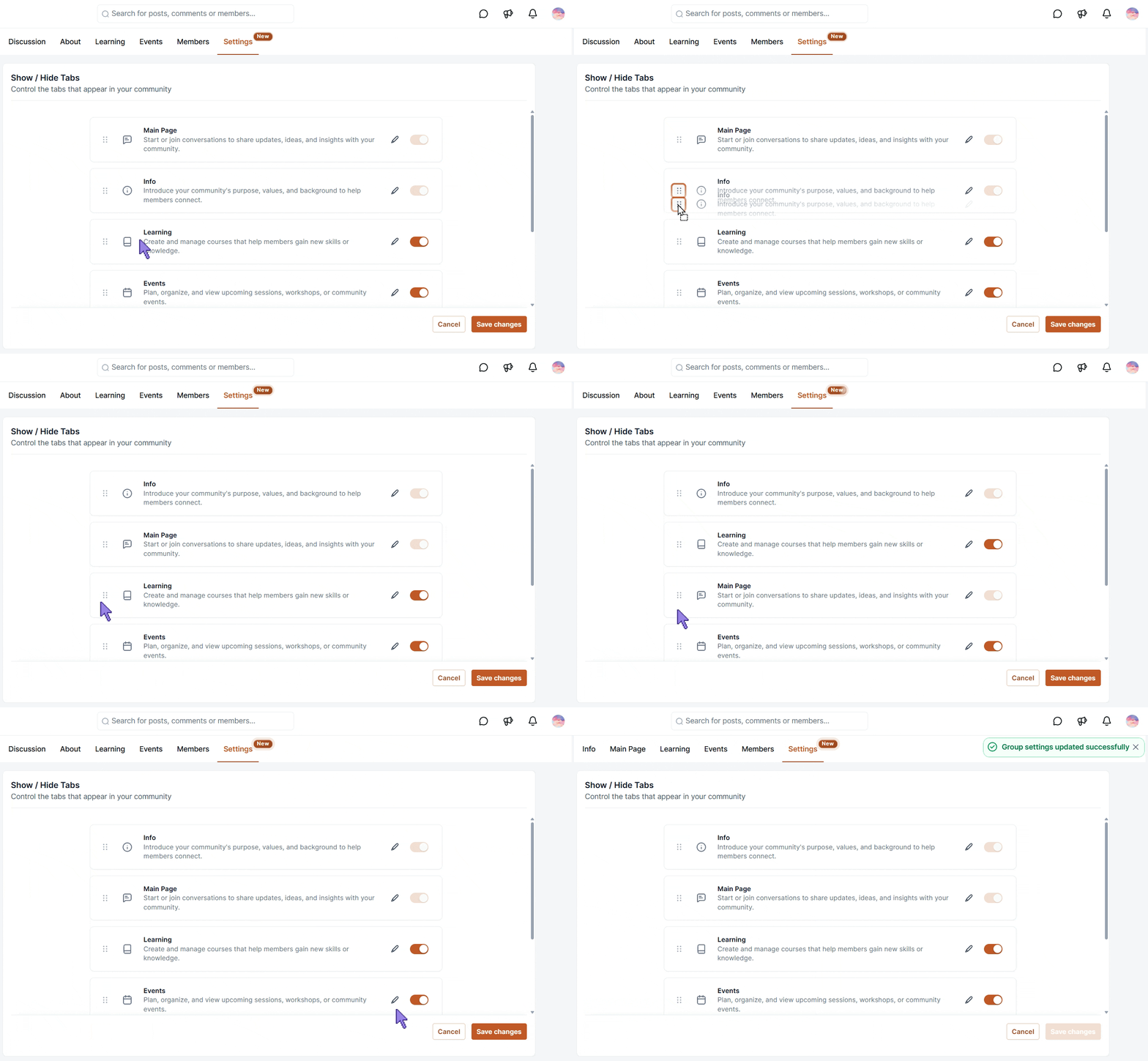
Head to the Settings section of your Community and select the Community Tabs option.
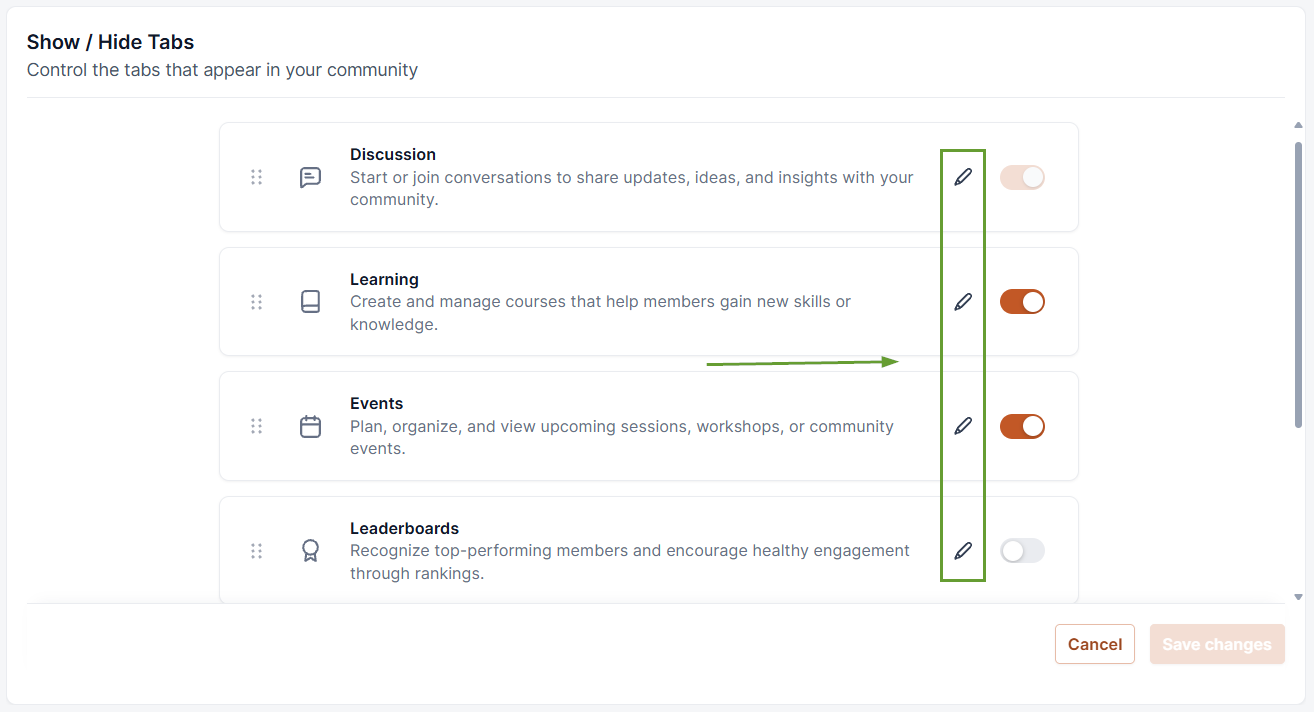
Click the pencil icon next to the tab you want to rename.
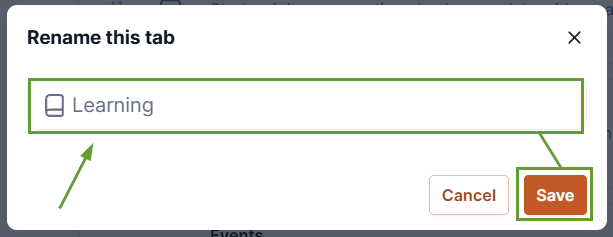
Enter the new name, then click Save.
Reorder your tabs if needed by dragging them into their desired position, then click Save changes.
⭐️Why Is This Feature Beneficial To Your Company?
Organic Naming: Rename sections to audience expectations and language, making the navigation experience feel fully integrated with your branding.
Tailor-Made Content: Remove sections you don’t need and reposition community tabs to control the order members see them, keeping the most important front and center.
Increased Clarity: Make the purpose of your communities immediately apparent to users, leading to targeted interactions and increased emotional connection.
Using this feature along with themes helps you create an elevated Community Groups experience that perfectly reflects your brand’s language, image, and culture. We hope you enjoy it!
