Stay Up To Date
We believe in keeping you in the loop with all the latest happenings in our courses and system. On this page, you'll find a comprehensive log of all the exciting changes, improvements, and additions we make to our courses and system. Whether it's a new feature, a course enhancement, or a system update, we've got you covered. Bookmark this page and check back regularly. We're committed to ensuring that your learning experience remains exceptional and that you have all the information you need to succeed.

New Features

New Updates

Resources & Tools

Important Updates
Here are some of the most recent updates we thought would be helpful to take note of
New Feature: Funnels Available in Courses
Adding dynamic elements and call-to-actions to your courses is the best way to convert a learner into a customer, getting them to upgrade their services and keeping them interested. And what better way to do it than funnels? Let’s learn how to use existing funnels as a seamless conversion tool for your courses!
⭐️ How To Add Funnel Pages To Your Course Content?
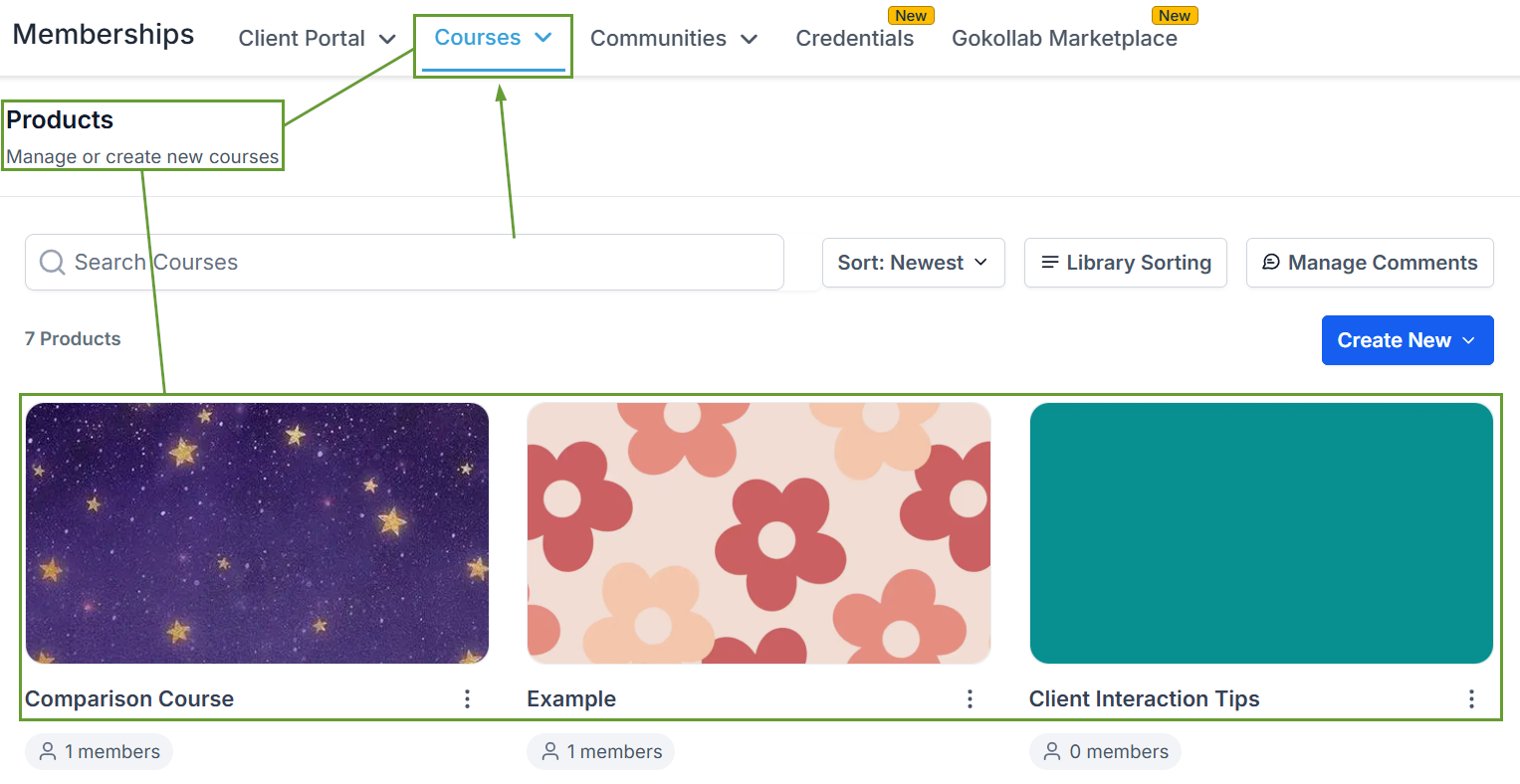
Head to the Product Courses tab inside the memberships section and select the course you want to edit.
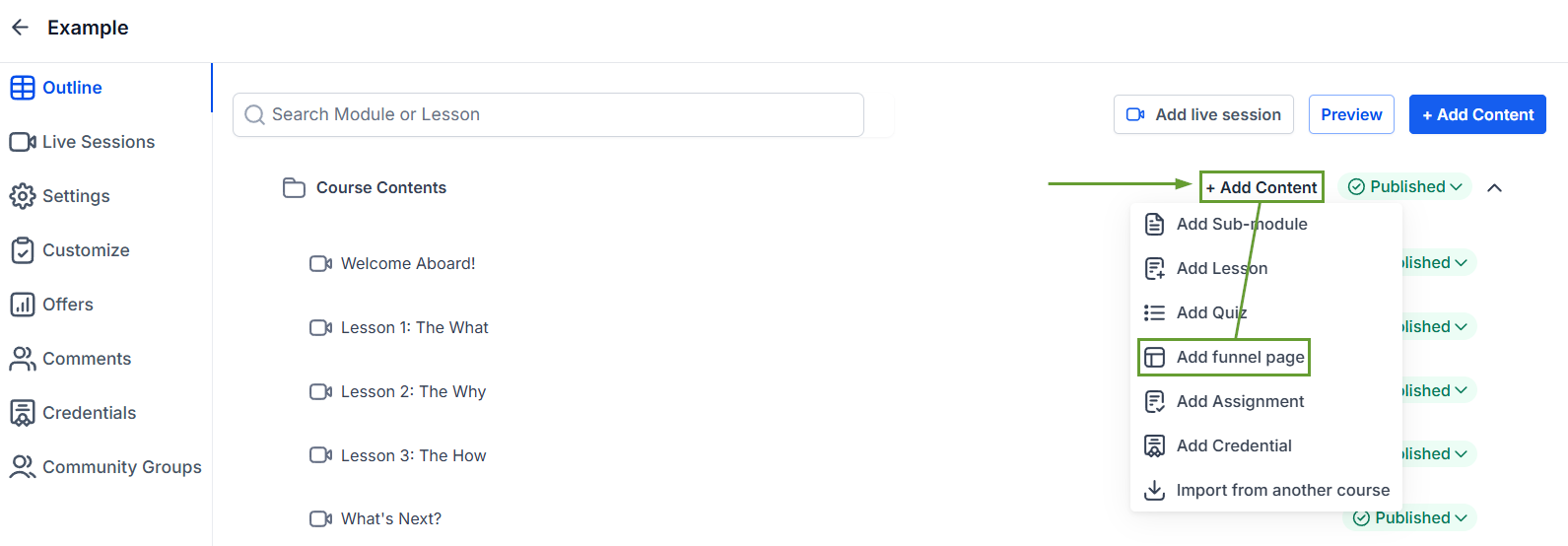
Click “+ Add Content” then select Add Funnel Page.
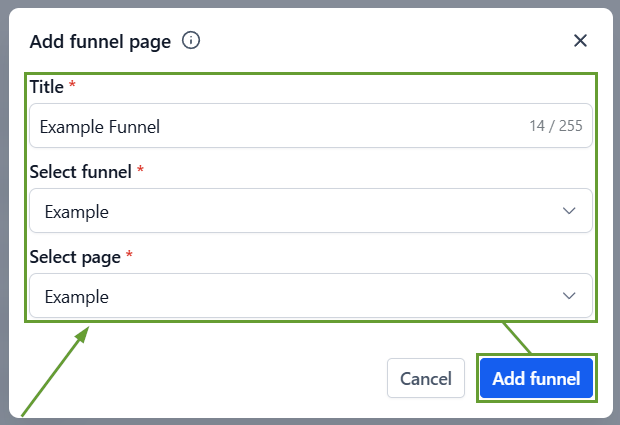
Enter a Title, select the funnel and the specific page you want to add, then click “Add Funnel.”
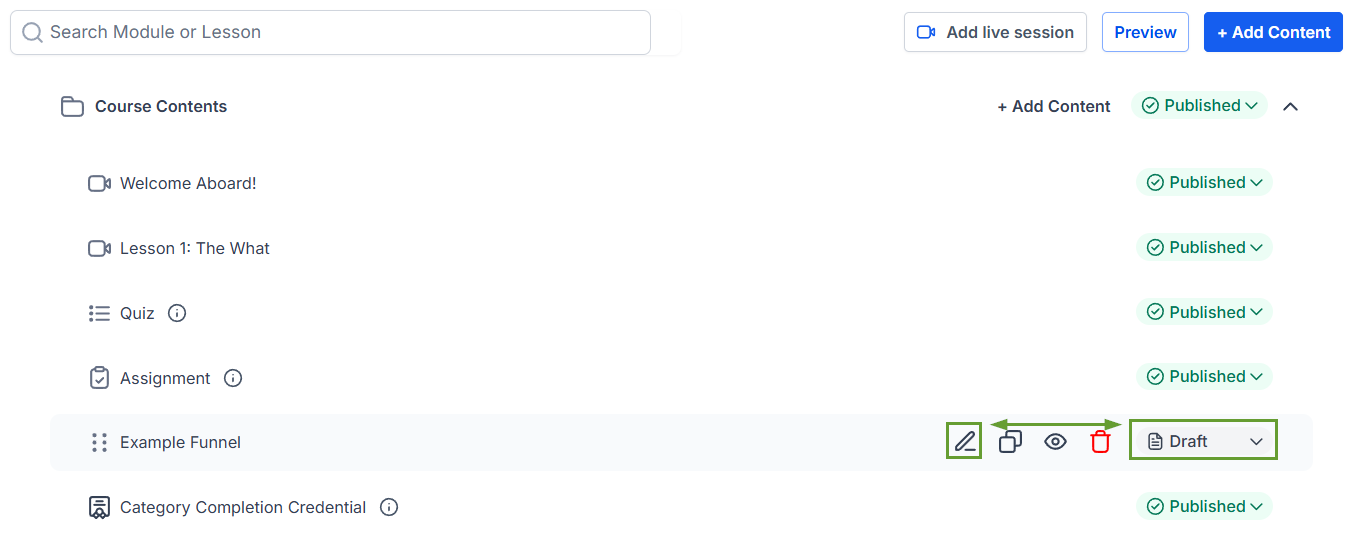
Once added, you can click the pencil icon to edit the funnel page and its details or switch the status to Published and make it accessible to learners.
⭐️Why Is This Feature Beneficial To Your Company?
Integrated Experience: Funnels render seamlessly within the course player, ensuring smooth interaction without disrupting the learning flow and allowing direct customization for clear previews.
Streamlined Course Creation: This reduces manual effort when building similar courses by allowing you to add interactive funnel pages to combine learning with actionable, guided journeys.
Automated Revenue Drive: Connect marketing workflows with course experiences to drive conversions with upsells, offers, and lead capture directly inside courses.
The funnels behave just like any other content type, helping you bridge the gap between learning and action. And making it easier than ever to educate, engage, and convert users within a single, seamless experience. We hope you enjoy it!
