Stay Up To Date
We believe in keeping you in the loop with all the latest happenings in our courses and system. On this page, you'll find a comprehensive log of all the exciting changes, improvements, and additions we make to our courses and system. Whether it's a new feature, a course enhancement, or a system update, we've got you covered. Bookmark this page and check back regularly. We're committed to ensuring that your learning experience remains exceptional and that you have all the information you need to succeed.

New Features

New Updates

Resources & Tools

Important Updates
Here are some of the most recent updates we thought would be helpful to take note of

New Feature: Export Email Marketing Data
Email performance data helps you shape your marketing efficiently. However, managing this data externally or sharing it with partners was complicated and time-consuming. So, we’ve added a direct exporting option. Let's learn how to use it!
⭐️How To Export Email Marketing Data?
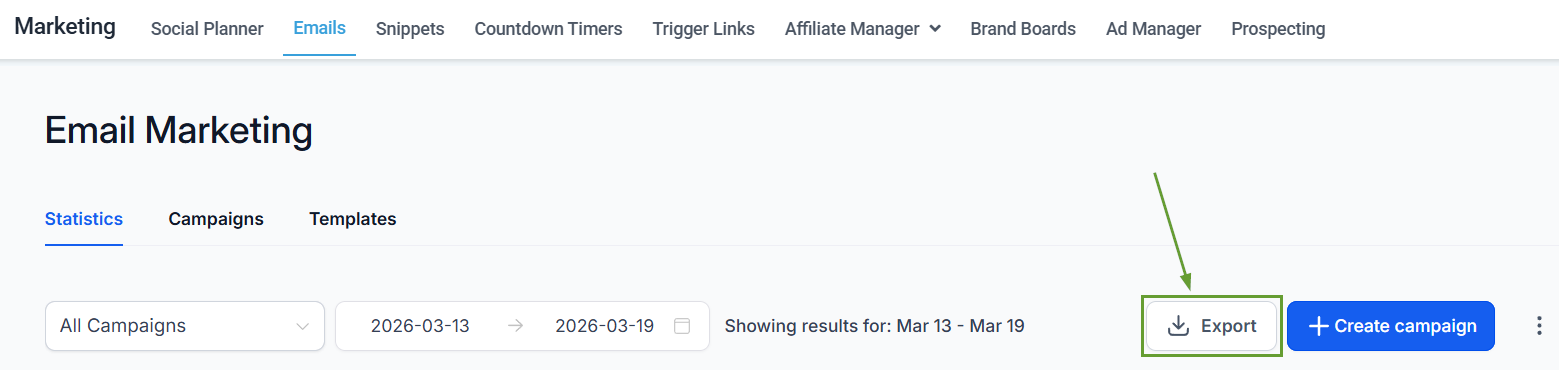
Start by heading to the Emails tab inside the Marketing section, and click Export inside the Statistics branch.
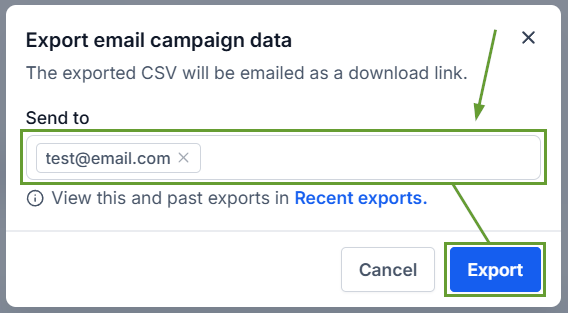
Add the email address(es) where you want to receive the file, hit enter, and click Export.
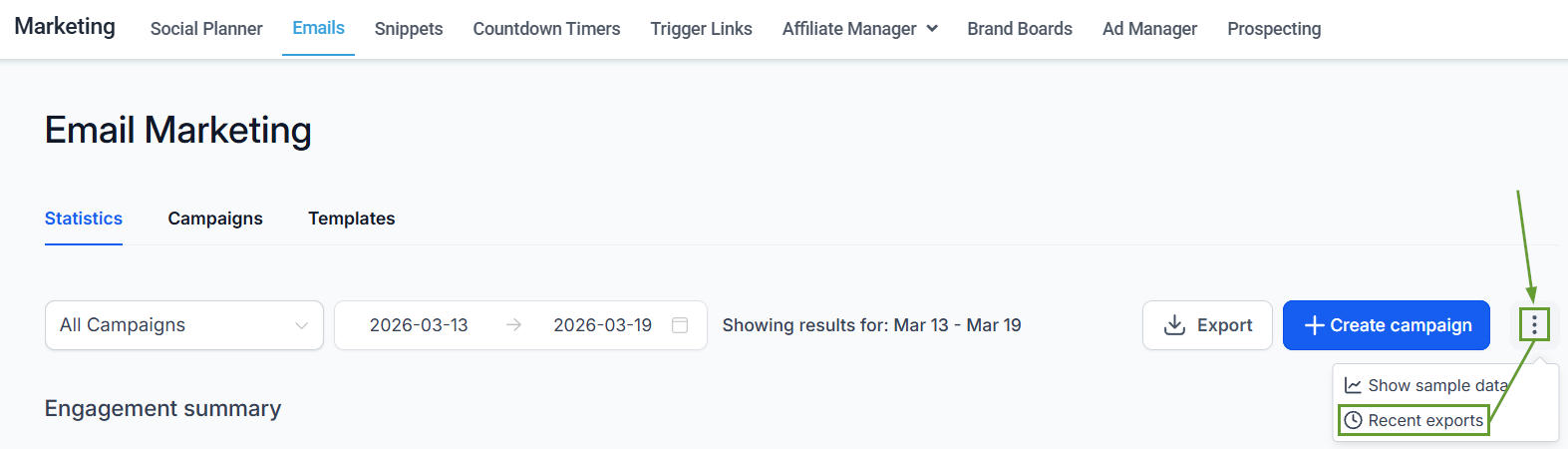
To access past exports, click the three-dot icon and then select Recent exports.
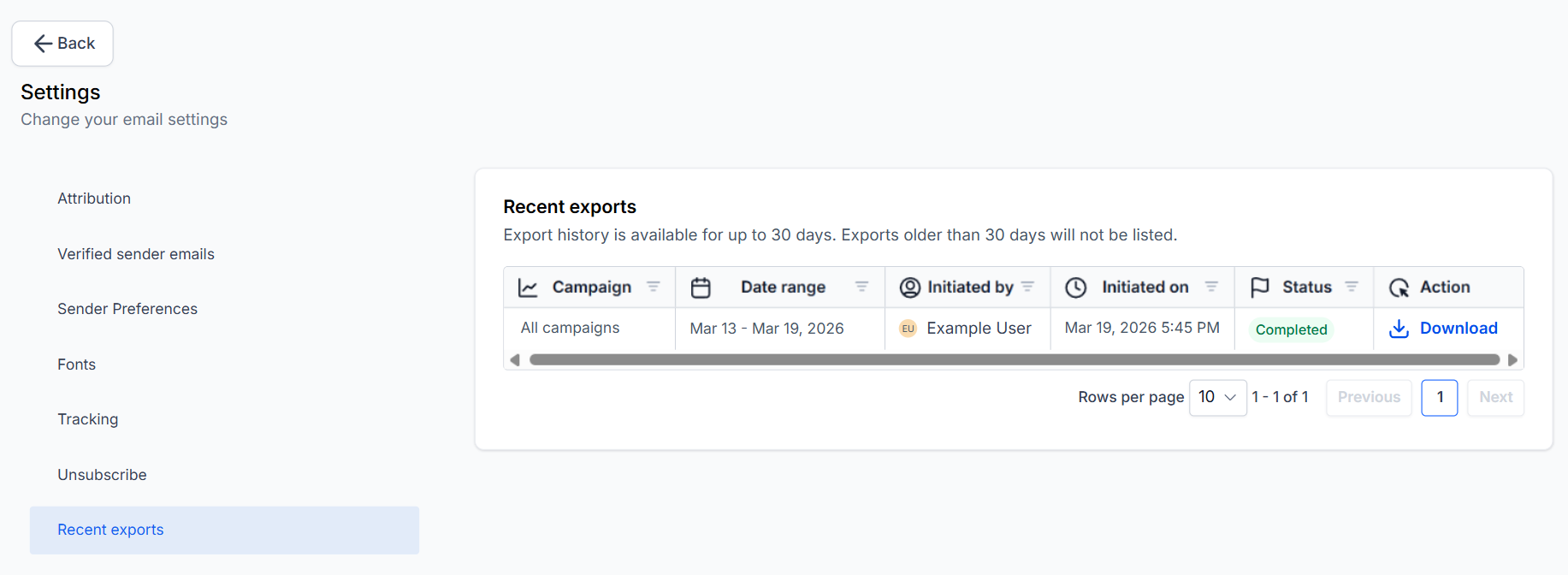
All exports done in the last 30 days will be available for redownload in this section.
⭐️Why Is This Feature Beneficial To Your Company?
Improved Data Management: Simplifies performance analysis across campaigns and workflows since all exports include key performance metrics such as deliveries, opens, and clicks.
Simplified Sharing: The exported CSV is sent via email as a secure download link, valid for 30 days, making it easy to access and share.
Targeted Reporting: You can generate reports for all campaigns or limit the data to email campaigns, Workflows at an individual email action level, or bulk actions only.
Improve your campaign performance and increase your marketing’s reach, helping you easily access and share your metrics with the rest of your team as a CSV file. We hope you enjoy it!
