Stay Up To Date
We believe in keeping you in the loop with all the latest happenings in our courses and system. On this page, you'll find a comprehensive log of all the exciting changes, improvements, and additions we make to our courses and system. Whether it's a new feature, a course enhancement, or a system update, we've got you covered. Bookmark this page and check back regularly. We're committed to ensuring that your learning experience remains exceptional and that you have all the information you need to succeed.

New Features

New Updates

Resources & Tools

Important Updates
Here are some of the most recent updates we thought would be helpful to take note of
New Feature: Events in Memberships
Whether you're hosting a conference, holding a customer meet-up, or running any other type of event, managing the entire lifecycle in your CRM will help you meet expectations. This new section lets you do exactly that. Let’s learn how to use it!
⭐️ How To Create an Event in Memberships?
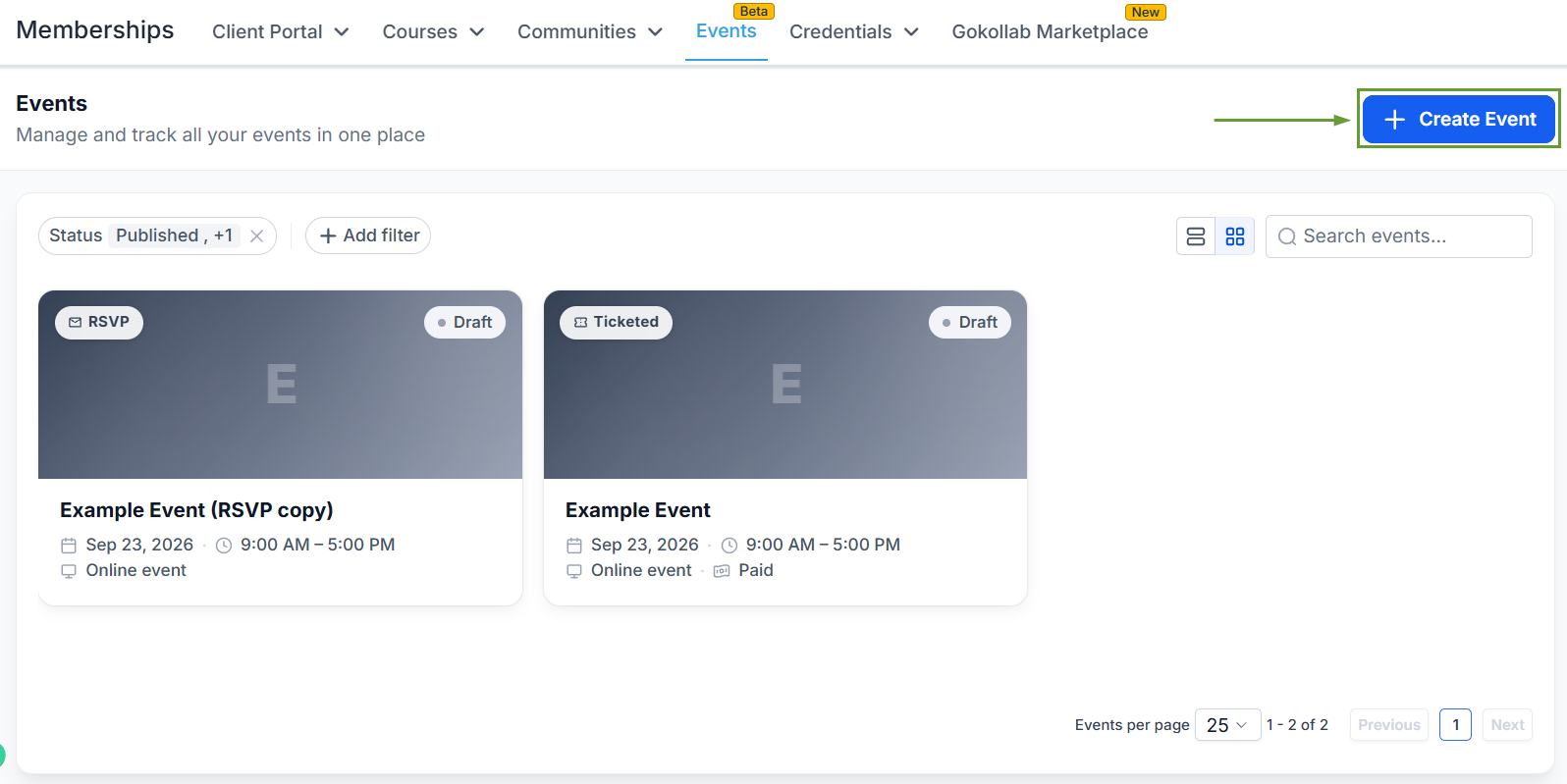
Head to the Events tab in the Memberships section and click “+ Create Event.”
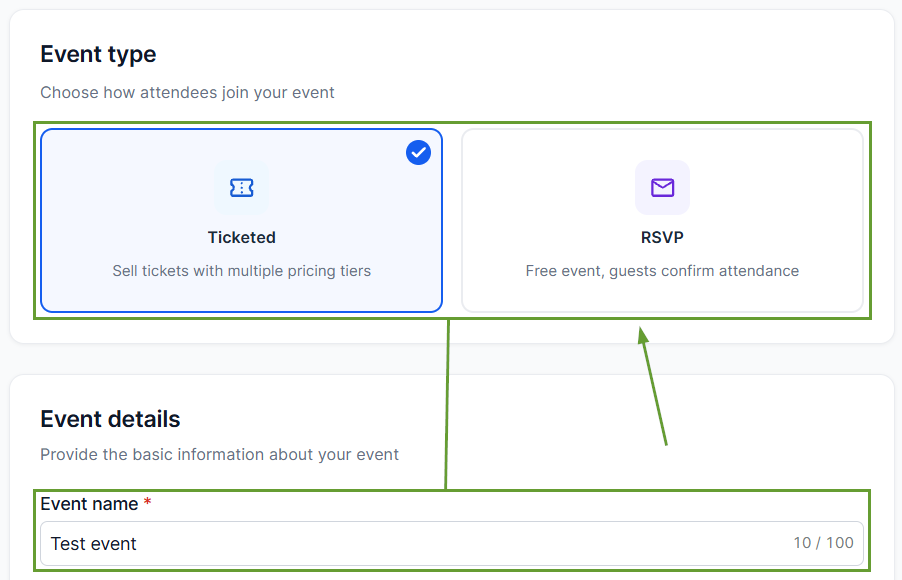
Select whether the event will be paid or free with just a reservation, then enter the event’s name.
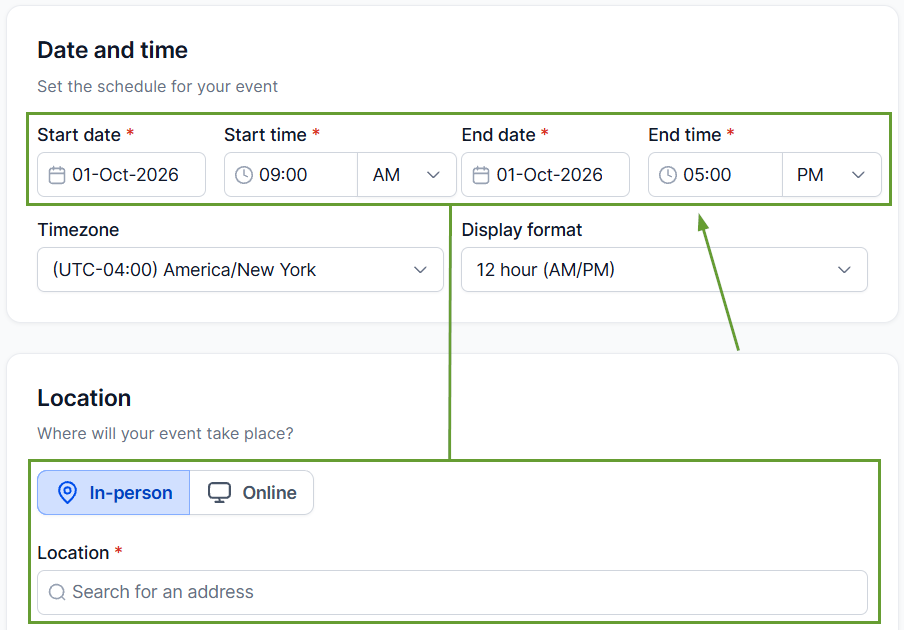
Set the schedule and location for your event.
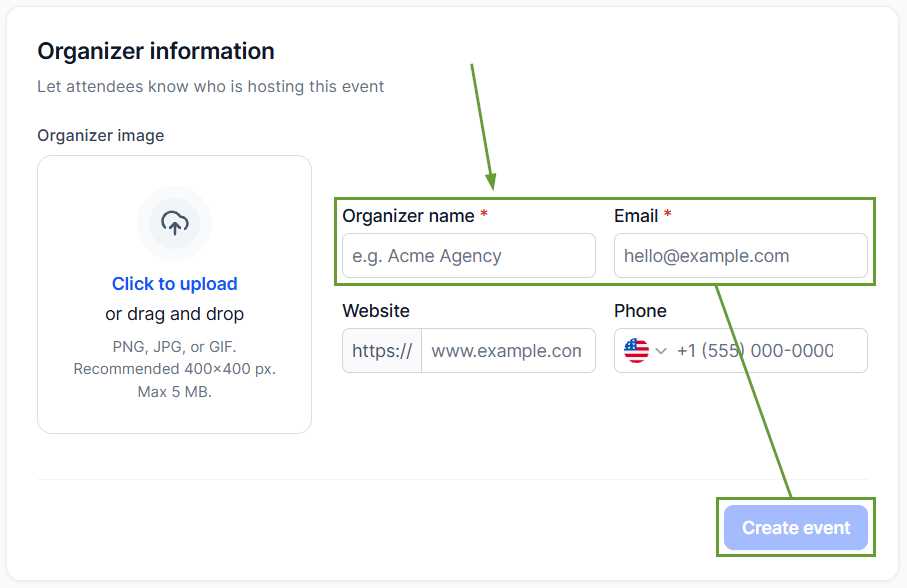
Enter the organizer information, then click Create Event.
⭐️Why Is This Feature Beneficial To Your Company?
Branded Event Experiences: Create customizable event pages for event details, schedules, and registration with full control over page sections, layouts, and styling.
Ticketing & Registration: Create multiple free and paid ticket types with pricing, inventory, and sales windows that collect attendee information and support coupon codes and add-ons for paid tickets.
Workflow Connection: Trigger automations when attendees register or check in, and build workflow branches using event, ticket, and check-in information to automate communication.
Build confirmations, reminders, post-event follow-ups, nurture campaigns, and CRM journeys for your events, helping you be the great host you were always meant to be. We hope you enjoy it!
