Stay Up To Date
We believe in keeping you in the loop with all the latest happenings in our courses and system. On this page, you'll find a comprehensive log of all the exciting changes, improvements, and additions we make to our courses and system. Whether it's a new feature, a course enhancement, or a system update, we've got you covered. Bookmark this page and check back regularly. We're committed to ensuring that your learning experience remains exceptional and that you have all the information you need to succeed.

New Features

New Updates

Resources & Tools

Important Updates
Here are some of the most recent updates we thought would be helpful to take note of

Improved Feature: Custom Fields in Membership Questions
Community questions help you collect important information during onboarding. Now, you can sync these responses to the corresponding CRM contact record and collect data using already created Custom Fields. Let’s learn how to add them!
⭐️ How To Add Custom Fields in Membership Questions?
Access your desired group, then open your Community Settings.
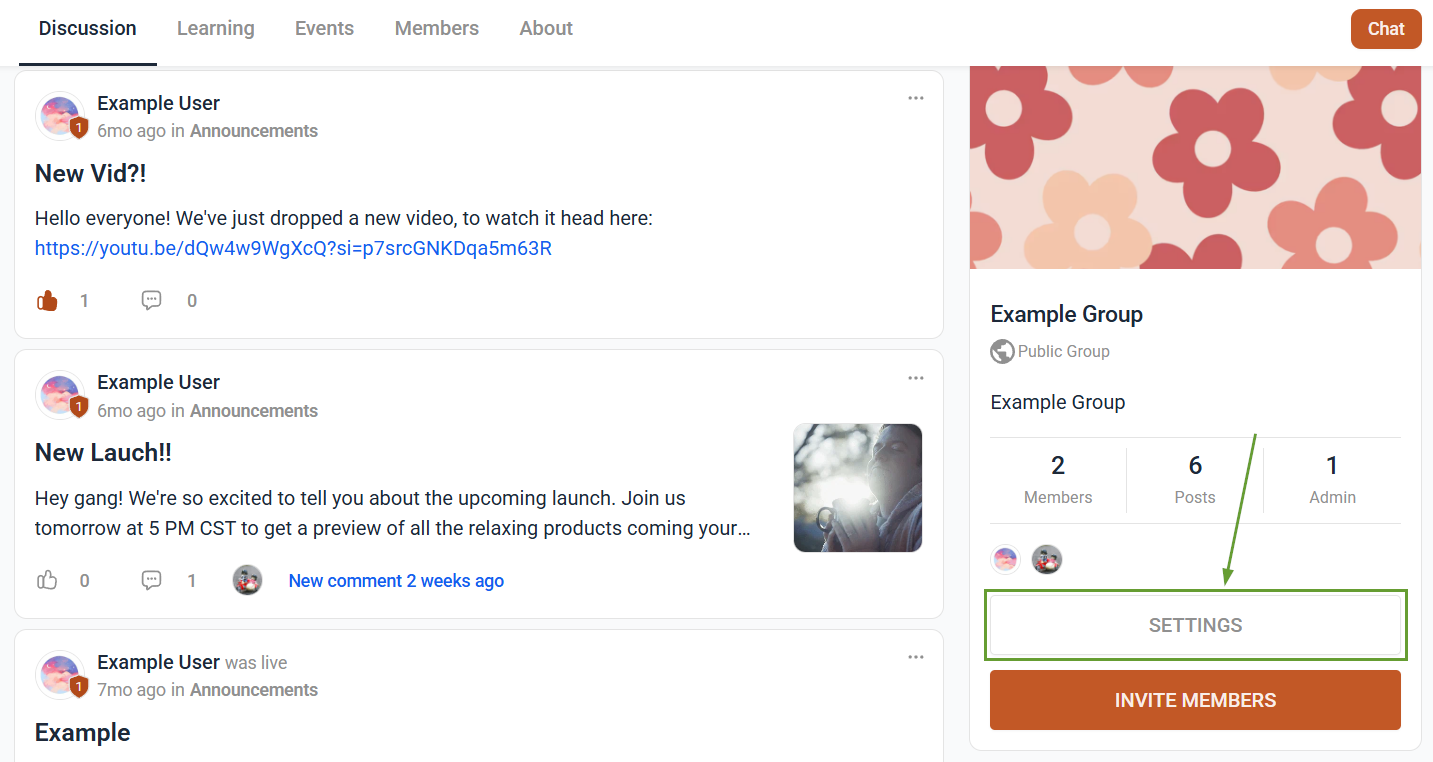
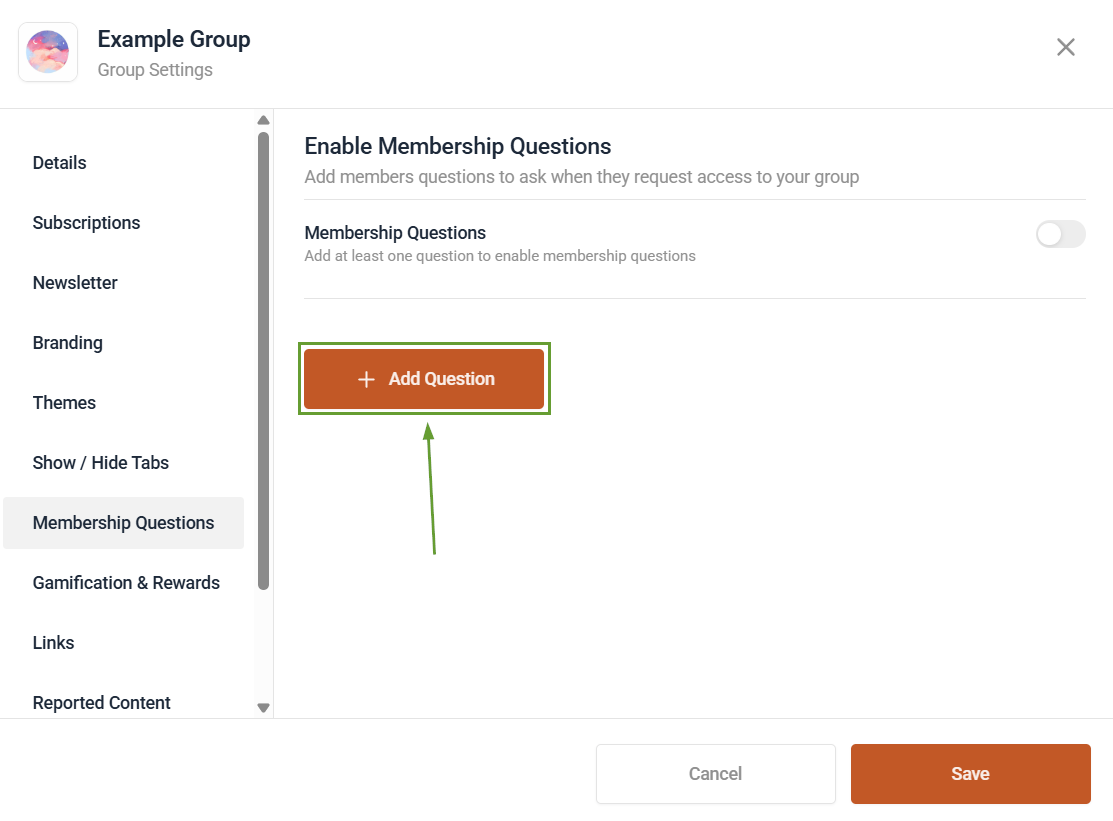
Navigate to Membership Questions, and click Add Question.
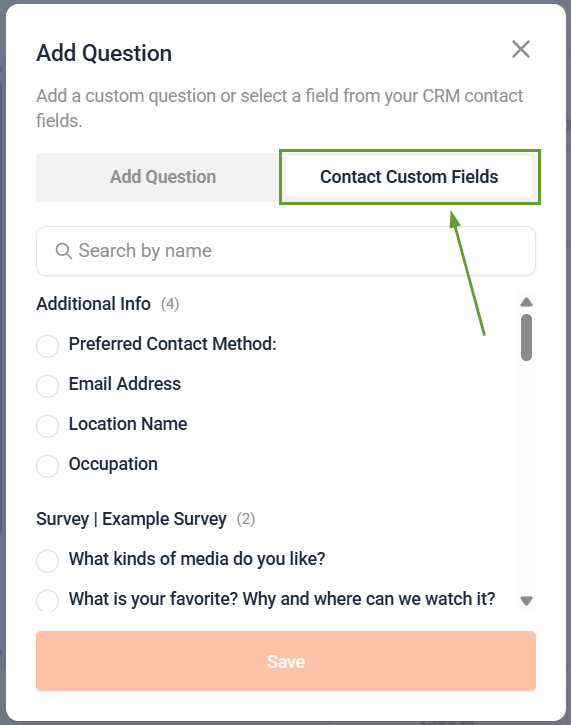
Select the Custom Fields tab and choose the CRM custom field you want to use.
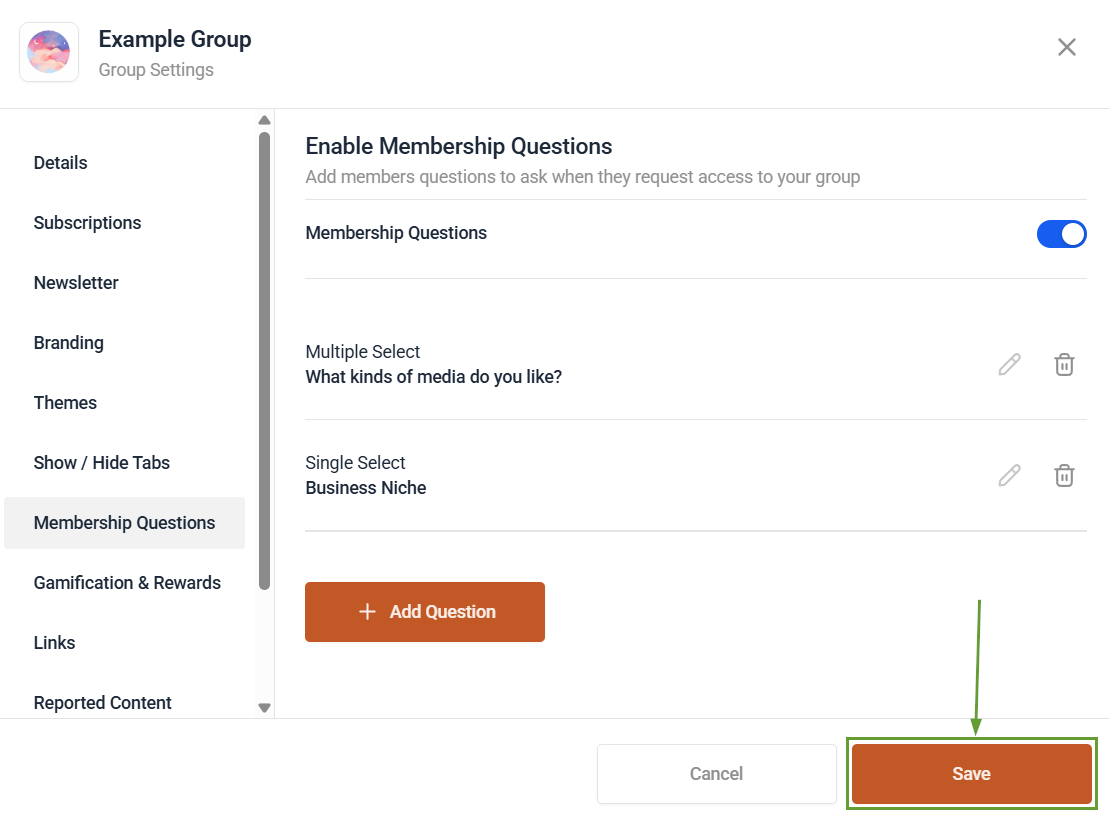
Enable the Membership Questions, then click Save.
⭐️Why Is This Feature Beneficial To Your Company?
Connection With Workflows: By using custom fields, you can connect members’ profiles to your workflows, making it easier to interact and market to them.
Automated Approval: Reduce the waiting time and effort required to add members to your groups by using custom fields to automate the process.
Updated Contact Records: This keeps the related contact record’s information relevant, using their responses to update their information without manual data entry.
Membership answers are now automatically synced to CRM custom fields, enabling automated approvals, workflows, and up-to-date contact records without manual data entry.
