Stay Up To Date
We believe in keeping you in the loop with all the latest happenings in our courses and system. On this page, you'll find a comprehensive log of all the exciting changes, improvements, and additions we make to our courses and system. Whether it's a new feature, a course enhancement, or a system update, we've got you covered. Bookmark this page and check back regularly. We're committed to ensuring that your learning experience remains exceptional and that you have all the information you need to succeed.

New Features

New Updates

Resources & Tools

Important Updates
Here are some of the most recent updates we thought would be helpful to take note of
New Feature: Course Announcements
Relying on external email campaigns to notify learners of updates can lead to lost messages, missed deadlines, and increased frustration. So, we’ve added Announcements to give you a central place to communicate launches, updates, reminders, and important notices while reaching learners where they're already studying. Let’s learn how it works!
⭐️ How To Create A Course Announcement?
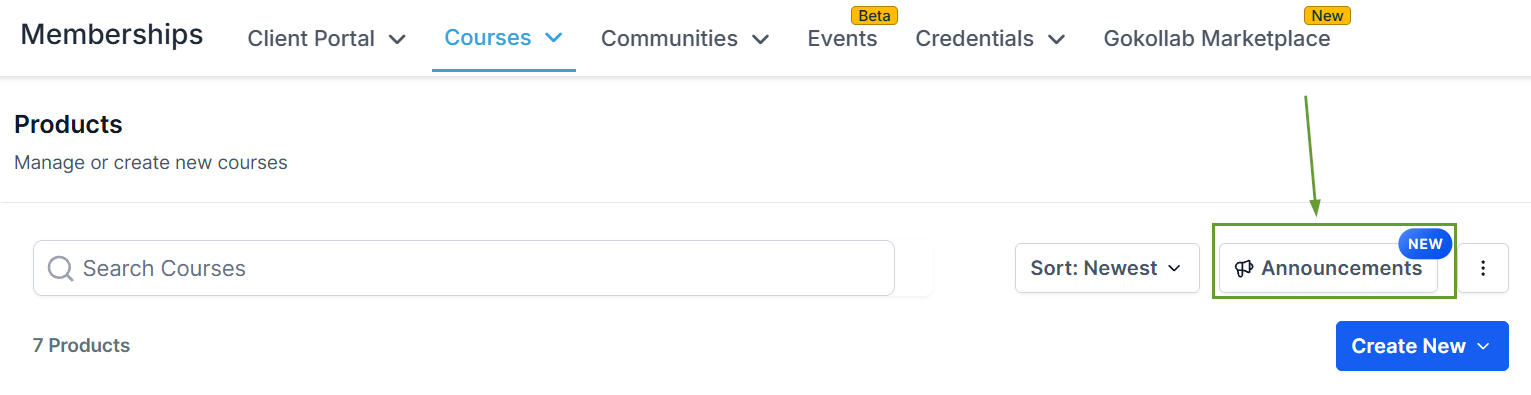
In the Products area of the Courses tab in the Memberships section, click Announcements.
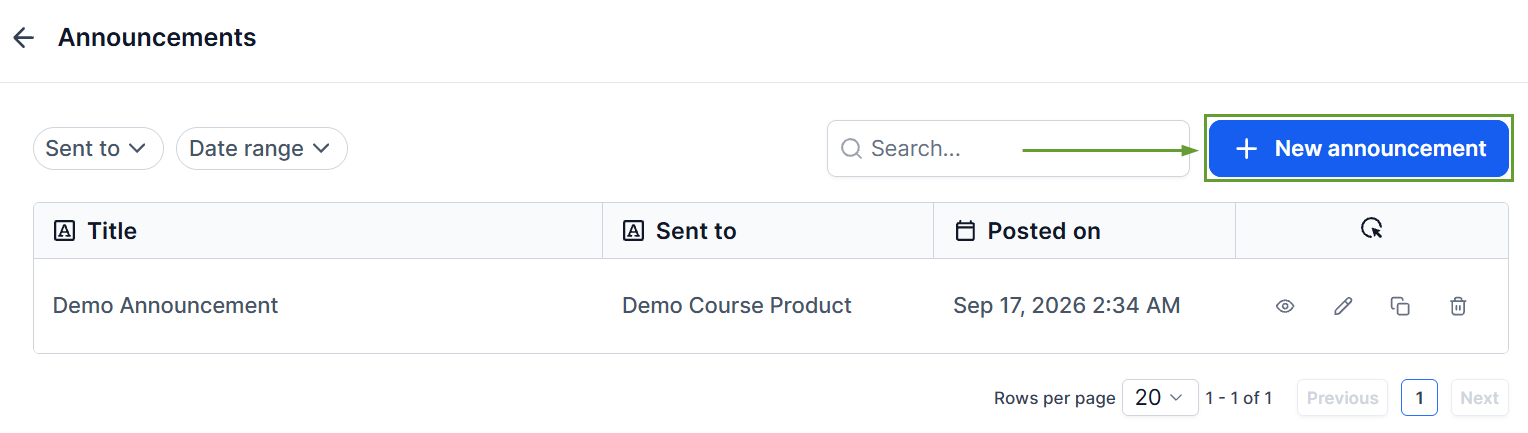
Click "+ New Announcement" to create a new one.
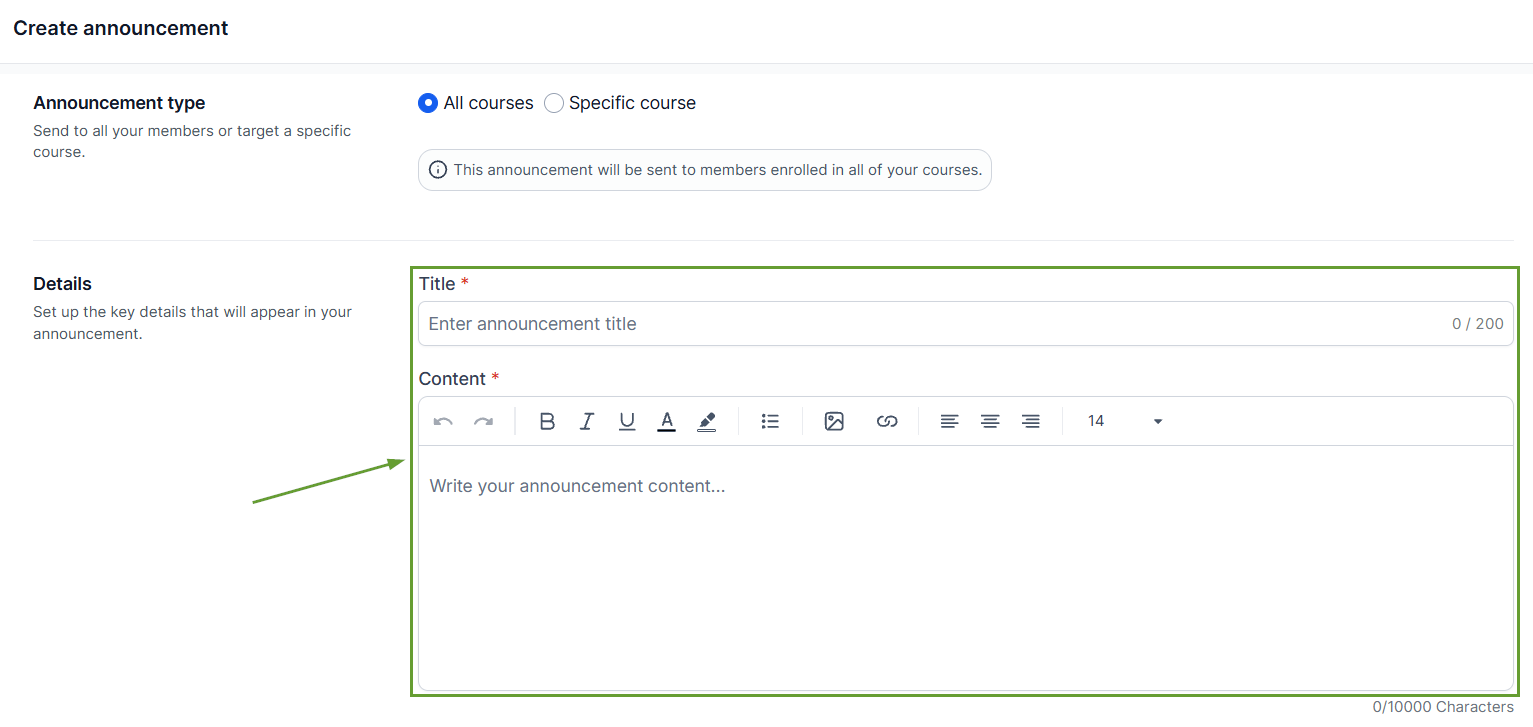
Select the courses you want to target, then add a title and rich content.
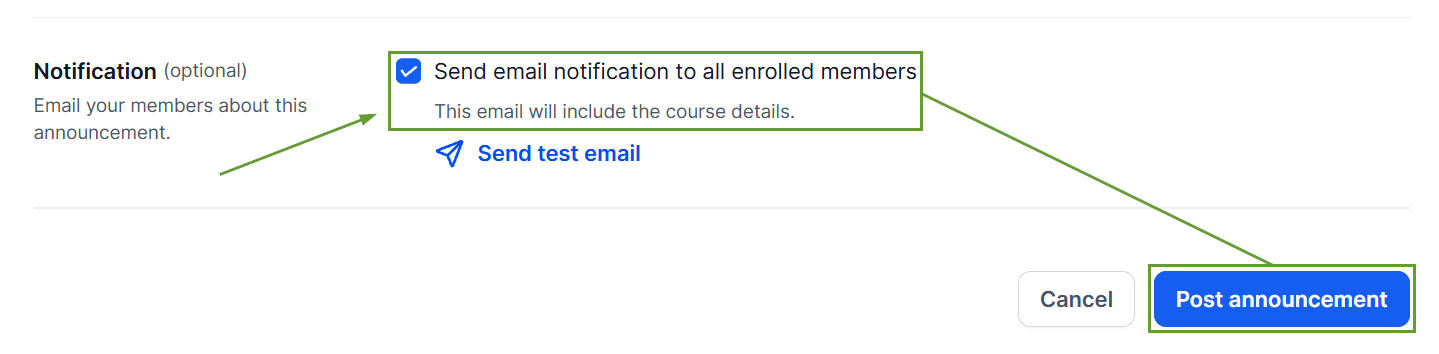
Enable email notifications if you'd also like course members to receive the announcement via email, then publish your announcement.
⭐️Why Is This Feature Beneficial To Your Company?
Announcement Experience: Once published, learners can discover new announcements through the announcement banner, unread indicator, announcements list, and announcement detail page.
Flexible Targeting: Share announcements with learners from specific courses or across all courses, keeping communications effective and controlled.
Rich Content Support: Create, edit, clone, and delete announcements directly, with formatted text, images, and links to make announcements more engaging.
This helps creators keep their audience informed and gives learners a simple way to stay up to date without disrupting their learning experience. We hope you enjoy it!
