Stay Up To Date
We believe in keeping you in the loop with all the latest happenings in our courses and system. On this page, you'll find a comprehensive log of all the exciting changes, improvements, and additions we make to our courses and system. Whether it's a new feature, a course enhancement, or a system update, we've got you covered. Bookmark this page and check back regularly. We're committed to ensuring that your learning experience remains exceptional and that you have all the information you need to succeed.

New Features

New Updates

Resources & Tools

Important Updates
Here are some of the most recent updates we thought would be helpful to take note of
New Feature: Conversation AI Summary & Transcript
Conversation AI lacked a centralized, contextual record of past interactions, making audits, reviews, and insight extraction difficult. So, we’re glad to include automatically generated conversation summaries and full transcripts for every Conversation AI session. Let’s check how to use this feature!
⭐️How to Enable Conversation AI Summary & Transcript?
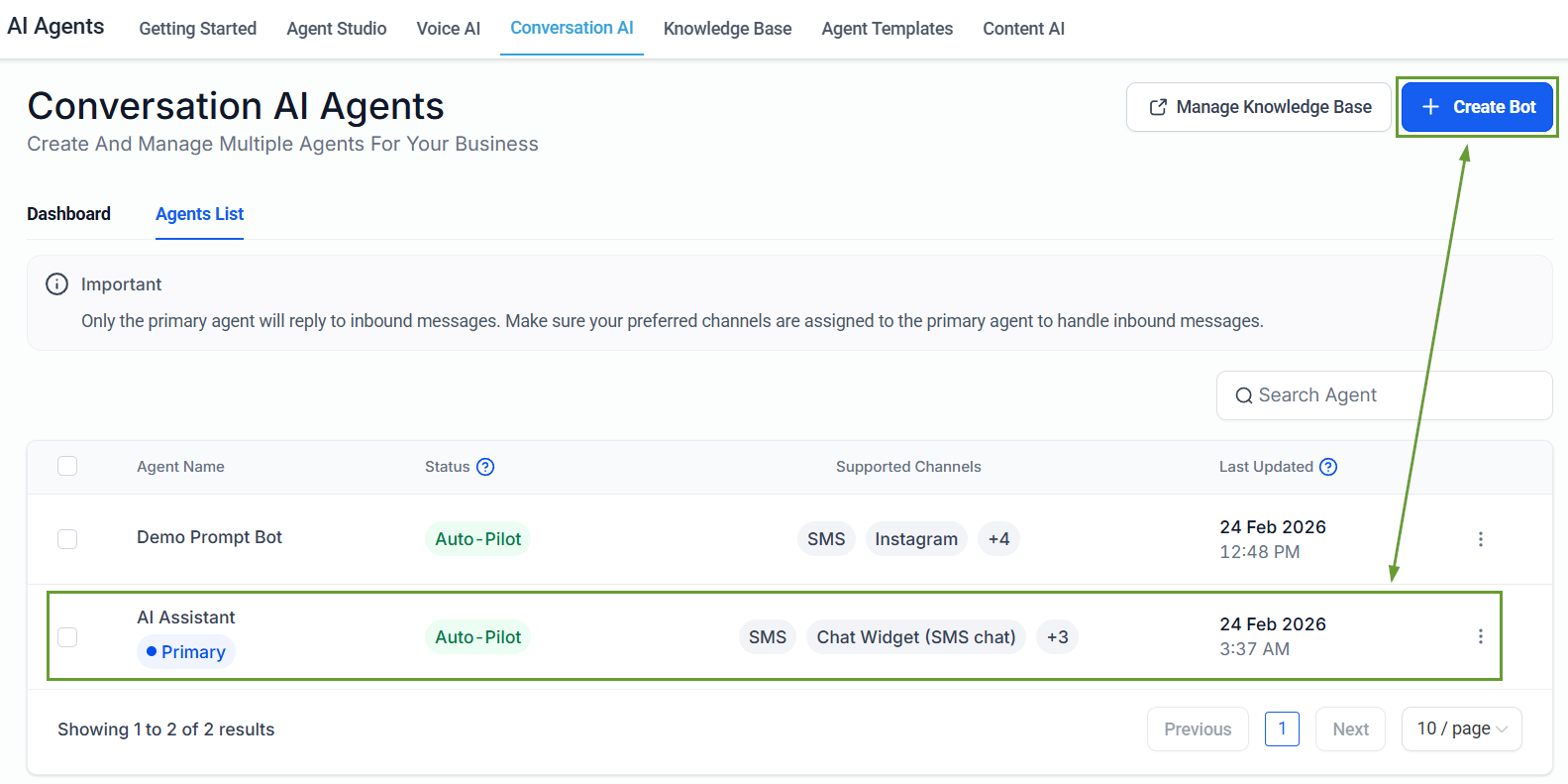
Head to the Conversation AI tab inside the AI Agents section and select an existing bot or create a new one.
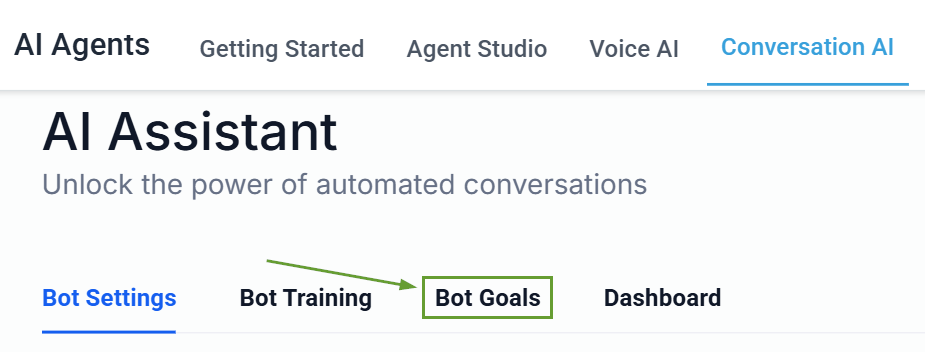
Go to the Bot Goals tab.
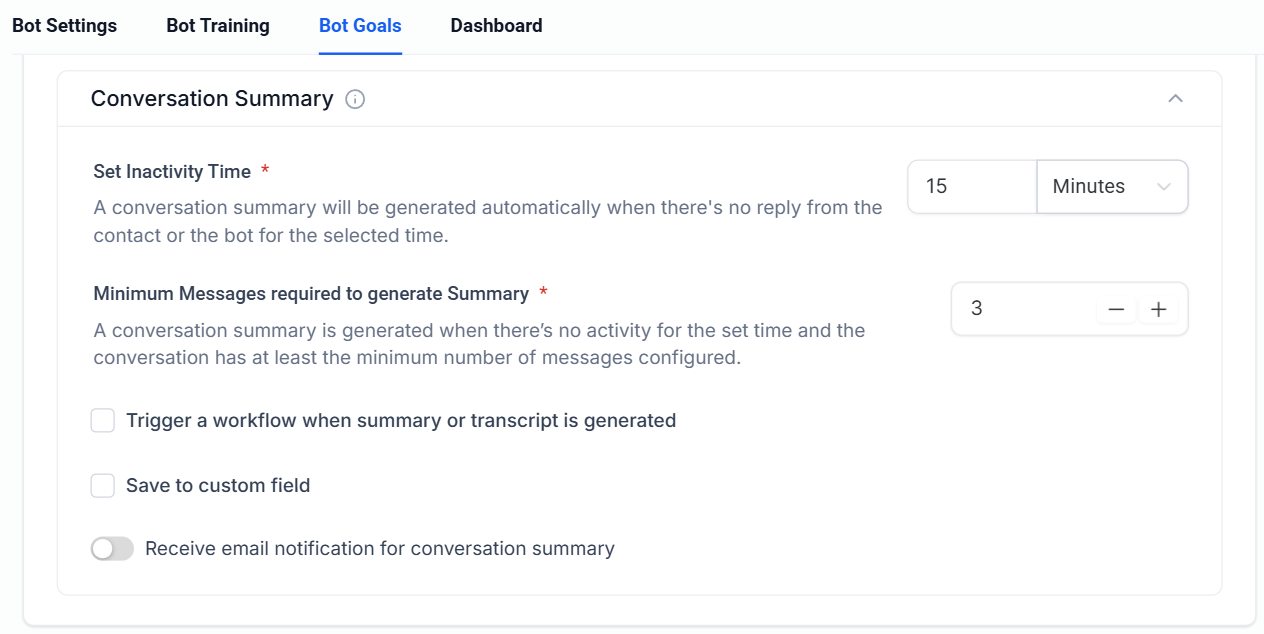
Enable Conversation Summary.
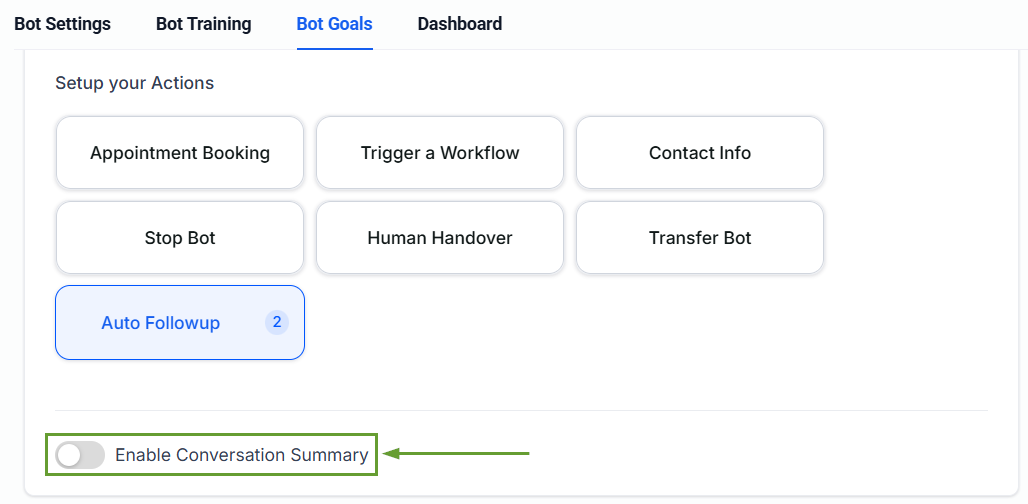
Configure the Conversation Summary settings to personalize the summary to your needs.
⭐️Why Is This Feature Beneficial To Your Company?
Data-Backed Improvements: This update gives you full visibility into AI conversations, making it easy to audit them and identify common customer questions to improve FAQs.
Updated Information: Each summary includes only messages sent after the last summary was generated, covering all new inbound and outbound messages.
Automation Power: You can trigger workflows without a trigger when a summary is generated or access conversation data using Conversation AI workflow variables.
Now you can automatically generate conversation summaries and full transcripts for every Conversation AI session, making it easier to connect with customers by providing actionable insights from AI-driven conversations. We hope you enjoy it!
