Stay Up To Date
We believe in keeping you in the loop with all the latest happenings in our courses and system. On this page, you'll find a comprehensive log of all the exciting changes, improvements, and additions we make to our courses and system. Whether it's a new feature, a course enhancement, or a system update, we've got you covered. Bookmark this page and check back regularly. We're committed to ensuring that your learning experience remains exceptional and that you have all the information you need to succeed.

New Features

New Updates

Resources & Tools

Important Updates
Here are some of the most recent updates we thought would be helpful to take note of

New Feature: Company fields in the Custom Value Picker
Company records allow you to manage business relationships easily. Keeping track of the proper data for emails, workflows, contracts, conversations, and AI context is easier than before, as Company records can now power personalized communication. Let’s learn how to use it!
⭐️ How To Select Company Fields As Custom Values?
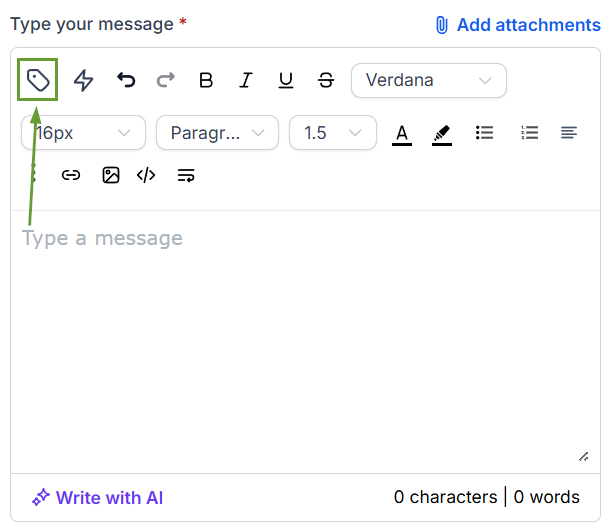
Open any supported tool, such as a Workflow Send Email action, and click the Custom Value Picker in the editor toolbar.
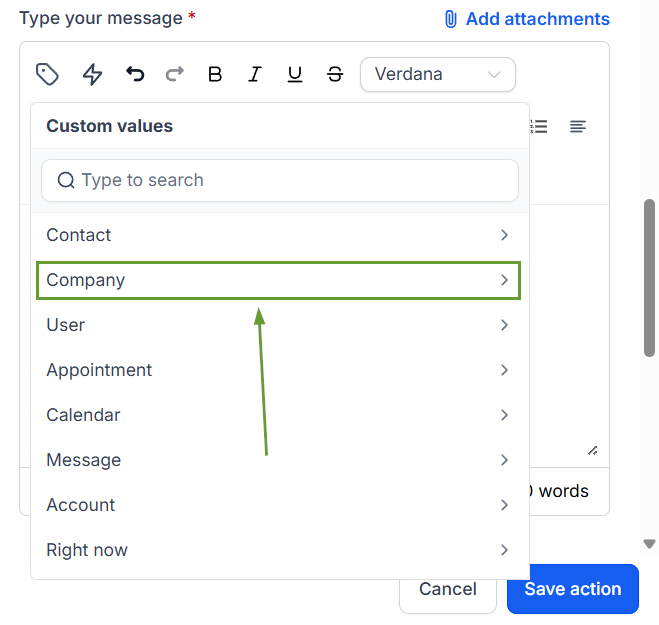
Select the Company group.
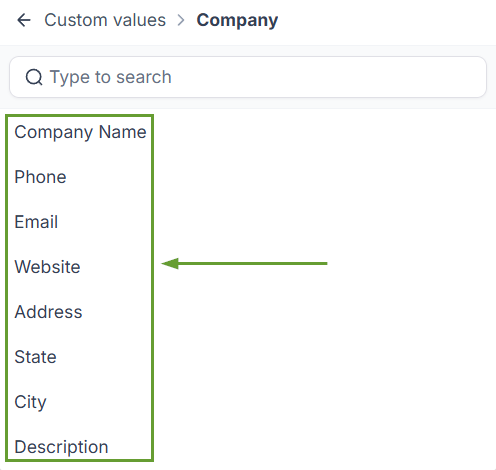
Pick any standard or custom Company field.
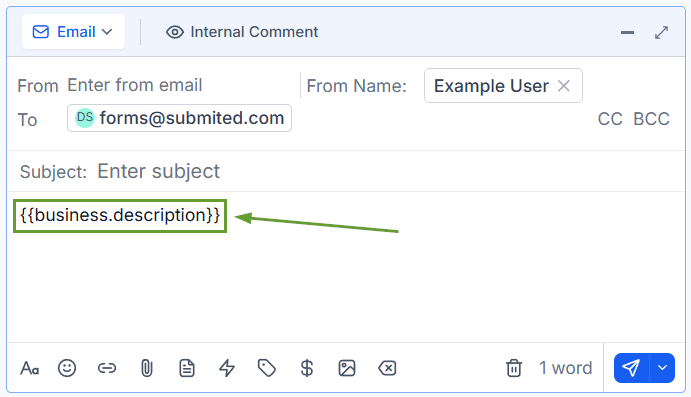
The selected field will be included in brackets in your writing.
⭐️Why Is This Feature Beneficial To Your Company?
Smarter Personalization: Reference a recipient's company name, industry, account tier, or any custom attribute directly in your messages.
Auto-filled Contracts: Generate proposals and agreements with full Company context pre-populated; every field you've set up on Company is now usable wherever you communicate.
Context-aware Automation: Conversation AI and workflows can now use Company information in their replies, helping you drive responses with Company data without workarounds.
You can now reference Company fields, picking from standard fields and all your custom Company fields, across the platform as custom values in emails, workflows, contracts, conversations, and AI context. We hope you enjoy it!
