Stay Up To Date
We believe in keeping you in the loop with all the latest happenings in our courses and system. On this page, you'll find a comprehensive log of all the exciting changes, improvements, and additions we make to our courses and system. Whether it's a new feature, a course enhancement, or a system update, we've got you covered. Bookmark this page and check back regularly. We're committed to ensuring that your learning experience remains exceptional and that you have all the information you need to succeed.

New Features

New Updates

Resources & Tools

Important Updates
Here are some of the most recent updates we thought would be helpful to take note of
Improved Feature: Community Events with Live Rooms
Community Events help you create exciting gatherings within your groups. However, so far, you have had to host these events externally, adding an entry barrier for some members. With this update, we aim to remove that by adding a built-in Live Room as a location option. Let’s learn how to use it!
⭐️ How To Create An Event With A Live Room As The Location?
Head to the Community Groups tab inside the Memberships section and log in to your community.
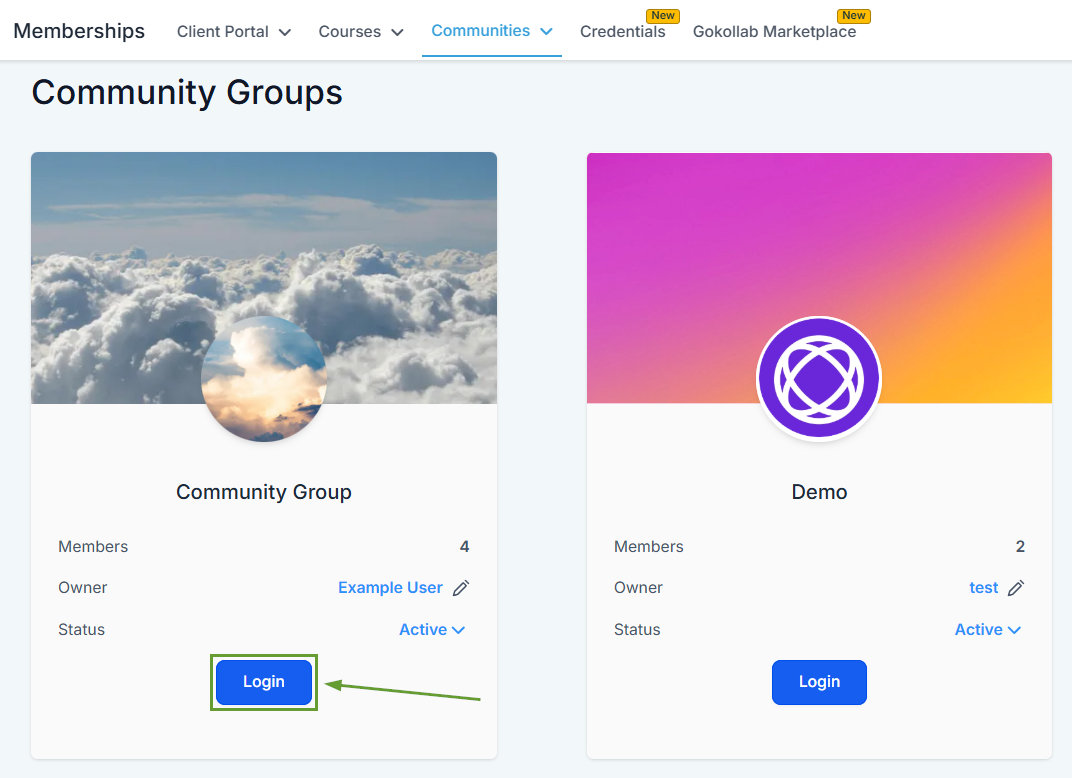
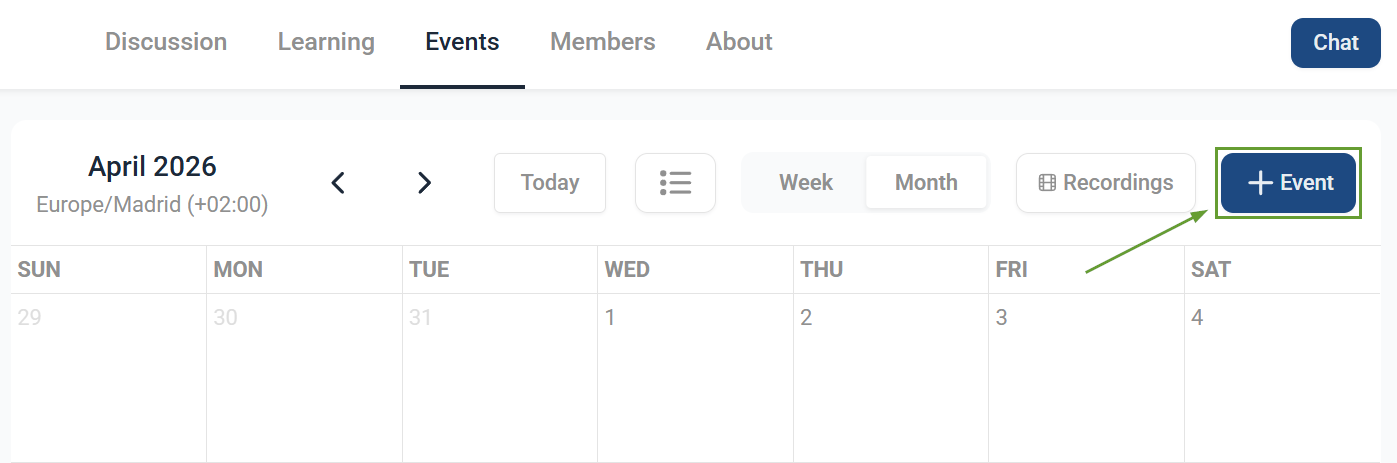
Switch to the Events tab and click “+ Event” in the top right corner.
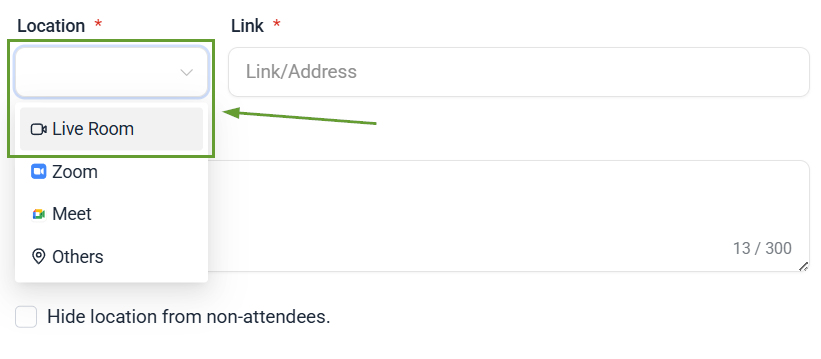
Fill out the event details and select “Live Room” as the Location.
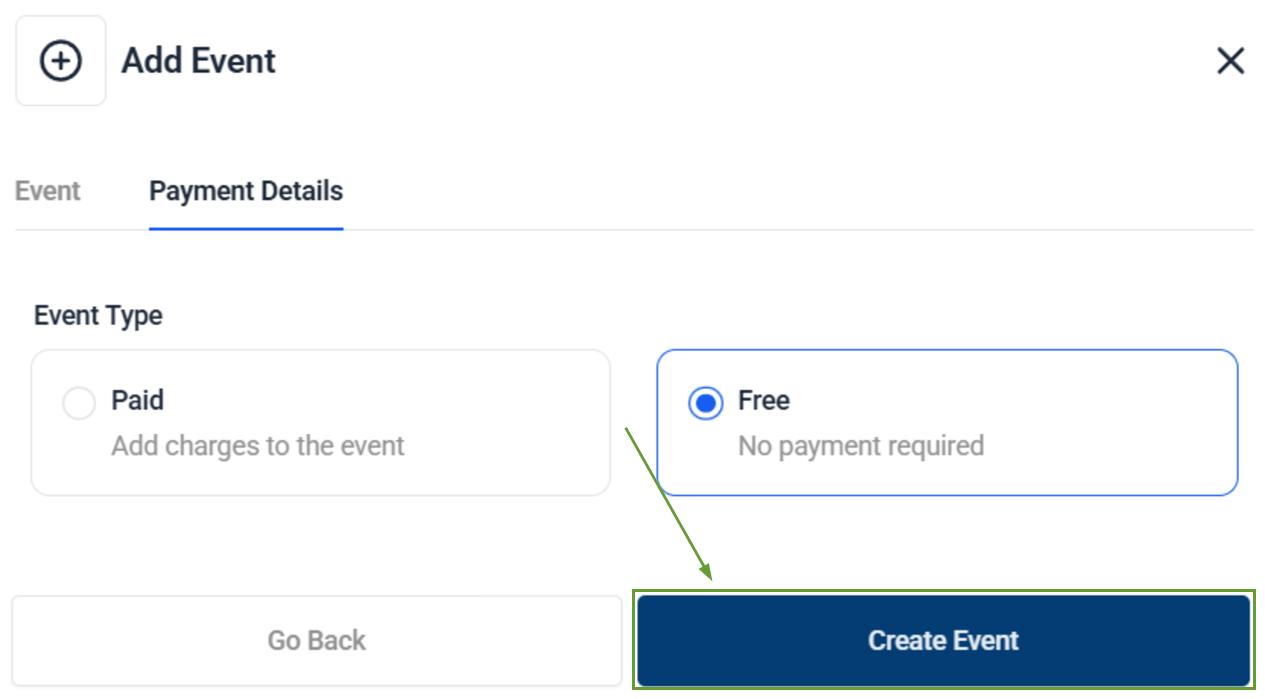
Select the Payment requirement for your event, then click Create Event to publish it.
⭐️Why Is This Feature Beneficial To Your Company?
Location Selection Flexibility: This update gives you greater control over your event’s location by adding a native room option to Zoom, Meet, and Other.
Enhanced Attendee Experience: Attendees can join directly from the event, eliminating confusion about links or platforms and providing a consistent experience across all events.
Mobile Device Support: This option allows attendees to join the event directly from their mobile devices, eliminating the need for them to access secondary apps to connect with the rest of the community.
Live Rooms unify hosting, notifications, and member access in your communities, allowing you to reach your community without relying on external platforms and simplifying connections. We hope you enjoy this upgrade!
